
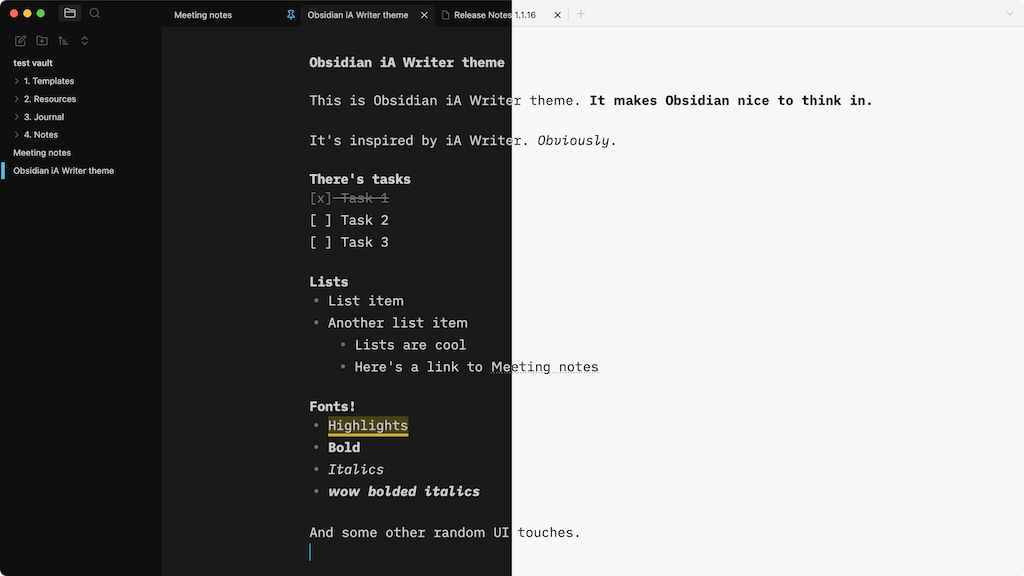
README file from
GithubObsidian iA Writer theme
Makes Obsidian nice to think in.
Installation
- Open Obsidian Settings
- Go to Appearance and click Manage
- Search for "iA Writer"
- Click the "Install and Use" button
Optional settings
- Go to Settings → Appearance
- Set your accent color to
#18BEEC - Turn off 'Show tab title bar' option
- Turn on 'Translucent window' option
- Set your accent color to
- In Settings → Editor turn off 'Show indentation guides'
- Install hider plugin and hide UI elements for a cleaner look
Related
- Focus Active Sentence plugin
- Natural Language Syntax Highlighting plugin
Support
License
MIT