
README file from
Github🛡️ Hackpuntes for Obsidian
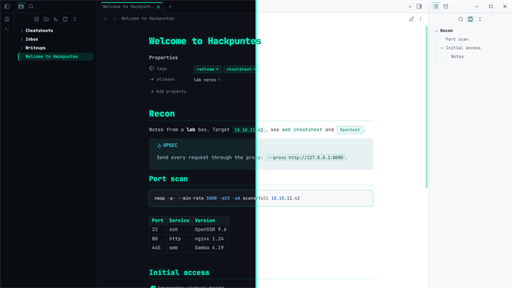
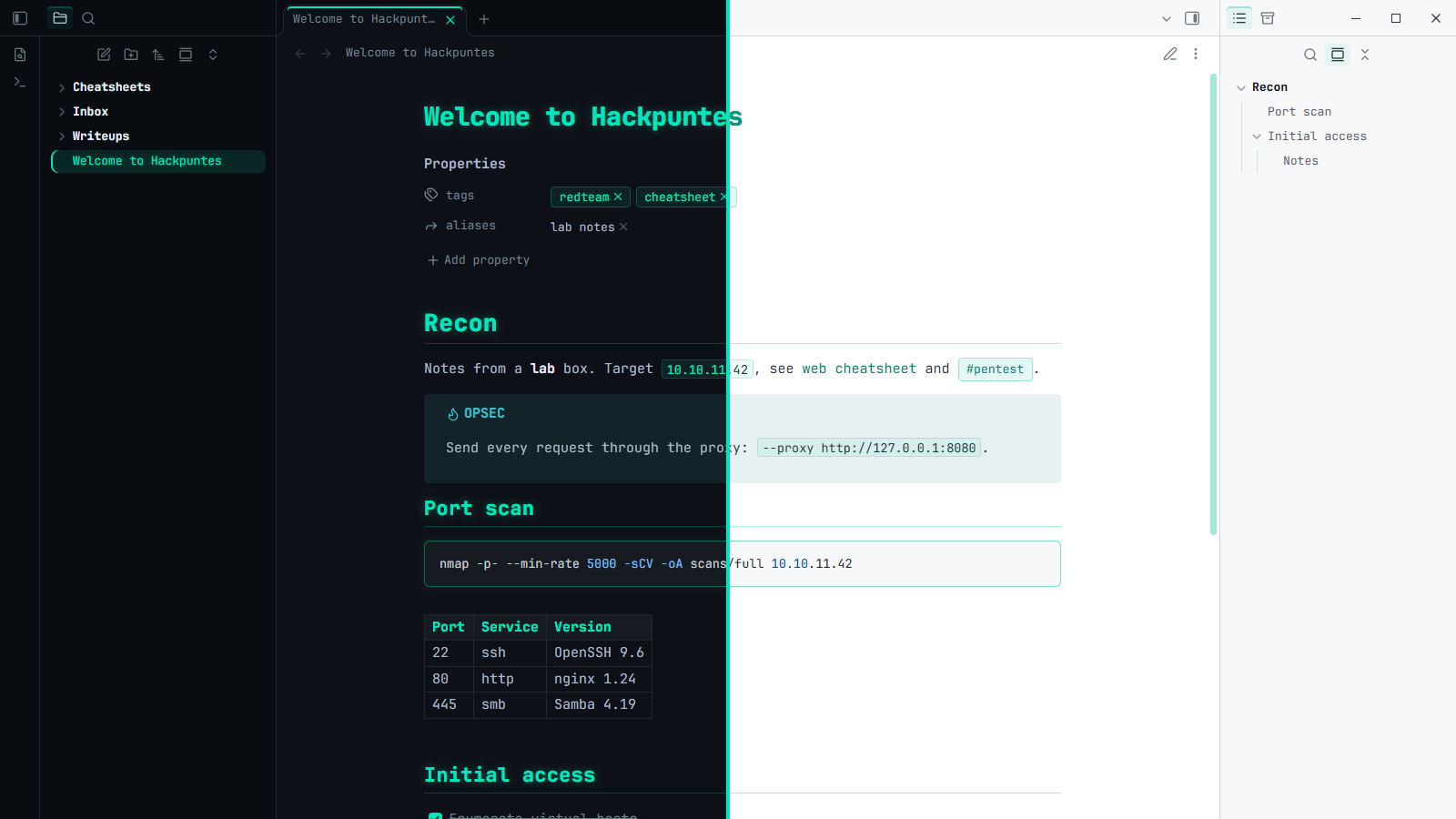
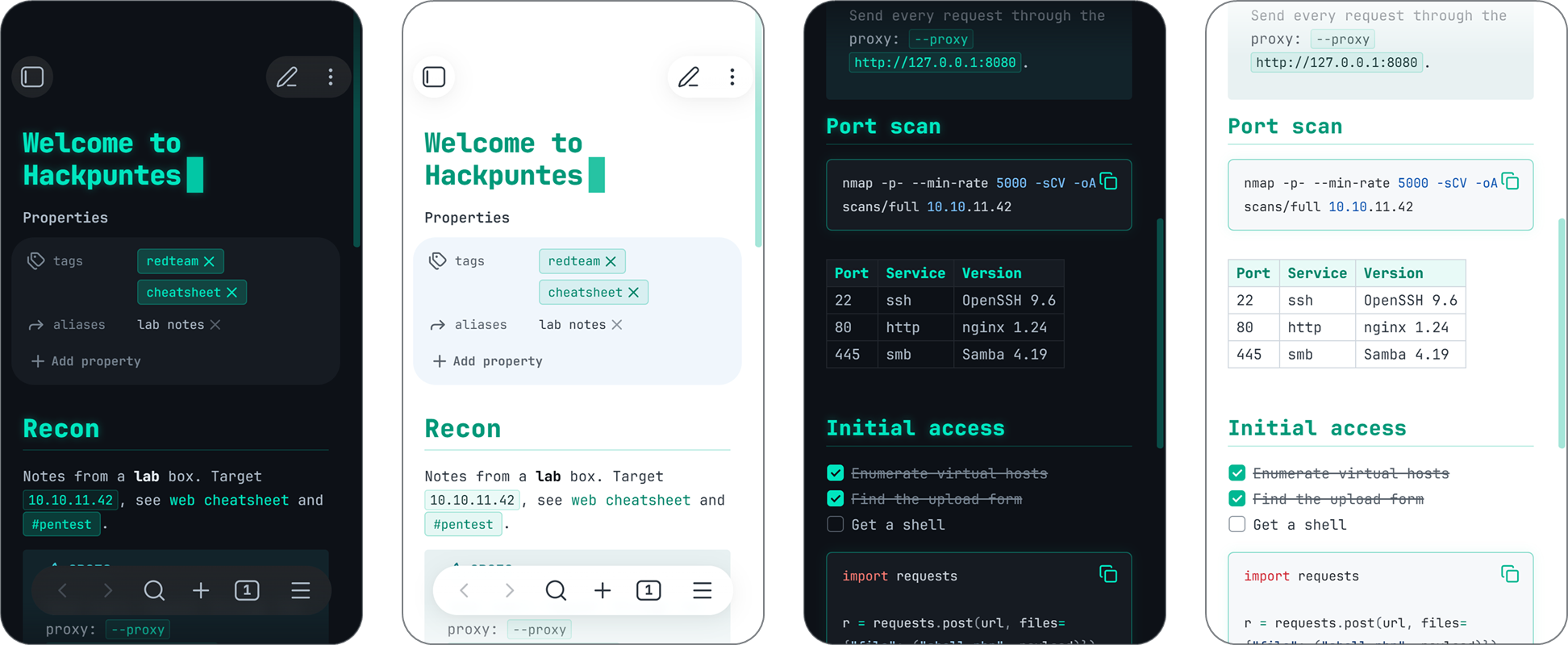
A hacker-style theme for Obsidian, based on the look of hackpuntes.com: teal accent, glowing headings and JetBrains Mono everywhere, with dark and light modes. Made for pentest notes, cheatsheets and writeups full of commands.
✨ Features
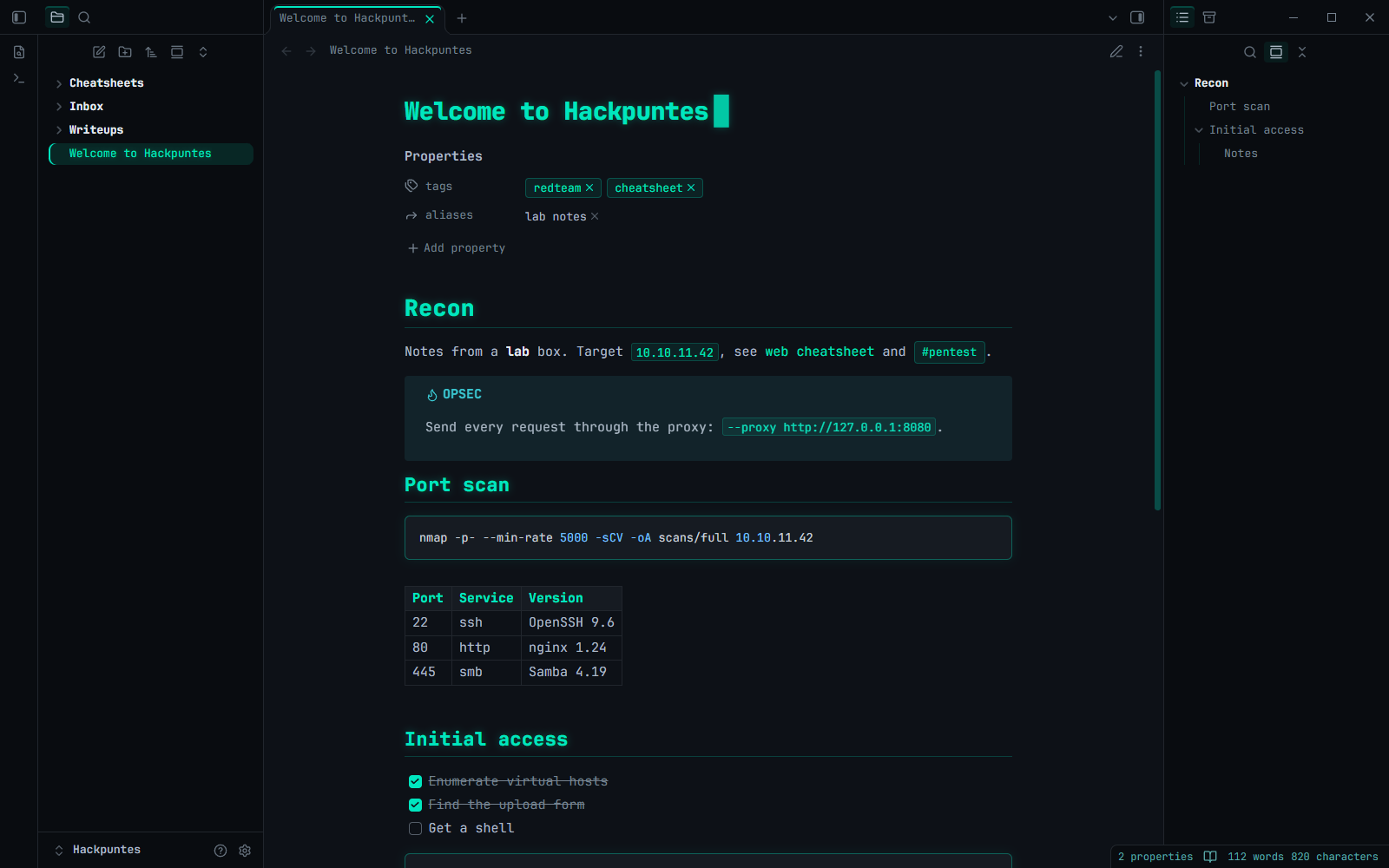
- 🎨 Hackpuntes palette: background
#0d1117, accent#00e5be, text#adbac7, GitHub-style syntax colors. - 🔤 JetBrains Mono embedded in the theme, so it looks the same on desktop and mobile without installing fonts. No ligatures, so commands look exactly as typed.
- 💡 Headings with a soft teal glow and a thin rule under H1 and H2 to split long notes.
- 💻 Code blocks with a teal border and glow, teal inline code and
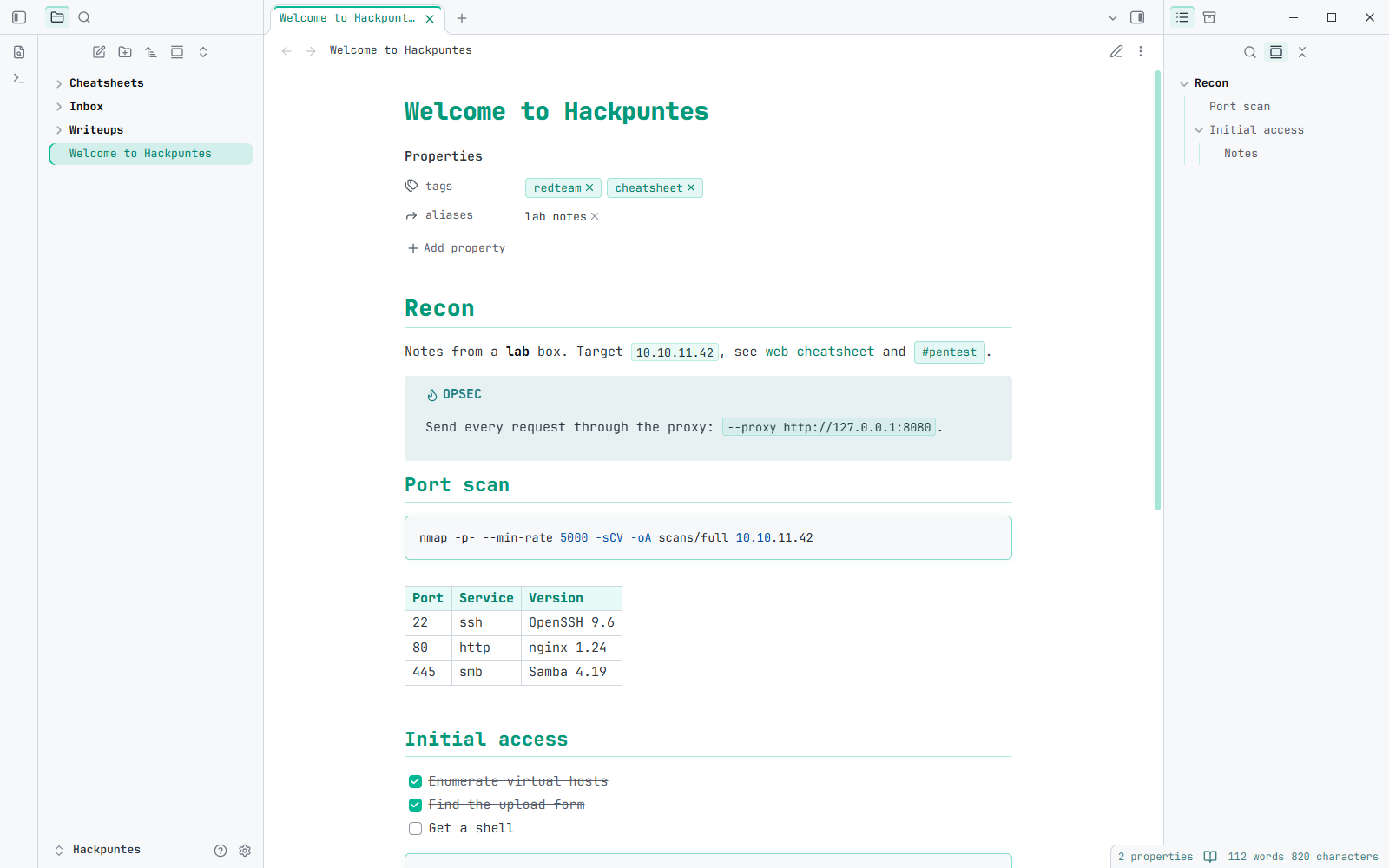
<kbd>keys. - 📋 Tables, callouts, tags, checkboxes and quotes styled to match.
- 🗂️ File explorer and Outline with a teal bar on hover and on the active item.
- 🎯 Accent color: change it in Settings > Appearance > Accent color and the whole theme follows.
- ☀️ Light mode with accessible contrast for links.
- 🔒 No network requests: everything is bundled in
theme.css.
📸 Screenshots
🖥️ Desktop
| Dark | Light |
|---|---|
 |
 |
📱 Mobile
📦 Installation
From Obsidian: Settings > Appearance > Themes > Manage, search for Hackpuntes and select Install and use.
Manually: download theme.css and manifest.json from the latest release into <your vault>/.obsidian/themes/Hackpuntes/, then pick Hackpuntes in Settings > Appearance > Themes.
⚙️ Options
With the Style Settings plugin installed, go to Settings > Style Settings > Hackpuntes:
| Option | Default |
|---|---|
| Sans-serif note text | Off (everything in JetBrains Mono) |
| Sans-serif interface | Off |
| Disable heading glow | Off |
| Disable the blinking cursor after the note title (needs Show inline title) | Off |
| CRT scanlines | Off |
| Minimum left / right sidebar width | 0 (no minimum) |
The theme works fine without Style Settings; you just get the defaults.
🛠️ Development
theme.css is generated: edit src/theme.src.css and rebuild.
python src/build.py
build.py appends JetBrains Mono (src/fonts/*.woff2) to the end of theme.css as base64. Those fonts are a subset of the official ones (Latin, punctuation, arrows and box drawing, no ligatures) made with src/subset_fonts.py, which keeps theme.css around 100 KB.
To publish a new version:
- Bump
versioninmanifest.json(for example1.0.1). - Run
python src/build.pyand commit. - Push a tag with the same version:
git tag 1.0.1andgit push origin 1.0.1.
The release workflow checks that the tag matches manifest.json and that theme.css is up to date, then creates the GitHub release with manifest.json and theme.css, which is what Obsidian downloads.
☕ Support
If Hackpuntes makes your notes nicer, you can buy me a coffee:

📜 Credits and license
- Theme by Javier Olmedo, released under the MIT License.
- JetBrains Mono v2.304, Copyright 2020 The JetBrains Mono Project Authors, under the SIL Open Font License 1.1.