
README file from
GithubPrimary Simplified for Obsidian
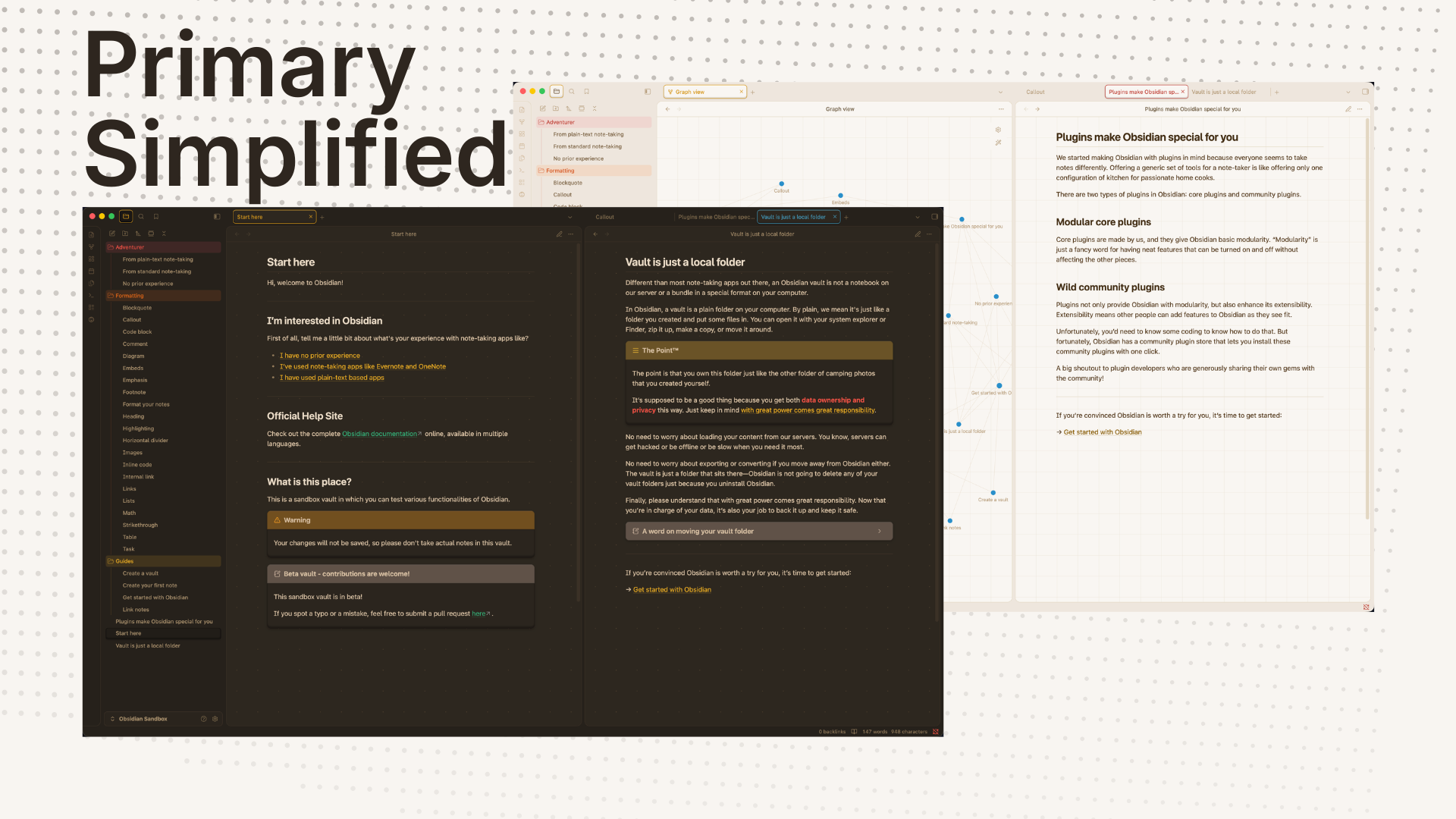
Primary Simplified is a warm, quiet Obsidian theme based on the original Primary theme by Cecilia May.
It keeps the soft Primary palette, rounded interface details, readable typography, expressive checkboxes, and friendly callouts, but trims the theme down to the parts that make sense in a current Obsidian vault. The result is less busy than the original Primary, while still keeping its recognizable feel.
Requires Obsidian 1.13 or newer — the theme styles 1.13+ surfaces (including Bases) and relies on CSS variables introduced in that release.
What It Feels Like
Primary Simplified is meant for everyday writing and note work. It favors calm contrast, tidy and unobtrusive controls, and enough color to make tasks, callouts, folders, and active UI states easy to scan.
The theme includes:
- light and dark palettes
- alternative checkbox icons enabled by default
- tuned callout colors
- folder and bookmark color presets
- optional layout density and accent palette choices
- reduced-motion and forced-colors support
- Obsidian 1.13+ surfaces, including Bases
- per-note helper classes compatible with Minimal's
cssclassescontract (image grids, block widths, embeds, table styling, cards) — see minimal.guide/features/helper-classes for the full class reference
What It Is Not
- Not a pixel-perfect copy of Primary. The simplifications below change some visual and configuration details from the original.
- Not a skin for Calendar or Kanban. The original Primary theme includes dedicated styling for those two community plugins; this fork does not. Those plugins render with their own default appearance layered on this theme's base colors.
- Not a theme with manual per-element color/size controls. Style Settings offers curated presets (accent palette, layout density, heading style, etc.) instead of free-form color pickers and sliders.
- Not officially affiliated with or supported by Cecilia May or the original Primary project.
How This Differs from Primary (and Why)
- Style Settings consolidated to a focused set of toggles and presets. The original panel had grown into hundreds of entries, including manual-entry color/size/slider controls and a YAML structure that didn't parse reliably. Primary Simplified replaces most of that with class-based presets (accent palette, layout density, heading style, and similar) that cover the same visual range with far less fragile surface area.
- Checkbox icons unified to a single outline style. Some states in the original mixed filled, hard-coded-color badges with outline icons, which could render invisible or inconsistent depending on the color. Every checkbox state now uses the same outline treatment.
- No dedicated Calendar or Kanban plugin skins. The theme's scope is limited to core Obsidian surfaces instead of maintaining bespoke styling for specific community plugins that can drift out of sync with plugin updates.
- Removed unused per-folder bookmark color aliases. These duplicated the folder color variables without being exposed anywhere in Style Settings. Folder and bookmark coloring now share one consolidated preset.
- No bundled font files. Obsidian already ships Inter, so re-bundling it added unnecessary weight; the monospace fallback is handled through a CSS variable instead.
- Added
prefers-reduced-motionandforced-colorssupport, which the original theme does not have. - Added per-note helper classes matching Minimal's
cssclassescontract (image grids, block widths, embeds, table variants, cards/list-cards) — a feature the original Primary doesn't offer.
Net effect: a smaller, easier-to-maintain theme (theme.css dropped from
roughly 1.7 MB to about 325 KB) that keeps Primary's recognizable
palette and visual language.
Install
Primary Simplified is available in Obsidian's Community Themes:
- Open Settings > Appearance in Obsidian.
- Choose Manage next to Themes.
- Search for Primary Simplified.
- Install and use it.
For manual installation:
- Download
manifest.jsonandtheme.cssfrom a release. - Create this folder in your vault:
<vault>/.obsidian/themes/Primary Simplified/. - Put both files in that folder.
- Reload Obsidian.
- Select Primary Simplified in Settings > Appearance > Themes.
Style Settings
The theme works without the Style Settings plugin. The default look, including alternative checkbox icons, is built into the theme itself.
If you install the optional Style Settings plugin, Primary Simplified adds a small set of controls for the choices people are most likely to adjust:
- accent palette
- layout density
- heading scale
- colorful headings
- reduced motion
- popup blur
- ribbon and status bar behavior
- editor background
- active-line highlight
- title lines under H1 and inline title
- link underlines
- alternative checkbox icons
- note embed titles
- folder and bookmark color presets
Use Obsidian's built-in Appearance settings for font families, accent color, and editor font size.
Attribution
Primary Simplified is an independent fork of Primary. It is not affiliated with or endorsed by Cecilia May or the original Primary project. See How This Differs from Primary for what changed and why.
The original Primary theme remains available from Obsidian's Community Themes directory. If you want to support Cecilia May's original work, visit the author's Ko-fi page.
The image grid, cards, and list-cards helper classes are adapted from
Minimal by Steph Ango (@kepano),
used under Minimal's MIT license (notice included in theme.css).
License
Primary Simplified is licensed under the GNU General Public License v3.0. The repository keeps the original copyright and license notices from Primary, and the MIT license notice for the Minimal-derived helper-class rules noted above.