
README file from
GithubGlow
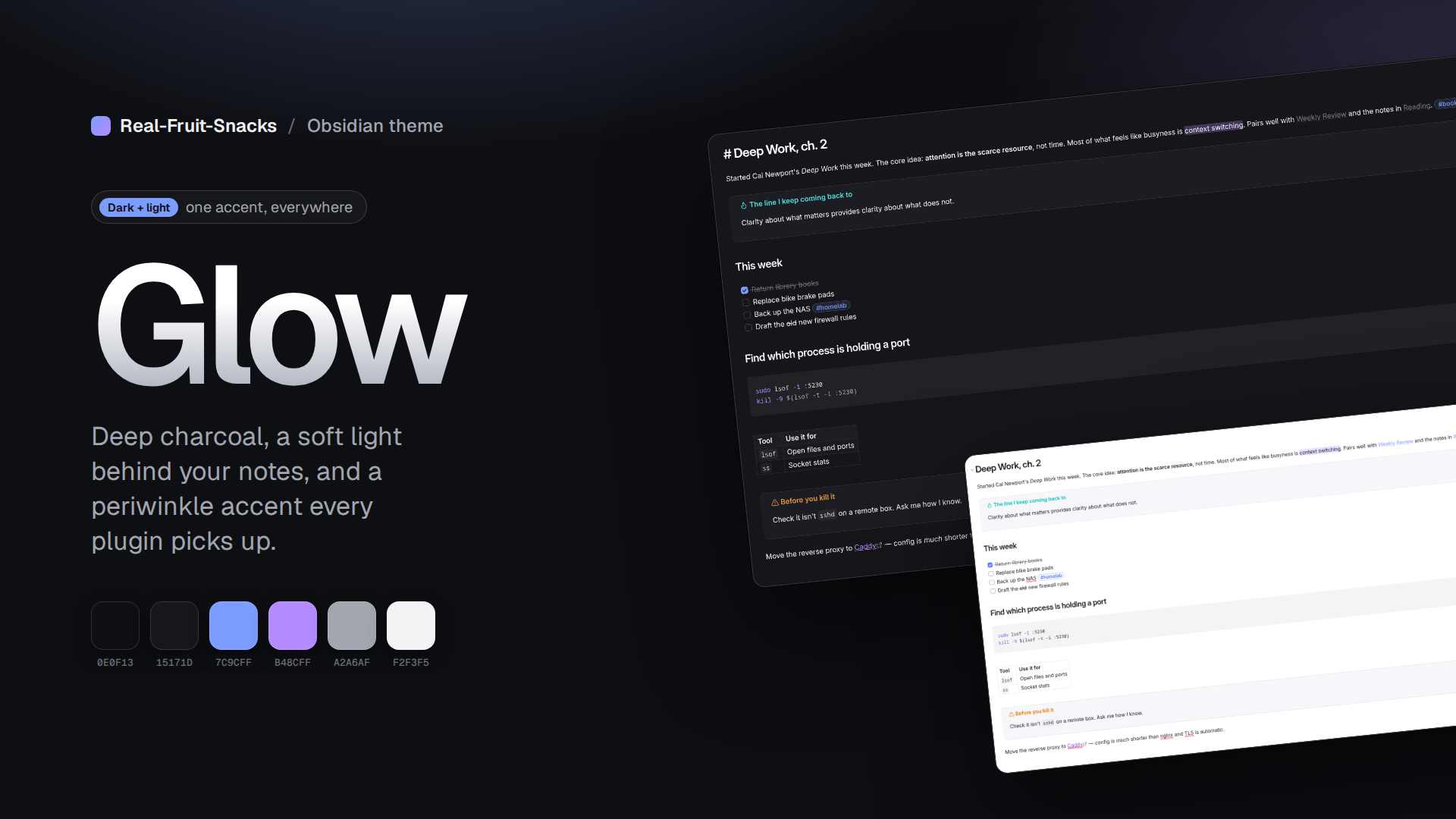
A dark theme for Obsidian: deep charcoal surfaces, a soft radial light behind your notes, and a periwinkle-to-violet accent. Quiet borders, rounded panels, nothing shouting.
Made to pair with Thoughtbin, but it stands on its own. A matching light mode is included.
Features
- Dark and light modes built from the same palette
- Accent set through Obsidian's accent variables, so plugins and core UI pick it up automatically
- Gradient note titles, pill tags, accent-tinted blockquotes and callouts, rounded modals and menus
- Subtle glow behind the editor (dark mode only)
- Full syntax colour set for code blocks
- Mobile-aware toolbars and navigation
- Uses Geist and Geist Mono if installed, with clean system fallbacks
Install
From the community list — Settings → Appearance → Themes → Manage → search "Glow".
Manually
- Download
theme.cssandmanifest.jsonfrom the latest release. - Put them in
<your vault>/.obsidian/themes/Glow/. - Settings → Appearance → Themes → Glow.
Fonts
Glow references Geist for interface and text and Geist Mono for code. They're optional; without them it falls back to Inter / your system font.
Palette
| Role | Dark | Light |
|---|---|---|
| Background | #0E0F13 |
#FFFFFF |
| Surface | #15171D |
#F3F4F8 |
| Text | #F2F3F5 |
#14161C |
| Muted | #A2A6AF |
#5A5F6B |
| Accent | #7C9CFF |
#5B7CFF |
| Accent 2 | #B48CFF |
#7E4FE0 |
Contributing
Issues and pull requests are welcome. There's no build step — edit theme.css, reload Obsidian. Please keep changes to Obsidian's CSS variables where one exists, and test both dark and light modes.
License
MIT