
README file from
Githubnoesis
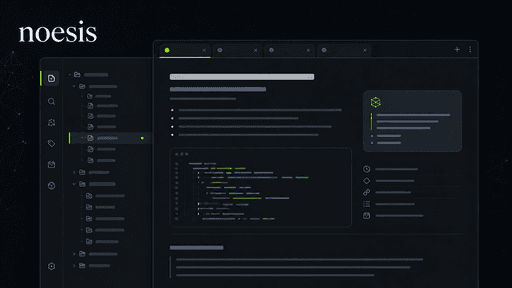
noesis is a cohesive Obsidian theme for technical notes, research, task lists, Codeboxes, callouts, and long-form writing. It includes the complete feature set: the Hack The Box (HTB) visual preset, technical callouts for operations and security, and every Codebox palette.
Designed by k2ak3n.
What it does
- Provides coordinated Default and HTB visual presets with light and dark mode support.
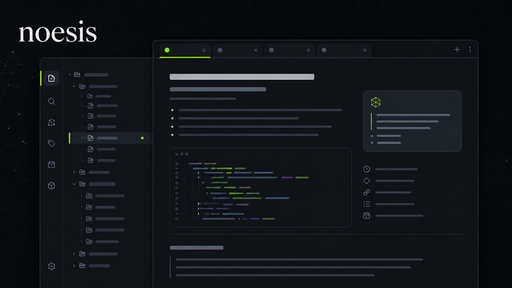
- Styles main tabs, sidebar tabs, stacked tabs, ribbon icons, file explorer items, and side panes as one visual system.
- Uses Pristine light surfaces and Neutral Graphite dark surfaces by default.
- Adds selectable syntax palettes and contrast levels for Codeboxes.
- Includes technical callouts for documentation, operations, security assessment, timelines, and attack chains.
- Styles task priority markers such as
[!],[H],[M], and[L]. - Polishes Properties, tags, search, backlinks, outgoing links, graph, canvas, dialogs, and print/PDF output.
- Works offline without remote images, fonts, or internet-dependent assets.
Install manually
Create this folder in your vault:
.obsidian/themes/noesis/
Copy these files from dist/noesis/ into it:
manifest.json
theme.css
README.md
Then select noesis in Obsidian's Appearance settings.
Style Settings
noesis works without extras, and its defaults use the standard noesis visual preset. The optional Style Settings community plugin adds controls for:
- Visual presets, headings, sidebars, and tabs
- Density, reading layouts, and print/PDF output
- Syntax palettes and code contrast
- Callouts, task markers, tables, graph, canvas, dialogs, and overlays
Callouts
noesis styles Obsidian's built-in callouts and adds the custom callouts below. Invoke one with > [!code], for example:
> [!decision] Use a versioned migration plan
> The change is approved for the next release.
| Invocation | Use it for |
|---|---|
> [!decision] |
A decision, trade-off, or approval. |
> [!definition] |
A term or concept definition. |
> [!artifact] |
A deliverable, file, or other project artifact. |
> [!scope] |
In-scope work, boundaries, or exclusions. |
> [!recon] |
Reconnaissance notes and discovery work. |
> [!target] |
A system, host, service, or other assessment target. |
> [!attack-path] |
A potential route through an attack surface. |
> [!finding] |
An observed issue or assessment finding. |
> [!vulnerability] |
A confirmed vulnerability and its impact. |
> [!exploit] |
Exploit steps, proof of concept, or execution notes. |
> [!credential] |
Credential-handling notes or access details. |
> [!remediation] |
A fix, mitigation, or hardening action. |
> [!report] |
A report-ready summary or evidence. |
> [!network] |
Network topology, service, or connectivity notes. |
> [!maintenance] |
Scheduled upkeep, change, or operational work. |
> [!rollback] |
A rollback plan or reversal procedure. |
> [!security] |
A security control, status, or verification note. |
> [!automation] |
An automated workflow, script, or bot action. |
> [!timeline] |
A chronological sequence; use headings to create milestones. |
> [!attackchain] |
A staged attack sequence; use level-three headings for numbered steps. |
Task markers
noesis distinguishes priority markers in editing and reading views:
- [!] Critical task
- [H] High task
- [M] Medium task
- [L] Low task
- [ ] Normal task
- [x] Completed task
Development
Use Node 20 or newer. Install the locked dependencies:
npm ci
Build the distributable theme:
npm run build
The build writes the installable artifact to dist/noesis/ and mirrors its stylesheet to root theme.css for local development.
Run the full build and static guardrails:
npm test
npm test verifies the generated artifact, all Style Settings selectors, contrast smoke checks, selector complexity, and the release theme card. Use visual-qa.md before a release.
Publishing
Keep a screenshot.png theme card in the repository root. It must be a 512 × 288 PNG; the release checks validate its format and dimensions. This repository uses an original UI-inspired noesis theme card for the community-directory thumbnail.
Commit the release, then create and push a semantic-version tag matching both manifest.json and package.json—for this release, 1.0.0:
git tag 1.0.0
git push origin 1.0.0
The Quality checks workflow verifies pull requests and pushes to main. The Release theme workflow validates the tag, build, license, and root screenshot; it then creates a GitHub Release containing manifest.json and theme.css.
After the release completes, submit this repository through Themes → New theme at Obsidian Community. The directory checks the default-branch manifest and installs the GitHub Release whose tag matches its version.
License
noesis is licensed under the MIT License.
Changelog
1.0.0
- First stable release of the complete noesis theme, including the HTB visual preset and technical callouts.
- Added Comfortable/Compact density control, print/PDF styling, and the visual QA matrix.
- Made advanced tab/sidebar treatments opt-in.
- Refined callout spacing, icon alignment, and Underline styling for ribbon and side-pane tabs.
- Added the Stacked Tabs active-text-and-icon accent toggle.
- Added static accessibility and selector-complexity audits.
- Added release-asset and complete Style Settings selector contracts, plus pull-request and main-branch quality checks.