
README file from
GithubRaggioProietto
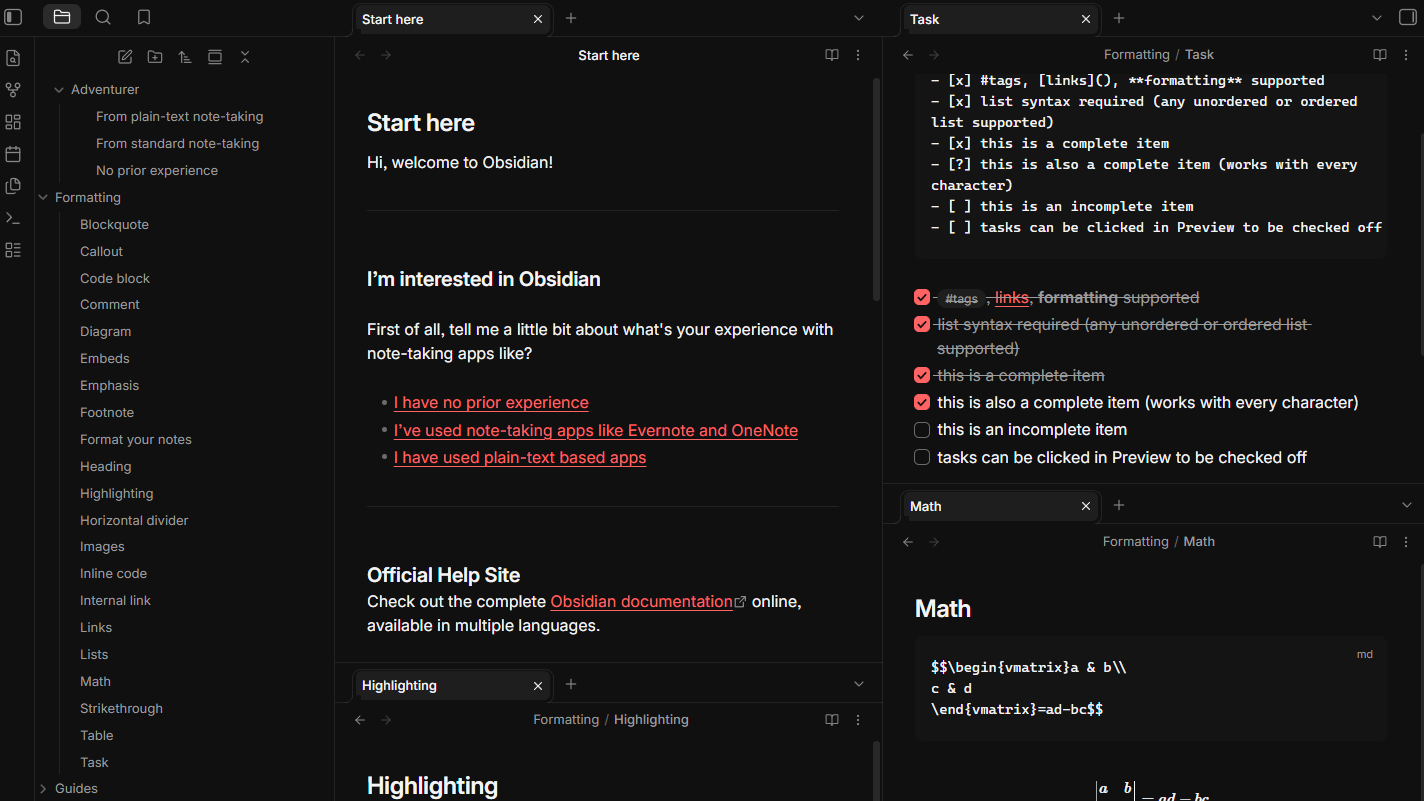
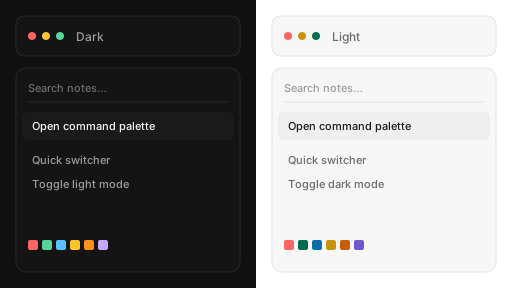
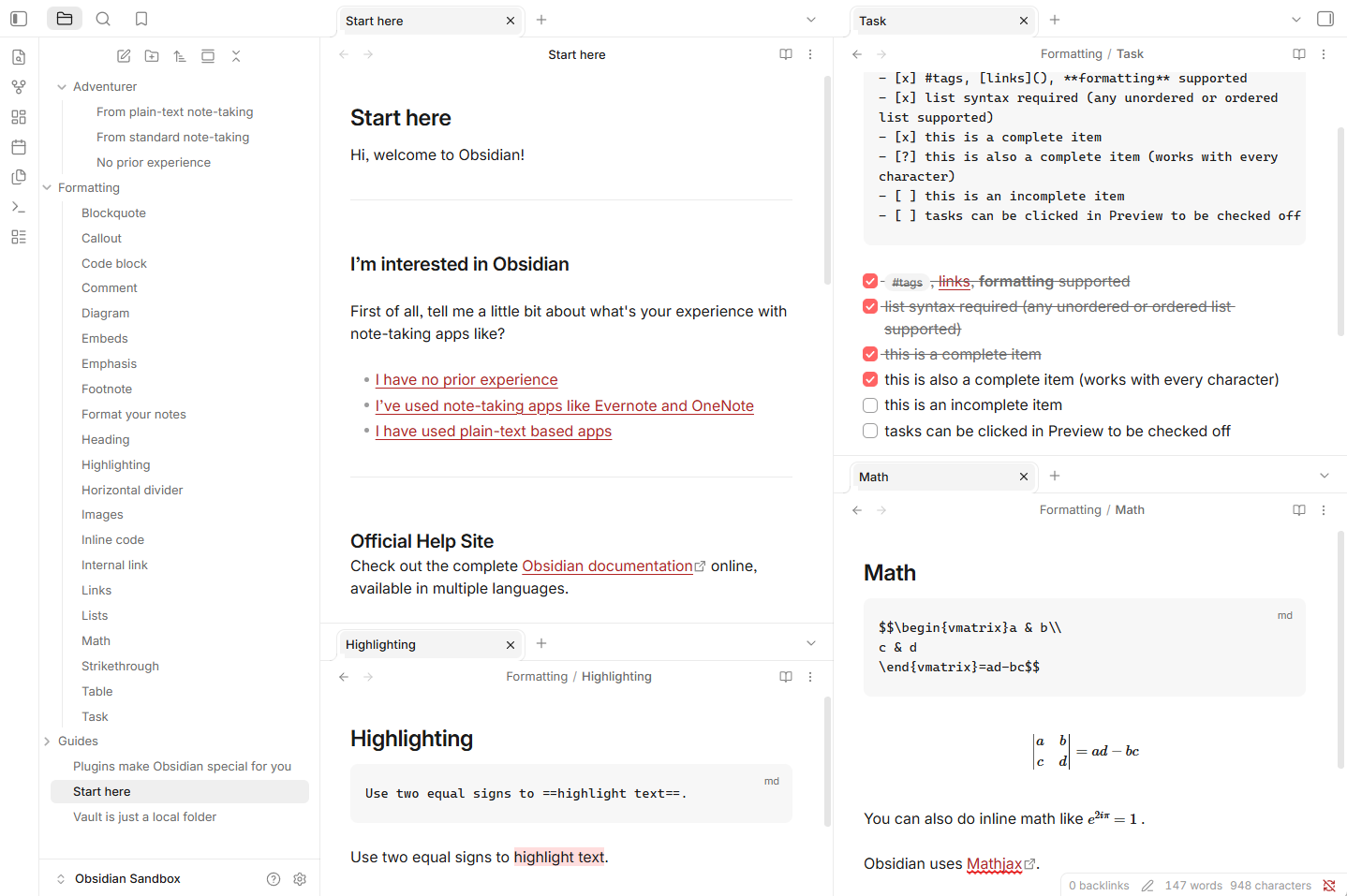
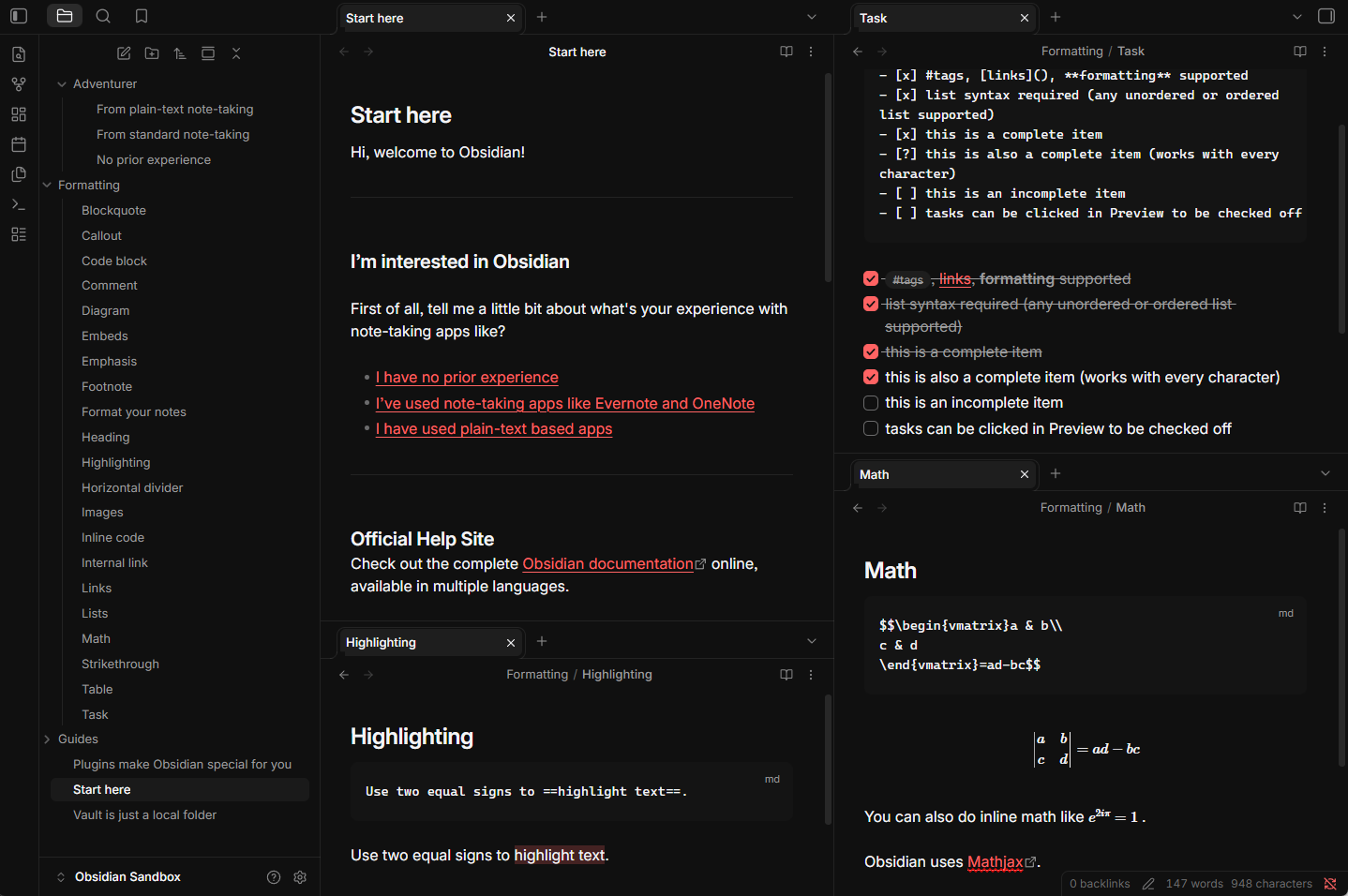
A sleek, modern Obsidian theme with a touch of coral, inspired by the Raycast application.
Unofficial theme. Inspired by Raycast and the ChatGPT desktop “Raycast” partner palette. Not affiliated with, endorsed by, or associated with Raycast or OpenAI.
Preview
| Light | Dark |
|---|---|
 |
 |
Features
- Dark and light from Appearance → Base color scheme
- Coral accent (
#ff6363) on controls in both modes - Command palette, menus, and settings with hairline borders, 6–12px radii, and keycap-style hotkeys
- Inter for UI and reading, JetBrains Mono for code
Palette
| Dark | Light | |
|---|---|---|
| Surface | #101010 |
#ffffff |
| Code | #141414 |
#f7f7f7 |
| Text | #f4f4f6 |
#1a1a1a |
| Accent | #ff6363 |
#ff6363 |
| Links | #ff6363 |
#b12424 |
| Green | #59d499 |
#006b4f |
| Blue | #56c2ff |
#0b6eaa |
| Yellow | #ffc531 |
#c7920e |
| Orange | #ff9217 |
#c75d07 |
Light links use a darker red so they keep contrast on white. Syntax colors are shifted the same way.
Install
Community themes
- Open Settings → Appearance
- Next to Themes, click Manage
- Search RaggioProietto
- Install, then Use
- Set Base color scheme to dark or light
Manual
- Download
manifest.jsonandtheme.cssfrom the latest release - In your vault, create
.obsidian/themes/RaggioProietto/ - Put both files in that folder (the folder name must match
"name"inmanifest.json) - Settings → Appearance → Themes → RaggioProietto
- Set Base color scheme to dark or light
Requires Obsidian 1.6.0 or later.
License
MIT. See LICENSE.