
README file from
GithubMeridian
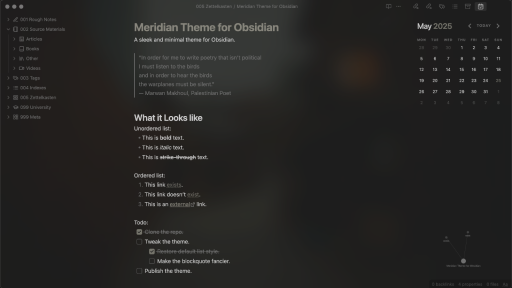
A sleek and minimal theme for Obsidian.
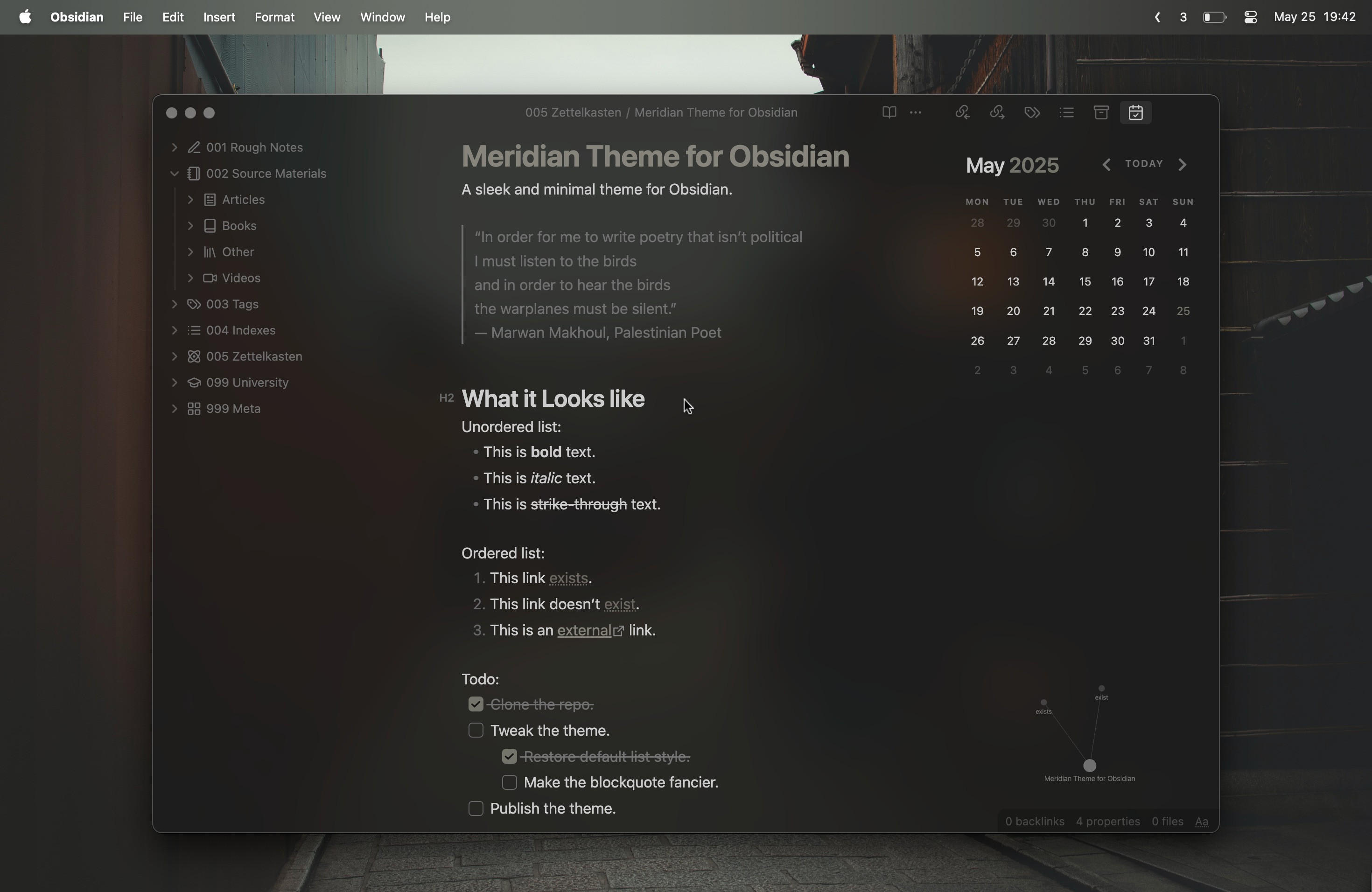
Table of Contents
Quickstart
Community Themes
- Go to Settings → Appearance → Themes → Manage.
- Search for Meridian in the community themes list.
- Select Install and use.
- (Optional) Install the Style Settings plugin to access customization options.
Manual Installation
Clone this repository into your .obsidian/themes directory, or:
- Download the
theme.cssandmanifest.jsonfiles from the latest release. - Place them into a new folder named
Meridianinside your.obsidian/themesdirectory. - Enable the theme in Settings → Appearance → Themes (you might need to restart Obsidian).
- (Optional) Install the Style Settings plugin to access customization options.
Features
[!IMPORTANT] Transparency is only supported on macOS.
Minimal & Uncluttered UI
Hides visual noise and distractions across the interface.
- Sidebar toggle buttons, nav headers, tab headers, and other UI chrome are hidden unless hovered or focused.
- Tab bar dynamically hides when only a single tab is open.
- Status bar, backlinks, and file metadata are grayed and semi-transparent until hovered or focused.
- Optional always-hidden mode for the tab bar.
- Sidebar headers (tags, backlinks, outline, etc.) and graph controls are only visible on hover.
- Scrollbars, tooltips, flair, and instruction text are removed or minimized where possible.
- Improves spacing between headers and paragraphs for cleaner readability.
Per-Note Visual Customization
Use the cssclasses frontmatter property to apply scoped styles per note.
- Invert, grayscale, sepia, or blur images—with effects removed on hover.
- Align images or text left, right, center, or justify.
- Scale images smoothly on hover.
- Transform text to uppercase, lowercase, or capitalized.
- Switch text to monospace or apply specific font weights (thin to black).
💡 Tip: Create a note with all available styles applied to enable suggestions.
Configurable Settings
Tailor the theme's appearance and behavior through various toggles and sliders via the Style Settings plugin.
- Background Opacity — Adjust the transparency of the background mask (0–1).
- Minimal Image Captions — Toggle a cleaner, low-profile style for image captions (requires the Image Captions plugin).
- Show Header Levels — Choose to always display header levels or only on hover in preview mode.
- Show Header Hashtags — Optionally show
#before headers in preview mode. - Hide Header Link Underline — Remove underlines from linked headers for a sleeker look.
- Hide Tab Bar — Choose between dynamically hiding the tab bar, always hiding it, or never hiding it.
- De-emphasize UI Elements — Soften visual prominence of the status bar, file properties, and embedded backlinks in preview mode.
Issues & Feature Requests
Meridian is a personal project, but I welcome contributions and feedback. I'll do my best to address issues and feature requests as time allows.
Development Guide
- Fork or clone this repository.
- Create a
.envfile in the root directory of the repository with.env.exampleas a template. - Run
npm installto install all dependencies - Run
npm startto compile the theme into your Obsidian themes directory and watch for changes. - Bump the version with
npm version [patch|minor|major]to updatemanifest.json,versions.json, and create a git tag. - Push with
git push origin dev --tagsand then mergedevintomainvia a PR on GitHub.
Acknowledgements
- Forked from the Apex theme.
- Configurable via the Style Settings plugin.
License
This theme is distributed under the MIT License.