
README file from
GithubIvory Garden
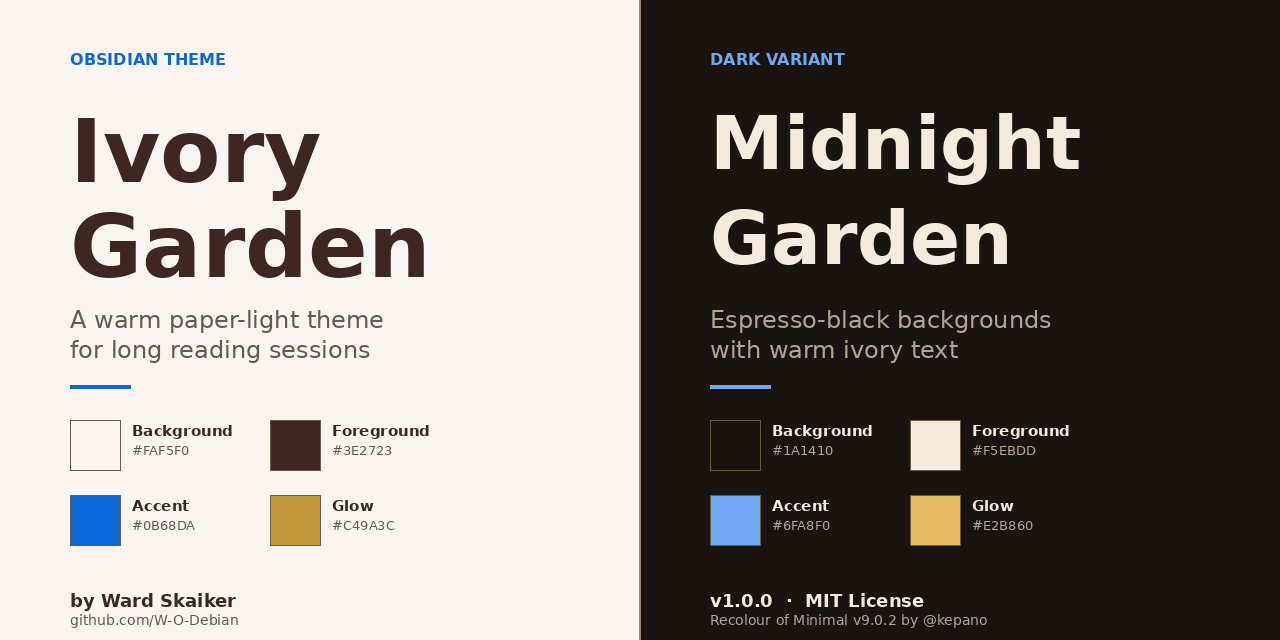
A warm, paper-light Obsidian theme built for long reading sessions. Ivory and cream backgrounds carry deep cocoa text, with a single cobalt blue accent and a signature muted gold glow for highlights — designed to feel like an ivory garden at golden hour.
Ivory Garden is a recolour of Minimal v9.0.2 by @kepano. All credit for the theme architecture, feature set, plugin compatibility, and Style Settings surface goes to Steph Ango. This repo only changes the color values.
Why Ivory Garden?
Most light themes default to pure white backgrounds with pure black text. After a few hours of reading, that's harsh on the eyes. Ivory Garden takes a different approach:
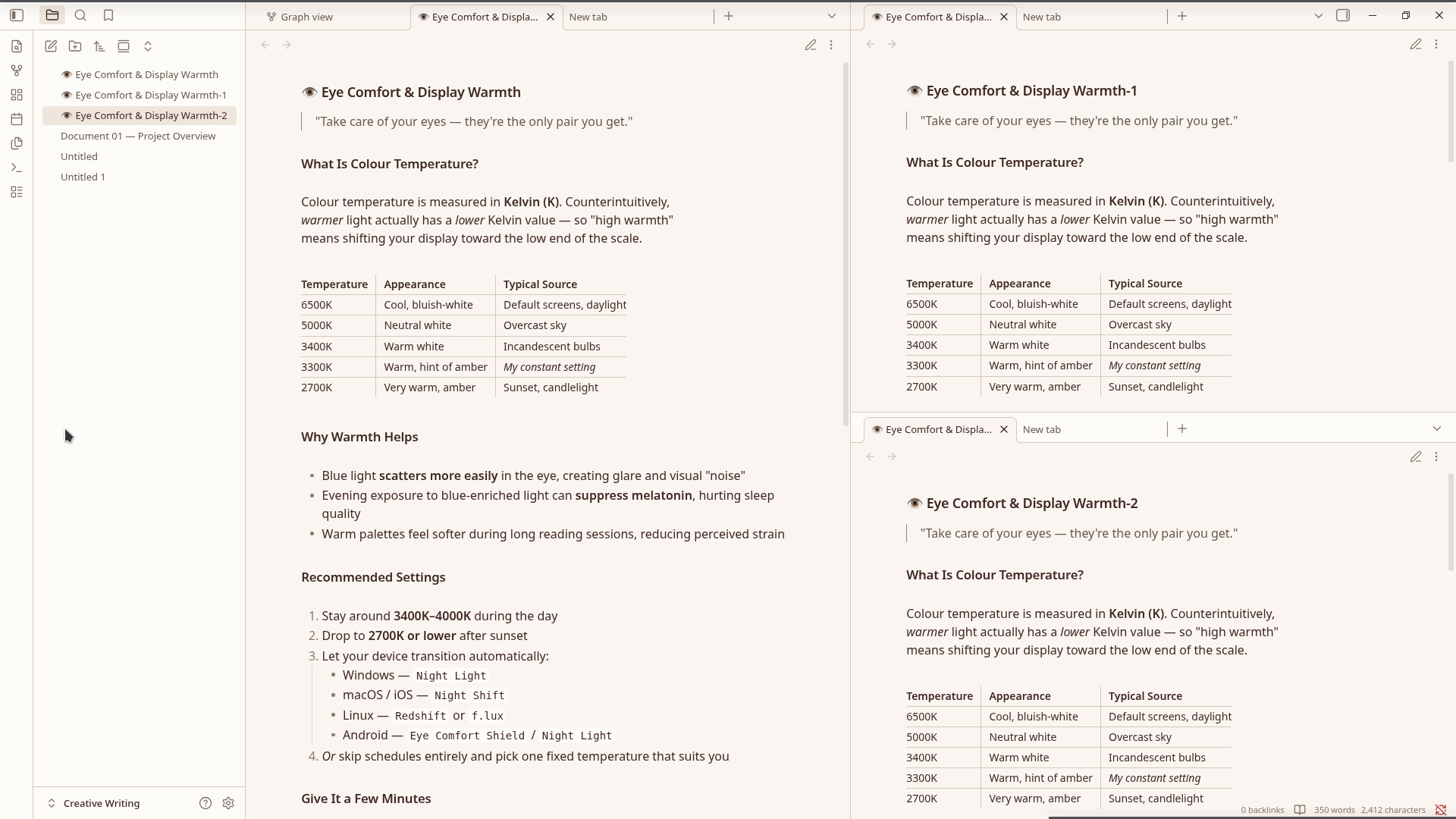
- Ivory paper, not white — backgrounds use
#FAF5F0(warm ivory) instead of#FFFFFF. Less blue light, less fatigue, more "printed book" feel. - Cocoa text, not black — body text uses
#3E2723(deep cocoa brown) instead of pure black. The contrast is still excellent, but the page reads softer. - A single cool accent — cobalt blue
#0B68DAfor links and interactive elements. Cool enough to stand out against the warm paper, saturated enough to read as deliberate. - A signature gold glow — text highlights use muted gold
#C49A3C, not yellow. The result feels like sunlight through bokeh, not a highlighter pen.
The dark variant (Midnight Garden) inverts the same palette: espresso-black backgrounds with warm ivory text, a lightened cobalt accent, and a brighter gold glow that survives the darkness.
Screenshots
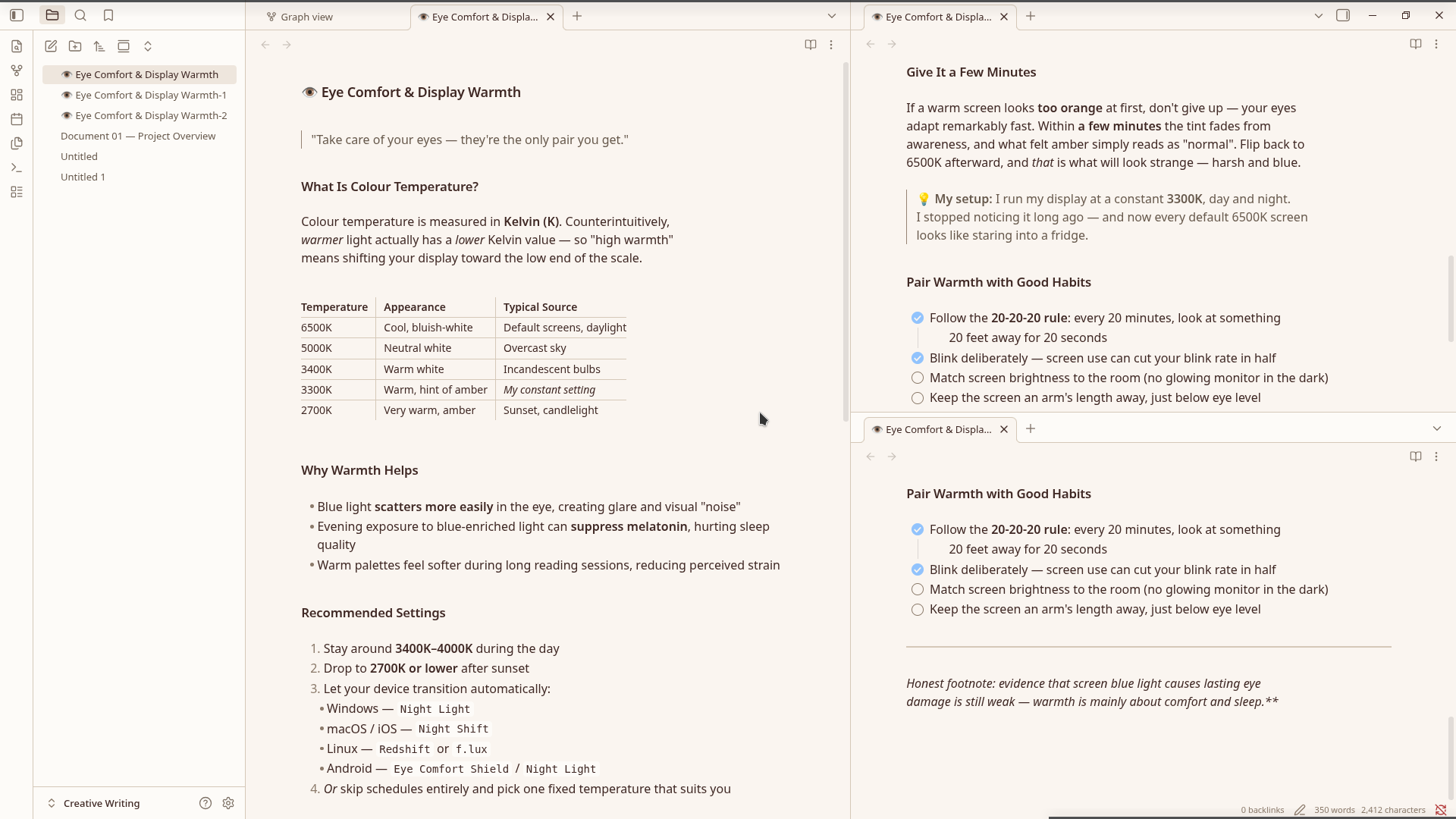
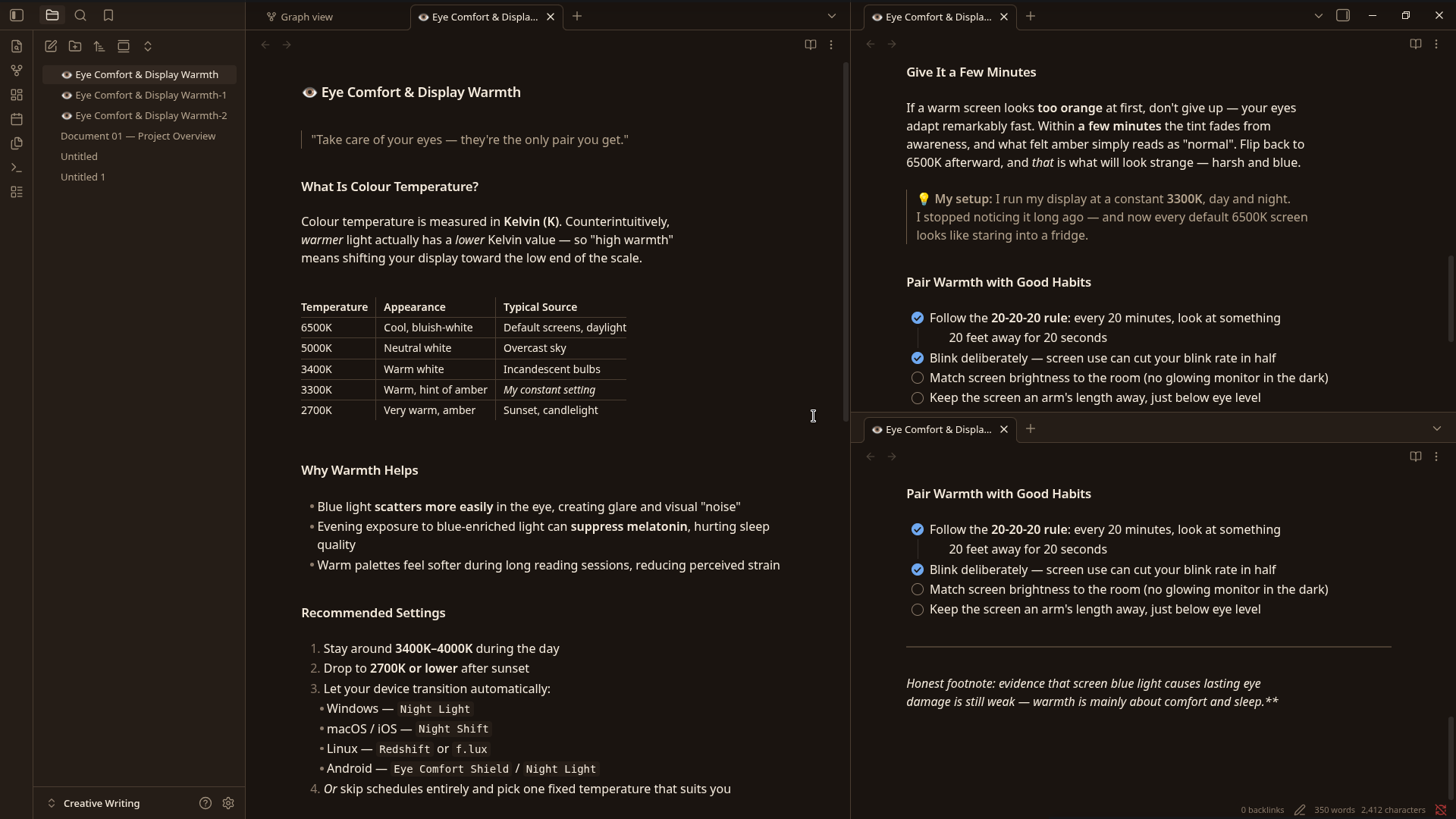
| Light mode — editor | Dark mode — editor |
|---|---|
 |
 |
| Light mode — reading | Dark mode — reading |
|---|---|
|
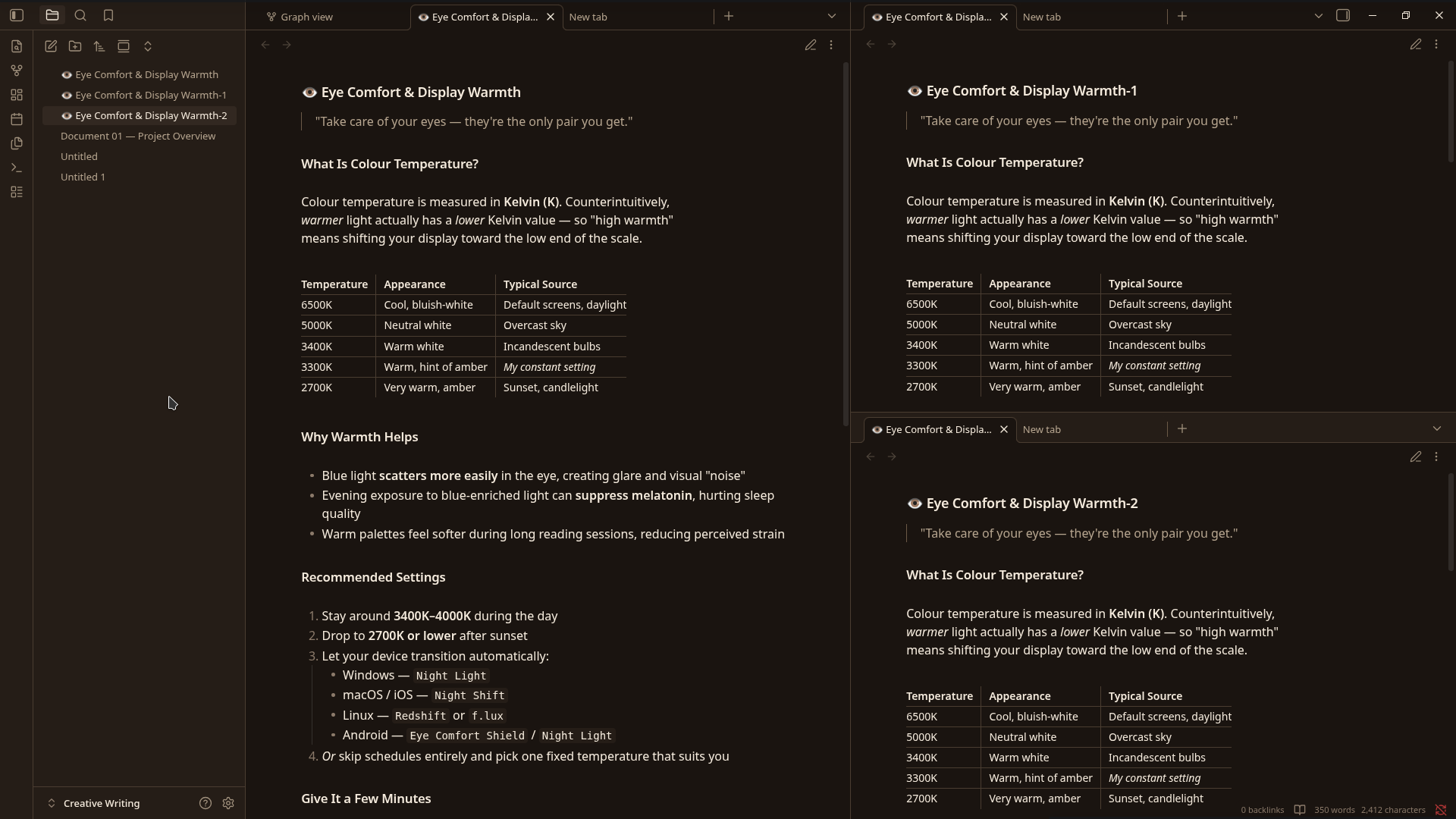 |
Install
From Obsidian (after community directory approval)
- Open Settings → Appearance → Themes → Manage
- Search for "Ivory Garden"
- Click Install, then Use
- Toggle between light and dark via Settings → Appearance → Base color scheme
Manual install
- Download the latest release
.zip - Extract into your vault's
.obsidian/themes/Ivory Garden/directory- The folder name must be exactly
Ivory Garden(with a space) — it must match thenamefield inmanifest.json
- The folder name must be exactly
- In Obsidian: Settings → Appearance → Themes → Manage, then select Ivory Garden
Companion plugins (recommended)
Ivory Garden inherits Minimal's full feature set. For complete control over features like focus mode, table styles, tab styles, and color schemes, install:
- Minimal Theme Settings — adds a settings panel for all Minimal features
- Hider — hides UI elements for distraction-free writing
- Style Settings — exposes Ivory Garden's full Style Settings panel for granular color customization
Palette
Light mode (default)
| Role | Hex | Use |
|---|---|---|
| Background | #FAF5F0 |
Editor canvas, primary surface |
| Card / Surface | #FDFBF8 |
Sidebars, ribbon, modals |
| Popover / Hover | #EEE6DD |
Hover states, active selection |
| Border | #968374 |
Dividers, button borders |
| Foreground | #3E2723 |
Body text — deep cocoa |
| Muted text | #67594C |
Secondary text — walnut |
| Accent | #0B68DA |
Links, focus rings — cobalt blue |
| Accent hover | #094FA6 |
Hovered links |
| Accent interactive | #91C3FD |
Toggles, buttons — sky blue |
| Signature glow | #C49A3C |
Text highlights — muted gold |
Dark mode (Midnight Garden)
| Role | Hex | Use |
|---|---|---|
| Background | #1A1410 |
Espresso black |
| Card / Surface | #251D17 |
Dark cocoa |
| Popover / Hover | #322821 |
Warm umber |
| Border | #6B5947 |
Warm bronze |
| Foreground | #F5EBDD |
Warm ivory |
| Muted text | #B5A48E |
Sand |
| Accent | #6FA8F0 |
Lightened cobalt |
| Accent hover | #91C3FD |
Sky blue |
| Signature glow | #E2B860 |
Brightened gold |
What's included
Because Ivory Garden is a Minimal recolour, you inherit the full Minimal feature set:
- Focus mode — auto-hides ribbon, tabs, status bar; reveals on hover
- Cards — Dataview tables and lists render as responsive card grids
- Image grid — adjacent images auto-arrange into a grid
- Table helpers — row/column lines, striped rows, row numbers, tabular figures, centered tables, and more
- Tab styles — default, square, underline, modern; sidebar variants
- Callouts — filled or outlined
- Embeds — strict, hide-title, underline
- Heading dividers — optional underline below H1–H6
- Tag styles — plain, bordered pill, rounded, square
- Image tweaks —
#invert,#blend,#circle,#outline,#interfaceURL suffixes - Plugin compatibility — Calendar, Charts, Dataview, Git, Kanban, Style Settings, Zoom, and more
- 14 preset color schemes — Dracula, Gruvbox, Nord, Solarized, Catppuccin, and more (Minimal's presets remain selectable for comparison)
New in v1.2.0
- PDF Export styling — Obsidian's "Export to PDF" now produces beautiful theme-colored PDFs with proper page margins, preserved callouts, and the signature gold glow on highlights.
- Custom syntax highlighting — code blocks now use palette-tuned colors (keywords in cobalt, strings in dusty teal, comments in walnut, functions in gold).
- Graph view preset — the graph view now matches the Ivory Garden palette instead of using Obsidian's defaults.
What changed from Minimal
Only color values were changed. Specifically:
- Base HSL —
--base-h/s/lshifted to warm ivory (33°, 47%, 96%) for light, espresso (28°, 24%, 8%) for dark - Accent HSL —
--accent-h/s/lset to cobalt blue (213°, 90%, 45%) for light, lightened cobalt (213°, 84%, 69%) for dark - Pinned palette values —
--bg1,--bg2,--bg3,--ui1–3,--tx1–4,--ax1–3,--hl1,--hl2,--sp1pinned to palette-exact hex values (Minimal's auto-derivation formula is bypassed) - Extended palette —
--color-redthrough--color-pinkshifted to earthy, painterly tones (muted brick, sage green, dusty rose, etc.) - Signature glow —
--hl2(text highlight background) set to muted gold#C49A3Cat 35% opacity, brightened to#E2B860in dark mode - Explicit scheme classes —
.minimal-ivory-garden-lightand.minimal-ivory-garden-darkadded for parity with Minimal's other named schemes
Everything else — layout, feature modules, plugin styles, Style Settings YAML — is unchanged from Minimal v9.0.2.
Compatibility
- Obsidian 1.13.0+ (per
minAppVersion) - Tested on macOS, Windows, Linux, and mobile
- All Minimal-compatible plugins work unchanged
Demo vault
The /demo-vault folder contains sample notes showcasing headings, callouts, tables, code blocks, task lists, and Dataview examples. Open it in Obsidian with Ivory Garden enabled to see every feature in context.
Credits
- Minimal by @kepano — the entire theme architecture, feature set, plugin compatibility, and Style Settings surface. Ivory Garden would not exist without Minimal.
- Minimal Theme Settings — companion plugin for feature control
- Ivory Garden palette — designed by Ward Skaiker
License
MIT License — same as Minimal. Copyright 2020–2026 Steph Ango. The Ivory Garden recolour is by Ward Skaiker and is released under the same MIT License. See LICENSE for details.
Changelog
See CHANGELOG.md.