
README file from
GithubGlassmind
A frosted glass theme for Obsidian, based on the Catppuccin Mocha color palette.
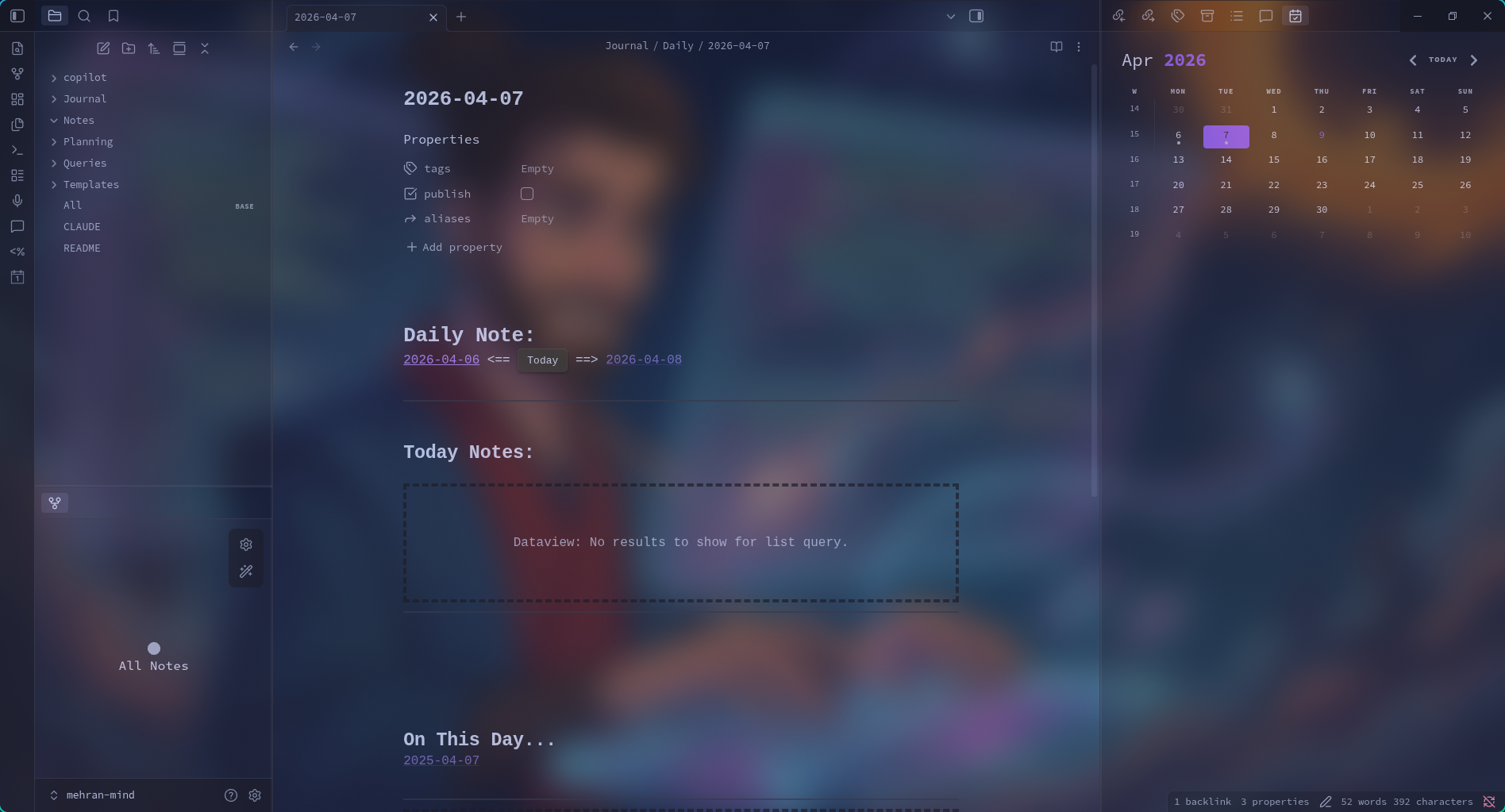
Features
- Transparent backgrounds designed for compositor-based blur (Hyprland, KDE, etc.)
- Based on the Catppuccin Mocha (dark) and Latte (light) color palettes
- Supports both dark and light modes
- Plugin compatibility (Copilot, and more)
- Minimal, distraction-free design
Installation
From Obsidian Community Themes
- Open Settings > Appearance > Themes
- Click Manage and search for "Glassmind"
- Click Install and use
Manual
- Download
theme.cssandmanifest.jsonfrom the latest release - Create a folder called
Glassmindin your vault's.obsidian/themes/directory - Place both files inside it
- In Obsidian, go to Settings > Appearance and select Glassmind
Compositor Blur
For the full frosted glass effect, enable window blur in your compositor. For example, in Hyprland:
decoration {
    blur {
        enabled = true
        size = 8
        passes = 2
    }
}
Without compositor blur, the theme still works — you'll get a clean dark/light theme with semi-transparent panels.