
README file from
GithubBorozdov Gallery
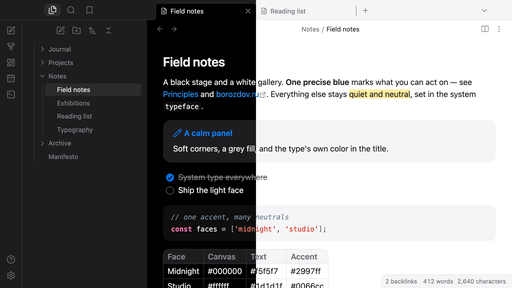
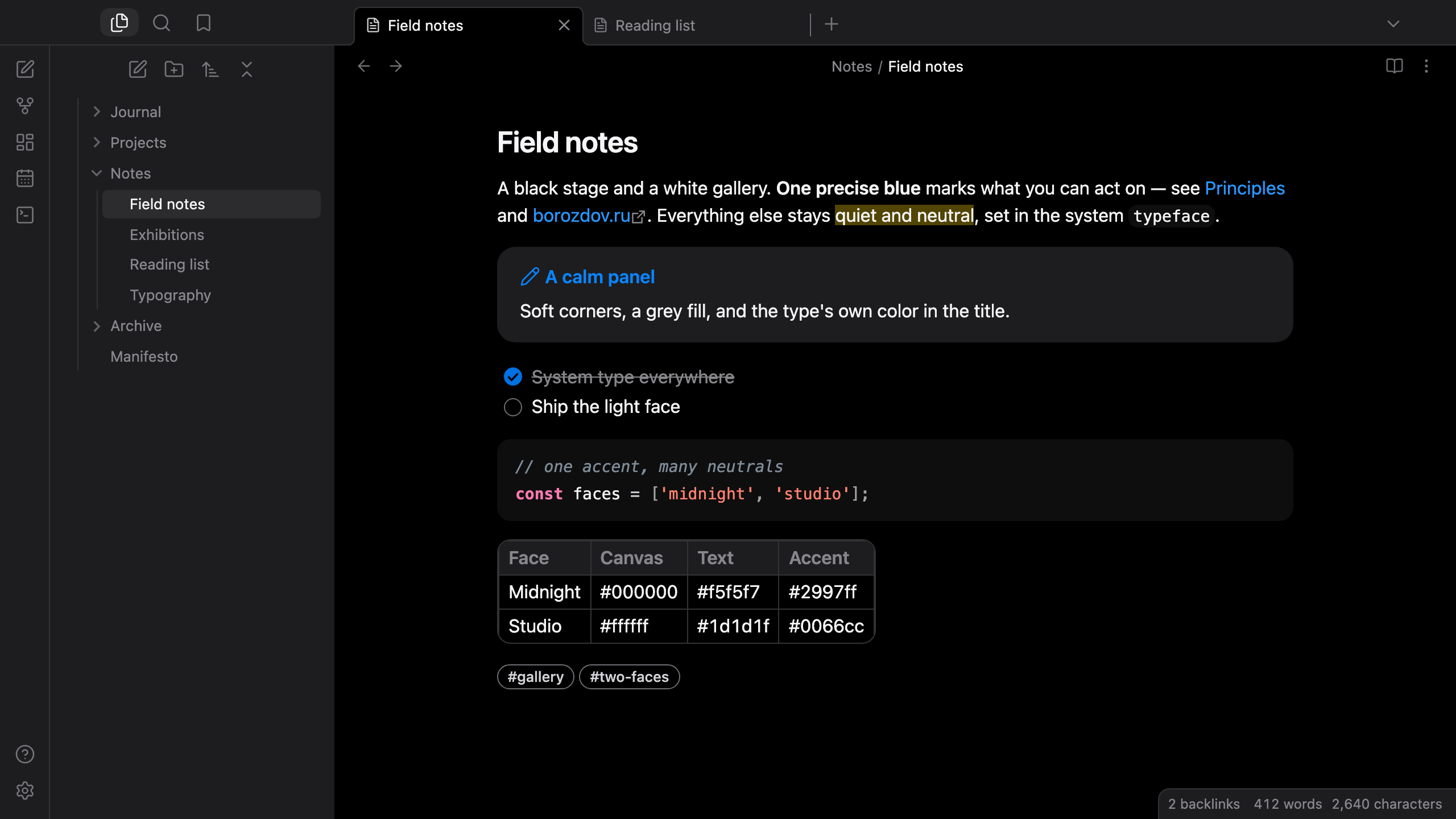
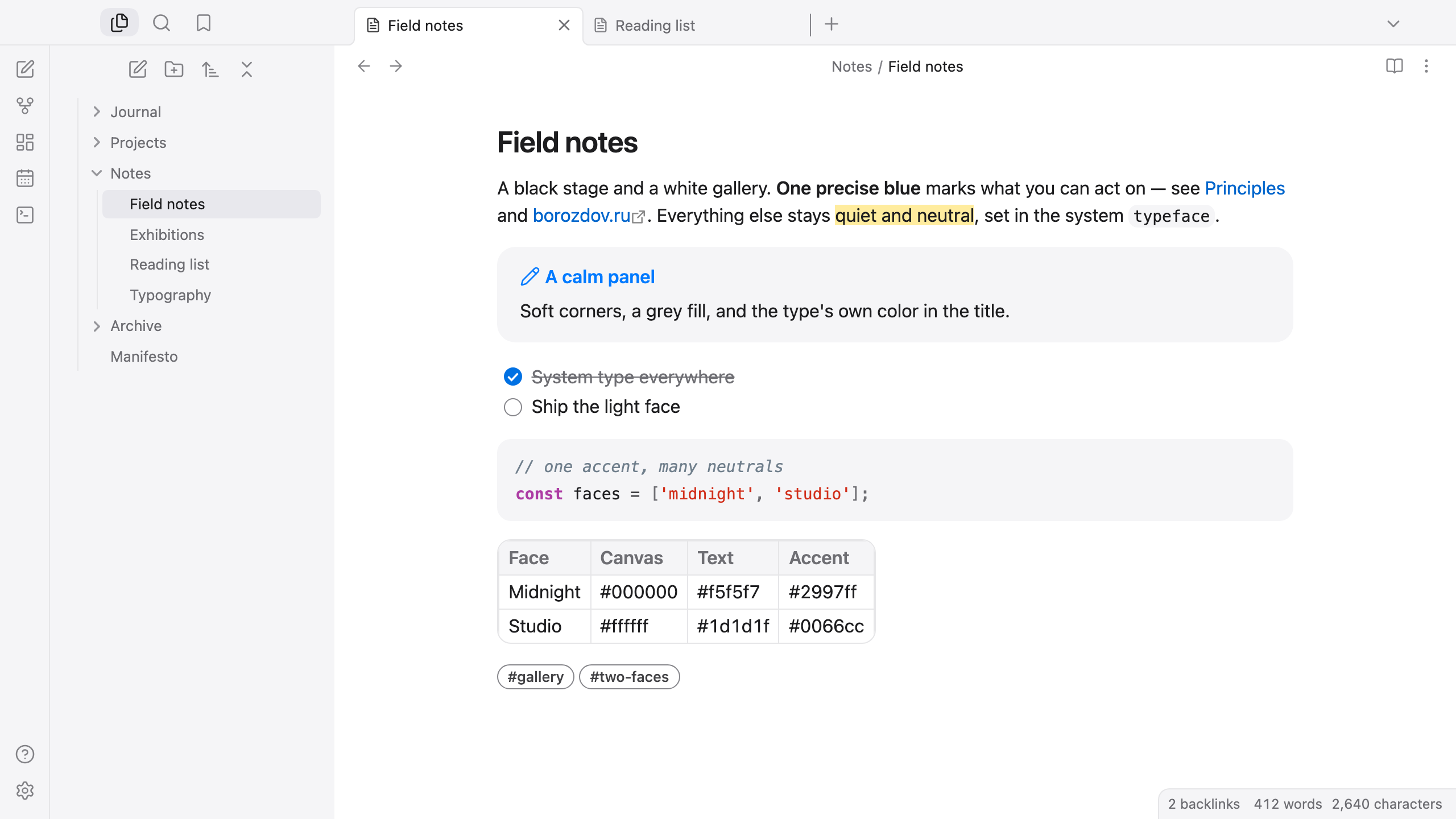
An Obsidian theme from the Borozdov collection. Two faces — dark Midnight, a black stage, and light Studio, a white gallery. Quiet neutrals, one precise blue, system type.
Principles
- The content is the exhibit. Neutral surfaces step back: black and charcoal in Midnight, white and mist grey in Studio.
- One precise blue. Links, checked tasks, toggles and buttons share a single accent; nothing else competes with it.
- Soft, generous corners. Panels, code blocks and tables are rounded; buttons and tags are capsules.
- System type. Each platform's own typeface — SF Pro on Apple devices, Segoe UI or Roboto elsewhere. Nothing is embedded or downloaded.
Features
- Dark and light modes, following Settings → Appearance → Base color scheme
- Callouts on a quiet grey panel; the title carries the type's system color
- Code in a soft panel with a distinct hue per token kind
- Tables with a rounded frame, a grey header and a single-line grid
- Outlined capsule tags, round task checkboxes, capsule buttons
- Quiet editing: no focus ring around the note, its title or form fields while you type; property names read as labels, not boxed fields
- Embedded notes on an evenly padded panel
- The phone layout keeps the same colors and shapes
- About 10 KB, no
!important: every rule can be overridden with a CSS snippet
Installation
From the community directory: Settings → Appearance → Themes → Manage, search for Borozdov Gallery, then Install and use.
By hand: download manifest.json and theme.css from the
latest release into
<vault>/.obsidian/themes/Borozdov Gallery/, then choose Borozdov Gallery under
Settings → Appearance → Themes.
License
MIT — see LICENSE.
По-русски. Тема для Obsidian из коллекции Borozdov. Два лика: тёмная «Полночь» — чёрная сцена, и светлая «Студия» — белая галерея. Спокойные нейтральные тона, один точный синий, системный шрифт, мягкие скруглённые углы. Устанавливается из каталога: Настройки → Оформление → Темы → Настроить → Borozdov Gallery → Установить и применить.