
README file from
GithubStatic Aurora
A warm, dark Obsidian theme with soft glows drifting behind frosted-glass panes, after the Aurora look of Static FM. Light mode is a Windows 2000 classic look.
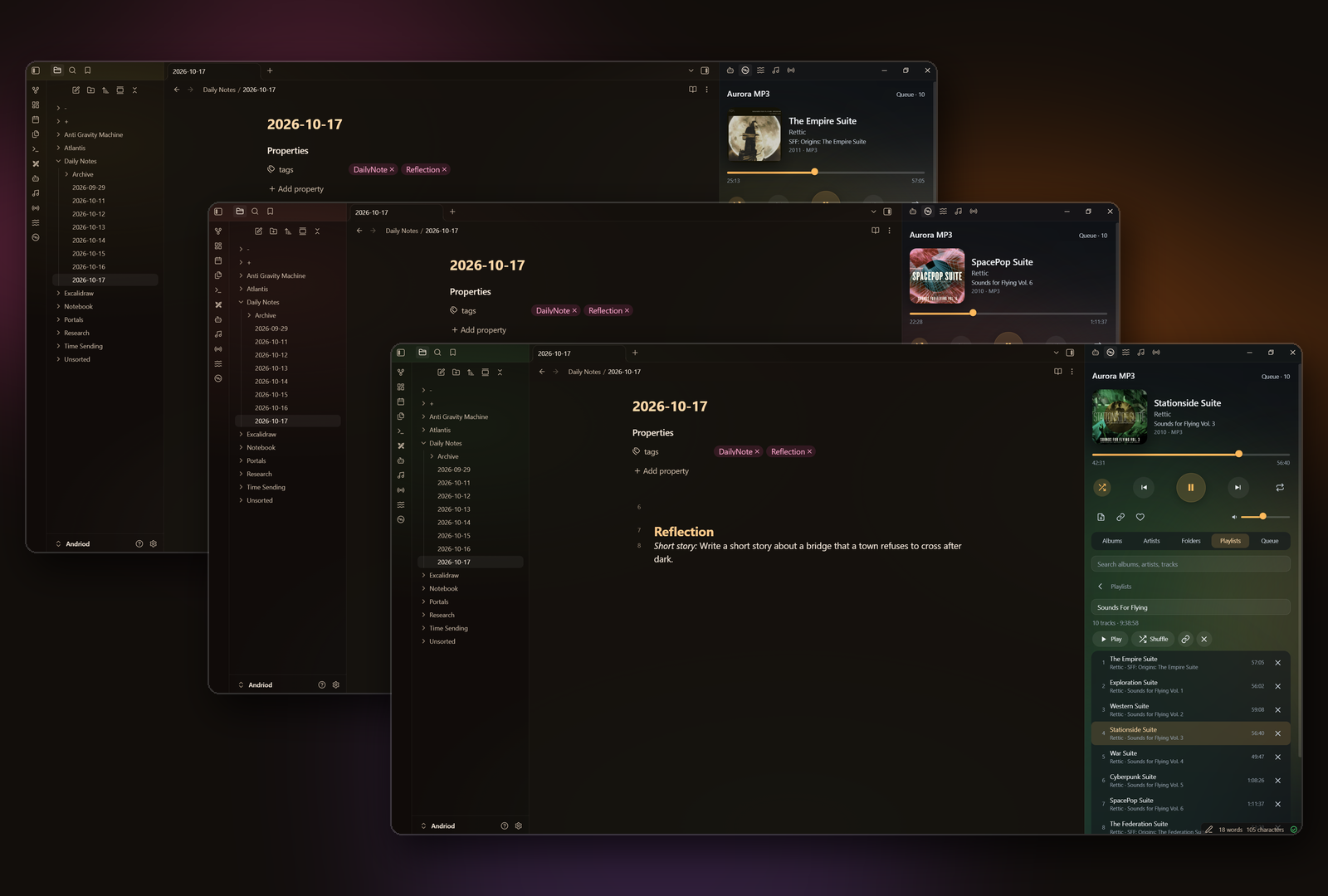
The same window three times: the glows follow the cover art of whatever Aurora MP3 is playing.
Coloured by your music
The glows can follow what you're listening to. Press play in one of these plugins and the theme fades to match:
- Static FM: the colours of your noise mix.
- Aurora MP3: the colours of the album cover.
- Hi-Fi Tuner: the colours of its globe colour way (blue, brown, terminal or aurora).
The colours change only when you press play, and stay when you pause. Each plugin has a setting to turn this off. With no player running, the theme uses its own rose and amber glows.
Light mode: Windows 2000 classic
Silver 3D panels, Tahoma, white pages and navy-to-blue title bars. While a player is colouring the theme, the title bars take its colours instead.
Settings
With the Style Settings plugin installed:
- Still background: stop the glows drifting. There's also a command for it.
- Glow strength: from off to extra bright.
- Accent colour: amber, rose or sea.
The glows also stop drifting when your system asks for reduced motion.
Install
Settings → Appearance → Themes → Manage, search for Static Aurora, then Install and use.
Support
If you enjoy it, you can buy me a coffee. Questions or problems: open an issue, or email [email protected].
License
MIT © AshOtis