
README file from
GithubBorozdov Almanac
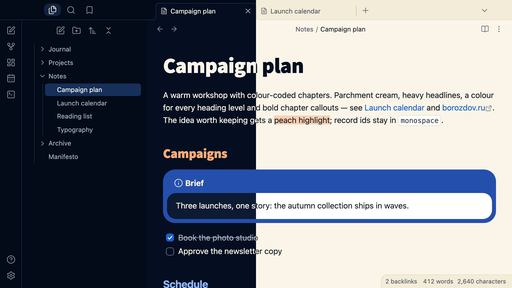
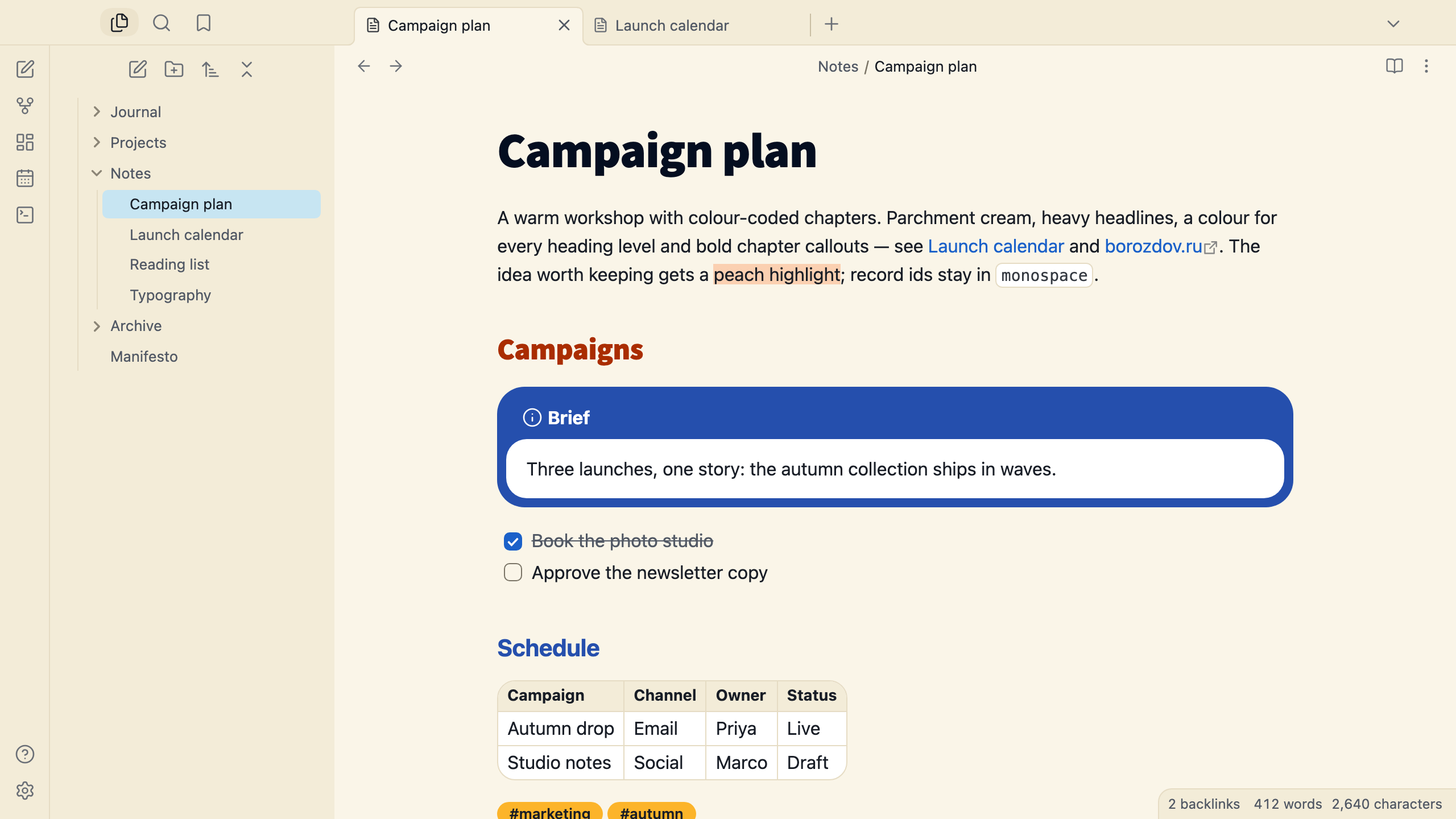
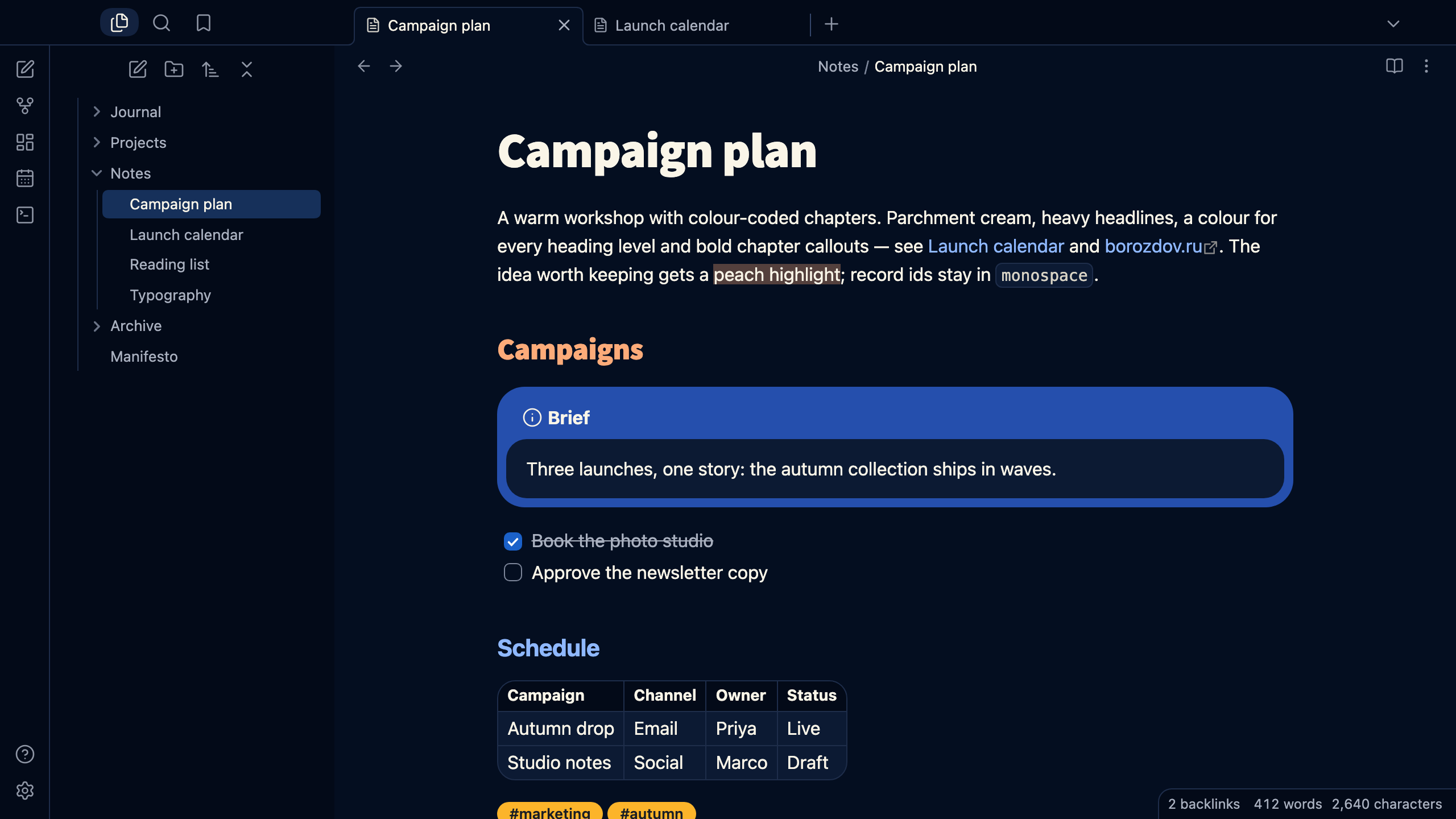
A theme from the Borozdov collection. Two faces — light Harvest, a warm workshop on parchment cream, and dark Nocturne, the same workshop under midnight indigo. Heavy headlines, a colour for every heading level and bold chapter callouts.
Principles
- Colour-coded chapters. Every heading level wears its own colour — ink, terracotta, sapphire, moss — so the outline of a long note reads at a glance.
- Chapter callouts. Each callout type is a saturated block in its chapter colour with 24px corners: the title sits on the colour in white, the content rests on a plain card panel inside it.
- Bold and unapologetic. Almanac Sans Black for the title and the two largest headings; the platform's own sans for the text.
- Parchment, onyx and cobalt. The canvas is parchment cream, never white; onyx fills the main button, cobalt carries links, a checked task and a toggle, marigold chips carry tags, and a peach glow is the highlighter.
Features
- Light and dark modes, following Settings → Appearance → Base color scheme
- Callouts in terracotta, sapphire, moss, sienna, marigold, teal and plum
- Tags and property values as marigold chips that turn petal pink on hover
- Tables as white cards with 16px corners
- The open file in the sidebar sits on pale sky
- Quiet editing: no focus ring around the note, its title or form fields while you type; property names read as labels, not boxed fields
- Text colours meet WCAG contrast on both faces
- The phone layout keeps the same colours and shapes
- No
!important: every rule can be overridden with a CSS snippet
Installation
From the community directory: Settings → Appearance → Themes → Manage, search for Borozdov Almanac, then Install and use.
By hand: download manifest.json and theme.css from the
latest release into
<vault>/.obsidian/themes/Borozdov Almanac/, then choose Borozdov Almanac under
Settings → Appearance → Themes.
Font
Almanac Sans is embedded in theme.css as base64 WOFF2 under the SIL Open Font License
1.1 — see fonts/OFL.txt. It is a Latin and Cyrillic subset of Source Sans
Pro Black (© 2010–2019 Adobe Systems Incorporated), renamed because a modified copy may not
use the original's Reserved Font Name. One weight, for the title and the two largest headings
only.
License
MIT — see LICENSE.
По-русски. Тема из коллекции Borozdov. Два лика: светлый «Урожай» — тёплая мастерская на пергаментном креме, и тёмный «Ноктюрн» — та же мастерская под полуночным индиго. Тяжёлые заголовки (Almanac Sans Black), свой цвет у каждого уровня заголовка и яркие колауты-главы. Устанавливается из каталога: Настройки → Оформление → Темы → Настроить → Borozdov Almanac → Установить и применить.