
README file from
Github
LatteLogic
Soft colors. Sharp structure.
Project page: https://kinn-kinn.com/projects/latte-logic/
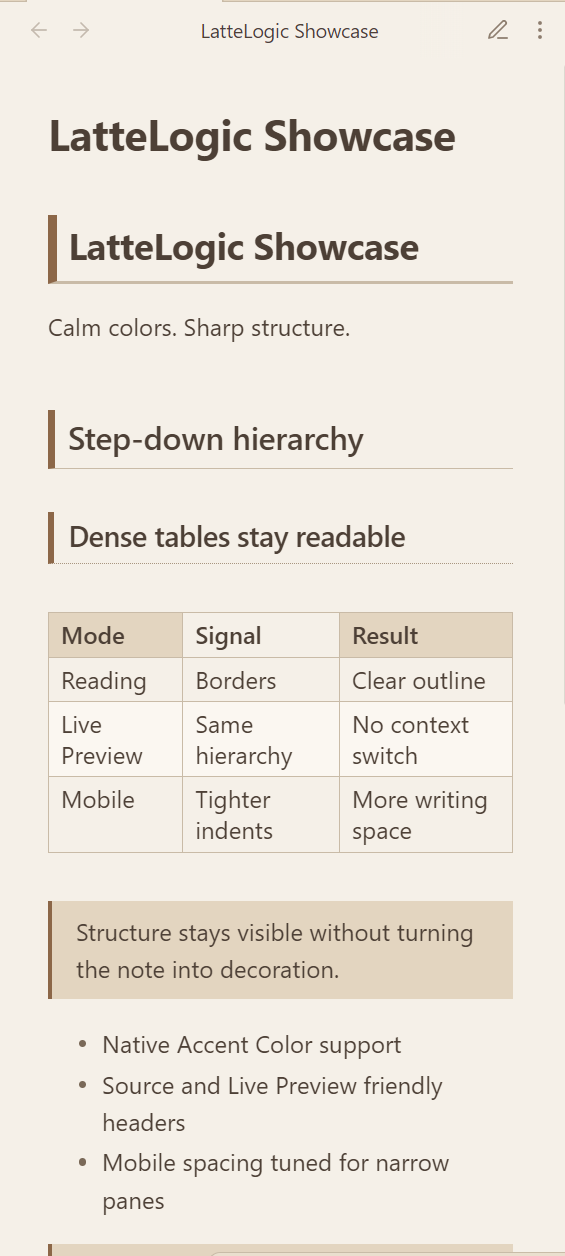
LatteLogic is an Obsidian theme for people who write structured notes: engineering logs, research notes, project docs, study journals, and long-form knowledge bases. It combines a warm latte-inspired light mode with a crisp step-down heading system that makes document hierarchy easy to scan in Reading view, Live Preview, and Source mode.
Screenshots
| Light mode | Dark mode |
|---|---|
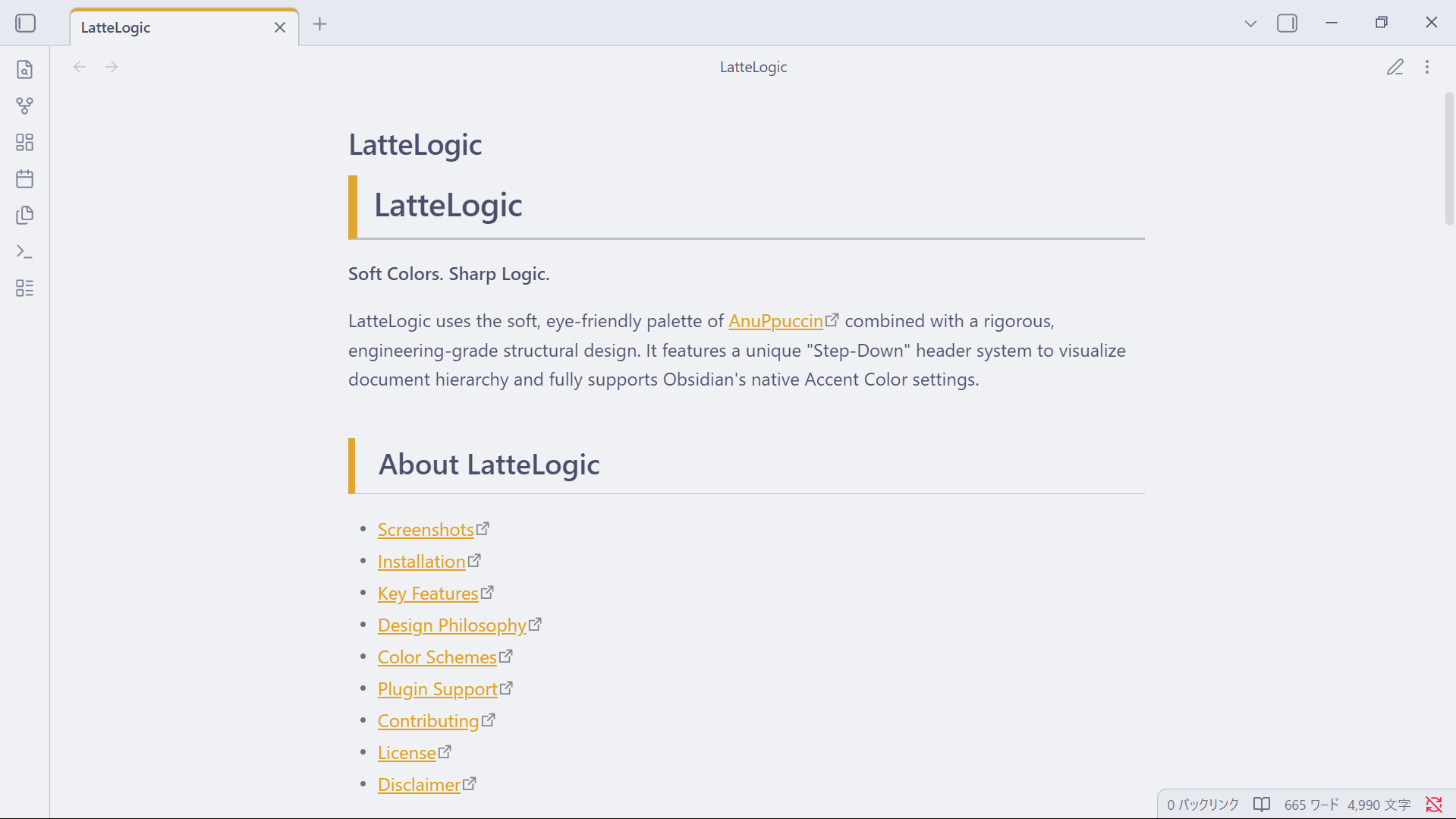 |
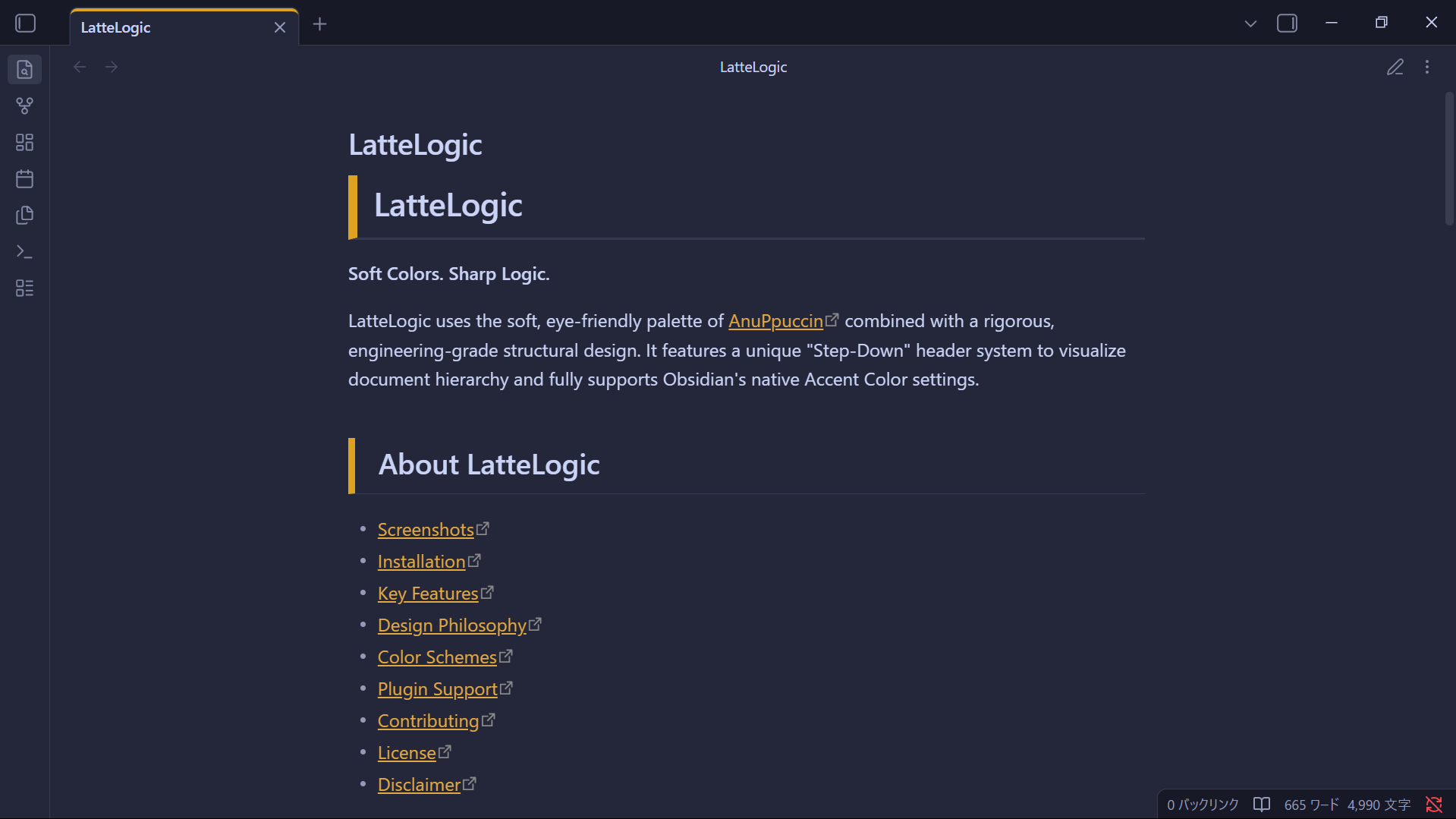 |
| Live Preview | Narrow panes |
|---|---|
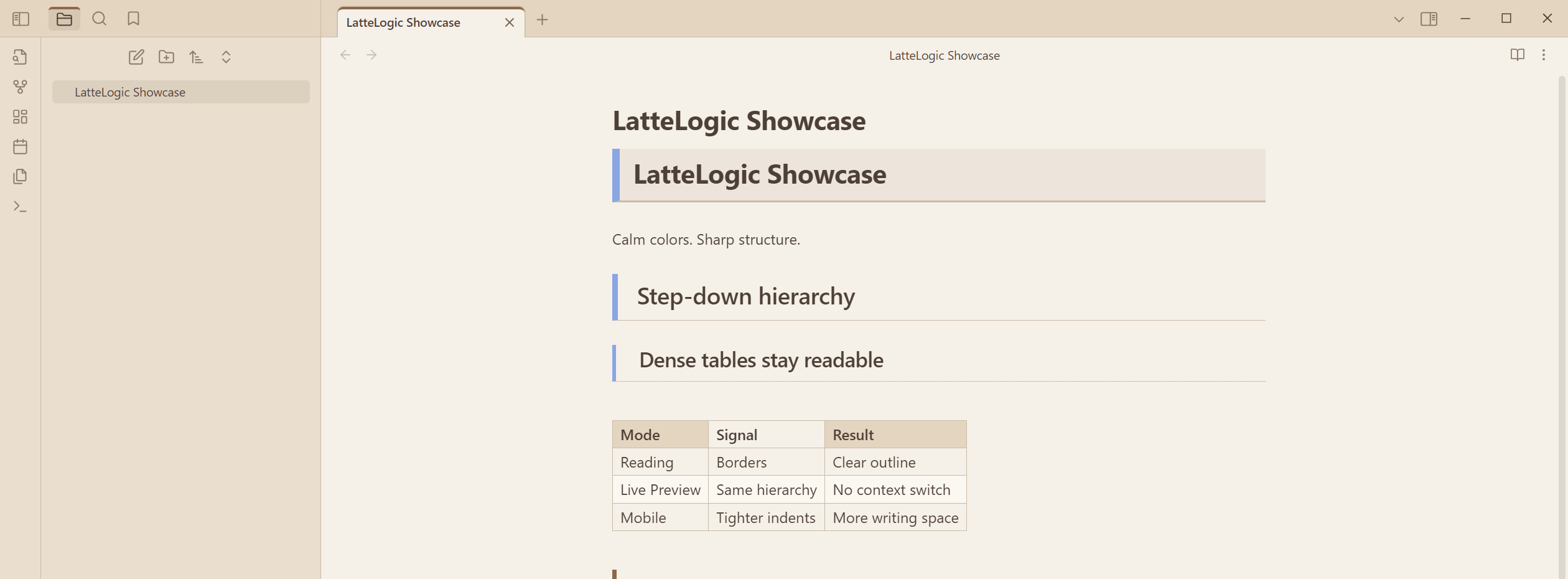 |
 |
Highlights
- Step-down headings: H1 to H6 use decreasing border weight and indentation, so nested structure is visible at a glance.
- Editing-aware design: Source mode keeps headings readable without applying heavy preview-only decoration.
- Native accent color: LatteLogic uses Obsidian's own accent color, so you can set your favorite color in Settings > Appearance.
- Readable tables: Header shading, borders, and alternating rows make dense notes easier to scan.
- Sharp visual language: Tabs, tags, quotes, and heading blocks use clean squared edges instead of soft card-like styling.
- Mobile-conscious spacing: Heading indentation tightens on narrow screens to preserve writing space.
Why LatteLogic
Many Obsidian themes focus on dashboards, decorative surfaces, or broad visual customization. LatteLogic focuses on one opinionated workflow: making plain Markdown hierarchy easier to understand while you write.
| Focus | LatteLogic approach |
|---|---|
| Long notes | Warm light mode and restrained contrast reduce visual noise. |
| Structured docs | Headings form a visible step-down outline without custom syntax. |
| Editing | Live Preview and Source mode keep hierarchy cues while avoiding preview-only effects. |
| Personal setup | Accent colors and fonts stay controlled by Obsidian's native Appearance settings. |
Installation
Community Theme
Once LatteLogic is available in the Obsidian theme store:
- Open Settings > Appearance.
- Select Manage under Themes.
- Search for LatteLogic.
- Select Use.
Manual Installation
- Download
theme.cssfrom the latest release. - Open your Obsidian vault folder.
- Create
.obsidian/themes/LatteLogic/. - Place
theme.cssandmanifest.jsoninside that folder. - Open Settings > Appearance and select LatteLogic.
BRAT
You can also install the repository with Obsidian 42 - BRAT:
- Install and enable BRAT from Community Plugins.
- Add
https://github.com/kinn00kinn/LatteLogic. - Enable LatteLogic in Settings > Appearance.
Customization
LatteLogic does not require a companion plugin. The main customization path is Obsidian's native Settings > Appearance panel.
- Accent color: Controls heading borders, active tab indicators, blockquotes, and hover states.
- Base mode: Light mode uses a warm latte palette; dark mode uses a calm Macchiato-inspired palette.
- Fonts: LatteLogic does not force a custom font. Set your preferred interface, text, and monospace fonts in Obsidian.
Recommended font combinations:
- Interface / Text: Source Han Sans JP, Noto Sans JP, Inter
- Monospace: HackGen Console, JetBrains Mono, Fira Code
Desktop And Mobile
LatteLogic is tuned for both wide desktop panes and narrow mobile-style layouts.
- Desktop panes keep generous spacing for scanning long notes and tables.
- Narrow panes reduce heading indentation and font size slightly so the content column does not collapse.
- Right sidebars and plugin panes remain visually quiet because the theme emphasizes the Markdown document itself.
Design Philosophy
LatteLogic is intentionally structure-first. Many Obsidian themes focus on decoration, dashboards, or highly personalized UI effects. LatteLogic focuses on making plain Markdown documents feel organized without requiring special syntax.
- Headings should communicate hierarchy before decoration.
- Source mode should stay comfortable for real editing.
- Tables, tags, quotes, and lists should remain calm and readable.
- User settings, especially accent color and fonts, should stay under the user's control.
Plugin Compatibility
LatteLogic is lightweight and should work with most plugins. The core styling is especially useful with:
- Advanced Tables
- Dataview
- Kanban
- Calendar
Contributing
Bug reports, compatibility notes, and focused pull requests are welcome.
Disclaimer
This theme is provided as is. It modifies parts of the Obsidian interface, especially headings, tables, tags, and editor lines, so future Obsidian updates may require theme adjustments.