
README file from
GithubTotonio
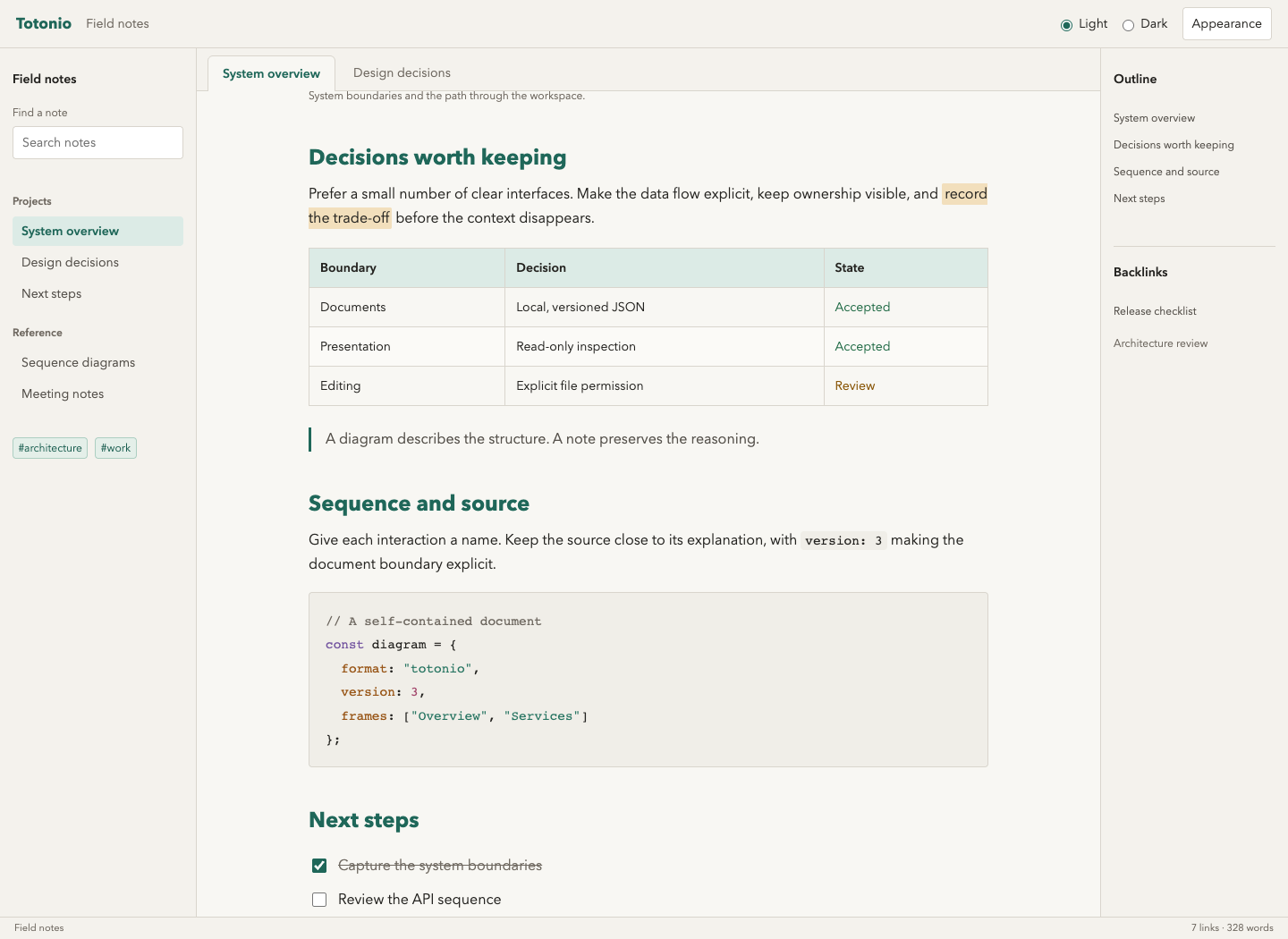
A light and dark Obsidian theme based on Totonio's diagramming interface. Warm paper surfaces and deep teal in light mode; charcoal and soft mint in dark mode. Blue links, amber highlights, and distinct semantic colors keep a working vault easy to scan.
This is an independent CSS-only theme by GuruVlk. It does not require the Totonio plugin or web app and does not change your notes, diagram colors, keyboard shortcuts, or workspace layout.
Preview
The images below are browser component previews, not screenshots of the Obsidian application. They demonstrate the palette on representative notes and controls. Native Obsidian testing remains on the manual checklist.
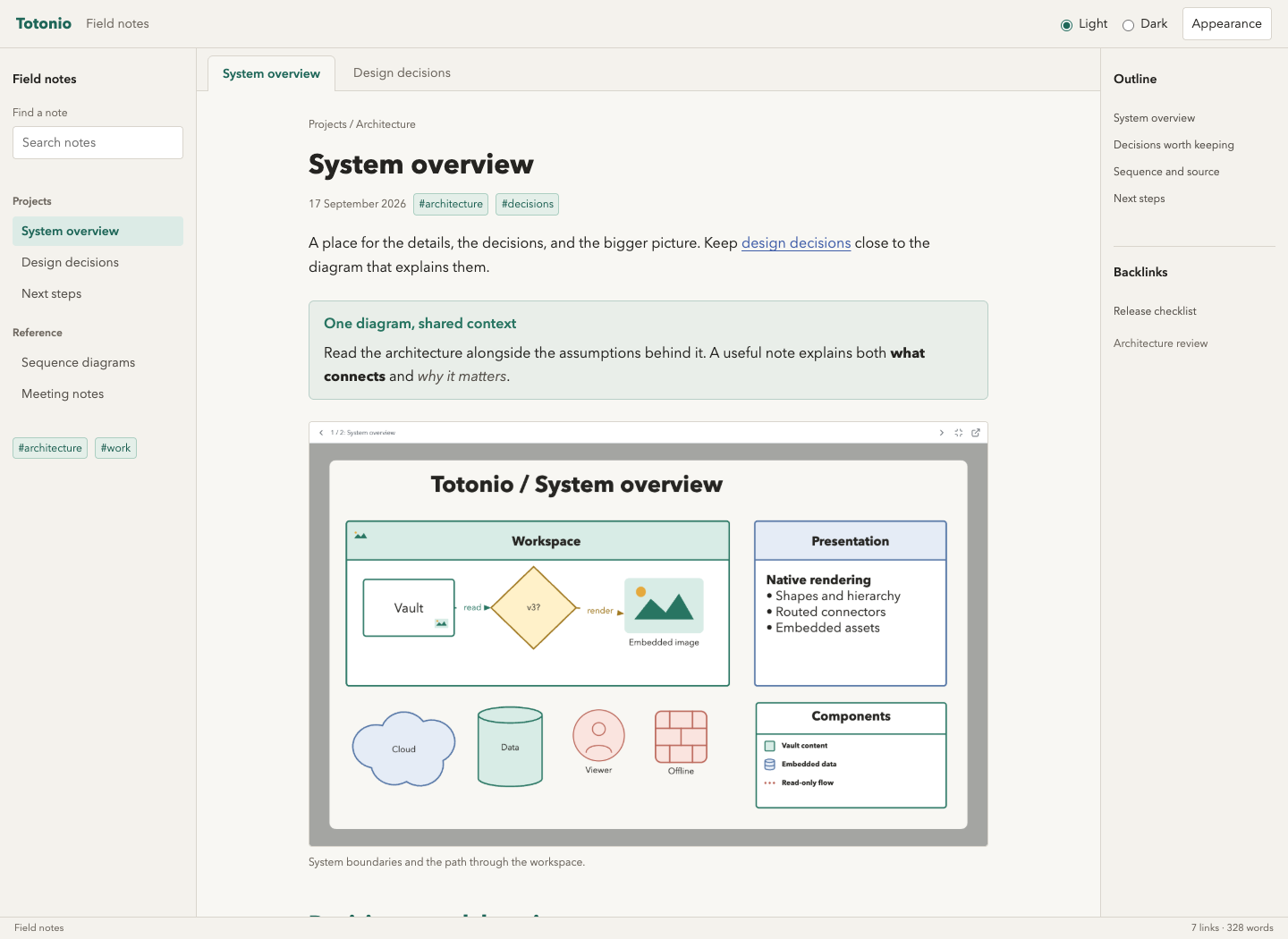
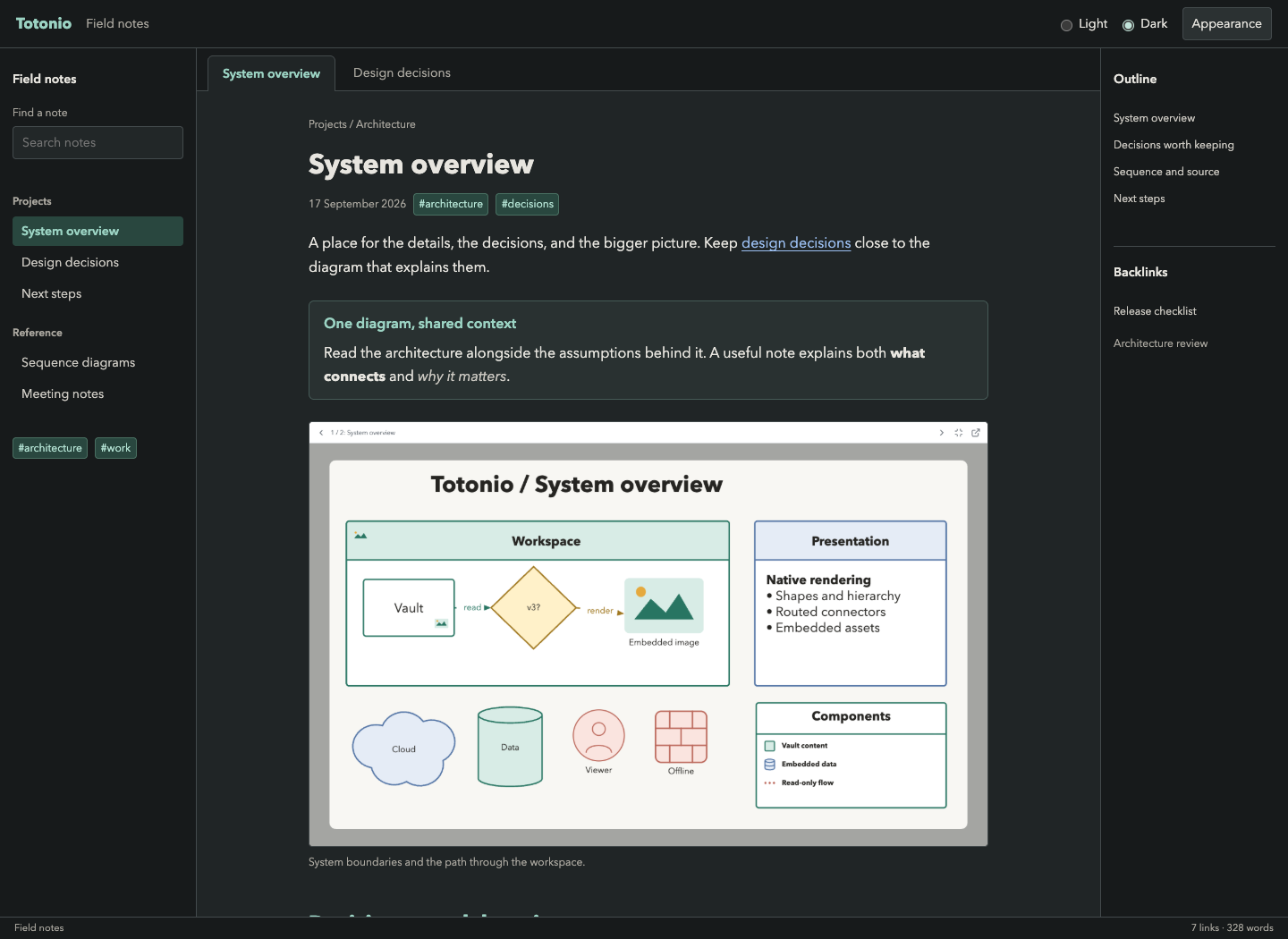
Open preview/index.html directly in your browser to switch modes and inspect notes, tables, callouts, code, tags, and a settings dialog. No server or internet connection is required. The illustrated diagram is a local image in the preview only; the theme never injects artwork into Obsidian.
Install Locally
- In your vault's configuration folder (normally
.obsidian), createthemes/Totonio/. The folder name must match the theme name exactly. - Place theme.css and manifest.json from this repository inside it. No build step or Node.js installation is needed to use the theme.
- Restart Obsidian if it does not appear immediately.
- Open Settings > Appearance > Themes, select Totonio, and choose Light or Dark as the base color scheme.
The initial target is Obsidian 1.12.7 or newer. This is a local theme candidate, not a published Community theme. Test it in a disposable vault before using it in a primary vault.
Disable other CSS snippets during the first test. The theme uses standard CSS variables rather than !important, so other themes, snippets, or plugins may intentionally override it. Selecting another theme removes these styles; no cleanup of note files is required.
Design
- Native Obsidian spacing and layouts, restrained 4-8px corners, and a readable note column.
- Totonio's local Avenir Next / Trebuchet font fallbacks. Obsidian's explicit user-selected fonts can override theme fallbacks. No downloaded fonts.
- Teal active navigation and headings, blue links, mint/teal tags, amber highlights, and readable syntax colors.
- Shared variables for tabs, ribbon, menus, dialogs, inputs, search, tables, task checkboxes, graph, and Canvas.
- No fixed application dimensions, hidden UI, replacement icons, automatic motion, network assets, JavaScript runtime, or dependency on Style Settings.
- Diagram content is not recolored. Totonio Presentation's light diagram canvas stays faithful to the document while its surrounding controls inherit theme variables.
See design provenance for the source palette and intentional differences. Existing Obsidian mobile behavior and screen-reader semantics are left to the host; the theme does not remove focus indicators.
Development and Checks
Use Node.js 22+ for the optional developer checks:
npm ci
npm test
npx playwright install chromium
npm run test:visual
To use installed Google Chrome instead of downloading Chromium:
PLAYWRIGHT_CHANNEL=chrome npm run test:visual
The tests parse CSS, resolve theme-owned tokens in both modes, reject network assets and intrusive overrides, and check selected text/background pairs against the WCAG AA 4.5:1 target. Those checks are not a full accessibility certification of Obsidian or third-party plugins.
Browser tests verify local image decoding, mode switching, responsive layouts, and controls at desktop/mobile widths, and regenerate images in screenshots/. The preview's CSS supplies a minimal host-like layout; it is not a copy of Obsidian's stylesheet. Test the actual application separately using the checklist.
theme.css and manifest.json are the complete installable theme. Everything else is documentation or developer tooling. This repository can be built and tested without either sibling Totonio repository.
License and Support
MIT, copyright 2026 GuruVlk. Palette values were adapted from the author's Totonio app. The preview diagram image is a local capture of the author's Totonio Presentation sample. No third-party icons or fonts are bundled in the installable theme.