
README file from
GithubObsidian Custom Theme
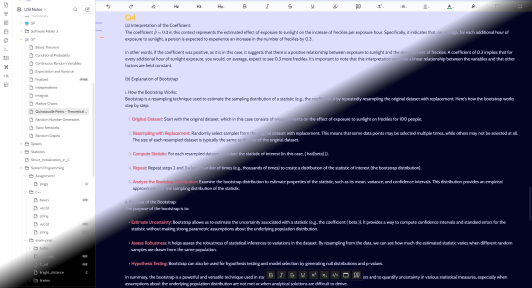
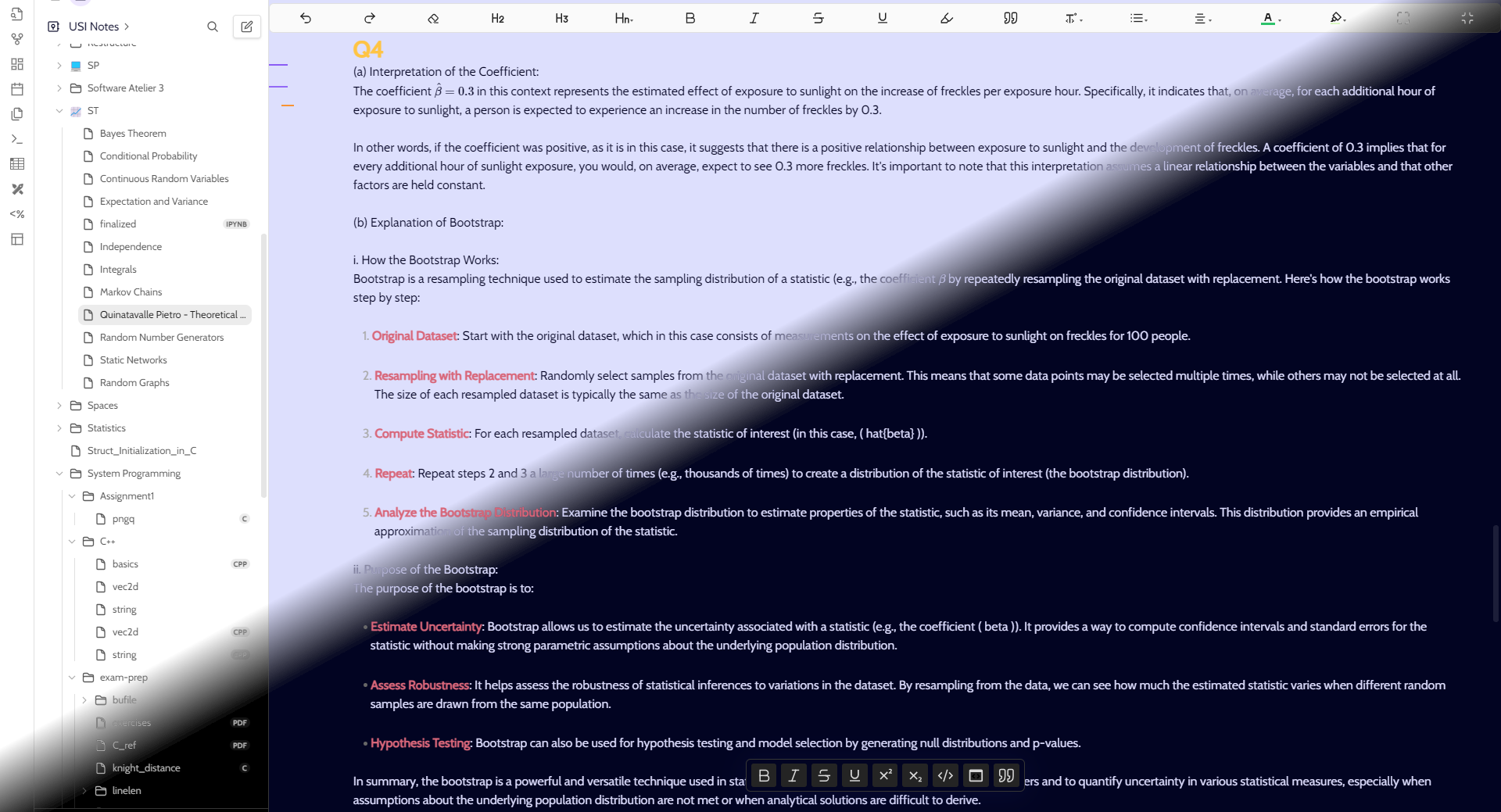
This is a custom theme for Obsidian that supports both light and dark color schemes. The theme uses the Quicksand and Cabin fonts and provides custom colors for headings, bold, and italic text.
Features
- Light and Dark Mode: Automatically switches between light and dark themes based on Obsidian settings.
- Custom Fonts: Uses
Quicksandfor headings andCabinfor body text. - Custom Colors: Provides a unique color scheme for headings, bold, and italic text.
- Border Radius: Adds rounded corners to various UI elements.
Installation
-
Download the Theme
- Download the
theme.cssfile from this repository.
- Download the
-
Place the CSS File
- Place the
theme.cssfile in the root directory of your Obsidian vault.
- Place the
-
Enable the Theme
- Go to Obsidian settings.
- Navigate to the Appearance tab.
- Under "Base color scheme," toggle between Light and Dark to see the theme changes.
- Make sure the
theme.cssfile is included in your published site if you are using Obsidian Publish.
Customization
You can further customize the theme by editing the theme.css file. Here are some of the main variables you can adjust:
Light Theme Variables
.theme-light {
  --text: rgb(2, 2, 34);
  --background-primary: rgb(221, 223, 253);
  --background-secondary: rgb(255, 255, 255);
  --primary: rgb(7, 136, 82);
  --secondary: rgb(104, 248, 154);
  --accent: rgb(181, 208, 73);

  --highlight-hue: 30;
  --italic-color: #82c0e9;
  --bold-color: #d86679;
  --h1-color: #ffc444;
  --h2-color: #faa250;
  --h3-color: #f88765;
  --h4-color: #f88773;
  --h5-color: #f88773;
  --h6-color: #f88773;
}
.theme-dark {
  --text: rgb(221, 221, 253);
  --background-primary: rgb(2, 4, 34);
  --background-secondary: rgb(0, 0, 0);
  --primary: rgb(119, 248, 194);
  --secondary: rgb(7, 151, 57);
  --accent: rgb(155, 182, 47);

  --highlight-hue: 30;
  --italic-color: #82c0e9;
  --bold-color: #d86679;
  --h1-color: #ffc444;
  --h2-color: #faa250;
  --h3-color: #f88765;
  --h4-color: #f88773;
  --h5-color: #f88773;
  --h6-color: #f88773;
}
Contribution
Feel free to contribute to this theme by submitting pull requests. You can also open issues for any bugs or feature requests.
License
This theme is released under the MIT License. You can use it for personal and commercial projects.