
README file from
GithubMultiMuse
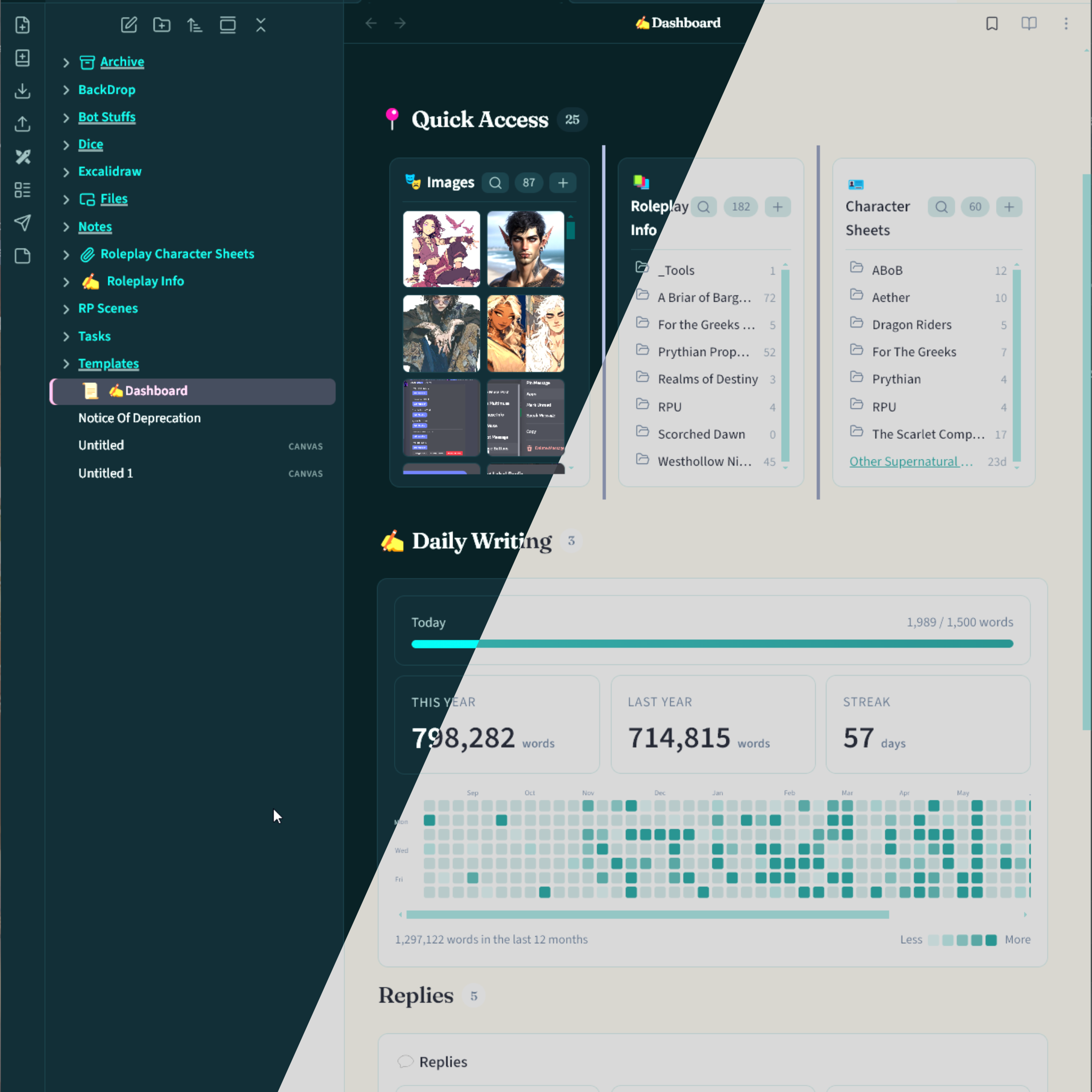
Obsidian theme matched to the MultiMuse and StageHand dashboards.
Install
- Enable Style Settings.
- Settings → Appearance → Themes → MultiMuse.
- Settings → Style Settings → MultiMuse.
Reload Obsidian once after adding the theme so Style Settings picks up the controls.
Color presets
Style Settings chooses the palette. Light and dark follow Settings → Appearance → Base color scheme.
| Palette | Dark | Light |
|---|---|---|
| Muse (default) | Deep teal stage, gold quill | Parchment stage, same teal and gold |
| Muse Classic | multimuse.app charcoal | multimuse.app paper |
| StageHand | Booth navy, signature pink, periwinkle | Paper booth, same pink and periwinkle |
Turn on Override preset colors under Colors to mix your own accent, secondary, and surfaces (separate light and dark pickers). Turn it off to return to the selected palette.
Fonts
Default pack is MultiMuse: Outfit for UI and editor, Fraunces for headings (same as multimuse.app and stagehand.quest). Optional packs use Source Sans 3, Cinzel, and Cormorant Garamond.
Organization
Rainbow folder colors, indent guides, and an active-file accent bar live under Organization. They are on by default.
Publishing
Obsidian community / BRAT installs need a GitHub Release whose tag equals manifest.json version with no v prefix (e.g. 1.0.0, not v1.0.0), with assets theme.css, manifest.json, and versions.json.
-
Bump version (keeps
manifest.json,package.json, andversions.jsonin sync):npm run version:patch # or version:minor / version:major -
Commit the bumped files and push to
master. -
GitHub Actions (
.github/workflows/release.yml) creates/updates a release tagged with the manifest version and uploads the theme assets.
Do not create tags like v1.0.0 by hand. Re-running CI for the same version updates that release in place.
License
MIT. See LICENSE.