

There are 5 new plugins and 71 plugin updates during the week 2026-03-22 to 2026-03-28.
Five new plugins landed in the Obsidian ecosystem last week and this batch is genuinely worth your attention. From a configurable dashboard that replaces your new tab to a visual file tree that finally makes large vaults navigable - the variety here is striking. Calendar Bases alone could change how you plan - drag items to reschedule and your frontmatter updates automatically, no manual edits needed. Let's get into it.
⭐ New Plugins
The Synaptic View plugin turns a note into a configurable dashboard that opens the files, web pages, journals and calendar views you need most without building a manual homepage. It adds quick access buttons for notes, URLs, periodic notes and date based navigation and it can replace the new tab view so the dashboard stays close at hand. Daily and calendar buttons can show unfinished task counts, which makes routine work easier to spot at a glance. A Ctrl or Cmd click opens supported items in edit mode in a side pane, useful when you want to read and write together. The settings screen also covers icon choice, ordering, visibility, default view and a few display cleanups.
The LighterPack importer plugin brings public packing lists from lighterpack.com into your vault and turns them into a clean set of Markdown notes. It creates folders for categories, adds a note for each item and builds a summary page with totals, category breakdowns and a weight distribution chart. This makes a travel or hiking gear list easier to browse, link and edit after import, even when you are offline. The import flow is simple with a ribbon action and command palette entry that accept a shared list URL.
index=3 pluginId=lskypro-upload-v2
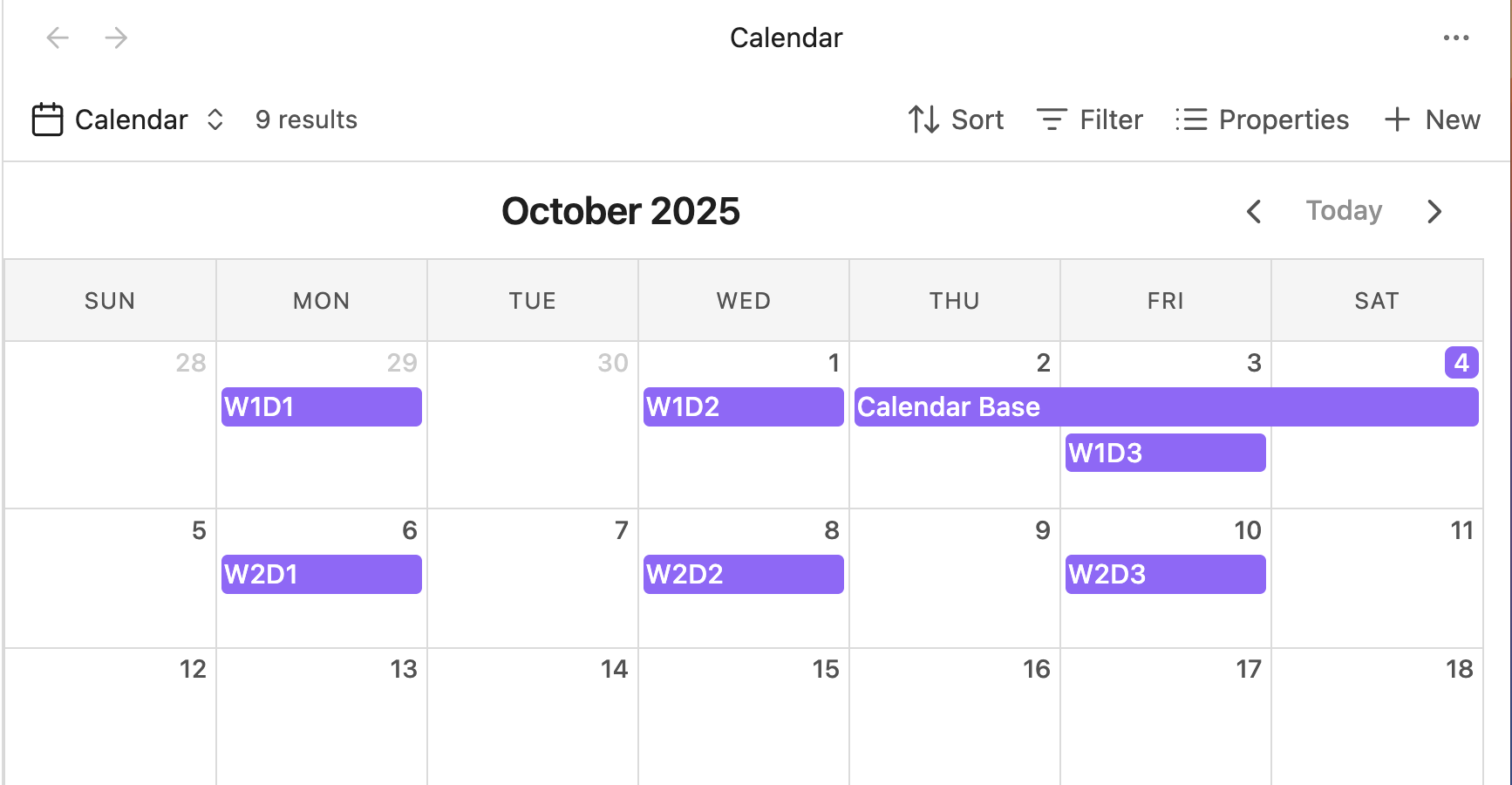
The Calendar Bases plugin turns Obsidian Bases results into a calendar so notes with date properties can be viewed where they belong in a month layout. It focuses on entries that already carry start dates and can also handle end dates when something spans more than one day. You can move items on the calendar to reschedule them and the plugin updates note frontmatter to match, which makes the view useful for planning as well as reviewing what is already in the vault. It also supports opening entries directly from the calendar and using context menus for related actions.
The Graphic Organizer plugin turns a vault into a visual tree that shows folders and files on a zoomable canvas. It helps people understand large structures faster and move things around without staying in the file explorer. Files open with a click, folders expand as needed and changes in the vault show up in real time. You can drag files or folders into other folders, use context menus to create or remove items and spot different file types through clear icons. The view also adds large folder warnings, configurable spacing, zoom limits and optional smooth animations, which makes navigation easier when the vault starts getting messy.
🔁 Plugin Updates
We got 71 plugin updates in the last one week's time. You can see all the plugin updates on Obsidian Plugin Stats webapp.
Notable Updates
- Obsidian Map View - v6.1.4 - Changelog
- Github Issues - v1.9.0 - Changelog
- 3D Embed - v1.4.4 and v1.1.5 - Changelog for 1.1.4 Changelog for 1.1.5
- Note Companion - v3.6.14 - Changelog