Workbooks

by Gabriele Cannata
5
4
3
2
1
Score: 38/100

Description

The Workbooks plugin allows users to create and manage tabular data directly within Obsidian. It supports embedding and editing spreadsheets in various formats, including XLSX, XLS, and CSV, either stored directly in a note or linked to an external file. Users can customize properties like dimensions, rows, columns, font sizes, and autosave options through code block parameters. The plugin provides seamless saving and editing capabilities, preserving formatting when stored within notes, and offering compatibility with external file formats. It is ideal for those who want spreadsheet functionality integrated into their note-taking workflow.

Reviews

No reviews yet.

Stats

29
stars
10,165
downloads
1
forks
1,134
days
1,130
days
1,130
days
0
total PRs
0
open PRs
0
closed PRs
0
merged PRs
17
total issues
12
open issues
5
closed issues
0
commits

Latest Version

3 years ago

Changelog

Fixed caret-color

README file from

Github

Obsidian Sheets

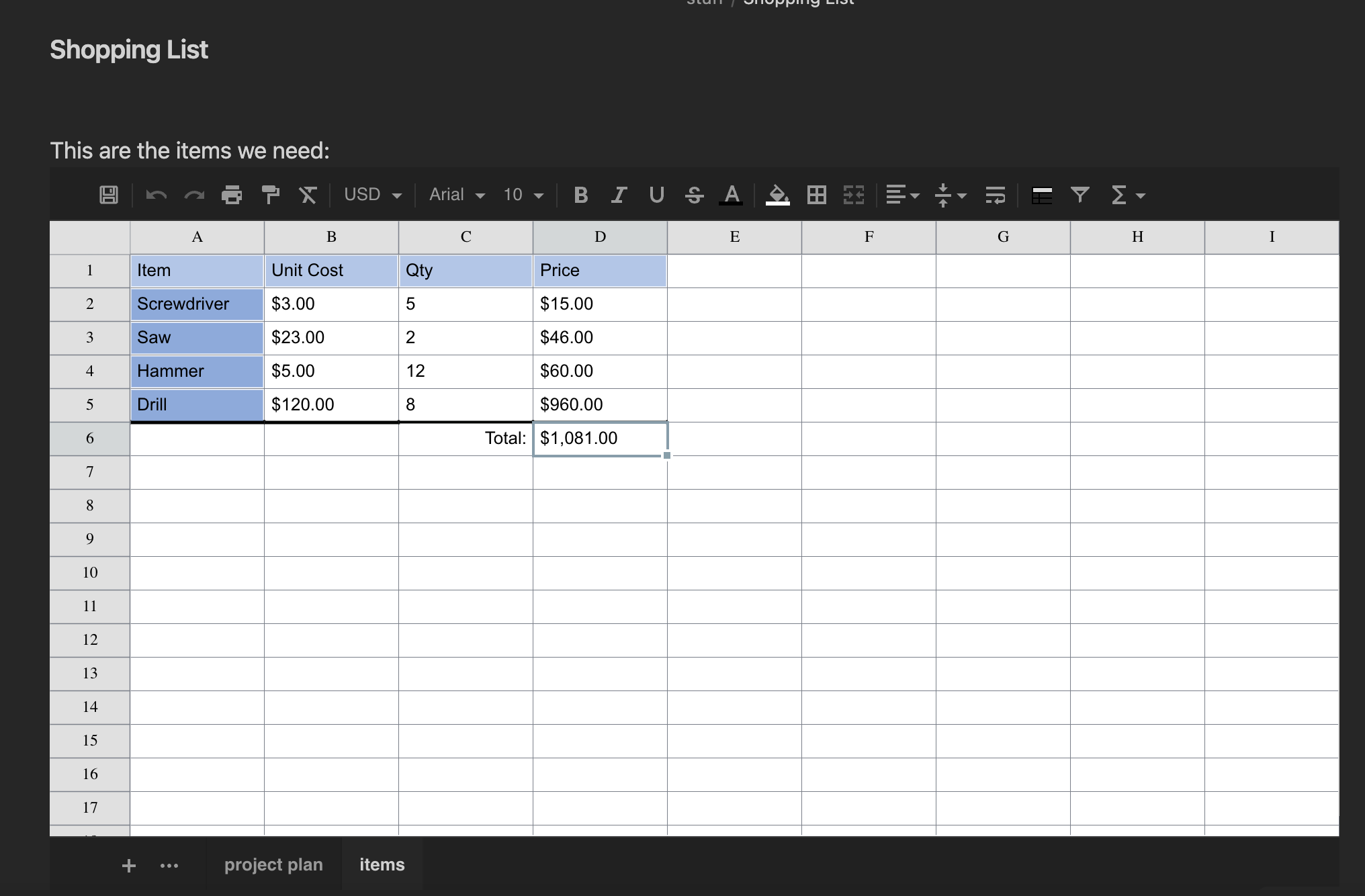
This plugin enables to work with tabular data directly in Obsidian: either storing data in the note itself, or on an external Excel or CSV file. The following files are supported:

  • XLSX
  • XLS
  • CSV

Code Block Parameters

In order to create a sheet it is enough to create a code block with the sheet name

```sheet

```

Following is the complete list of properties with their default values:

```sheet
filename: <path relative to vault root>
enableSave: <value in settings>
autoSave: <value in settings>
height: 540
width: "auto"
rows: 100
cols: 26
fontSize: 10
cellHeight: 25
cellWidth: 100
```

If filename is provided, data is loaded from that file, if already existing. Otherwise it will be created upon save. If filename is not provided, data will be stored in the code block itself.

Note that by default saving data to external files is disabled because - in general - there will be loss of information. This could be enabled at vault-level via the settings, or code-block level by specifying enableSave: true in the code block. When saving to file, by default it will also autosave after each modification. When saving to the code block in order to save one must click the save icon in the top left.

Supported Formats

When saving to code block, all formatting and changes done to the sheet are perserved. When saving to XLSX most formatting and data will be saved and read back. Note however that when reading an existing XLSX file, only a subset of functionality will be supported. Support of XLS is limited to data and cell merges CSV can, of course, only store data.

Attributions

This plugin uses the following libraries:

https://github.com/SheetJS

https://github.com/myliang/x-spreadsheet (forked here: https://github.com/Canna71/x-spreadsheet)

https://github.com/exceljs/exceljs

Similar Plugins

info
• Similar plugins are suggested based on the common tags between the plugins.
Sheet Plus
3 months ago by ljcoder
obsidian spreadsheets solutions
Excel
3 years ago by ljcoder
Spreadsheets
3 years ago by Divam Gupta
Univer Doc and Sheet
3 years ago by Karl GJSSS
Create, edit, and view spreadsheets and documents in various formats like Excel and Word directly within your knowledge base.
CalcCraft
3 years ago by Claudiu Ivan
have formulas in tables like in excel: a1+a2, sum(), etc.
Quote of the Day
5 years ago by Florin Bobis
An Obsidian plugin to insert random quotes as Markdown.
Fold Anywhere
3 years ago by Boninall
Obsidian Sigma
4 years ago by monesga
Power Tables
3 months ago by Power Plugins
Color, calculate, and sort Markdown tables in place: cell fills and text colors, live formulas that recalculate, and column sorting, all stored as plain Markdown.
Office Suite
2 months ago by Vishal Rashmika
View and edit Microsoft Word (.docx), Excel (.xlsx), and CSV/TSV spreadsheet files directly inside Obsidian with native WYSIWYG editing, formatting, and formulas.
Universal renderer
3 years ago by Kloud
Obsidian plugin to render latex, dot, blockdiag, ditaa and other graphs
Type Chinese Like English
2 years ago by Hwenyi
在 Obsidian 中像是输入英文一样输入中文和 LaTeX
Simple Image Inserter
3 years ago by Joey Holtzman
Add images from the file system into Obsidian notes through a built-in file explorer
Excidian
23 days ago by UmbertoFrancesco
Interactive inclusion of Excel sheets or tables inside Obsidian pages
Link Formatter
2 years ago by Dilantha Nanayakkara
Formats a block of links into a clean markdown list in Obsidian