
README file from
GithubModel Viewer For Obsidian
This plugin allows you to view and embed interactive 3D models directly in your Obsidian vault, powered by Google’s <model-viewer> component.
<model-viewer> supports and plans to support only glTF/GLB 3D models. It is the Khronos standard known as the JPEG of 3D and the first format to standardize Physically-Based Rendering (PBR), making your models look realistic under any lighting, on any renderer. It is also compact, compressible, and loads rapidly into the GPU.
Features
- .glb and .gltf file support with most popular glTF extensions (including Draco compression, KTX2 textures and PBR materials)
- Supports most of the features of the <model-viewer> component
- Obsidian-style embed syntax with custom attributes
File View
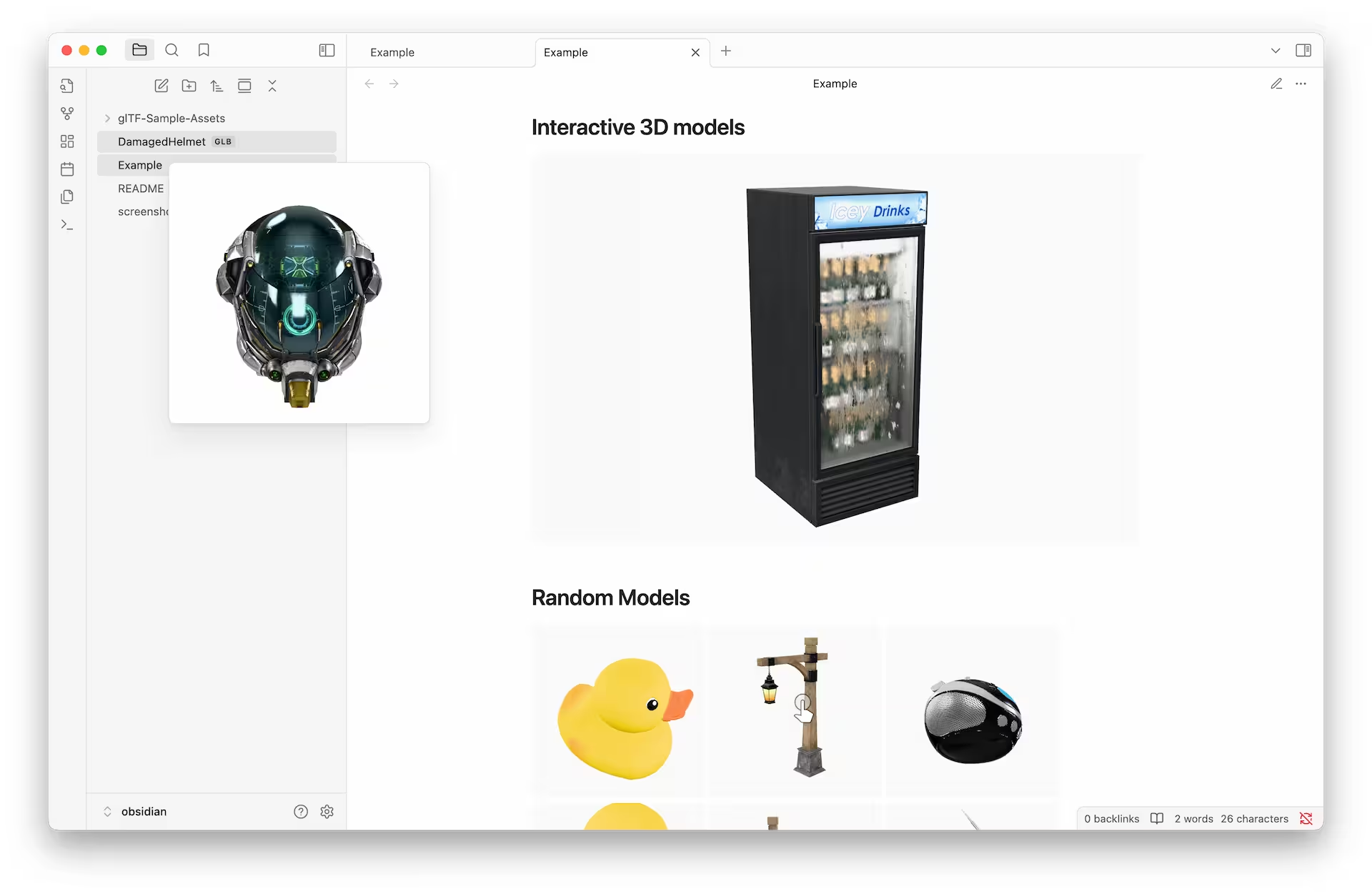
Using this plugin, Obsidian automatically recognizes the .glb and .gltf files in your vault, allowing you to browse them and open them in a tab.
Hover Preview
When combined with Obsidian's page preview plugin (enabled by default), you can view 3D models using the hover preview.
Embed models in Markdown
You can embed 3D models in your notes using Obsidian's native embed syntax. This allows you to view and interact with the models directly within your notes.
The simplest embed looks like this:
![[DamagedHelmet.glb]]
If you want to specify the height of the model, you can do so like this:
![[Duck.glb#height=400]]
Or alternatively, you can specify the aspect ratio:
![[Sponza.gltf#aspect=16:9]]
The embed will automatically fill the entire width of the container. As with other embed types, you can also specify the width after the pipe character:
![[StainedGlassLamp.gltf#aspect=1|320]]
You can even place models side by side on a single line:
![[A.glb|160]] ![[B.glb|160]] ![[C.glb|160]]
Using <model-viewer> attributes
You can also use any of the attributes supported by the <model-viewer> component. To do this, you can use the following syntax:
![[Fox.glb#autoplay&camera-controls=false&camera-orbit=30deg+80deg+80%]]
The documentation for all available attributes can be found here: https://modelviewer.dev/docs/index.html