Listen Up!

by Tejas H
5
4
3
2
1
Score: 31/100

Description

Category: 3rd Party Integrations

The Listen Up! plugin enables users to convert their Obsidian notes into natural language audio files using advanced text-to-speech models. By integrating with Piper, users can select language models and generate high-quality audio from selected text, special text blocks, or entire files. This tool is ideal for those who prefer listening to their notes or need auditory accessibility. The plugin also supports customization of language models for tailored audio outputs, providing a versatile solution for converting written content into engaging voice narration.

Reviews

No reviews yet.

Stats

17
stars
1,696
downloads
3
forks
611
days
609
days
609
days
3
total PRs
1
open PRs
1
closed PRs
1
merged PRs
6
total issues
5
open issues
1
closed issues
15
commits

Latest Version

2 years ago

Changelog

README file from

Github

Listen Up!

An open source plugin to convert your notes into natural language audio files

Join Listen Up discord server if you get stuck somewhere or you have suggestions for features.


Sample:

Get Started - Quick

Follow along video - coming soon

Step 1: Download and enable the plugin

Step 2:

  1. Download, and extract Piper for your OS
  2. Select executable file from Obsidian plugin setting

Step 3: Download and setup language audio models -

  1. Check the samples - https://rhasspy.github.io/piper-samples
  2. Download whichever lang model you like from the samples from - https://github.com/rhasspy/piper/blob/master/VOICES.md
    1. Recommended model
  3. Select these files from the Obsidian plugin settings

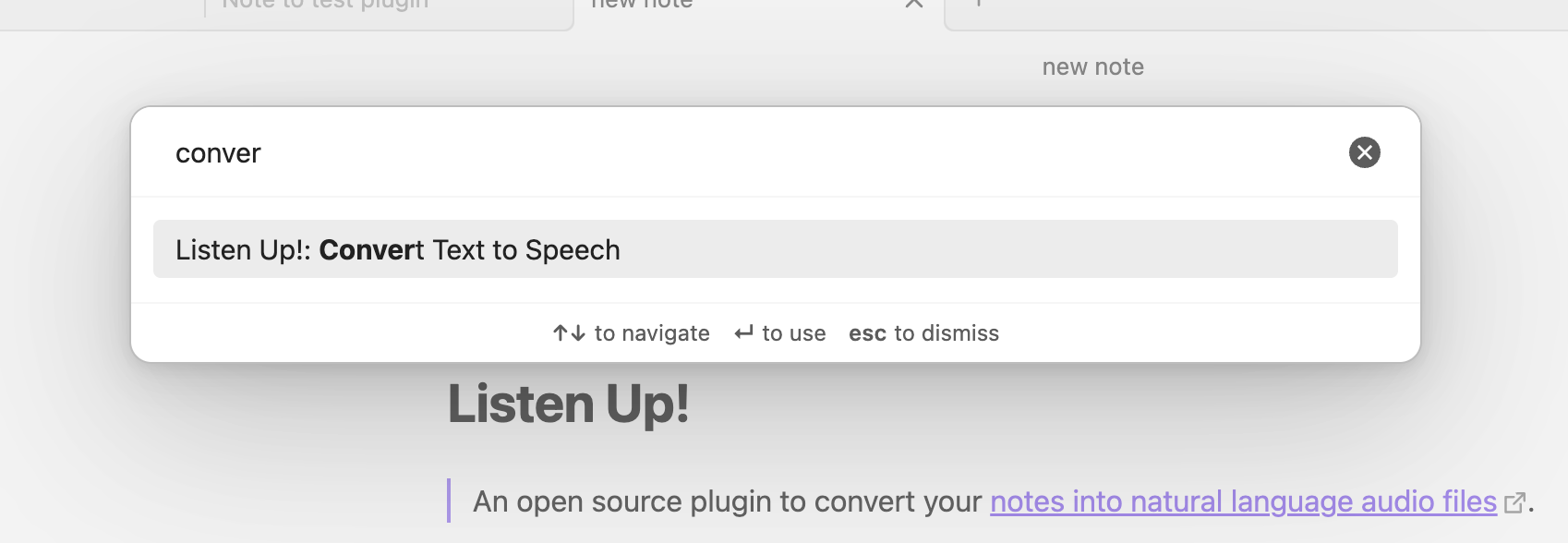
Step 3: Run the Convert text to speech command to convert alt text That's it! Start using the plugin!
Advanced

Different ways to convert text to audio

  1. Selection
  2. Using special text blocks - {{listen}}Converts to voice{{/listen}}
  3. Without any selection or text blocks, covers entire file to audio

Change language models

Coming soon

Similar Plugins

info
• Similar plugins are suggested based on the common tags between the plugins.
Text to Speech
4 years ago by Johannes Theiner
Text to speech for Obsidian. Hear your notes.
Edge TTS
a year ago by Travis
Free, high quality text-to-speech for your Obsidian notes, leveraging Microsoft Edge's Read Aloud API.
Aloud
2 years ago by Adrian Lyjak
Obsidian TTS Plugin
Rainbow-Colored Sidebar
a year ago by Kevin Woblick
Automatically color your sidebar like a rainbow. No configuration needed. 8 themes included.
Eleven Labs
3 years ago by Mark Charles
Vim Multibyte Char Search
4 years ago by anselmwang
Search multibyte characters by the corresponding input method encoding. For example, for Chinese, search "用来" by "yl"
Chatty
6 months ago by Sadnan Saquif
A simple plugin for Obsidian that allows you to listen to your notes using text-to-speech. Uses the browser's built-in speech synthesis capabilities and your default system voices.
Text2Audio
2 years ago by Haifeng Lu
Convert text to audio.
Memodack
a year ago by Pavlo Kobyliatskyi
Your second language memory tool
Student Repo
a year ago by Feirong.zfr
学生知识库助手(Student Repository Helper)是一个面向学生或学生家长的Obsidian 插件,这款插件旨在解决学生在学习阶段面临的资料管理难题,将学习过程中产生的各类重要资料,如试卷、笔记、关键文档、绘画手工作品等,进行系统性的数字化整合与管理,并利用 AI 助手定期进行学习分析总结。随着时间的推移,它将助力你逐步搭建起一座专属你自己的知识宝库,这座宝库将伴随你一生,成为你知识成长与积累的见证。