
README file from
GithubBlur
Light-weight Obsidian.md plugin for creating obfuscated blocks of text.
Installation
Install from community.obsidian.md
From Obsidian's settings or preferences:
- Community Plugins > Browse
- Search for "Blur"
Manually:
- download the latest release archive
- uncompress the downloaded archive
- move the
blurfolder to/path/to/vault/.obsidian/plugins/ - Settings > Community plugins > reload Installed plugins
- enable plugin
or:
- download
main.js,manifest.json&styles.cssfrom the latest release - create a new folder
/path/to/vault/.obsidian/plugins/blur - move all 3 files to
/path/to/vault/.obsidian/plugins/blur - Settings > Community plugins > reload Installed plugins
- enable plugin
Usage
2 modes:
inlineblocki.e. code fence
3 methods:
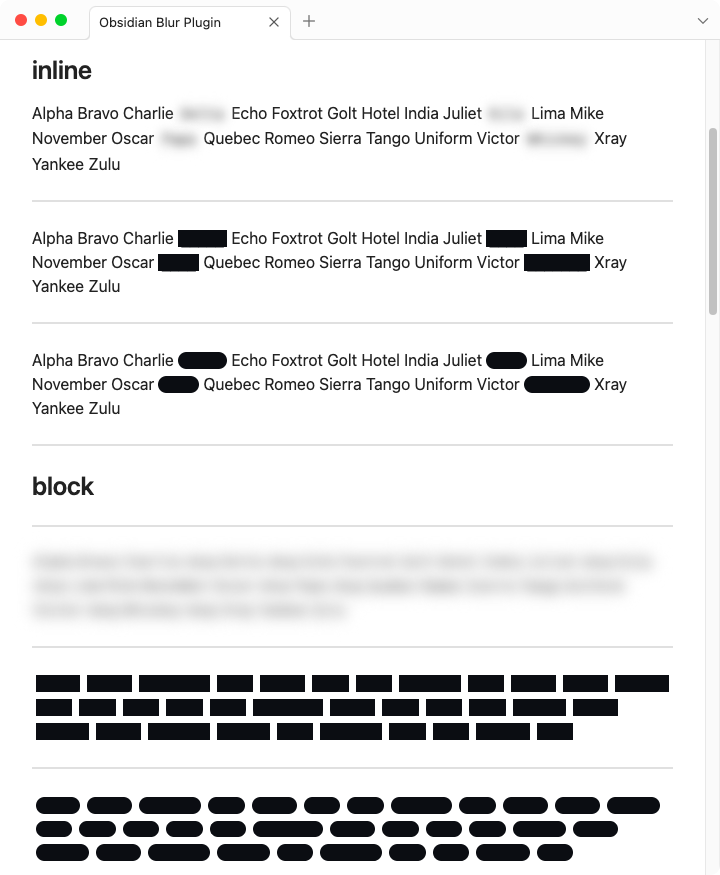
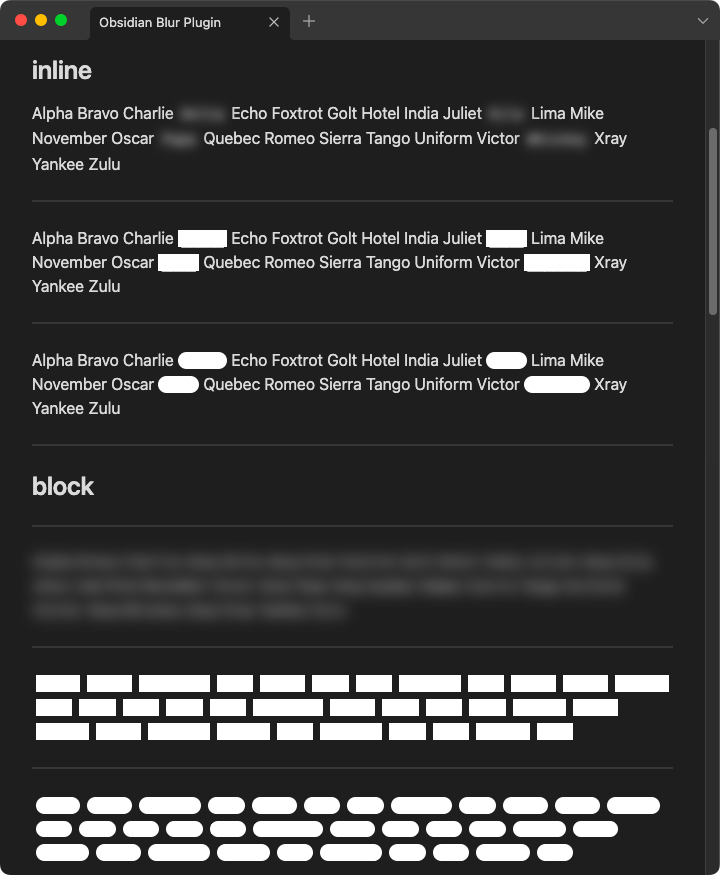
- blur — useful for ==obfuscating== (text preserved, reveals on hover)
- brick — useful for ==redacting== (text replaced with █ blocks, does not reveal)
- bone — useful for ==wire-framing== (text preserved, reveals on hover)
inline
blur
Alpha Bravo Charlie `~{Delta}` Echo Foxtrot Golt Hotel India Juliet `~{Kilo}` Lima Mike November Oscar `~{Papa}` Quebec Romeo Sierra Tango Uniform Victor `~{Whiskey}` Xray Yankee Zulu
brick
Alpha Bravo Charlie `~[Delta]` Echo Foxtrot Golt Hotel India Juliet `~[Kilo]` Lima Mike November Oscar `~[Papa]` Quebec Romeo Sierra Tango Uniform Victor `~[Whiskey]` Xray Yankee Zulu
bone
Alpha Bravo Charlie `~(Delta)` Echo Foxtrot Golt Hotel India Juliet `~(Kilo)` Lima Mike November Oscar `~(Papa)` Quebec Romeo Sierra Tango Uniform Victor `~(Whiskey)` Xray Yankee Zulu
block
blur
```blur
Alpha Bravo Charlie Delta Echo Foxtrot Golt Hotel India Juliet Kilo Lima Mike November Oscar Papa Quebec Romeo Sierra Tango Uniform Victor Whiskey Xray Yankee Zulu
```
brick
```blur-brick
Alpha Bravo Charliez Delta Echo Foxtrot Golt Hotel India Juliet Kilo Lima Mike November Oscar Papa Quebec Romeo Sierra Tango Uniform Victor Whiskey Xray Yankee Zulu
```
bone
```blur-bone
Alpha Bravo Charlie Delta Echo Foxtrot Golt Hotel India Juliet Kilo Lima Mike November Oscar Papa Quebec Romeo Sierra Tango Uniform Victor Whiskey Xray Yankee Zulu
```
Inside a code block, punctuation and line breaks are preserved. Don't tell: 555-1234 (secret). reveals exactly as written, and a block spanning several lines keeps those lines.
results
settings
The plugin includes a Reveal on hover toggle in Settings > Blur. When enabled, hovering over blurred or boned text will reveal the original content. Note: brick text does not reveal on hover since the original text is replaced with █ blocks.
customization
Custom CSS styles can be applied via the obsidian-style-settings plugin.
By default, brick and bone bars use the theme's own text color (--text-normal), so they match whatever theme you run. Setting Brick color or Bone color below pins them to a fixed color instead. The default-light and default-dark values in the snippet are the colors the plugin used before version 1.0.12 — they are kept so existing setups look unchanged, not because they match every theme.
video demo
effects
- blur —
filter - brick —
line-height,background-color,border-radius - bone —
line-height,background-color,border-radius
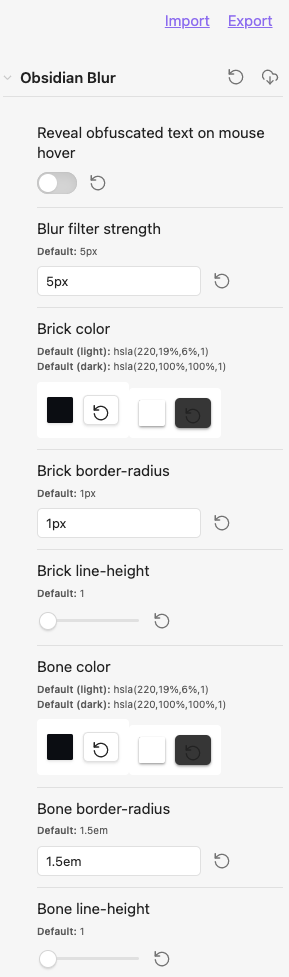
CSS snippet for setting styles
The obsidian-style-settings plugin is required for the following.
- create an
obsidian-blur-plugin.csssnippet file with the content below
or
- download obsidian-blur-plugin.css
then
- save file to
/path/to/vault/.obsidian/snippets - enable snippet under Settings > Appearance > CSS snippets
/* @settings

name: Blur Plugin
id: obsidian-blur
settings:
-
  id: obsidian-blur-filter
  title: Blur filter strength
  type: variable-text
  default: 5px
-
  id: obsidian-blur-brick-color
  title: Brick color
  type: variable-themed-color
  format: hsl
  opacity: true
  default-light: 'hsla(220,19%,6%,1)'
  default-dark: 'hsla(220,100%,100%,1)'
-
  id: obsidian-blur-brick-border-radius
  title: Brick border-radius
  type: variable-text
  default: 1px
-
  id: obsidian-blur-brick-line-height
  title: Brick line-height
  type: variable-number-slider
  default: 1
  min: 1
  max: 2
  step: .05
-
  id: obsidian-blur-bone-color
  title: Bone color
  type: variable-themed-color
  format: hsl
  opacity: true
  default-light: 'hsla(220,19%,6%,1)'
  default-dark: 'hsla(220,100%,100%,1)'
-
  id: obsidian-blur-bone-border-radius
  title: Bone border-radius
  type: variable-text
  default: 1.5em
-
  id: obsidian-blur-bone-line-height
  title: Bone line-height
  type: variable-number-slider
  default: 1
  min: 1
  max: 2
  step: .05
-
*/
development
clone this repo
cd /path/to/vault/.obsidian/plugins
git clone https://github.com/gapmiss/blur.git
cd blur
install packages and run
npm i
npm run dev
enable plugin
- open
Settings→Community plugins - enable the
Blurplugin.