README file from
GithubVesper Golden
A warm gold code theme. Dark and light.
One palette, shared across editors, terminals, and tools.
Platforms
| Platform | Status | Where |
|---|---|---|
| VS Code (and Cursor, Windsurf, VSCodium) | Released | platforms/vscode |
| JetBrains / Android Studio | Buildable locally | platforms/jetbrains |
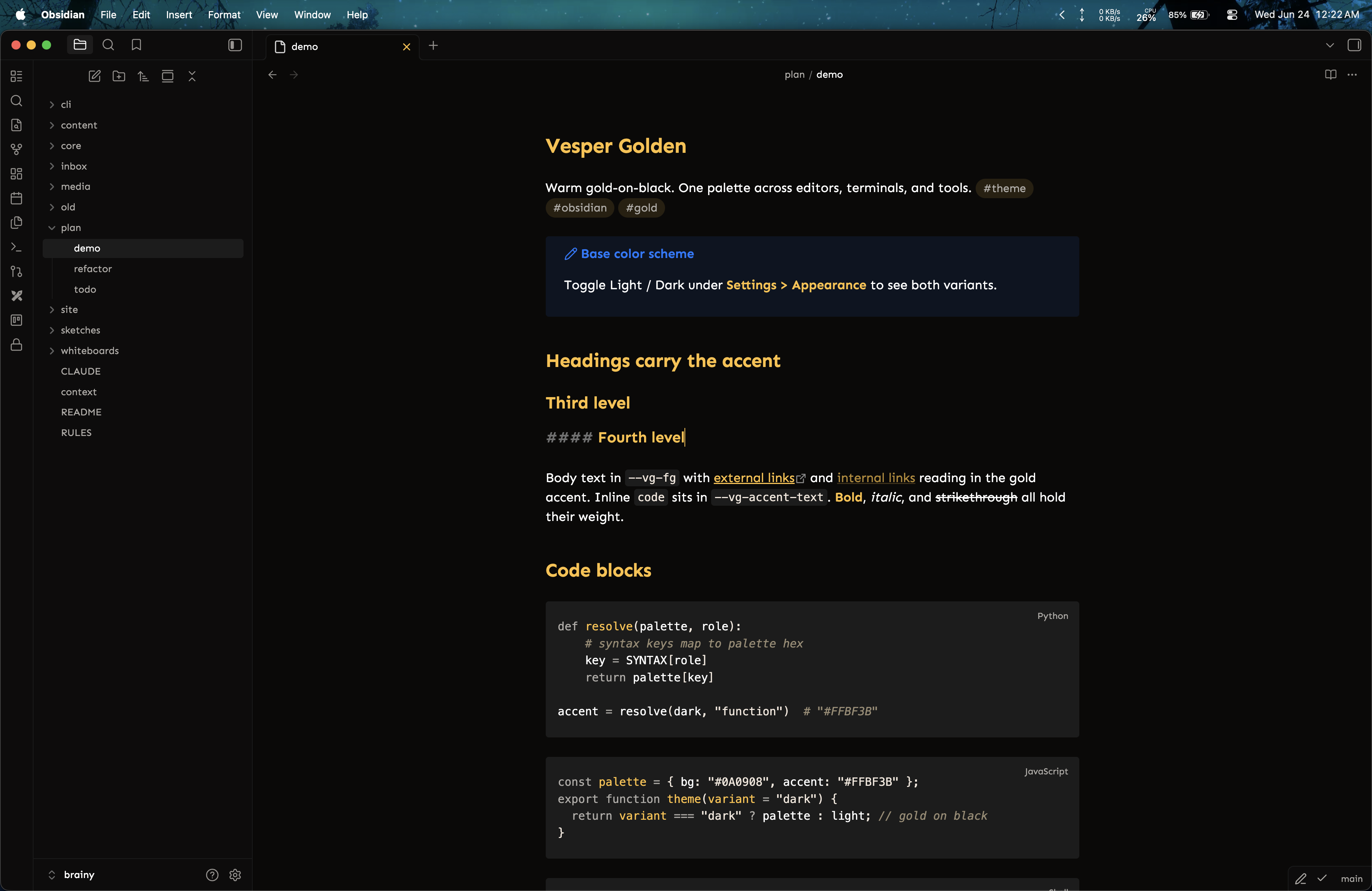
| Obsidian | Released | community gallery |
| Zed | Buildable locally | platforms/zed |
More ports (terminals, and other tools) are tracked in docs/theme-platforms.md.
Build
scripts/build.sh builds any platform and drops the artifact in builds/. Run it with no arguments for a menu, or name a target:
scripts/build.sh # interactive menu
scripts/build.sh all # every platform
scripts/build.sh vscode # just one
scripts/build.sh vscode jetbrains
scripts/build.sh list # print known platforms
Install
- VS Code: search "Vesper Golden" in the Extensions view, or see
platforms/vscode/README.md. - Android Studio / JetBrains: build and load the plugin by following
docs/install.md. - Obsidian: Settings > Appearance > Themes > Manage, search "Vesper Golden". Also in the community gallery. Local build steps are in
docs/install.md. - Zed: copy
platforms/zed/themes/vesper-golden.jsoninto~/.config/zed/themes/, then pick "Vesper Golden Dark" / "Light" withcmd-k cmd-t. Seeplatforms/zed/README.md.
Repo layout
palette.json canonical color database (source of truth for every port)
platforms/
vscode/ VS Code extension (released flagship port)
jetbrains/ IntelliJ-platform plugin: UI theme + editor scheme
obsidian/ Obsidian theme: manifest.json + theme.css
zed/ Zed theme extension: extension.toml + themes/*.json
scripts/ build.sh: build any platform into builds/
docs/ install guide, release runbook, platform map
images/ screenshots used by the READMEs
builds/ build output (gitignored)
palette.json is the color source. Every port derives from it, so a color change starts there and flows outward.