
README file from
GithubPaperline
Notion 风格的 Obsidian 主题:白色纸面、暖灰侧栏、清晰排版,兼顾电脑、iPhone 与 iPad 的不同窗口宽度。
A Notion-inspired Obsidian theme with a quiet paper surface, warm gray sidebar, and clear typography across desktop, phone, and tablet layouts.
版本 / Version: 1.0.0 · 最低 Obsidian 版本 / Requires Obsidian: 1.13.7 · 浅色与深色 / Light & dark
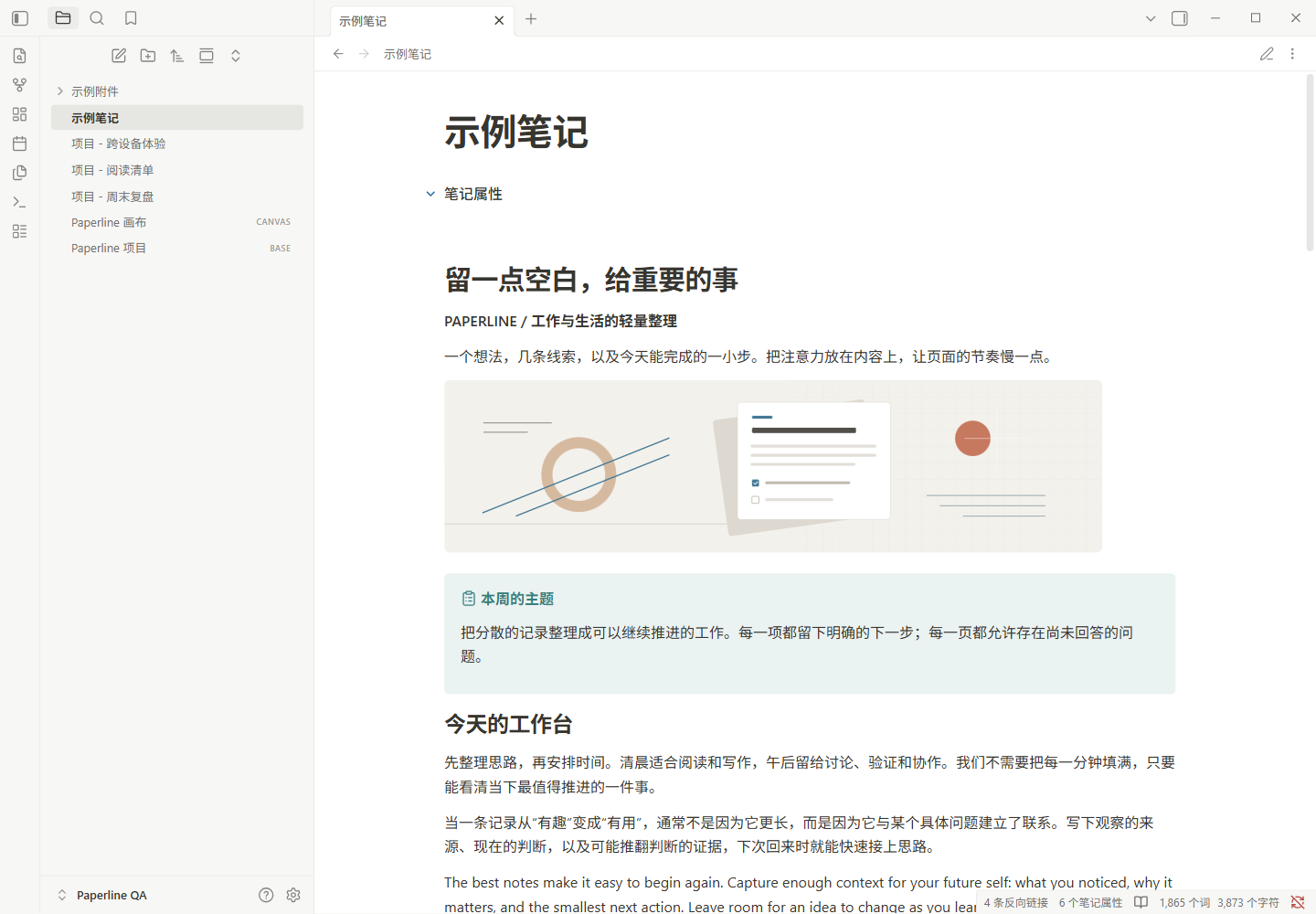
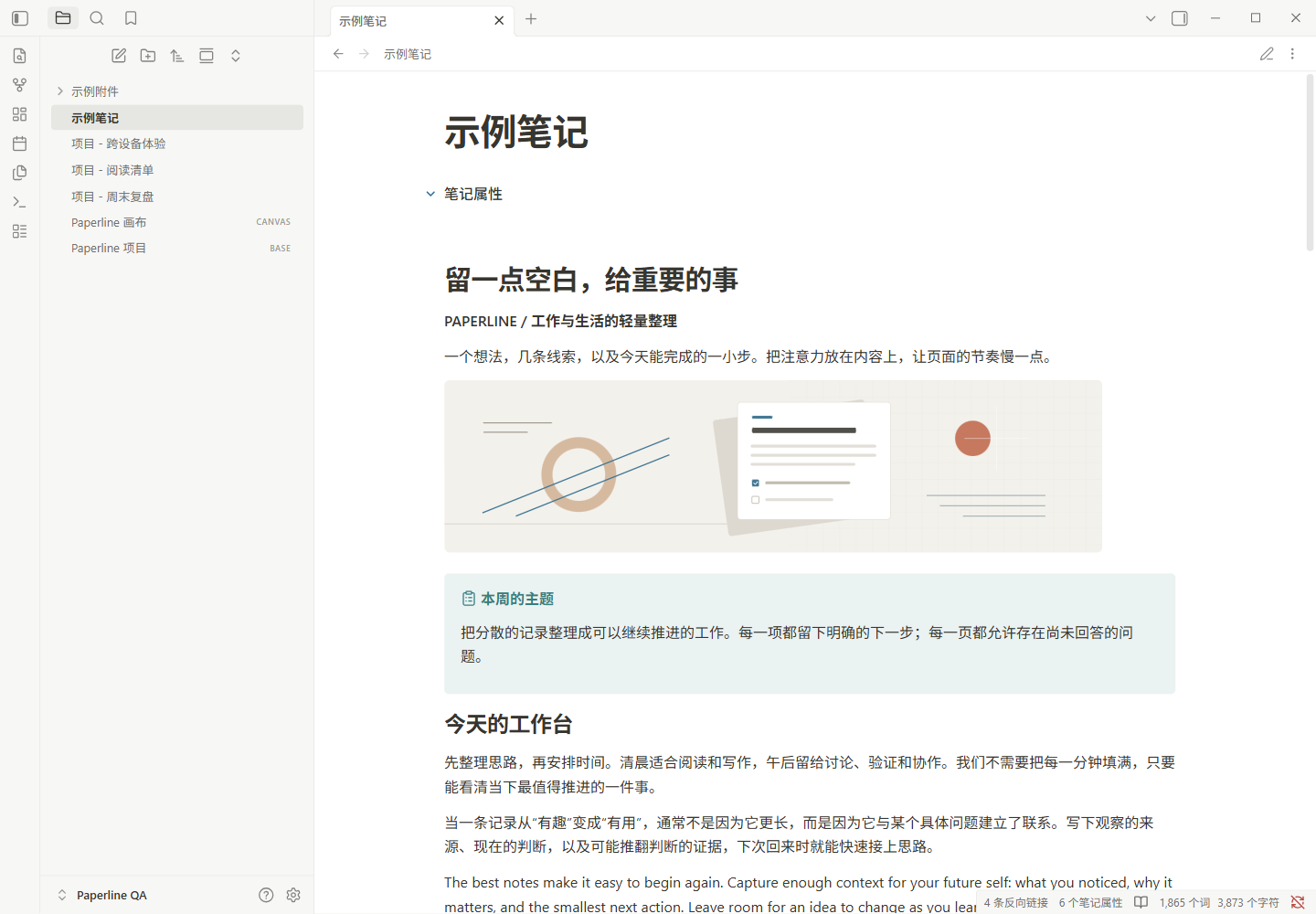
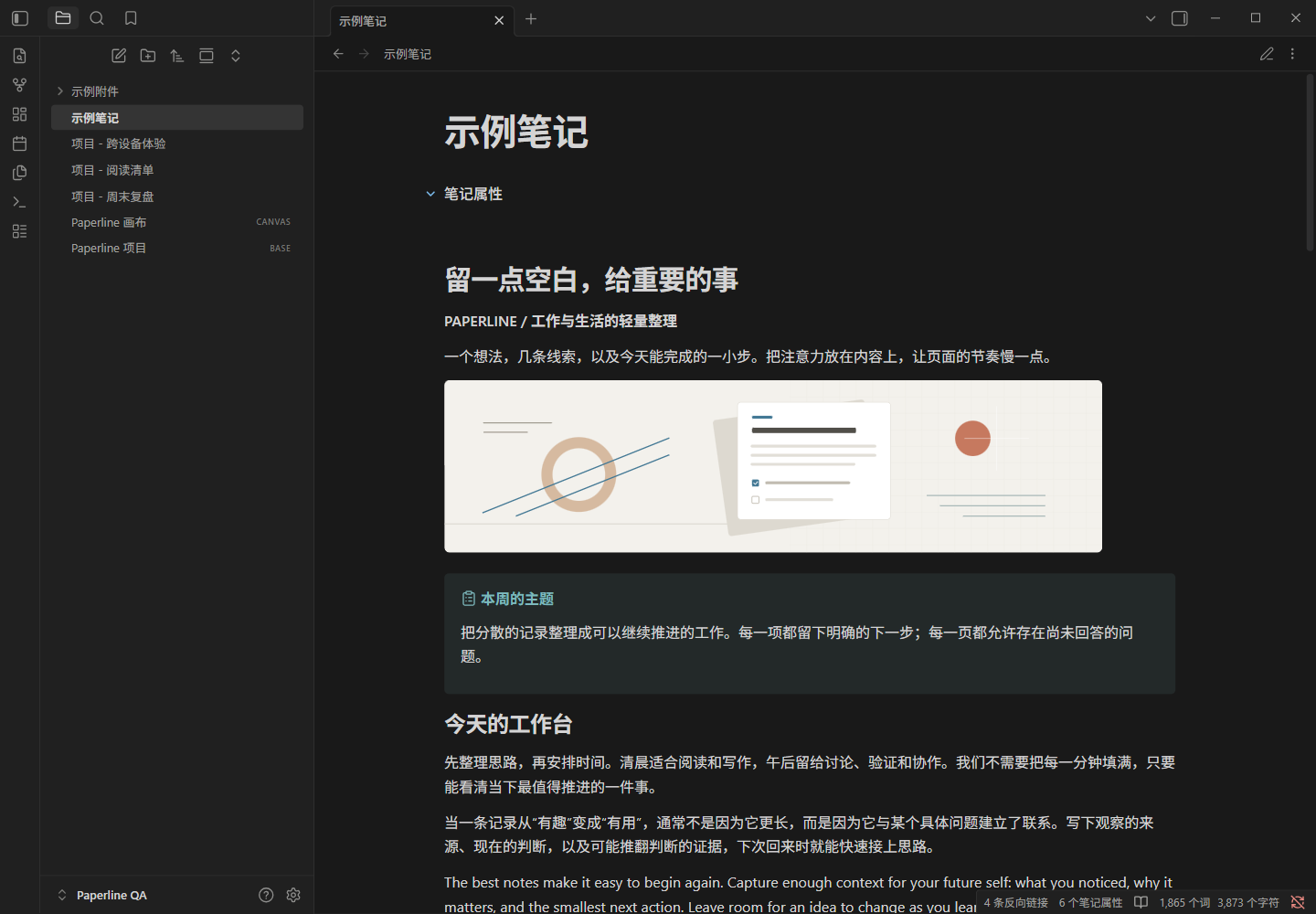
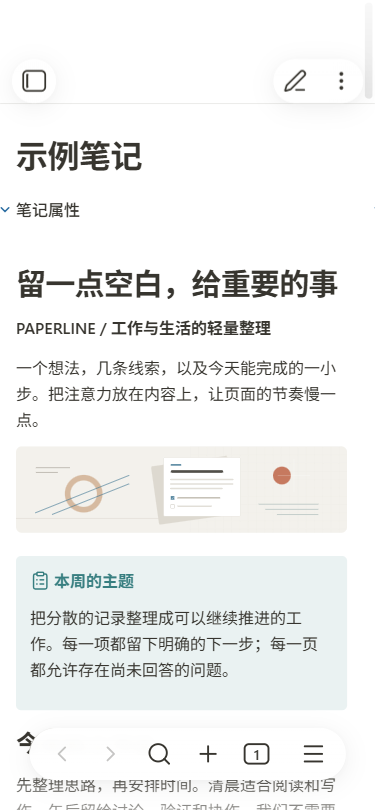
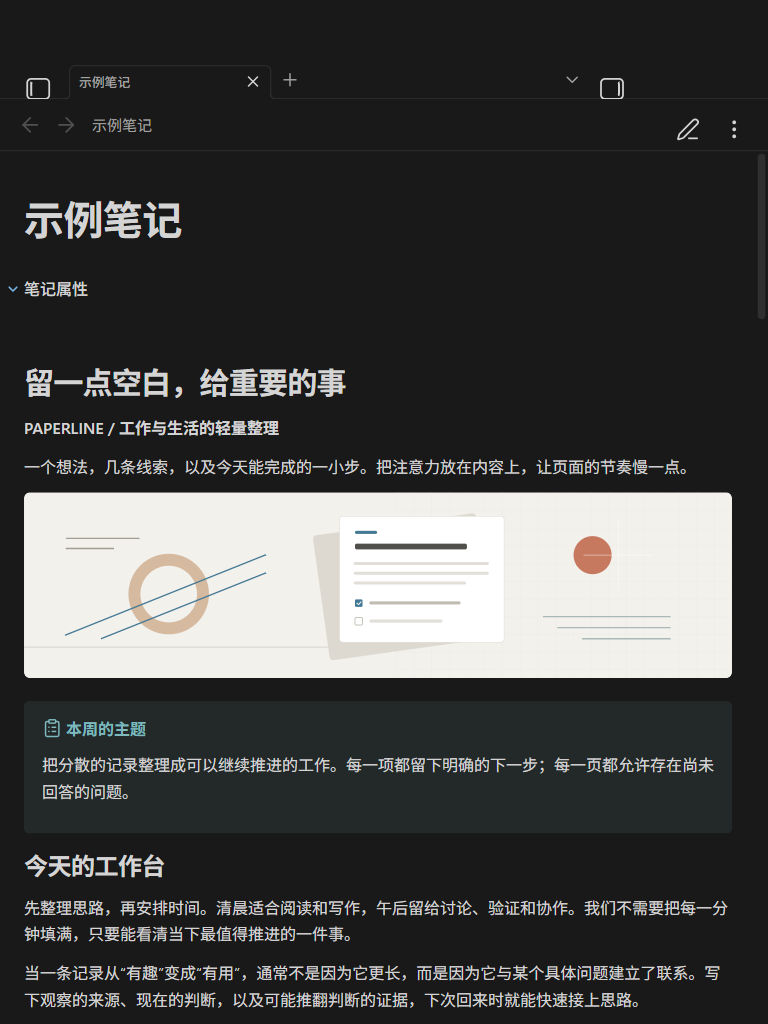
预览 / Preview
以下均为 Windows 版 Obsidian 1.13.7 截图;手机和平板画面使用应用的移动模拟,非 iPhone/iPad 真机截图。
All screenshots were captured in Obsidian 1.13.7 on Windows. Phone and tablet views use the app’s mobile simulation, not physical iOS devices.
| 手机浅色模拟 / Phone light simulation | 平板深色模拟 / Tablet dark simulation |
|---|---|
 |
 |
特点 / Features
- 浅色与深色配色;系统字体优先,保留 Obsidian 的字体和字号设置。Light and dark palettes with local system fonts; respects Obsidian’s font preferences.
- 默认正文宽度 800px、行高 1.65;手机与平板根据可用宽度调整留白。Default reading width of 800px and line height of 1.65, with spacing that adapts to the available width.
- 覆盖阅读、实时预览、源码模式及常见原生界面,包括属性、Canvas 和 Bases。Styles Reading view, Live Preview, Source mode, and native interfaces including Properties, Canvas, and Bases.
- 无必需插件、无远程字体或脚本。No required plugins, remote fonts, or scripts.
安装 / Installation
目前尚未在 Obsidian 社区主题中上架。 审核通过后,可在电脑、iPhone 和 iPad 的 设置 → 外观 → 主题 → 管理 中搜索 Paperline 并安装;安装主题不需要 Obsidian Sync 订阅。
Paperline is not yet listed in Obsidian’s community themes. After approval, open Settings → Appearance → Themes → Manage, search for Paperline, and install it on desktop, iPhone, or iPad. Installing a theme does not require an Obsidian Sync subscription.
上架前可从本仓库的 Releases 下载 theme.css 和 manifest.json,将两文件放入目标仓库的以下目录,再重新打开 Obsidian,在外观设置中选择 Paperline:
Before the community listing is available, download theme.css and manifest.json from this repository’s Releases. Place both files in the following folder inside your vault, reopen Obsidian, and select Paperline in Appearance settings:
Your vault/
└── .obsidian/
    └── themes/
        └── Paperline/
            ├── manifest.json
            └── theme.css
使用自定义配置目录时,以实际目录名替换 .obsidian。iOS/iPadOS 的“文件”App 不显示 .obsidian 隐藏目录,手动安装需要能访问该目录的文件工具,或已有的配置同步方式。
If you use a custom configuration folder, replace .obsidian with its name. The iOS/iPadOS Files app hides .obsidian; manual installation requires a tool that can access it or an existing way to sync your configuration files.
开启 设置 → 编辑器 → 缩减栏宽(Readable line length) 可使用主题的默认阅读宽度。恢复时,在外观设置中选择默认主题即可。手动安装的更新需要替换上述两个文件并重新加载 Obsidian。
Enable Settings → Editor → Readable line length to use the theme’s reading width. Select the default theme in Appearance settings to revert. To update a manual installation, replace both files and reload Obsidian.
可选设置 / Optional settings
安装并启用社区插件 Style Settings 后,可在其设置中的 Paperline 分组调整下列选项。主题本身不依赖该插件。
Optionally install and enable the Style Settings community plugin, then open its Paperline section. The theme works without it.
| 设置 / Setting | 默认值 / Default | 范围 / Range |
|---|---|---|
| 正文宽度 / Reading width | 800px | 640–1000px |
| 行高 / Line height | 1.65 | 1.4–2.0 |
| 浅色强调色 / Light accent | #2E6FA3 |
自定义 / Custom |
| 深色强调色 / Dark accent | #79B8E8 |
自定义 / Custom |
| 独立正文字号 / Font-size override | 关闭 / Off | 开启后 14–24px,默认 16px / When enabled: 14–24px, default 16px |
关闭字号覆盖后继续使用 Obsidian 的正文字号;禁用 Style Settings 后恢复主题默认值。
Turning off the font-size override restores Obsidian’s font-size preference. Disabling Style Settings restores the theme defaults.
验证与反馈 / Testing and feedback
已在 Windows 的 Obsidian 1.13.7 中检查 48 组尺寸、配色和阅读/编辑模式组合,并检查输入、选择、撤销、折叠、宽内容滚动、双窗格、搜索、设置、Canvas 和 Bases。Style Settings 1.0.9 的解析、保存、重载与清理在隔离宿主中验证,其生成样式也已在实际 Obsidian 中检查;插件安装与设置面板的完整操作流程尚未实测。
Tested 48 combinations of viewport size, color scheme, and reading/editing mode in Obsidian 1.13.7 on Windows, including editing, selection, undo, folding, wide-content scrolling, split panes, search, settings, Canvas, and Bases. Style Settings 1.0.9 parsing, persistence, reloading, and cleanup were checked in an isolated host; its generated styles were also checked in Obsidian. The complete plugin installation and settings-panel workflow has not been tested.
iPhone/iPad 真机、iOS WebKit、软键盘、安全区域、旋转、系统分屏、外接键盘及同步服务尚未实测。 移动模拟不代表这些项目已通过。首版以原生功能为重点,第三方插件可能需要额外适配。
Physical iPhone/iPad devices, iOS WebKit, the software keyboard, safe areas, rotation, system multitasking, external keyboards, and sync services have not been tested. Mobile simulation does not verify these behaviors. This release focuses on native features; third-party plugins may need additional styling.
请通过本仓库的 Issues 反馈,附上 Obsidian 版本、设备/系统、明暗模式、阅读或编辑模式,以及复现步骤或截图。
Please report problems in this repository’s Issues, including your Obsidian version, device/OS, color scheme, reading/editing mode, and reproduction steps or a screenshot.
许可证 / License
采用 MIT 许可证,见 LICENSE。
Licensed under the MIT License. See LICENSE.
Paperline 是独立主题,视觉参考 Notion,与 Obsidian 或 Notion 官方没有隶属关系。
Paperline is an independent theme inspired by Notion. It is not affiliated with Obsidian or Notion.