
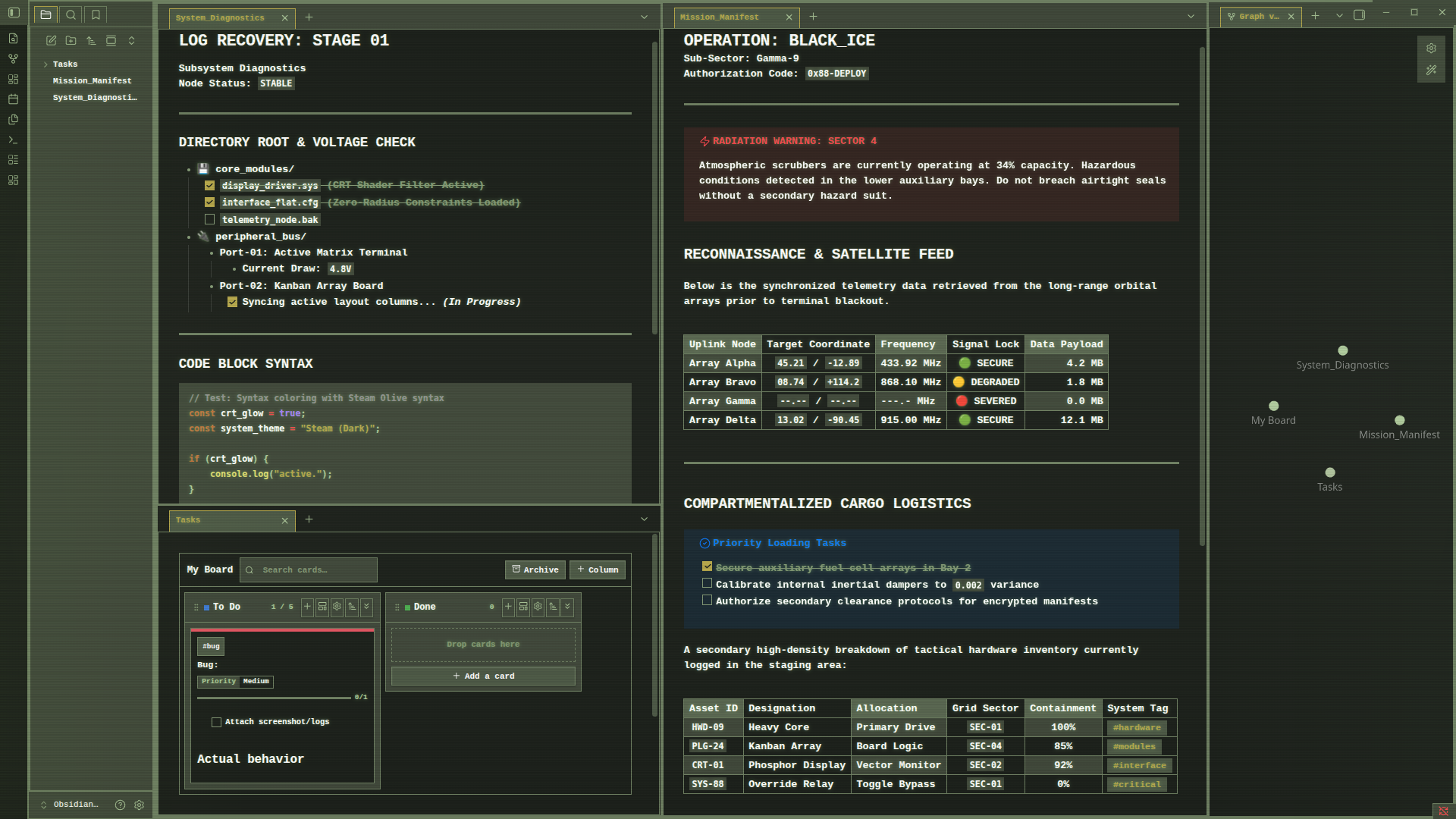
README file from
GithubSteam (Dark Only)
A flat, zero-radius dark theme for Obsidian mimicking the retro, olive-green Steam interface from the early 2000s.
Features
- Retro Palette: Built using authentic classic interface values featuring deep backgrounds, wire greens, and sharp yellow highlights.
- Strictly Flat Design: Absolute zero-radius corners across all UI components, buttons, checkboxes, tags, canvas nodes, and modal windows.
- Retro CRT Screen Engine: Immersive, built-in vintage display elements including active text glow, horizontal scanlines, and a screen-vignette. (Can be turned off using the Style Settings Plugin
- Artin0r's Advanced Kanban Compatibility: Comes with a pre-configured design patch built specifically to seamlessly style advanced kanban columns, tags, and board cards in the retro look.
Note
To get the exact same look in the screenshot you need to download these fonts :
- LiberationMono-Bold.ttf (General Text)
- Hack.ttf (For codeblocks)
Installation
Community Theme Store (Recommended)
- Open Settings -> Appearance in Obsidian.
- Select Manage next to Themes.
- Search for
Steam(by ArtinŌr) - Click Install and use.
Manual Installation
- Download
theme.cssandmanifest.jsonfrom the latest release. - Inside your Obsidian vault, navigate to
.obsidian/themes/. - Create a folder named
steamand place both files inside. - Go to Settings -> Appearance and activate the theme.
License
This project is licensed under the MIT License.