
README file from
GithubRail Theme
An Obsidian theme built from the palette of the ThinkRail editor, shared with the rail-theme VS Code extension so both editors look the same.
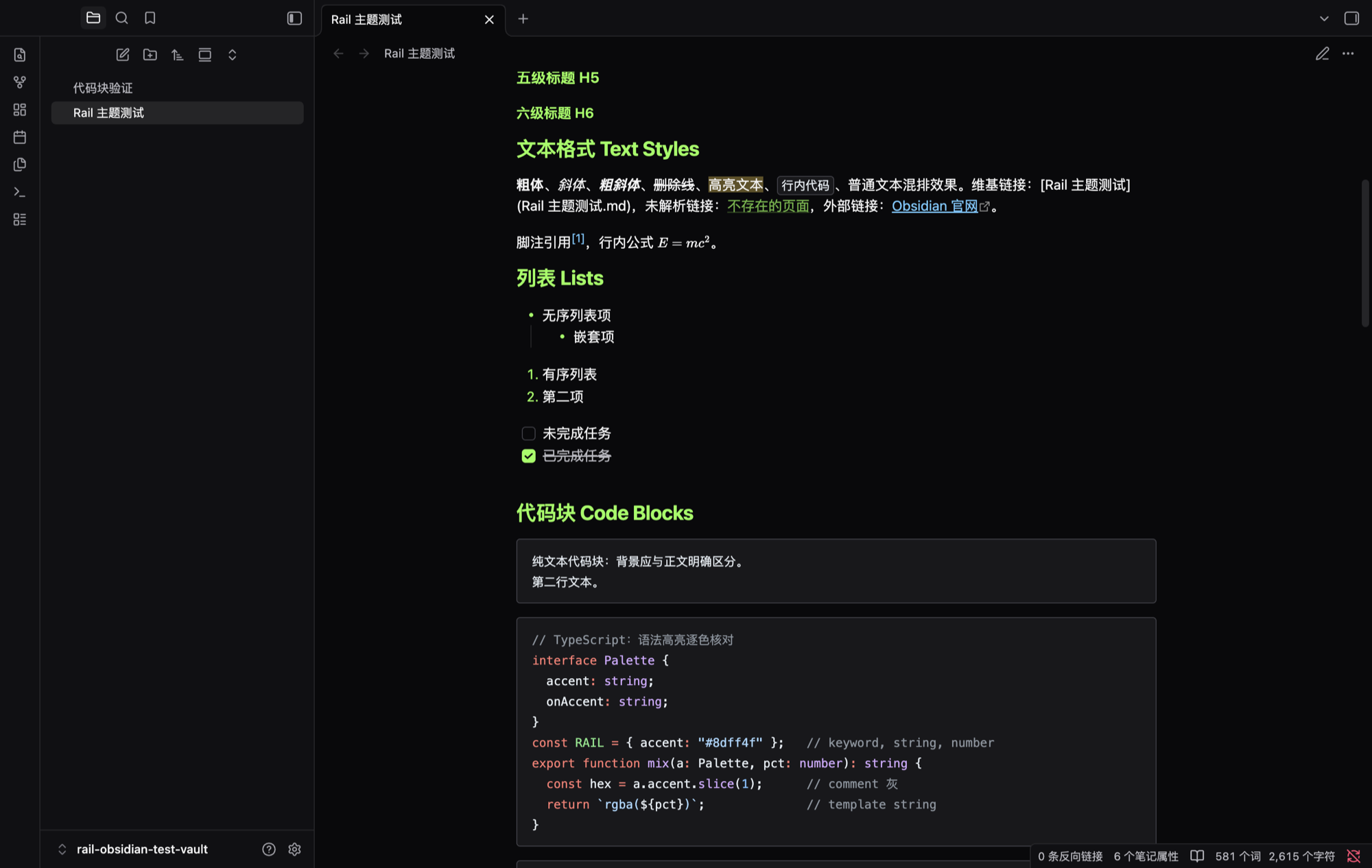
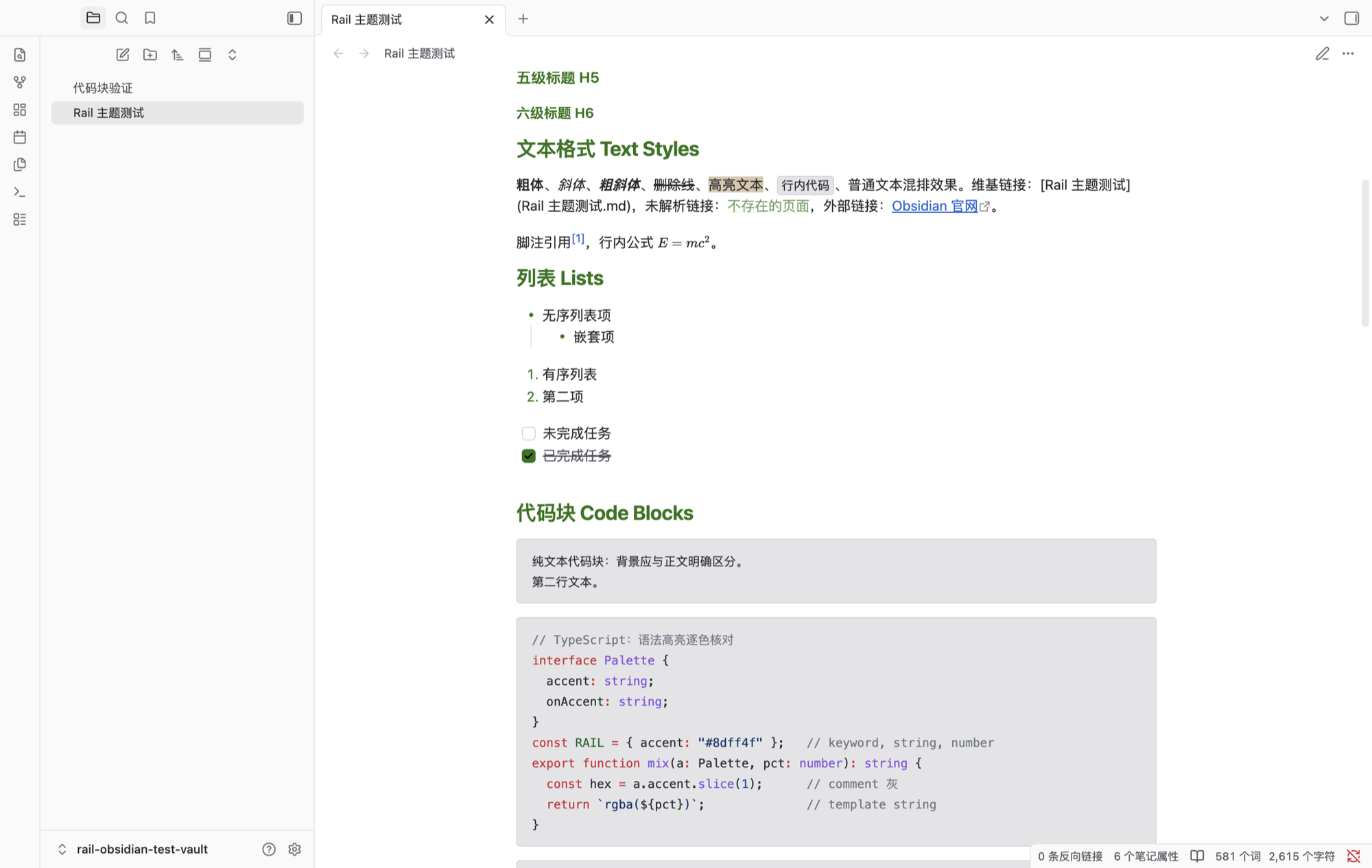
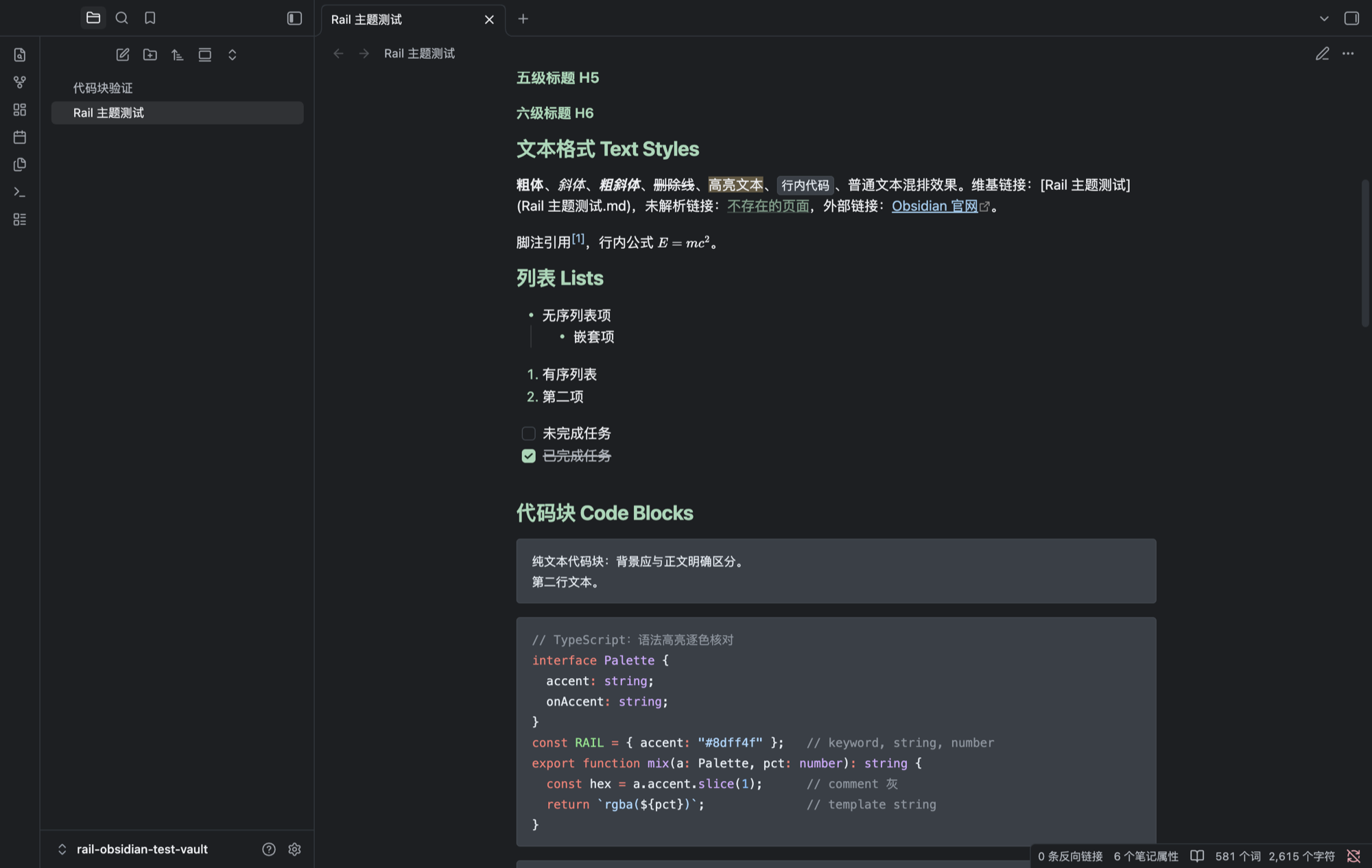
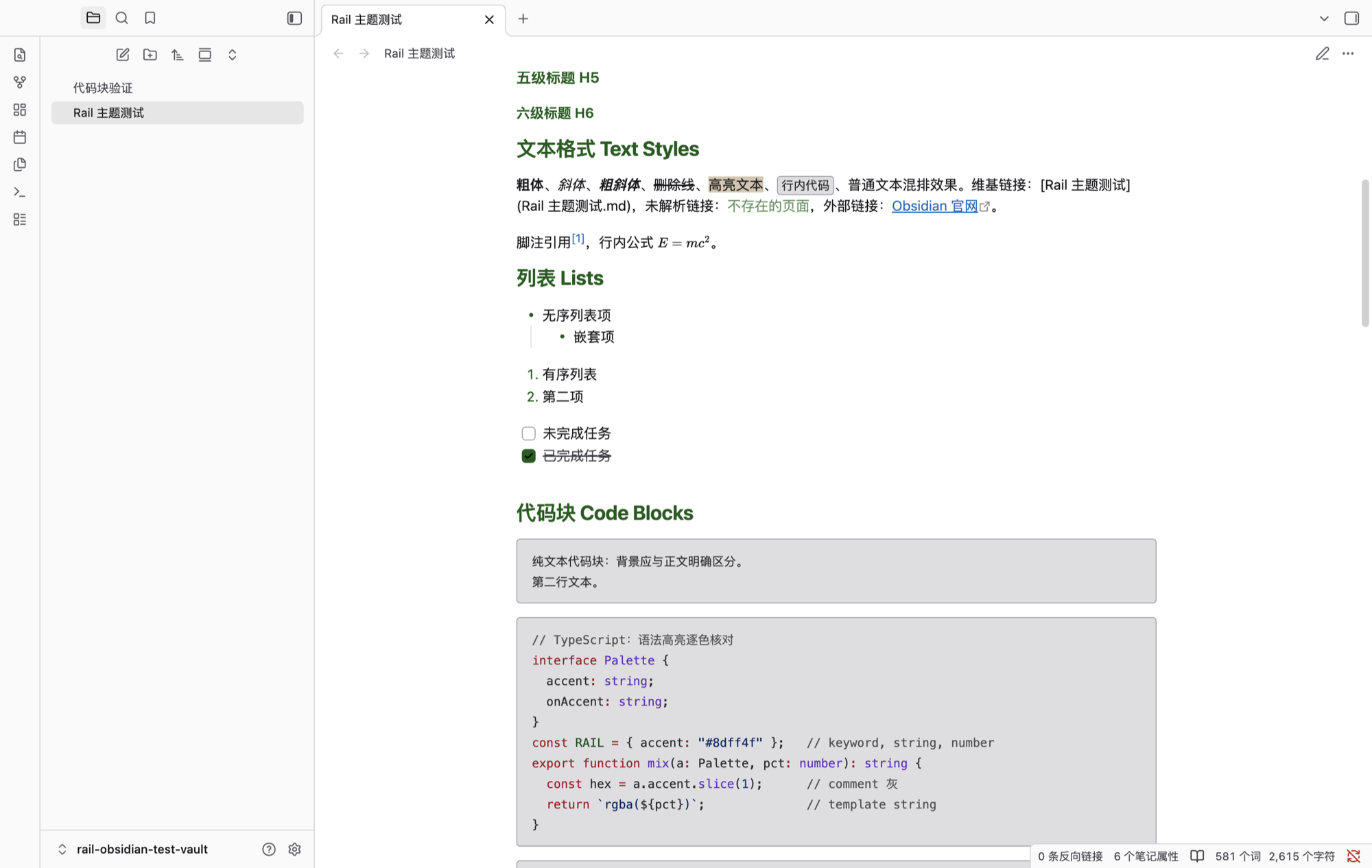
Six palettes, one theme
The theme follows Obsidian's dark/light scheme switch by default:
- Rail Dark — acid green accent on zinc-black surfaces, GitHub-style syntax colors.
- Rail Light — paper white with a dark green accent.
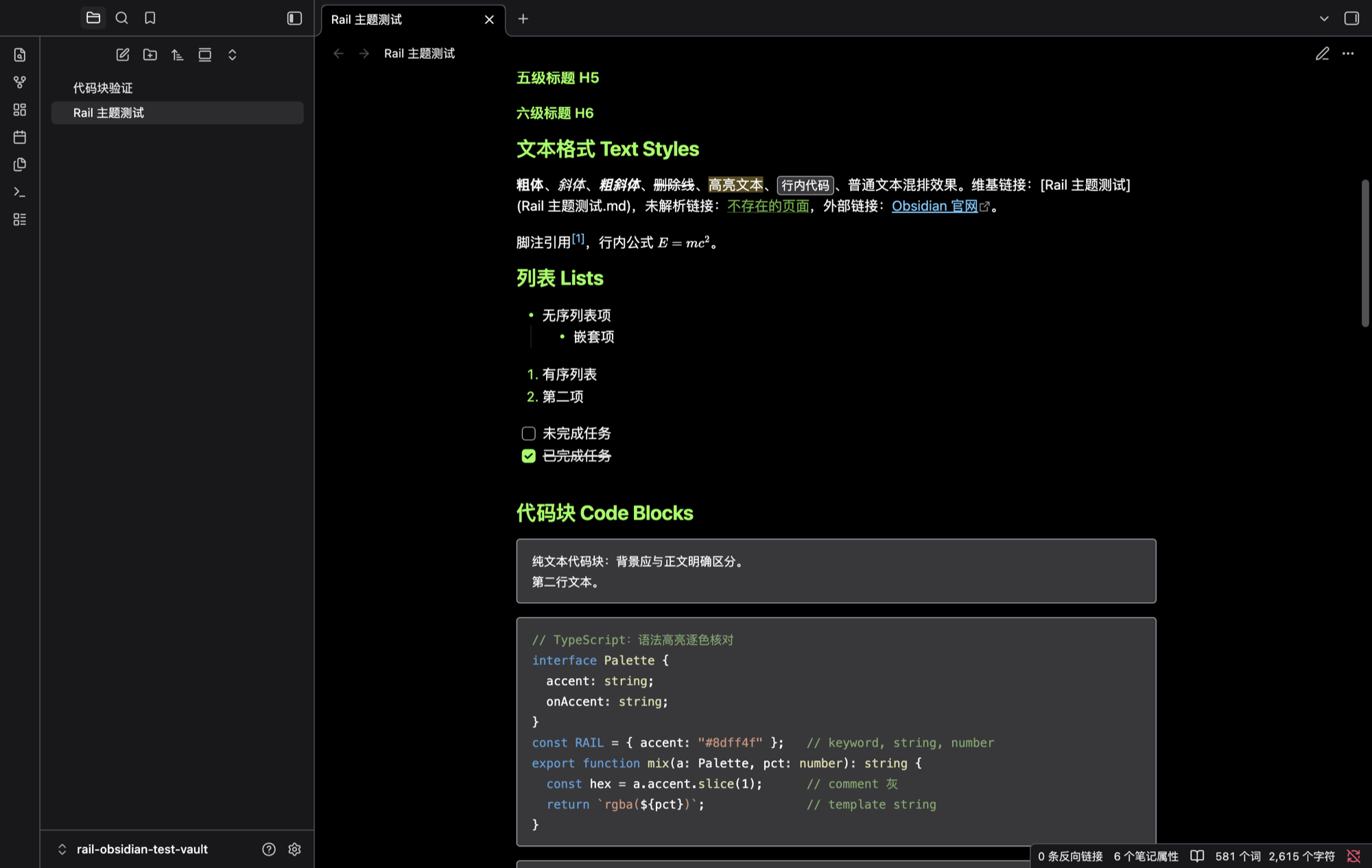
Four more variants can be enabled with the Style Settings community plugin under Settings → Style Settings → Rail Theme:
- Rail High Contrast Dark / Light — stronger borders, opaque selections.
- Rail Minimal Dark / Light — desaturated accents for quieter setups.
| Rail High Contrast | Rail Minimal |
|---|---|
 |
 |
 |
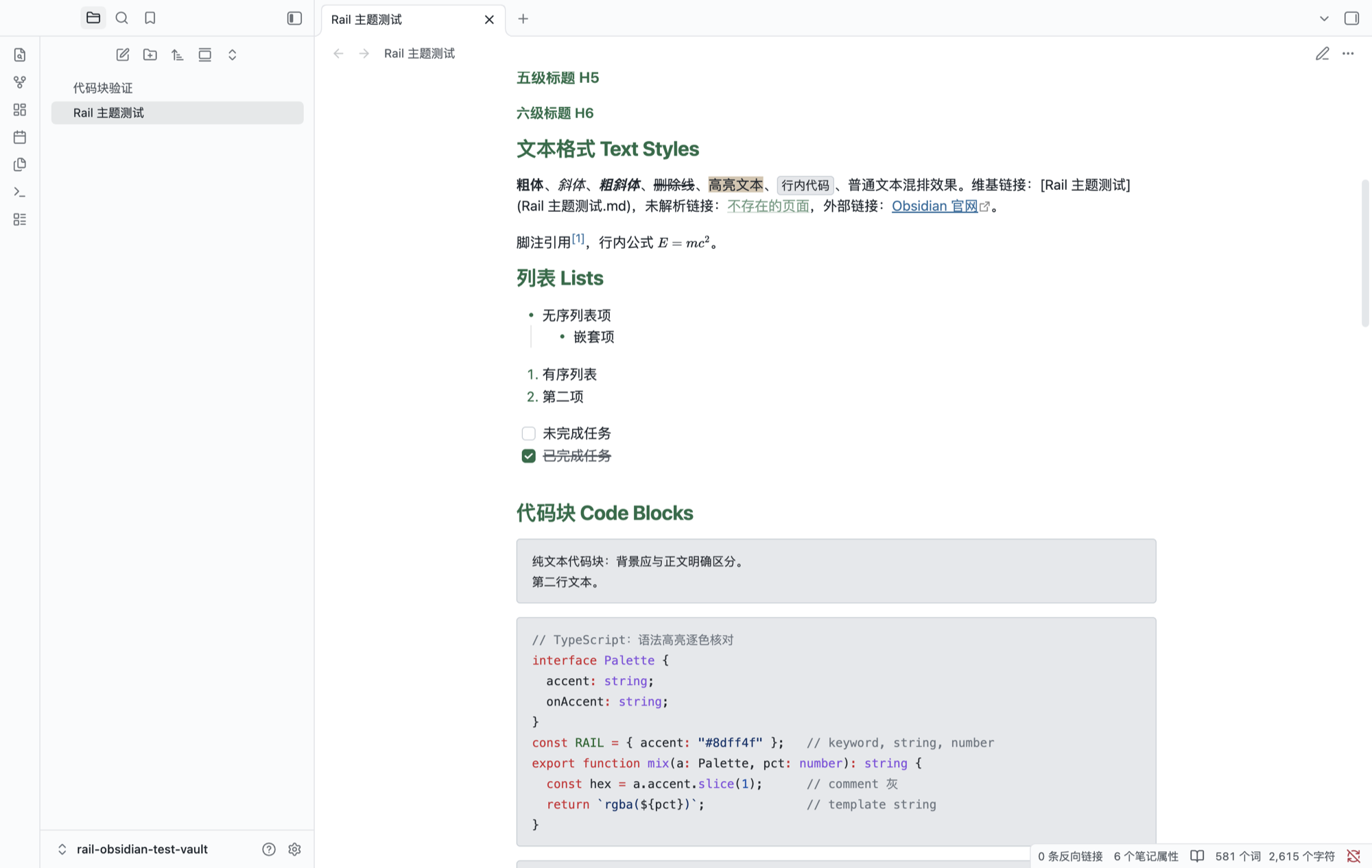 |
Dark palettes apply while Obsidian is in dark mode, light palettes in light mode. Without Style Settings the base Rail Dark / Rail Light schemes are used. All screenshots use samples/theme-showcase.md.
Install
From the community directory (recommended): Settings → Appearance → Themes → Browse community themes → search "Rail".
From source:
git clone https://github.com/minos-chertsfield/rail-obsidian-theme.git \
  "path/to/vault/.obsidian/themes/Rail"
Then enable it under Settings → Appearance → Themes.
What's themed
Built entirely on Obsidian's CSS variables — no element selectors, no
!important, works with every Obsidian version that ships the variables:
- Accent color, base color ramp, extended colors (red/orange/yellow/green/ cyan/blue/purple/pink)
- Editor: text, headings, inline title, links, tags, lists, blockquotes, embeds, tables, properties, callouts, highlight, selection, caret
- Code blocks: background plus 12 syntax token colors
- UI chrome: ribbon, title bar, status bar, tabs, file explorer navigation, modals, checkboxes, toggles, sliders, pills, scrollbars, graph view, canvas
Notes
- The palette comes from ThinkRail. This is an independent project, not affiliated with or endorsed by JetBrains.
theme.cssis generated byscripts/generate_theme.py. Edit the script, not the stylesheet.- No fonts are bundled; community themes must not load remote assets. Install Geist / JetBrains Mono yourself if you want the original look.
- Community-theme compliant: no network calls, no
!important, no:has(), linted withstylelint-config-obsidianmd.
Chinese version: README.zh-CN.md
License
MIT