
README file from
GithubSIL-UI
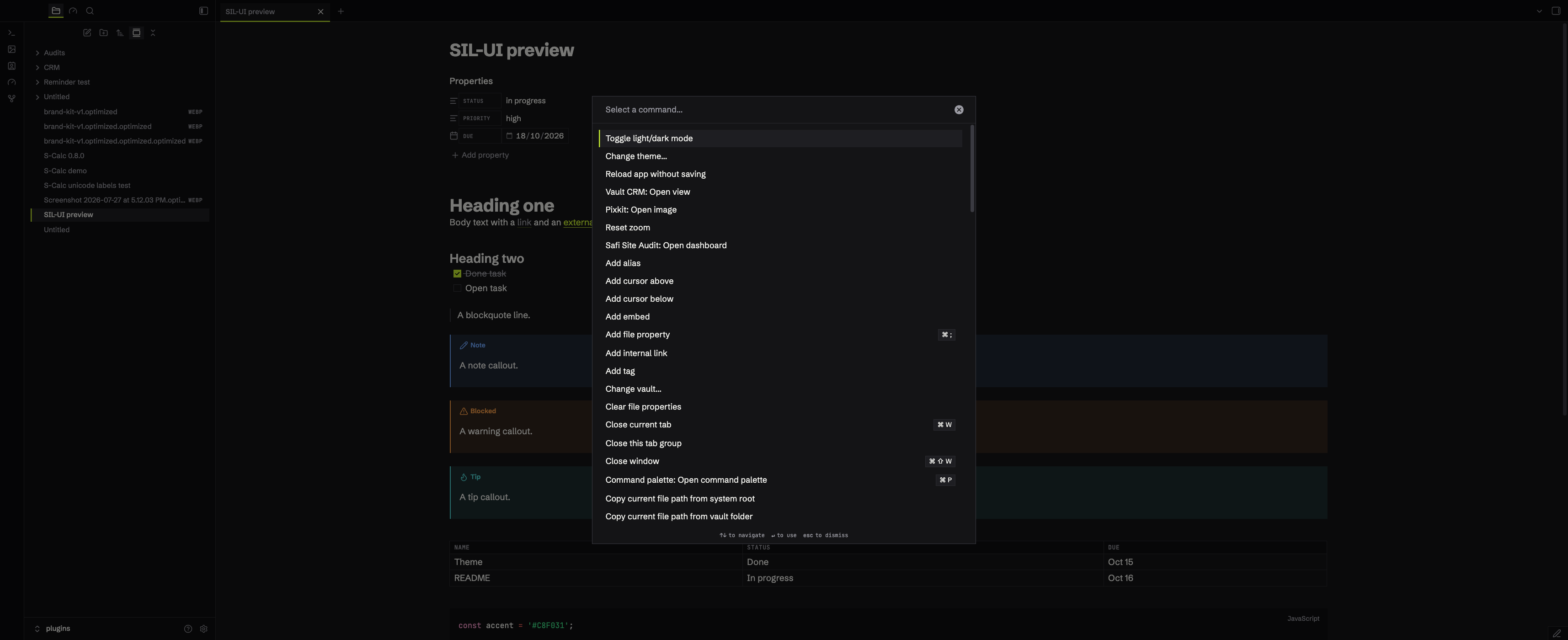
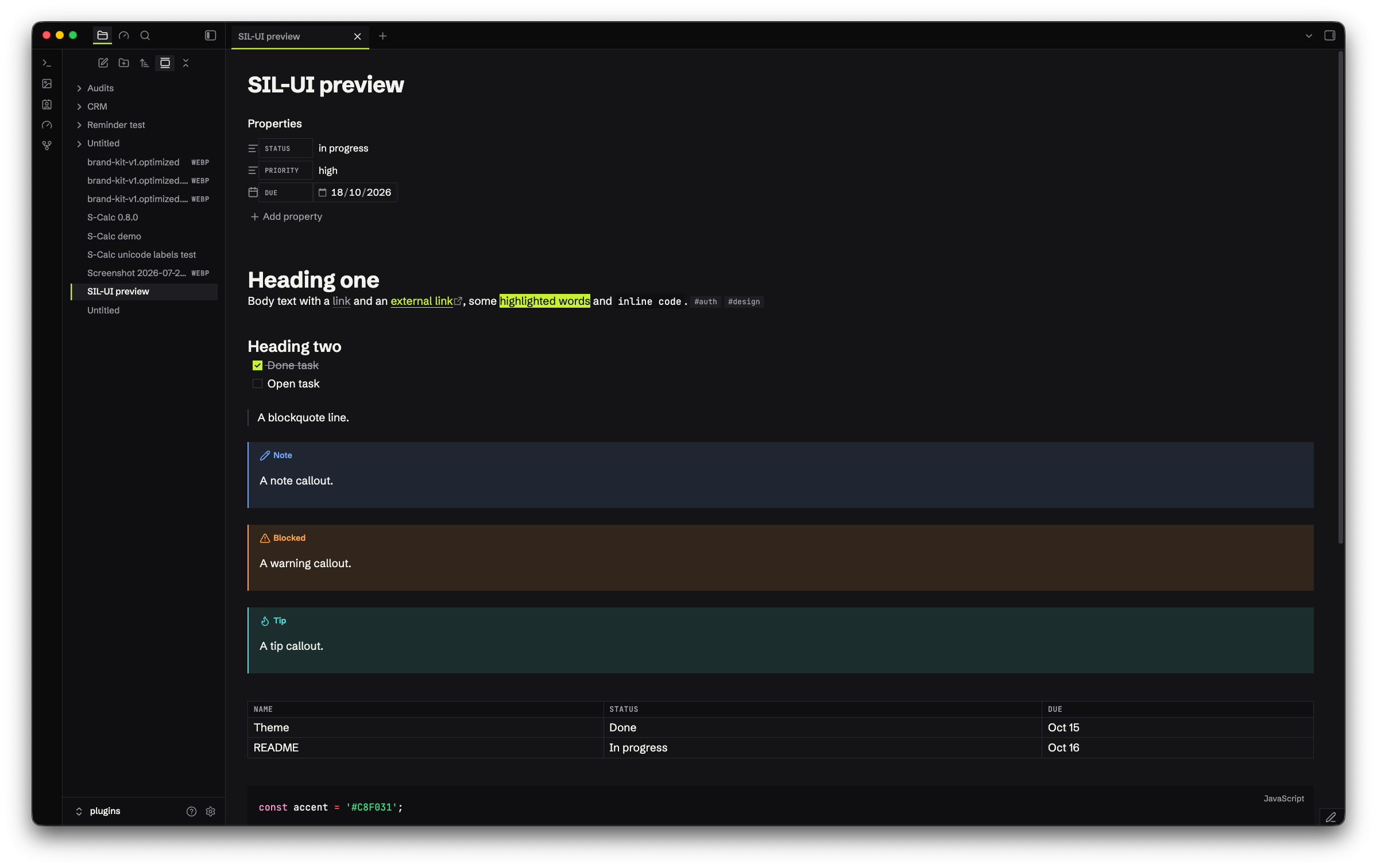
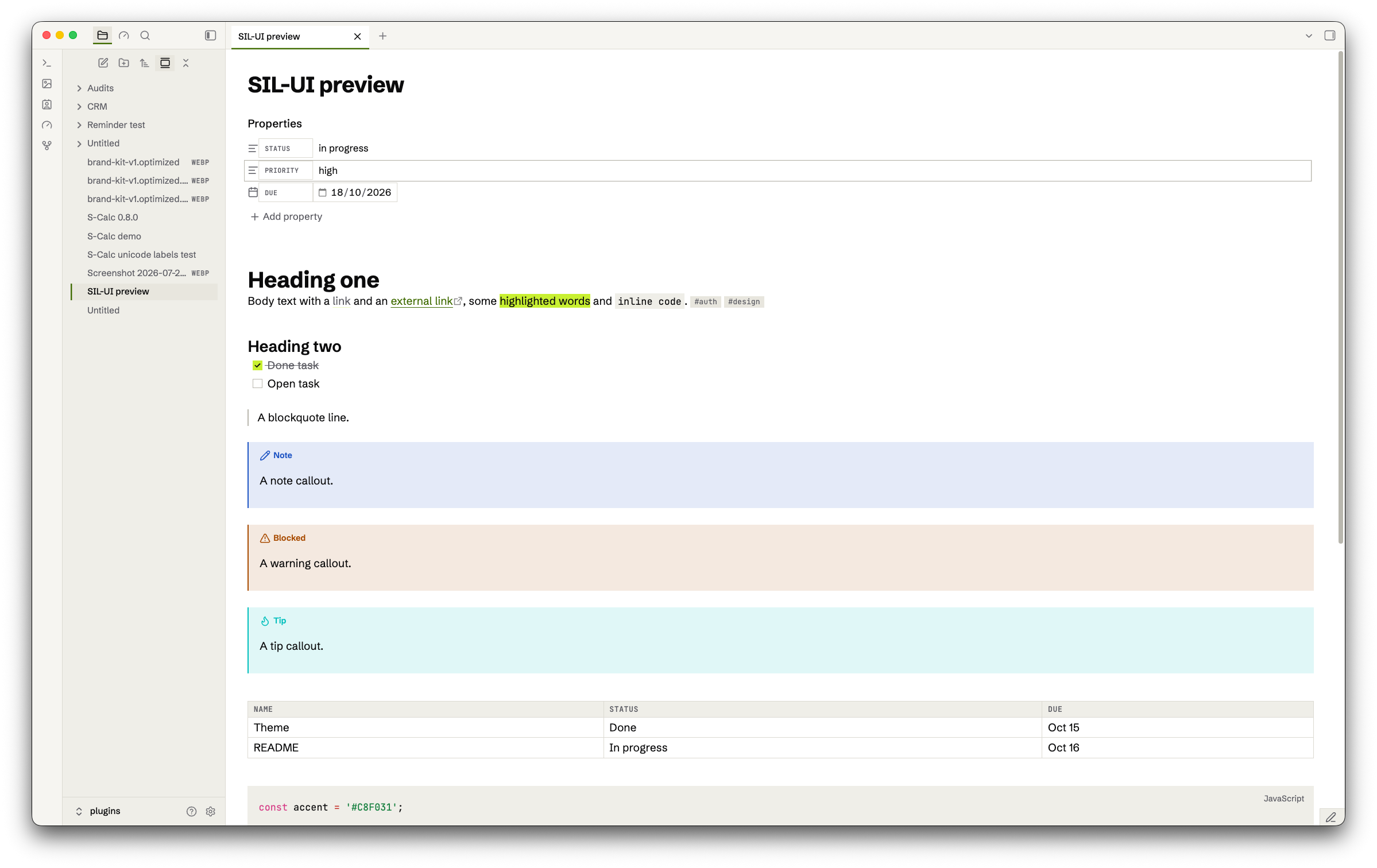
Safi Ink Lime UI. A dense, square Obsidian theme built on the ink and lime style from mdk (MD Kanban). Near-black ink surfaces, one lime accent, 1px hairlines, no rounded corners and no shadows. A warm paper light mode mirrors the dark one.
| Dark theme | Light theme |
|---|---|
 |
 |
Both modes
Dark is ink: app #0B0B0C, sidebars #0F0F11, notes #141416, hover and selected rows #1E1E22, hairlines #2A2A2F. Text is #F2F2EE with muted #9B9BA3.
Light is paper: app #F6F5F1, sidebars #EFEEE8, notes #FFFFFF, raised rows #E8E6DE, hairlines #DCDAD2. Text is #0B0B0C with muted #5F5F66.
Lime #C8F031 with ink text fills the primary button, ticked checkboxes, toggles that are on and highlights. Lime fails contrast as text on paper, so in light mode links, focus rings and selected-row edges use dark green #3F6B00.
Switch modes under Settings > Appearance > Base color scheme.
What you get
- Square corners everywhere, plugins included. Regions are split by 1px hairlines; depth comes from surface steps, never shadows.
- The active tab has a 2px lime underline. The selected file, settings section and command palette row are raised with a 2px lime left edge.
- Machine text is set in JetBrains Mono: the view header path, property keys, table headers, tags, file-type badges, key hints and the status bar. Property keys and table headers are small tracked caps.
- Callouts get a 2px left rule in their colour and a 12% tint. Callout colours come from the mdk status set (blue, amber, green, purple, red).
- Buttons are outlines; the primary button is lime. Inputs are hairline boxes that turn lime (dark green on paper) on focus.
- Tables fill the content width, and the readable line length goes up to 1600px.
- H6 is a small uppercase label, for section captions inside notes.
Fonts
Schibsted Grotesk for UI and body text, JetBrains Mono for code and machine text. Both are embedded in theme.css (Latin subset, SIL Open Font License), so the theme works offline and makes no network calls. Fallbacks are Inter then system-ui, and ui-monospace then Menlo.
Install
- Copy the
SIL-UIfolder into your vault at.obsidian/themes/SIL-UI. The folder name must match thenameinmanifest.jsonexactly, or Obsidian won't list it. - In Obsidian, open Settings > Appearance > Themes and pick SIL-UI. If it doesn't appear, reload Obsidian.
Customise
The colour tokens sit near the top of theme.css, under .theme-dark and .theme-light (--sil-bg-app, --sil-accent-bg, --sil-accent-text and so on). A shared block below maps them onto Obsidian's own variables, so to retheme you only edit the tokens.
To swap the accent, change --sil-accent-bg and --sil-accent-bg-hover to another saturated colour that keeps 4.5:1 with ink text on it, and set the light --sil-accent-text to a dark shade of it that keeps 4.5:1 on white.
If a plugin needs round shapes, delete the border-radius: 0 !important catch-all in theme.css.
Support
If this theme is useful, you can support the work at ko-fi.com/abdulkadersafi.