
README file from
Github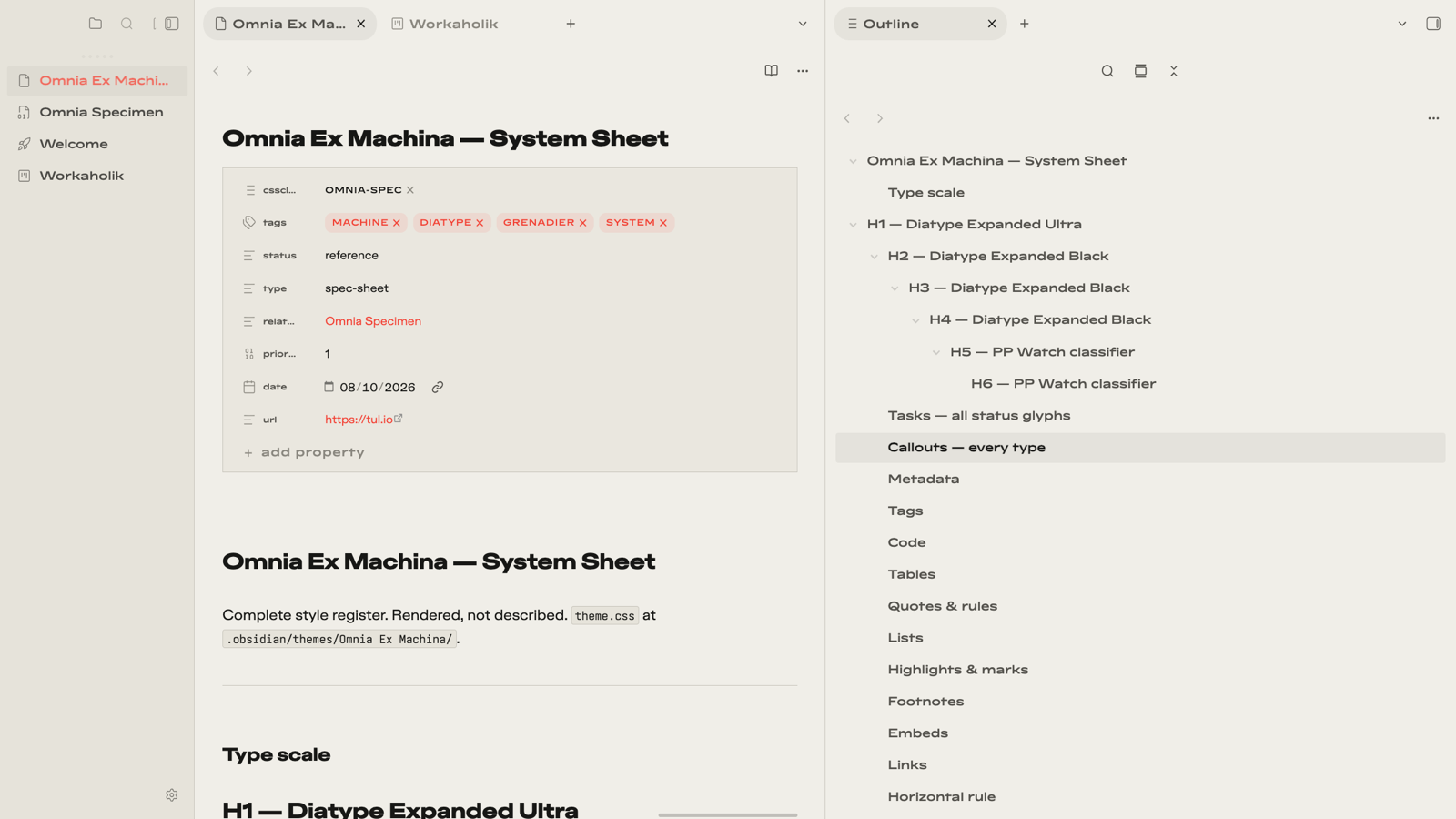
Omnia Ex Machina
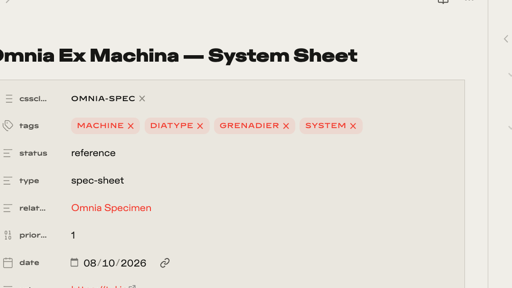
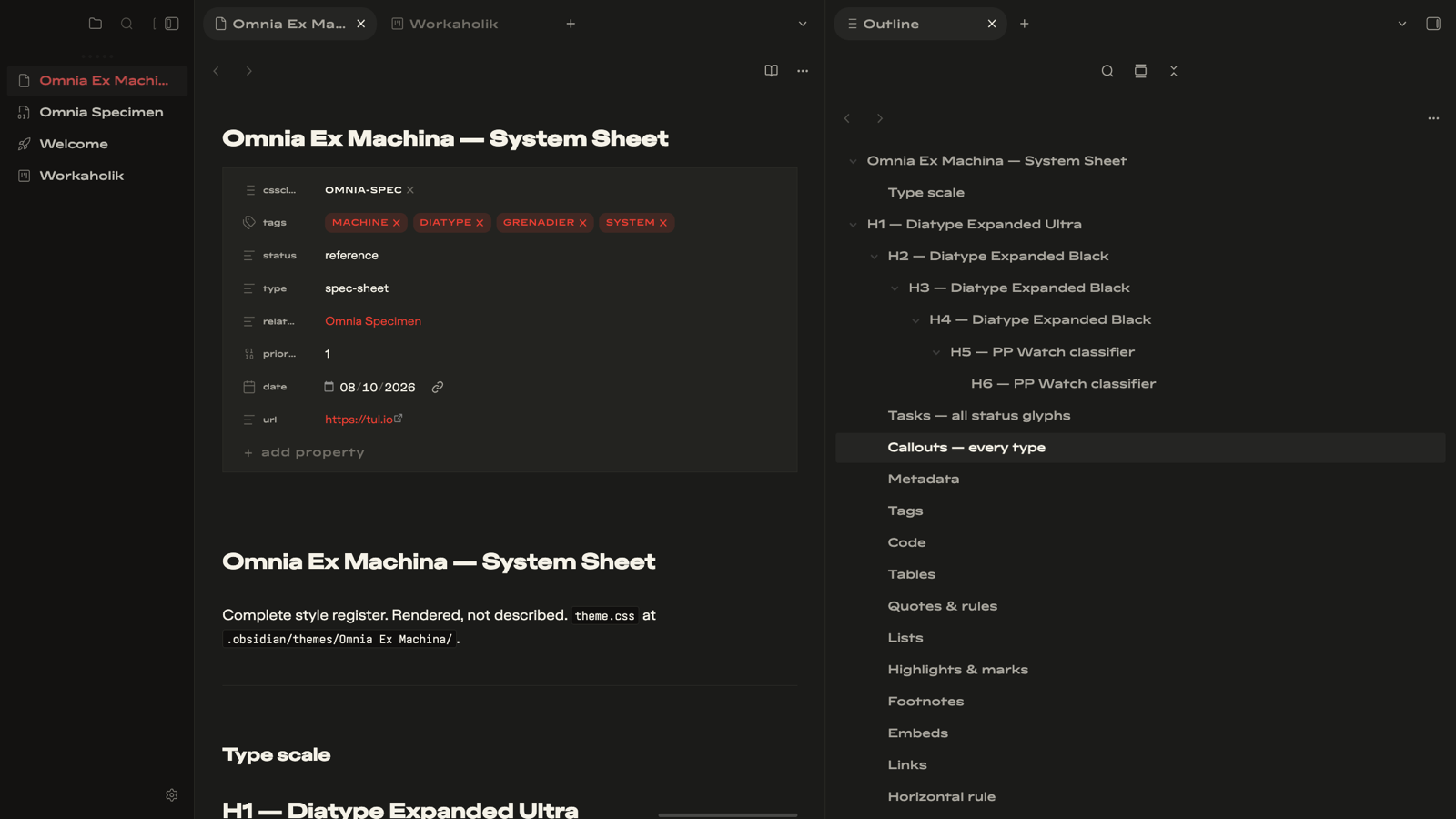
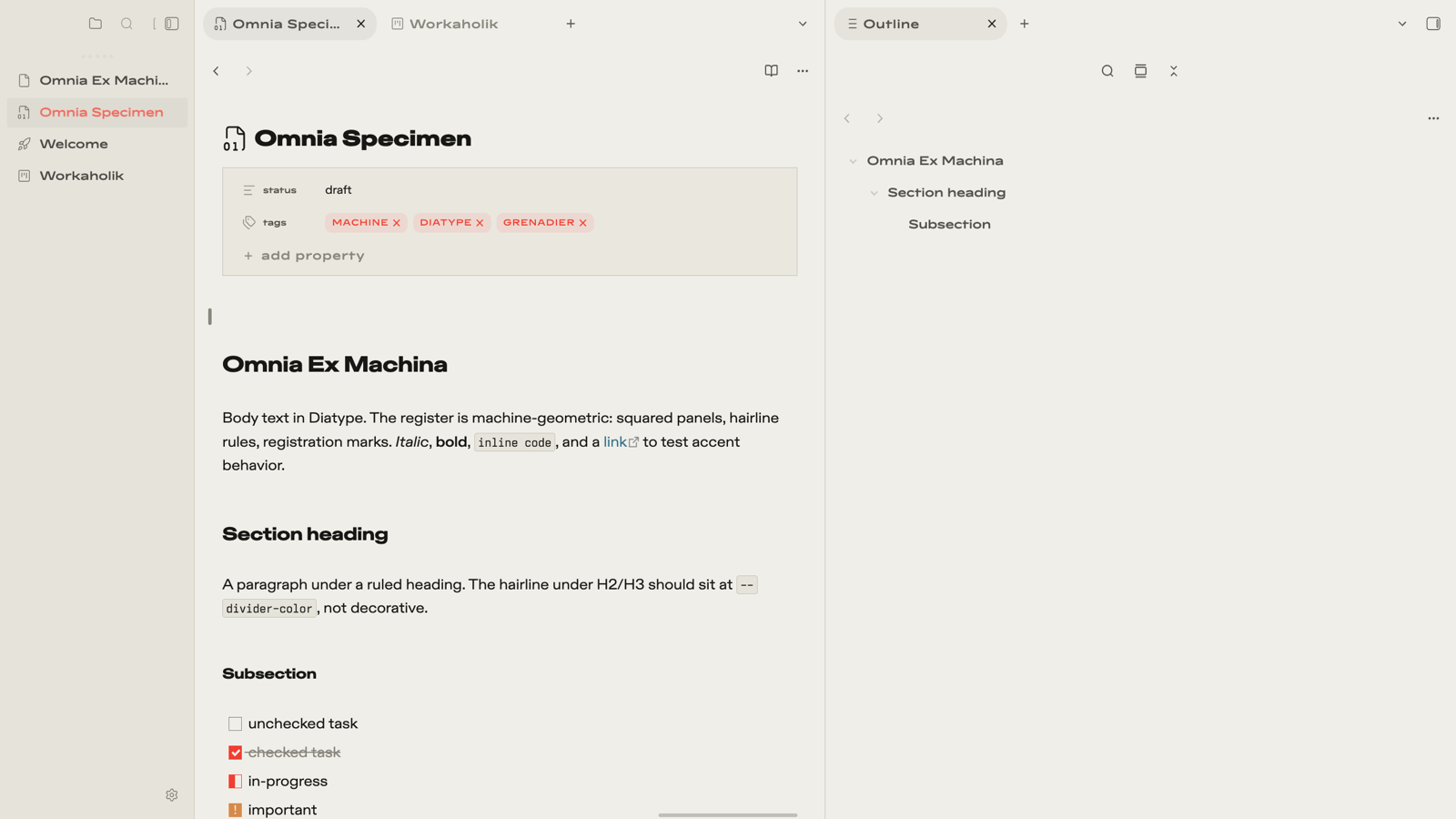
Omnia Ex Machina is a machine-geometric Obsidian theme inspired by Cupertino, featuring architectural typography, squared surfaces, precision hairline dividers, and a restrained visual language. Built around Paper & Ink light mode and Graphite & Phosphor dark mode, with customizable signal accents and carefully styled workspace components.

Install
Community themes (once listed): Settings → Appearance → Themes → search "Omnia Ex Machina".
Manual: copy theme.css and manifest.json into <vault>/.obsidian/themes/Omnia Ex Machina/, then pick the theme in Settings → Appearance.
Type system
No fonts ship with the theme — zero remote assets, fully self-contained. Stacks degrade to system faces:
| Role | Preferred | Fallback |
|---|---|---|
| Titles | ABC Diatype Expanded Ultra | SF Pro Display → Helvetica Neue |
| Headings | ABC Diatype Expanded Black | SF Pro Display → Helvetica Neue |
| Body | ABC Diatype Extended | SF Pro Text → Helvetica Neue |
| Interface & labels | PP Watch | condensed mono → Ioskeley Mono NF |
| Code | Ioskeley Mono | JetBrains Mono / SF Mono → Menlo |
- ABC Diatype (commercial): abcdinamo.com
- PP Watch (commercial): pangrampangram.com
- Ioskeley Mono (free): an Iosevka-built Berkeley-Mono-style variant — build via the Iosevka customizer/docs
The theme reads any installed matching family names automatically; font names are also overridable per-role in Style Settings.
Style Settings
38 settings in 5 groups (requires the Style Settings plugin):
- Typography — per-role font-family overrides, measure
- Surfaces — radius, density, line width, machine tags, heading rules, Grenadier headings, Signal accent preset
- Chrome & desktop — titlebar, tabs, status bar treatments
- Editor — line numbers, guides, cursor, selection behavior
- Accessibility — contrast and motion accommodations
Signal accent re-maps the accent hue globally — links, tags, list markers, checkboxes, active states — in both themes: Grenadier (default), Cobalt, Amber, Viridian.
Plugin integrations
Passive, class-scoped rules — applied only when the plugin is present, inert otherwise:
| Plugin | Integration |
|---|---|
| Iconic | extras/iconic-preset.json icon set (see below) |
| Calendar | machine register for the calendar pane |
| Dataview + cards helpers | squared tables, classify headers |
| Tasks | per-status accent checkboxes on squared boxes |
| Bases | hairline table chrome |
| Canvas | classify edge labels, squared nodes |
| Kanban | squared lanes/cards, classify lane titles, accent drag ring |
| Omnisearch | squared modal/results, classify metadata, accent highlight |
| Charts | squared canvas frame |
| Excalidraw | dark-scheme accent lift |
Iconic preset
Copy extras/iconic-preset.json over .obsidian/plugins/iconic/data.json in your vault, then restart Obsidian.
Mobile
Fully responsive: callouts, Kanban, and settings surfaces adapt under is-mobile; the iCloud-synced vault keeps desktop and phone on the same file. Density and radius sliders are the two knobs worth touching on small screens.
Support
If you enjoy Omnia Ex Machina and want to support ongoing development:
Credits
Built on the Cupertino theme chassis by Alexis C (MIT License). Retains upstream structural foundation with custom typography, geometry, color palettes, and component styling.
License
MIT — see LICENSE.