
README file from
GithubRetro TTY
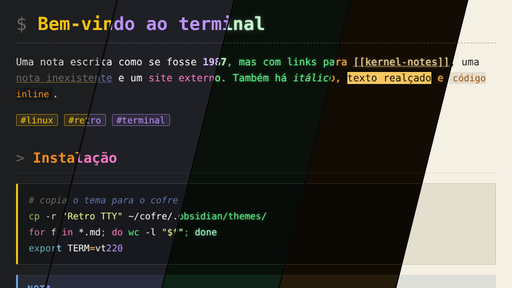
An old-school Linux terminal theme for Obsidian, with five variations, optional CRT effects and monospaced typography.
Variations
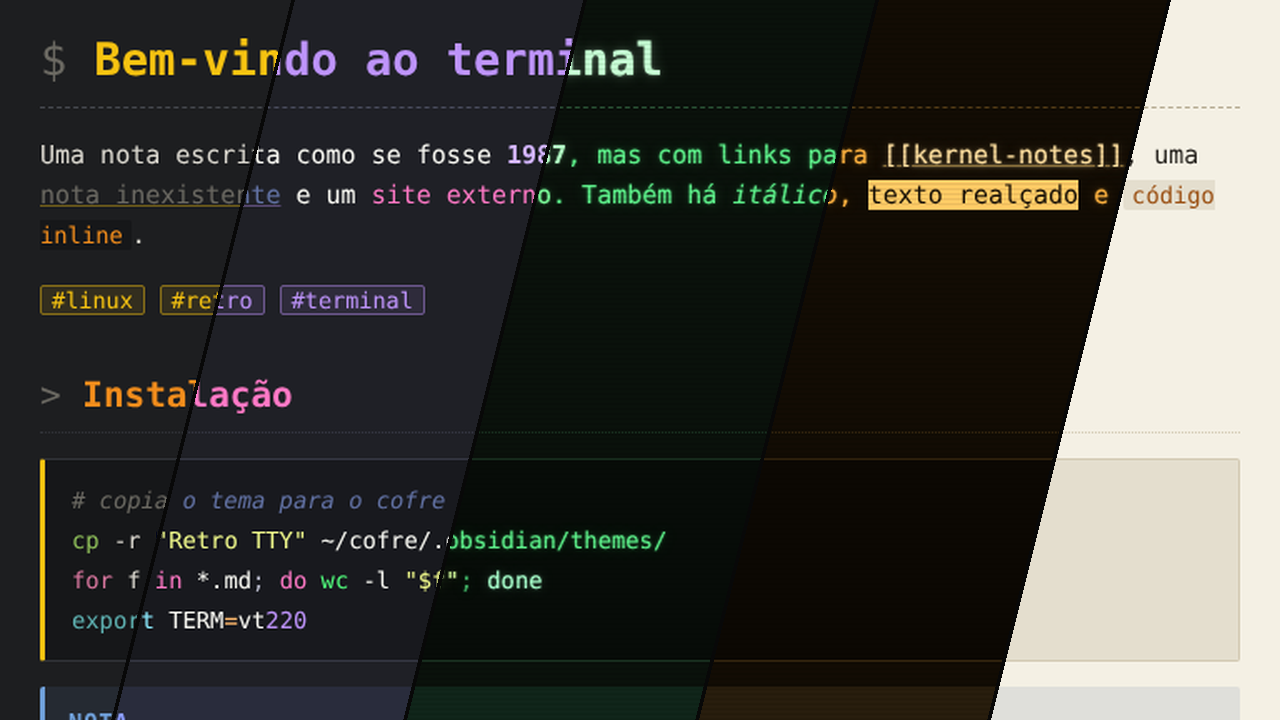
| Variation | Mode | Palette |
|---|---|---|
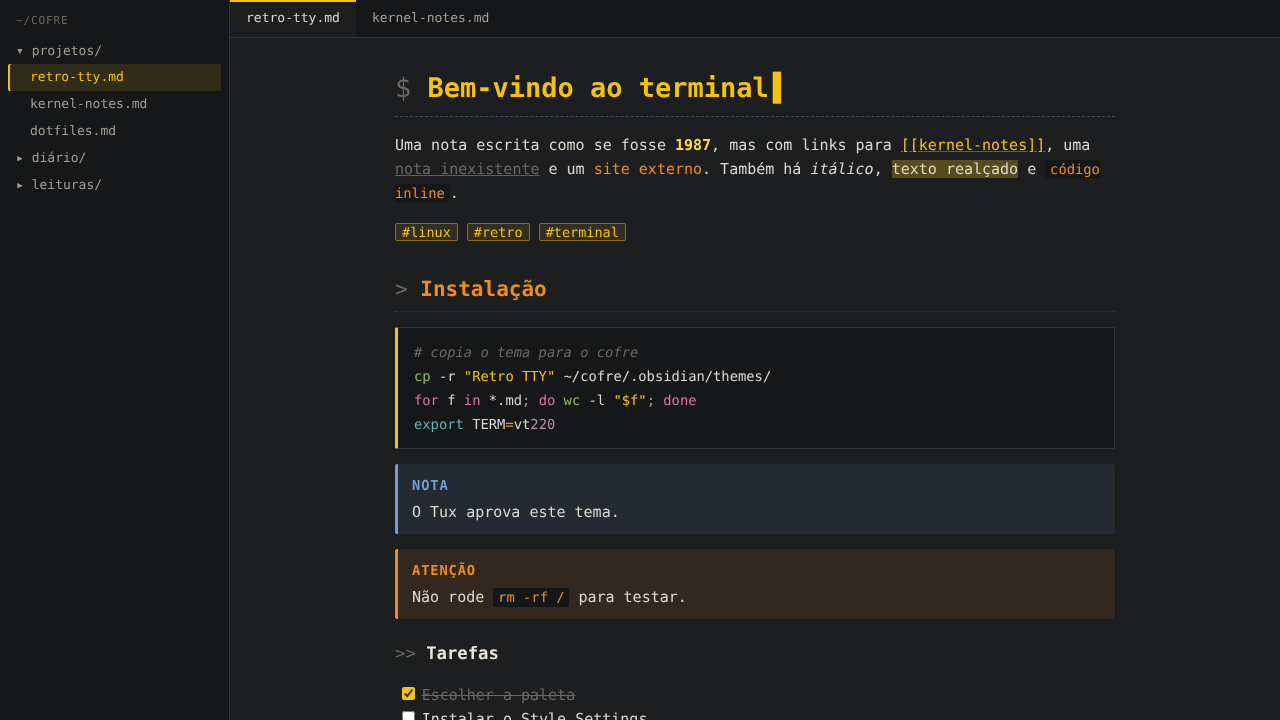
| Tux (default) | dark | graphite with Tux yellow |
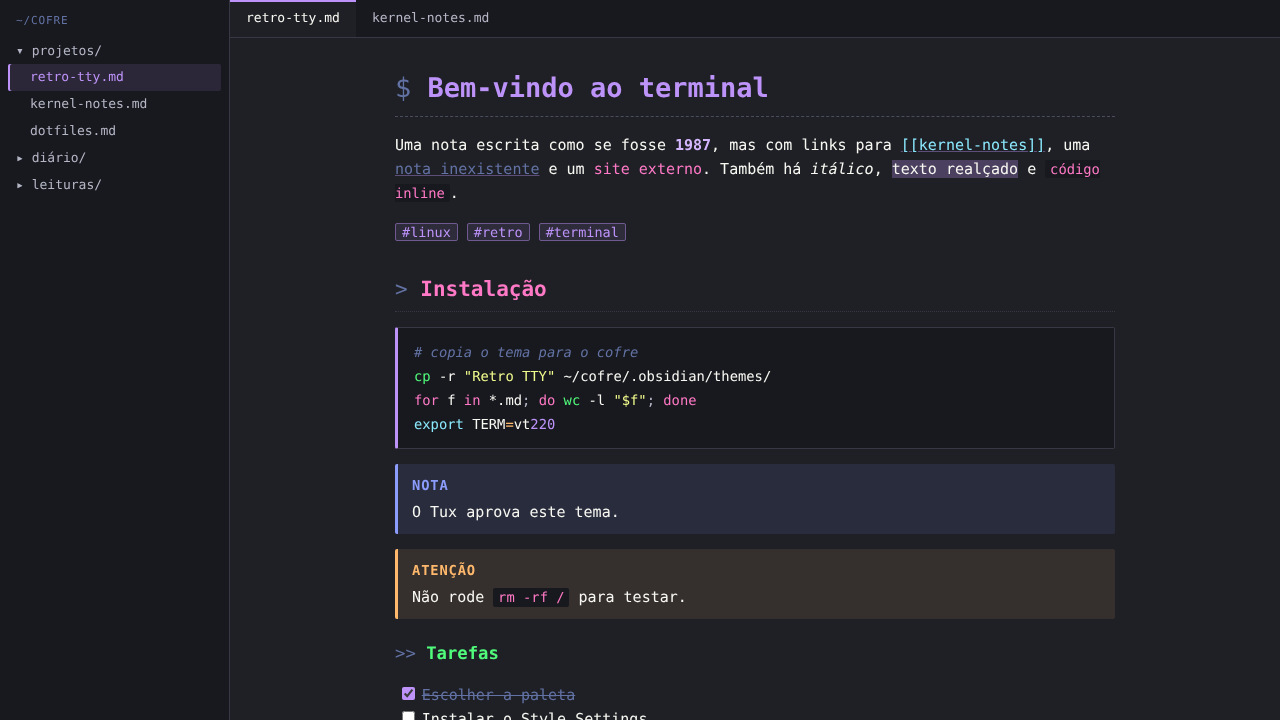
| Dracula | dark | purple, pink and green over graphite |
| Phosphor (Fósforo) | dark | green phosphor of an old monitor |
| Amber (Âmbar) | dark | amber of a VT terminal |
| Paper (Papel) | light | light paper, for bright rooms |
The light mode always uses Paper. The dark variation is chosen with the Style Settings plugin. Without that plugin, dark mode uses Tux.
| Tux | Dracula |
|---|---|
 |
 |
| Phosphor | Amber |
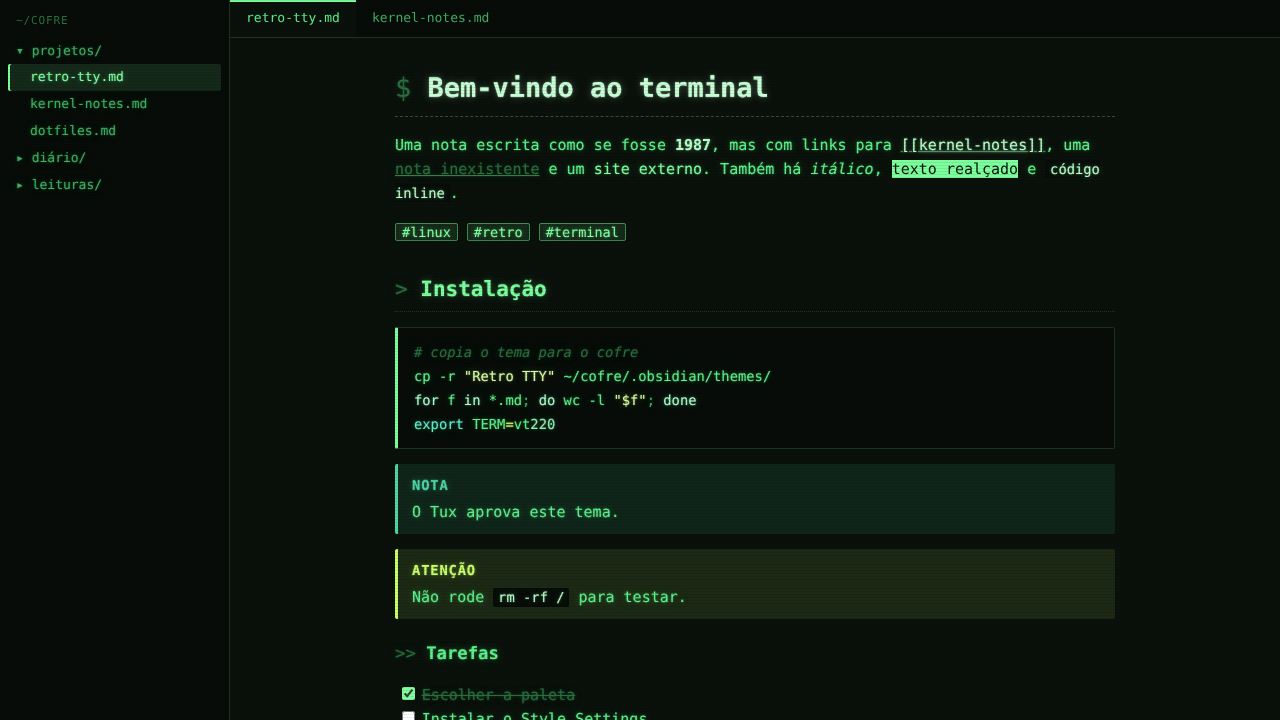 |
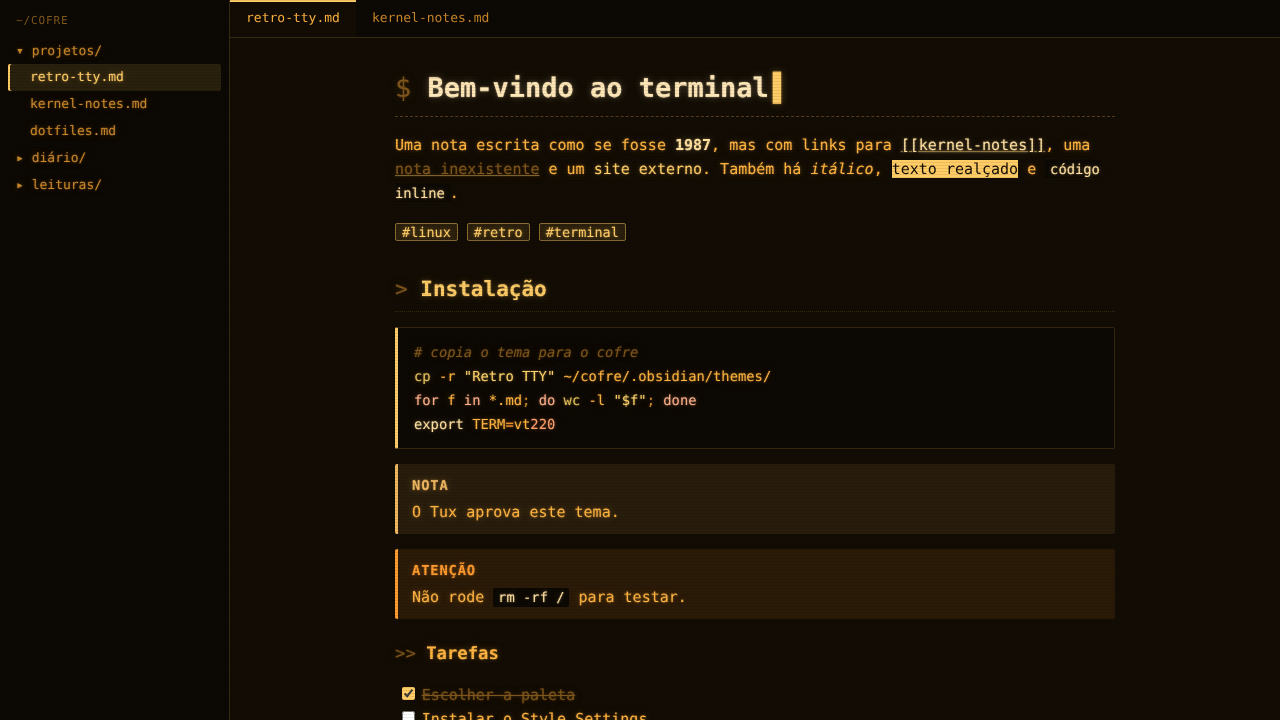 |
| Paper | |
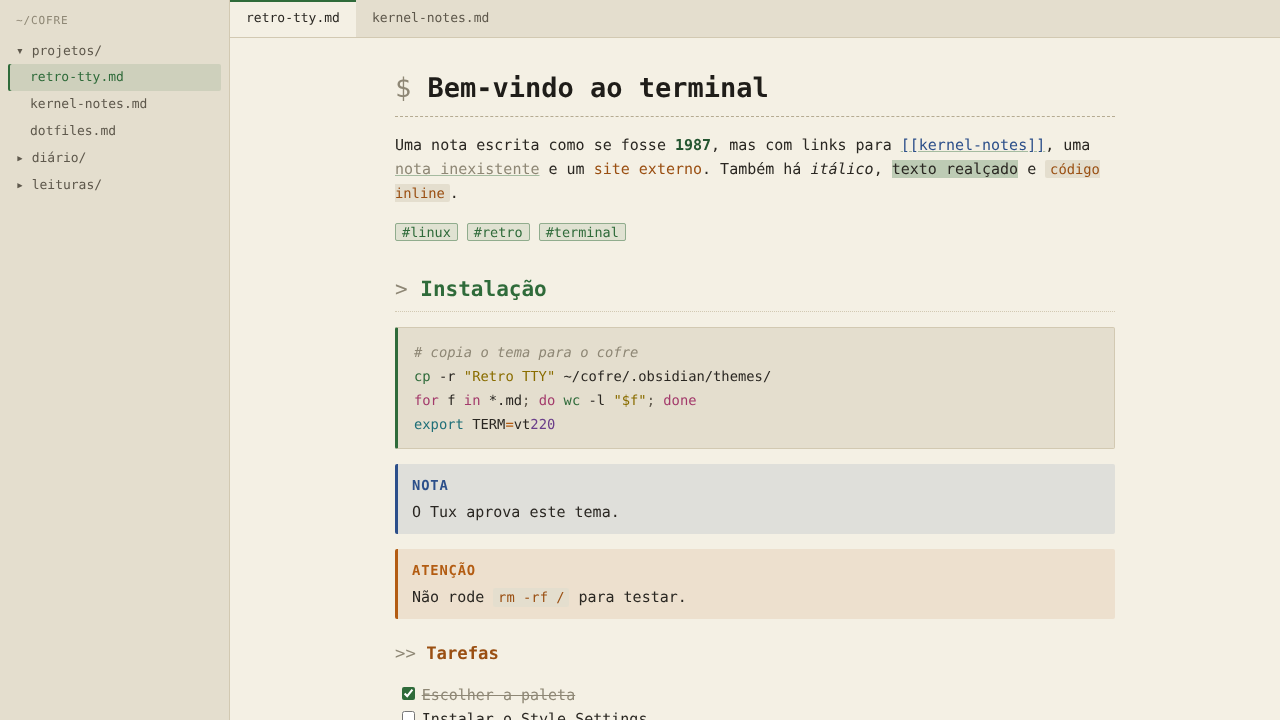 |
Features
- Terminal details: block cursor in the editor,
$ > >>prompts before headings and a blinking cursor on the main title. - Optional CRT effects: scanlines (adjustable intensity), tube vignette and a subtle flicker that turns itself off when the system asks for reduced motion.
- Phosphor glow, on by default in Phosphor and Amber, optional in Tux and Dracula.
- Continuous form paper (green stripes of a dot-matrix printer) for the Paper variation.
- Square corners, square list bullets, uppercase callout titles and reverse-video highlights.
- Configurable monospaced font list, with an option to keep the interface in the system font.
All options live in Settings → Style Settings → Retro TTY.
Installation
From the community themes (after approval): Settings → Appearance → Themes → Manage, search for Retro TTY and click Install and use.
Manually: download theme.css and manifest.json from the latest release, put them in <your vault>/.obsidian/themes/Retro TTY/ and select the theme in Settings → Appearance.
Recommended fonts
The theme looks for, in order: IBM Plex Mono, JetBrains Mono, Fira Code, Cascadia Mono, DejaVu Sans Mono and Liberation Mono. IBM Plex Mono is recommended. For an even more 1980s look in Phosphor and Amber, try a terminal font such as VT323 or Terminus and enter its name in the font field of Style Settings.
License
MIT © Miqueias Klippel
Português
Um tema para o Obsidian inspirado nos terminais Linux de outra época, com cinco variações, efeitos de tubo opcionais e tipografia monoespaçada.
Variações: Tux (grafite com o amarelo do Tux, padrão do modo escuro), Dracula (roxo, rosa e verde sobre grafite), Fósforo (verde de monitor antigo), Âmbar (terminal VT) e Papel (papel claro, para ambientes iluminados, usado sempre no modo claro).
Como escolher a variação: instale o plugin comunitário Style Settings e abra Configurações → Style Settings → Retro TTY. Lá estão também os efeitos de tubo (linhas de varredura, vinheta, cintilação, brilho de fósforo), o cursor em bloco, o prompt antes dos títulos, o formulário contínuo e as fontes.
Instalação: depois da aprovação, em Configurações → Aparência → Temas → Gerenciar, procure Retro TTY e clique em Instalar e usar. Para instalar manualmente, baixe theme.css e manifest.json da última release e coloque-os em <seu cofre>/.obsidian/themes/Retro TTY/.