
README file from
GithubPerch
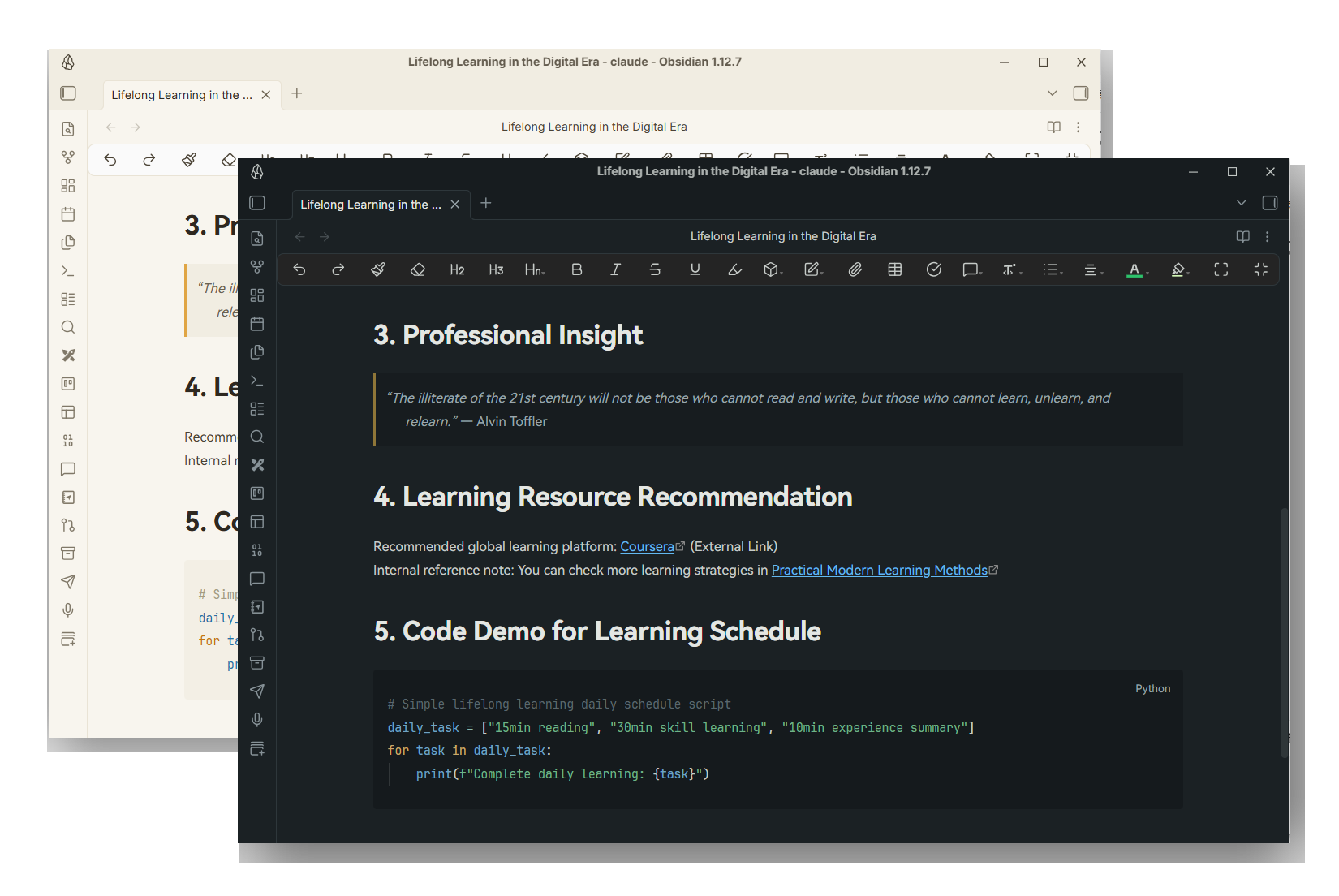
Perch | Eye-Friendly Obsidian Theme , A dual-mode Obsidian theme built for long-duration writing sessions:
- Dawn Perch (Light Mode) – Warm cream paper tones with soft diffused daylight for a relaxed writing atmosphere.
- Dusk Perch (Dark Mode) – Muted teal-charcoal background (not pure black), designed to wind down your late-night writing flow.
Both variants share a unified design language rather than a simple brightness inversion. All color values are calibrated against WCAG contrast standards, with body text consistently hitting a comfortable ~9:1 contrast ratio. Primary interactive hues avoid the 460nm blue light peak to reduce eye strain.
Installation
- Copy the entire
Perchfolder into your vault’s.obsidian/themes/directory, following this path:<Your Vault>/.obsidian/themes/Perch/(containsmanifest.jsonandtheme.css). - Navigate to Settings → Appearance → Themes, then select Perch.
- Light/dark mode follows the global scheme from Settings → Appearance → Base Color Scheme (Light = Dawn Perch, Dark = Dusk Perch).
Fonts (Optional, recommended for full visual fidelity)
This theme only defines font stacks and does not bundle any typefaces. Install the fonts below locally to activate them automatically; system fallbacks will load otherwise.
| Usage | Primary Font | Fallback Fonts |
|---|---|---|
| Body Text | HarmonyOS Sans SC | Source Han Sans SC, Noto Sans CJK SC, PingFang SC, Microsoft YaHei |
| UI Interface | Inter | PingFang SC, Microsoft YaHei |
| Code Blocks | JetBrains Mono | IBM Plex Mono, Cascadia Code, Sarasa Mono SC |
The body uses a clean sans-serif stack for a neutral, low-fatigue reading surface. To restore a more literary feel, swap the body font stack in theme.css (--font-body) for a serif such as Newsreader or Source Han Serif SC.
Focus Mode (Dim Non-Active Lines)
This feature requires adding the perch-focus-mode class to the <body> element. Two implementation methods:
- Use plugins like Style Settings or any utility that toggles custom body CSS classes via a switch.
- Run the command
document.body.classList.toggle('perch-focus-mode')with a command palette plugin.
When enabled, all lines outside the current editing line fade to a reduced opacity (0.60 for Light Mode / 0.55 for Dark Mode), while the active line remains fully opaque.
Three Native Behaviors Retained Unmodified
Three elements originally slated for custom styling rely on internal CodeMirror 6 editor structures, which carry instability and compatibility risks (breakage after Obsidian updates or third-party plugin conflicts). This theme reverts them to Obsidian’s native rendering without custom overrides:
- Cursor blink animation (original spec: 2px thickness, slow 1100ms breathing blink) – cursor accent color remains amber; blink timing uses default behavior.
- Current line highlight (original spec: darkened highlight for Light Mode, brightened highlight for Dark Mode) – native line highlighting preserved.
- Spelling/grammar error underlines (original spec: amber / coral wavy strokes) – default underlines from Obsidian or spelling plugins take precedence.
All other visual features are fully customized: color palette, typography, syntax highlighting, callouts, text selection, search highlights, focus mode, warm soft shadows, and more.
Customization Notes
All core design tokens are consolidated at the top of theme.css (section [1] DESIGN TOKENS). Adjust this single block to rework the entire color scheme.
Directory Structure
Perch/
├── manifest.json   # Theme metadata (fill in author / authorUrl before distribution)
├── theme.css       # Full stylesheet: Design Tokens → Native Variable Mapping → Fine-grained Selector Tweaks
├── versions.json   # Version compatibility mapping
└── README.md