
README file from
GithubOctavo
An editorial, paper-like Obsidian theme with CJK-friendly serif typography. No plugins, no snippets, no build step.
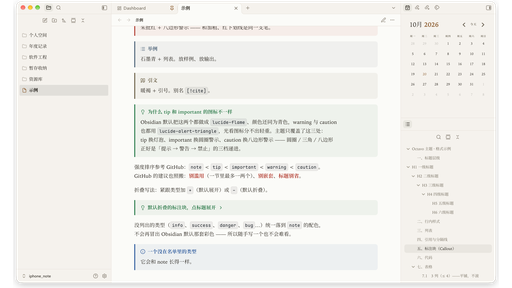
Octavo is an editorial, paper-like theme for Obsidian, made for comfortable long-form reading and CJK typography. It pairs a serif body face and a warm paper palette with a single vermilion accent, and keeps the interface quiet around your notes.
Why "Octavo"
Octavo is a traditional Western book format — one eighth of a full sheet. The name is a small manifesto: the theme doesn't try to look like a specific app; it tries to make a note feel like a page you can sit with. The text is pulled into a comfortable measure, paragraphs breathe, headings can center like chapter titles, and the accent color is spent sparingly, like a vermilion annotation.
Features
| Area | What it does |
|---|---|
| Book layout (optional) | Justified text, two-character first-line indent, centered title, H1–H3 rules; off by default, enable each in Style Settings → Layout |
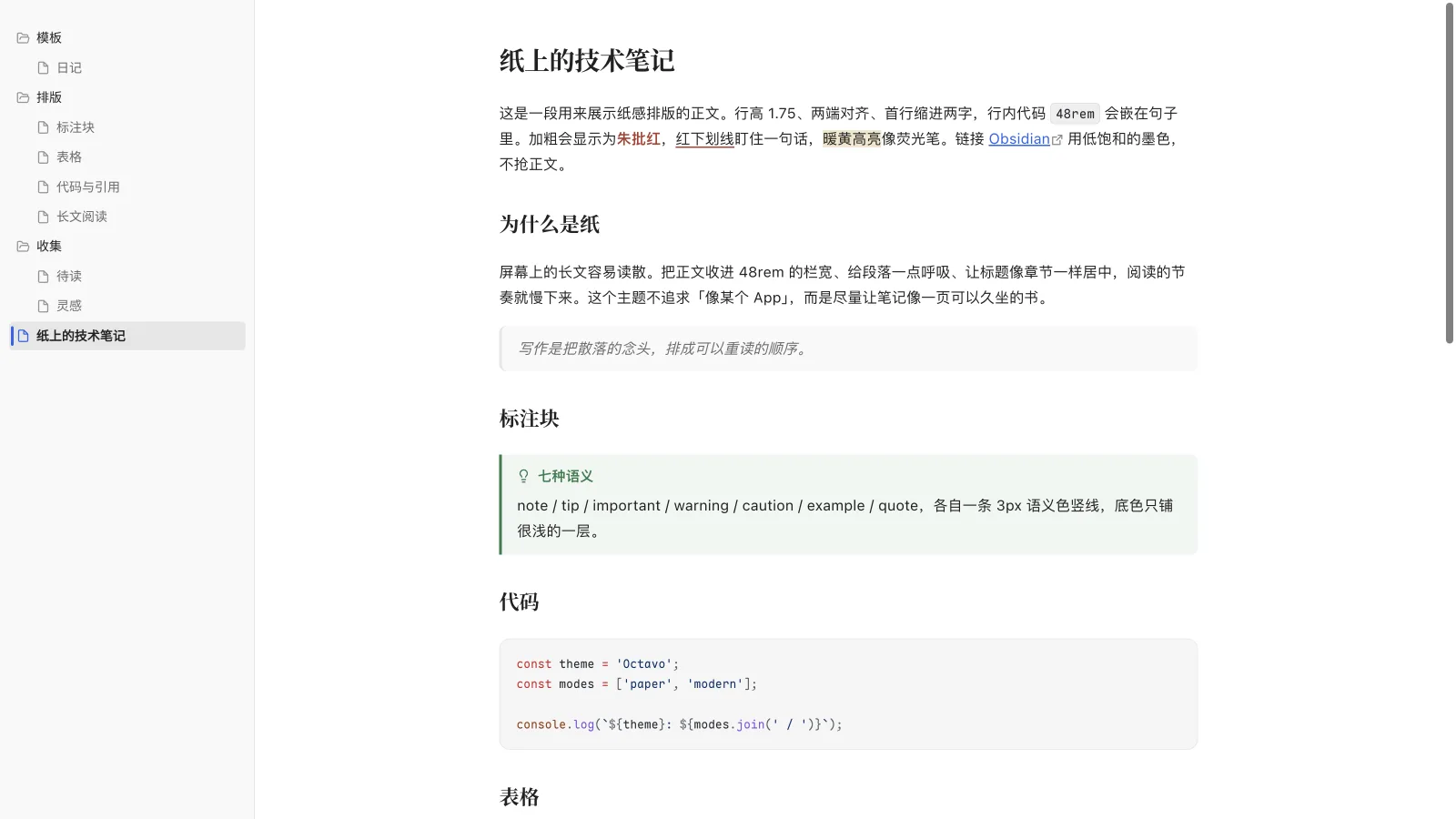
| Two looks | Paper (default: warm white paper + ink) and Modern (neutral gray + blue accent) |
| Light / dark | Both palettes individually contrast-checked; dark is not a simple inversion |
| Heading scale | H1 1.75em down to H6 1.02em, always above body text; distinct ink and weight, generous spacing |
| Callouts | Semantic colors for note / tip / important / warning / caution / example / quote |
| Tables | Full width, evenly split columns, long content wraps; horizontal scroll only past the configured column count, with a right-edge fade in reading view, 3 columns on mobile by default |
| Editor | Vermilion underline (<u>text</u>), warm yellow highlight, optional current-line highlight (off by default), hide Markdown syntax |
| Interface | Quiet file explorer, restrained sidebar, focus mode, hidden scrollbars (on by default) |
| Mobile | Opaque top bar, body aligned with reading view, table width and scroll fixes, date input fix |
The theme itself depends on no plugins; the Style Settings block at the end of theme.css is only an optional control panel.
Screenshots
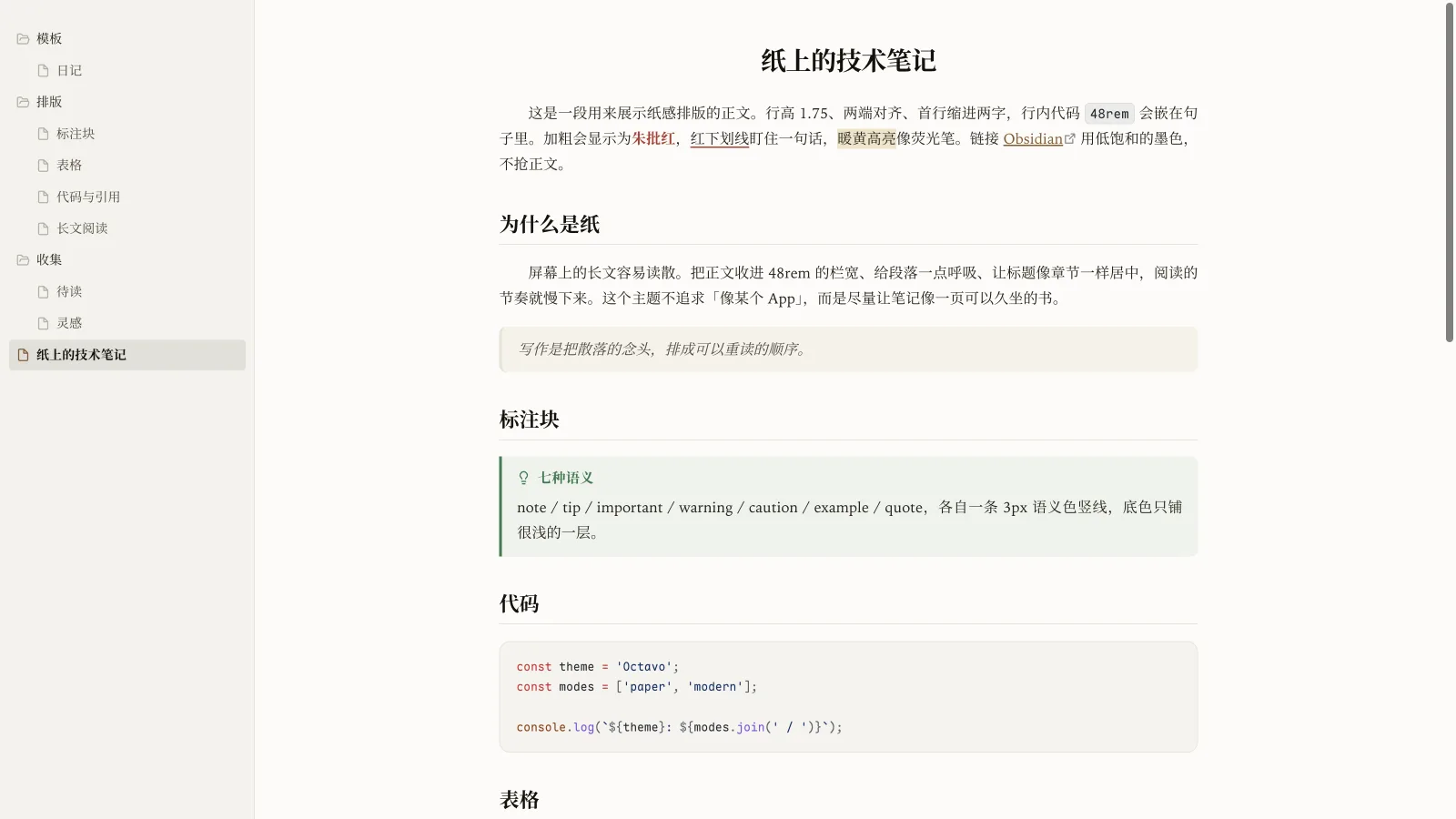
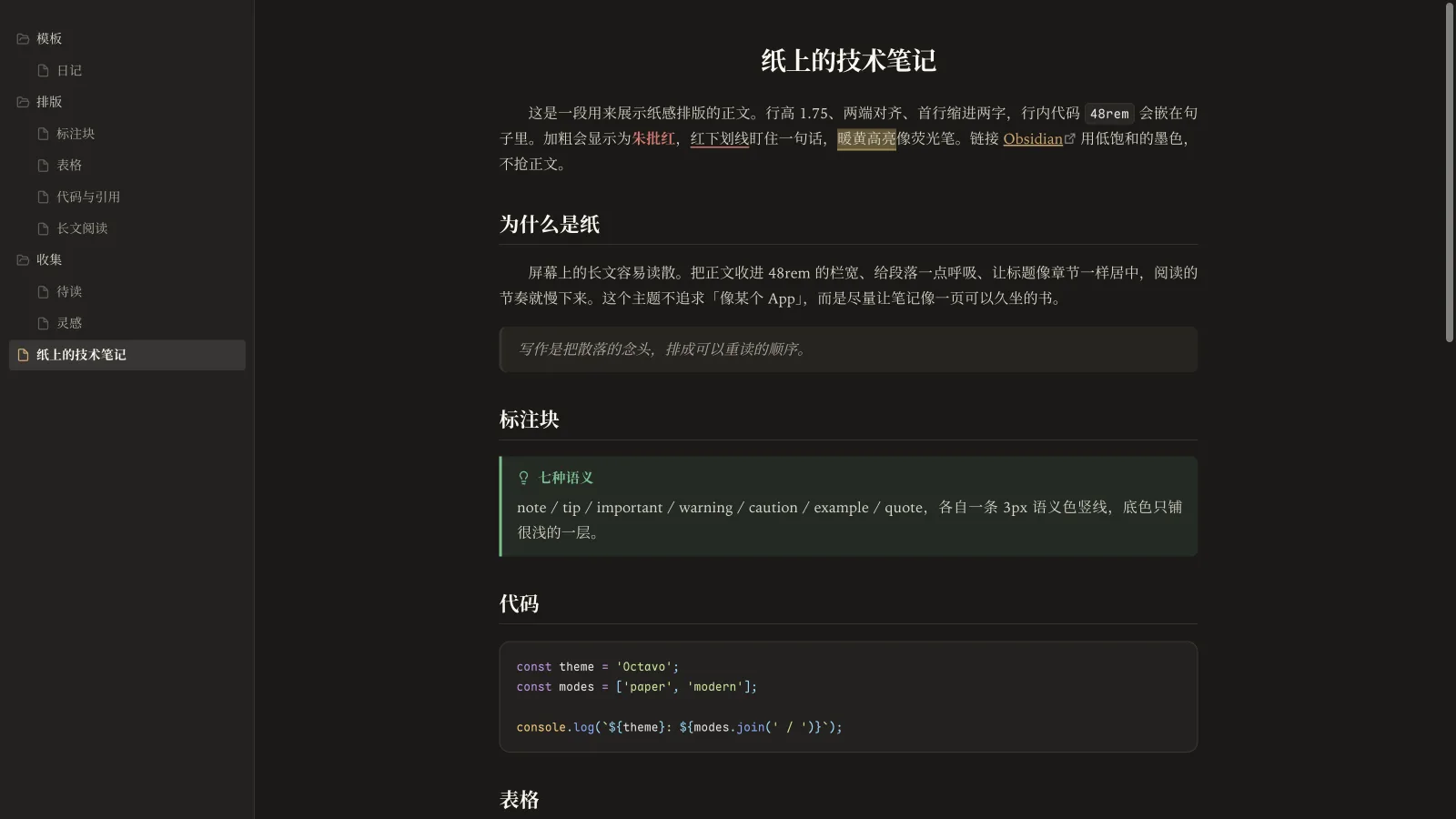
Paper mode (book layout enabled in the screenshot)
| Light | Dark |
|---|---|
|
 |
Modern mode (optional)
Callouts / tables / editor
| Callouts | Tables |
|---|---|
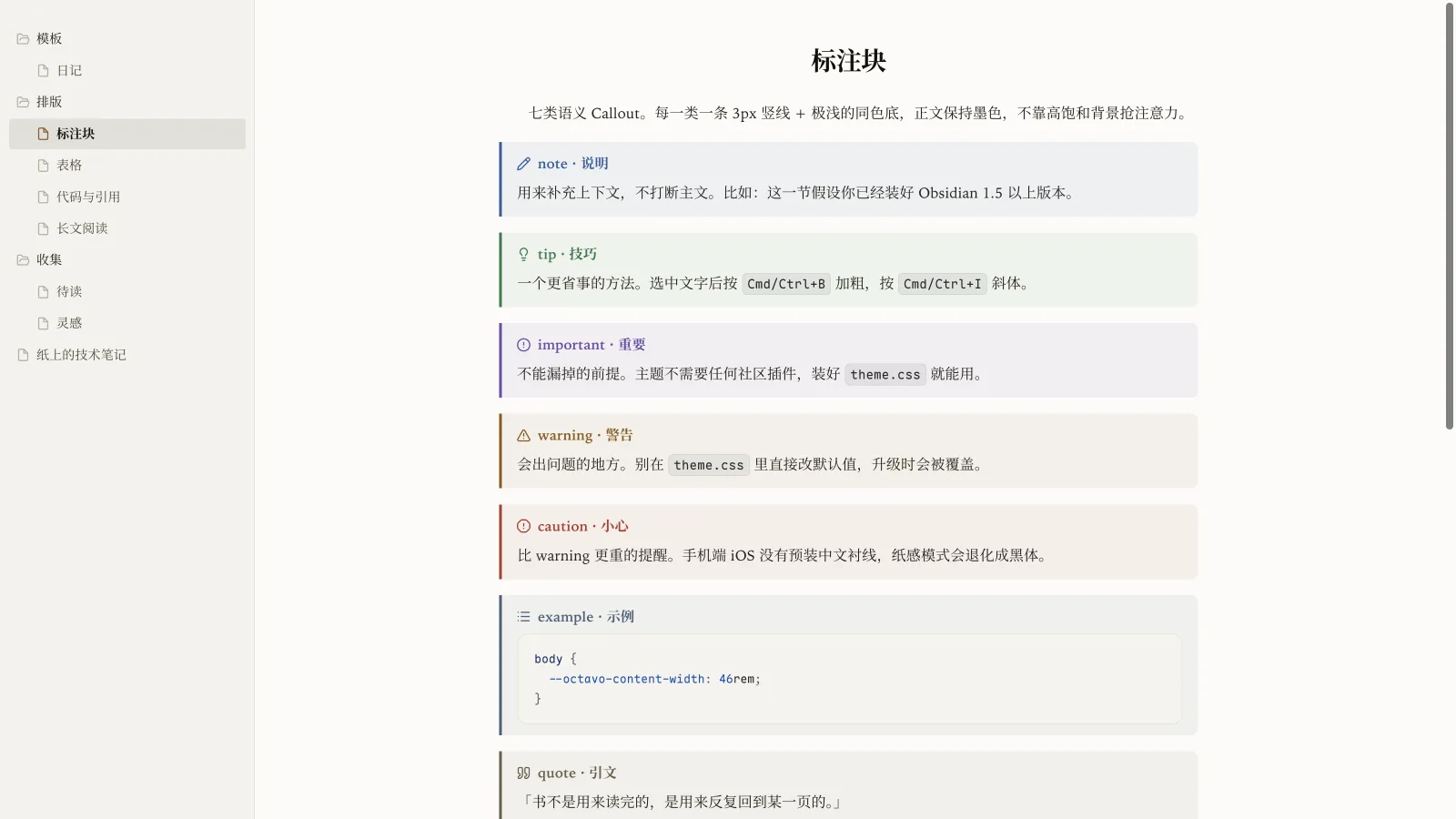 |
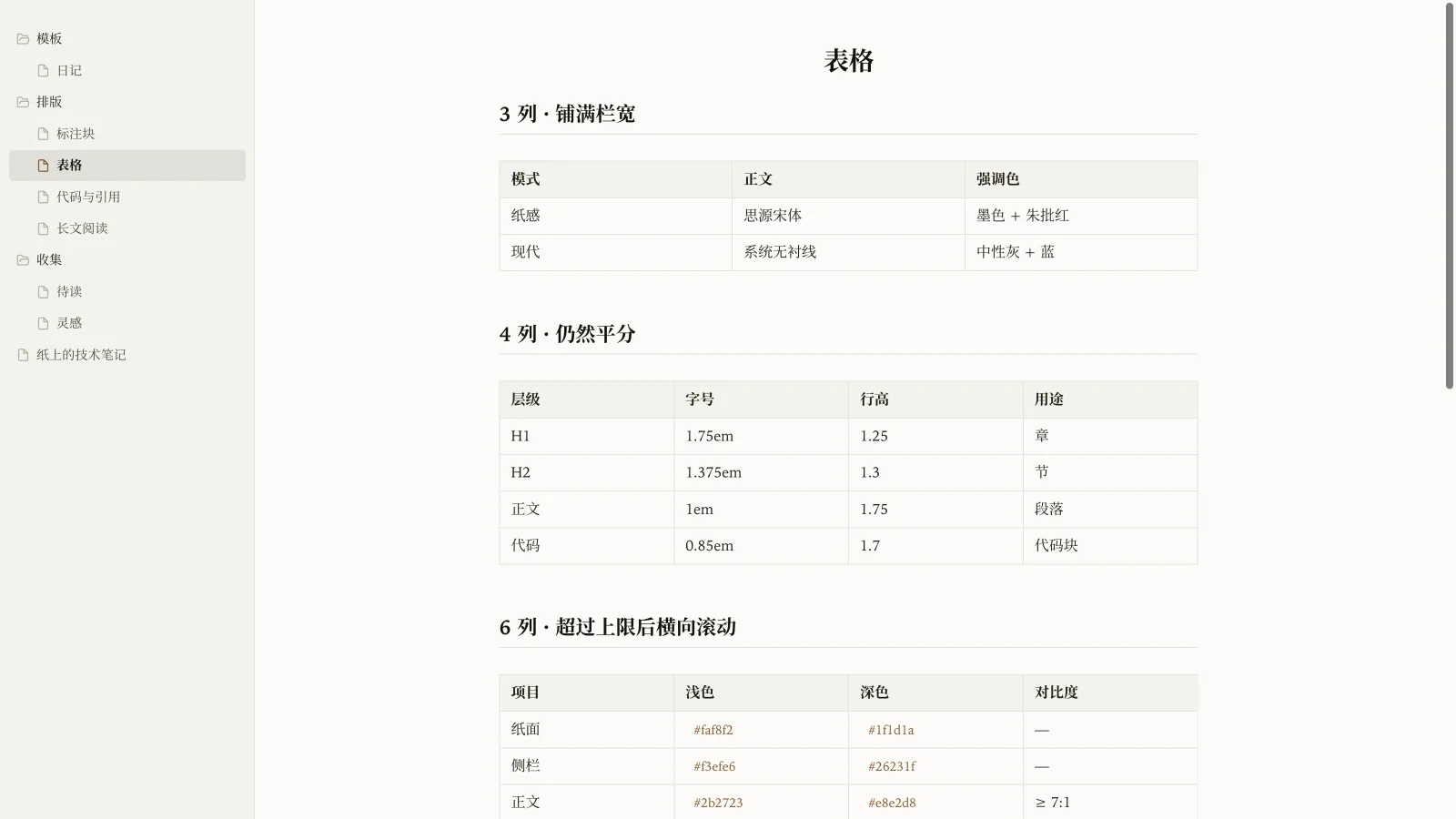 |
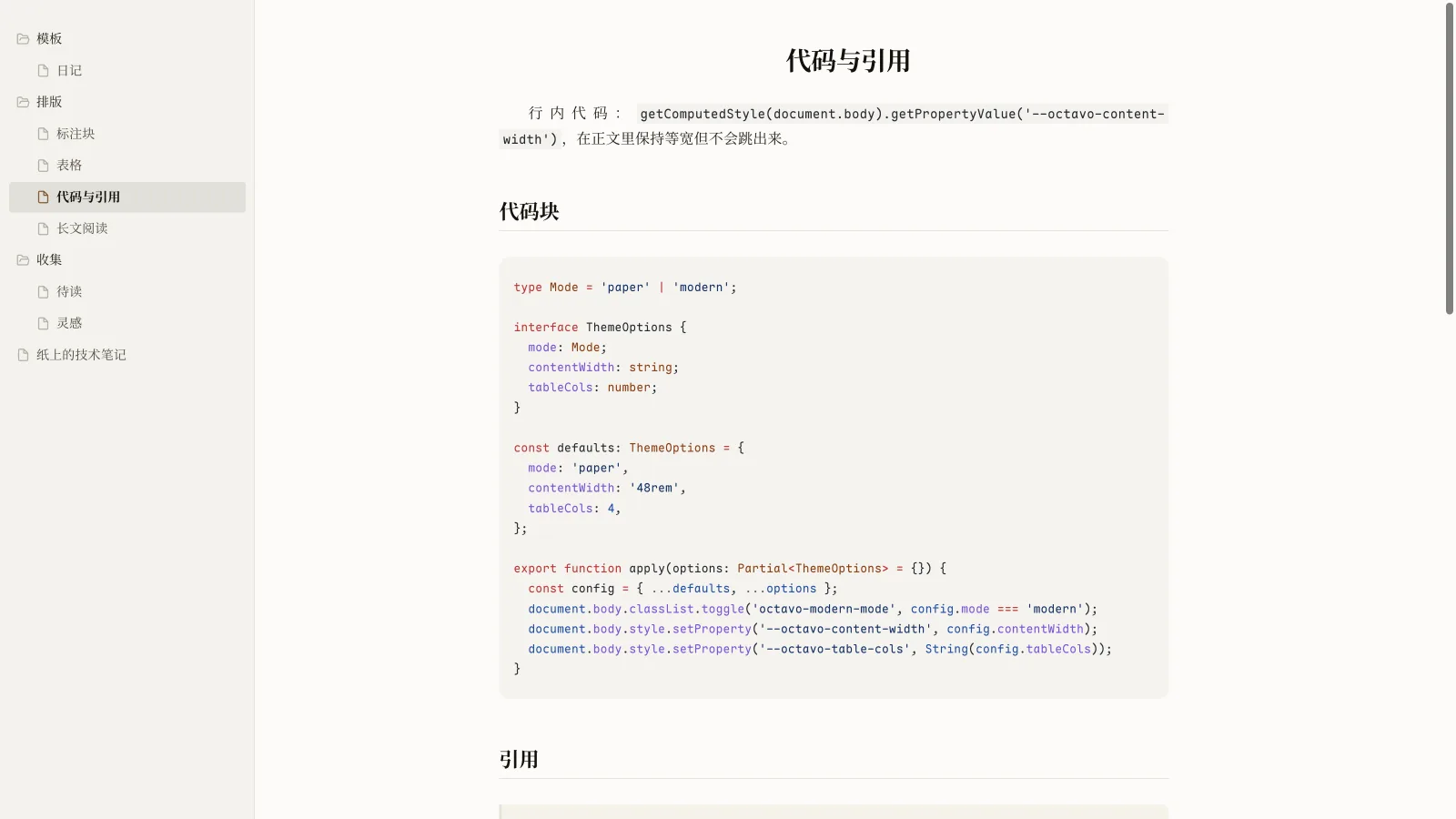
Mobile
Install
From the community theme browser
Settings → Appearance → Themes → Manage, search for Octavo, then install and enable it.
Manual install
- Download the latest
octavo-v1.1.6.zipfrom Releases. - Unzip it and put the
Octavofolder into your vault:
<your vault>/.obsidian/themes/Octavo/
├── manifest.json
└── theme.css
- Open
Settings → Appearance → Themesand select Octavo.
manifest.jsonandtheme.cssmust sit at the same level — don't nest another folder.
Update
Check for updates in Settings → Appearance → Themes → Manage. Manual installs only need to replace theme.css.
Recommended settings
Settings → Appearance → Base color: Light or Dark — both palettes are designedSettings → Appearance → Font size: 16 (the type scale is designed around 16px body text)- If you previously installed CSS snippets from other themes, disable them to avoid conflicts
- No community plugins, snippets, or scripts are required
Fonts (optional)
The theme uses system fonts by default and works without installing anything. For a closer match to the design, you can install these free fonts:
| Use | Font | Notes |
|---|---|---|
| Chinese body (Paper) | Noto Serif CJK SC / 思源宋体 | Falls back to Songti SC on macOS, to a system serif on Windows |
| Alternative body | LXGW WenKai / 霞鹜文楷 | Can be switched via a custom variable |
| Code | Maple Mono | Falls back to a system monospace font |
On mobile (iOS): the system ships no Chinese serif, and
Songti SCdoesn't resolve inside iOS WebViews. Chinese body text falls back to the system sans-serif (PingFang); only Latin text stays serif. For the full paper feel, install a Chinese serif on the device (Noto Serif SC / Songti SC).
Tuning (pure CSS, no plugin)
The default measure is 48rem (roughly 35–50 CJK characters) with a 1.75 line height. Defaults live in the body variables at the top of theme.css. To change them, create a CSS snippet overriding the variables (Settings → Appearance → CSS snippets):
body {
  --octavo-content-width: 52rem;  /* body measure */
  --octavo-line-height: 1.8;      /* body line height */
  --octavo-para-spacing: 1.1em;   /* paragraph spacing */
  --octavo-table-cols: 5;         /* max columns per row */
}
Everything works without this; the variables are only for people who like to tinker.
theme.css starts with a /* @settings */ block. With the community plugin Style Settings installed, a Settings → Style Settings → Octavo panel appears with:
- Typography: body / outline / code fonts, line height, paragraph spacing, body measure
- Colors: Modern mode (off = Paper)
- Headings: H1–H6 sizes, space above headings
- Tables: max columns per row, max columns on mobile, hide the table scrollbar (off by default)
- Layout: centered title, title rules, justified text, first-line indent (all four off by default), focus mode, un-center the measure
- Focus: hide scrollbars (on by default), hide the status bar
- Editor: current-line highlight (off by default), hide Markdown syntax
- Annotations: vermilion underline
- File explorer: compact row height, indent guides
Style Settings is only a remote control: without it, the theme's default layout and colors are unchanged.
Day-to-day usage
- Vermilion underline: write
<u>text to emphasize</u>. Obsidian core has no underline command, and the theme binds no hotkey. - Highlight:
==text==, a warm yellow marker. - Callouts:
> [!note],> [!tip], and five more; styled out of the box, no plugin needed. - Wide tables: in live preview and reading view, tables scroll horizontally past the configured column count. In reading view the right edge fades to paper, and the fade retires when you reach the last column. Tables inside callouts have no separate scroll box; they wrap to the container width, and headers and borders follow the callout's semantic color. Three columns on mobile by default.
- Book layout: off by default (left-aligned, no indent, title not centered, no rules). For the book-page feel, enable "Centered title", "Title rules", "Justify text", and "First-line indent" in
Settings → Style Settings → Octavo → Layout. - Modern mode: enable it in the Style Settings panel; without the plugin the theme stays Paper.
Compatibility
- Obsidian 1.5.0+, desktop and mobile
- Light / dark modes
- No web fonts, no
@import, no JavaScript - Does not modify any of Obsidian's settings files
Credits
- Folio (elijahchan2019 / elijah7x, MIT): the theme was called
Folio/Folio Paperearly on and was renamed Octavo for the public release to avoid confusion with the community theme Folio. This project is an independent implementation; it reuses none of Folio's CSS and is not an official version of it. - Minimal (kepano, MIT): inspiration for the "hide Markdown syntax" interaction. The CSS here was written for this project.
- GitHub Alerts: reference for the semantic levels of the seven callout types; colors and styling reworked for the paper language.
- ChatGPT web (OpenAI): visual reference for Modern mode colors and typography; no affiliation or endorsement.
- Chinese book typography: justification, first-line indent, centered titles, vermilion annotation.
- VS Code / Bear: reference for file-explorer structure and font choices.
Fonts (none bundled; they are only candidates for the font stack): Iowan Old Style (macOS system font), Noto Serif CJK SC (SIL OFL 1.1), LXGW WenKai (SIL OFL 1.1), Maple Mono (SIL OFL 1.1).
License
MIT © 2026 jiuxianzai