

README file from
GithubObsidian + Neovim
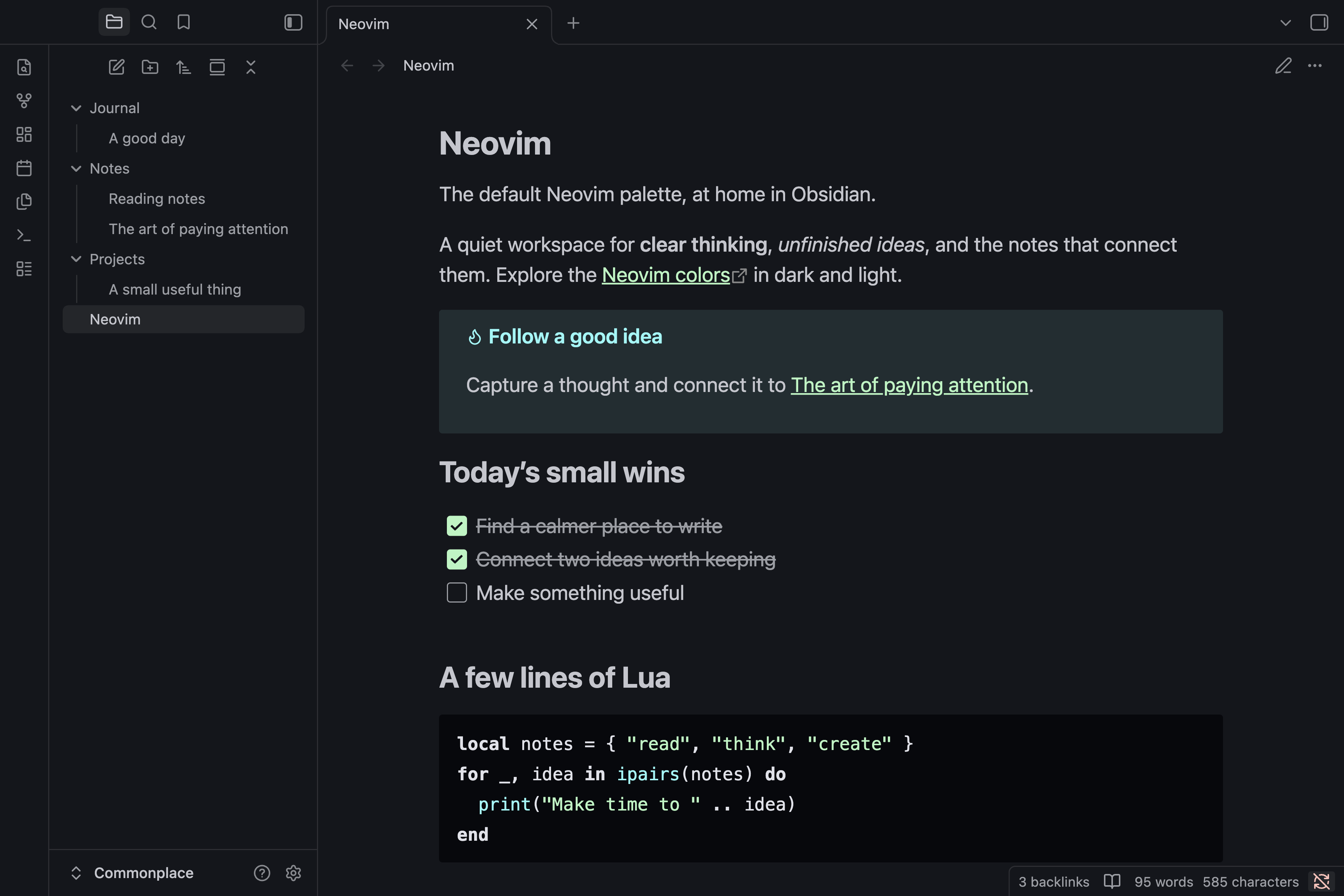
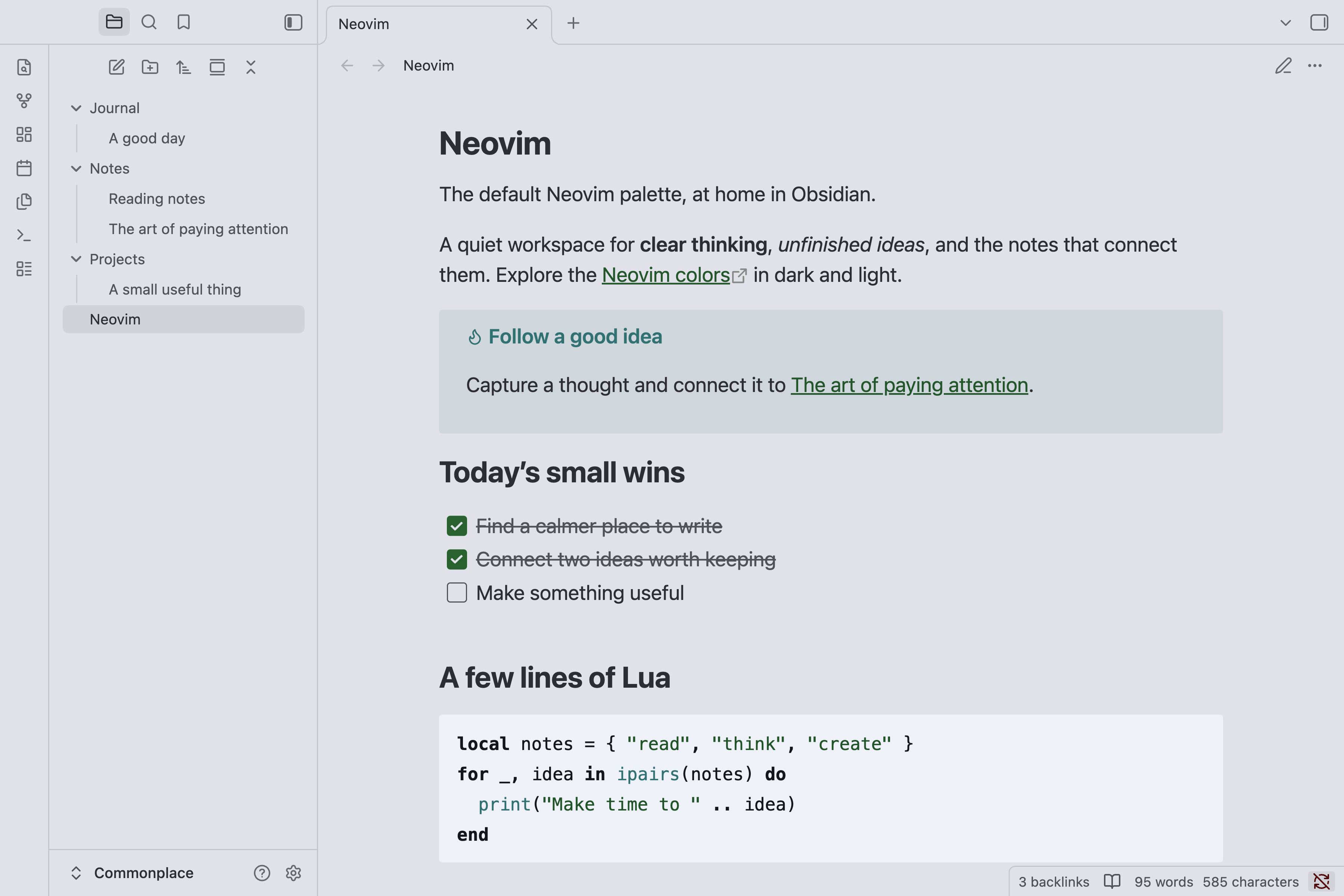
An Obsidian theme that keeps the default layout and uses the default Neovim palette in dark and light modes. Neovim introduced this color scheme in version 0.10.
Check this pull request for more information.
Installation
- Open Settings → Appearance in Obsidian.
- Under Themes, select Manage.
- Search for Neovim and select it.
- Select Install and use to apply the theme.
Usage and customization
In Settings → Appearance, set Base color scheme to Dark or Light to use the matching Neovim palette, or choose Adapt to system to follow your system setting.
Body text uses softer shades for reading. Code follows Neovim's restrained syntax colors, with green strings, cyan functions, and bold neutral keywords. Quotes, callouts, highlights, and secondary labels use the same palette. The Tasks plugin's filter and copy button also match the theme; the plugin is optional.
Neovim does not provide any Style Settings options and does not require the Style Settings plugin. For further customization, use Obsidian's CSS snippets.
Screenshots
Dark
Light
Contributing
If you have any problems or have suggestions, welcome to issues.
License
MIT License - see LICENSE for details.