
README file from
GithubJetBrains ThinkRail
An Obsidian theme that follows the design of ThinkRail, the JetBrains IDE-style app.†
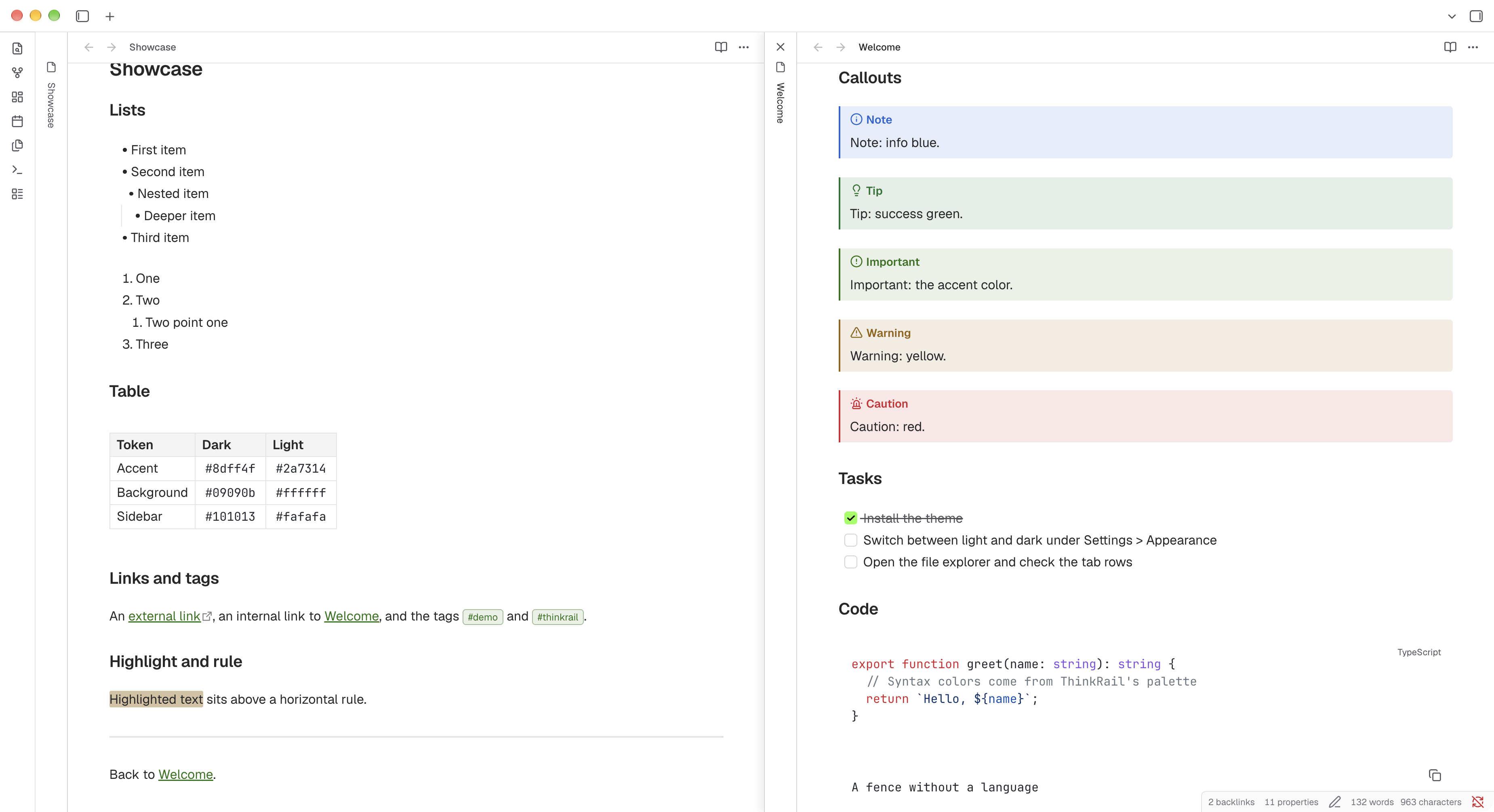
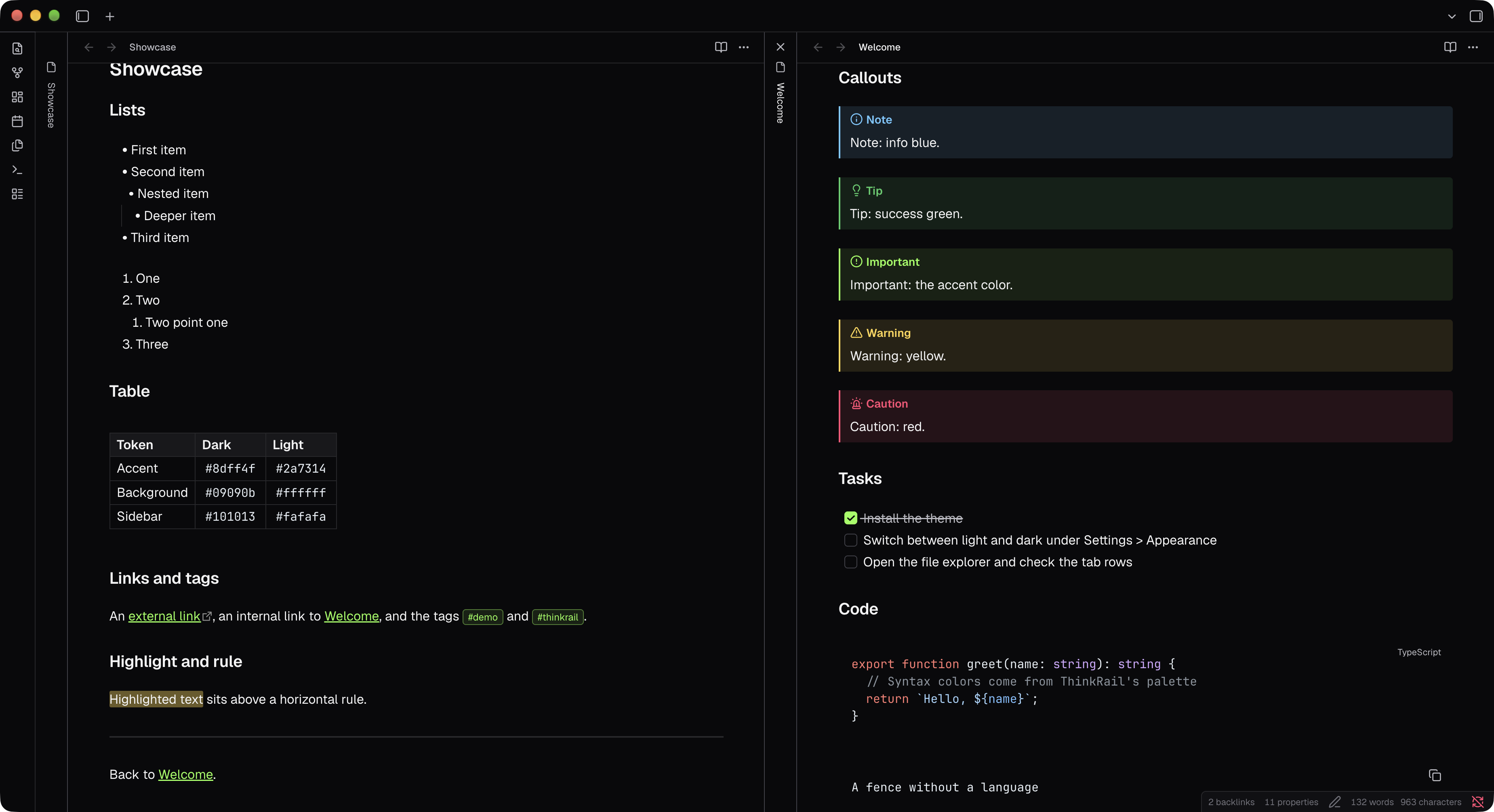
Install
Install from the Obsidian community directory: JetBrains ThinkRail.
Style Settings
Install Style Settings plugin to configure the theme under Settings > Style Settings > JetBrains ThinkRail.
| Option | Type | Description |
|---|---|---|
| Property lines | Dropdown | How the Properties block at the top of a note shows which value belongs to which name: hide lines (default), a solid or dotted line from each name to its value, or zebra striping across every other row. |
| Property line gap | Slider, 0 to 16px (default 2px) | Space on each side of the line. Applies to the solid and dotted options. |
Fonts
The theme uses ThinkRail's fonts, Geist for text and JetBrains Mono for code. To keep the size of the theme small, these fonts are not included out of the box. Install them on your system and the theme will pick them up (falls back to system fonts).
Recommended
Download the whole family from each page and install it with its italics. The theme uses weights 400 (Regular), 500 (Medium) and 600 (SemiBold), so install at least those. Make sure to restart Obsidian after installing.
On macOS you can install both with Homebrew instead:
brew install --cask font-jetbrains-mono
brew install --cask font-geist
† Unofficial and not affiliated with JetBrains.