
README file from
GithubObsidian Highlighter theme
Minimal and clean theme for Obsidian.
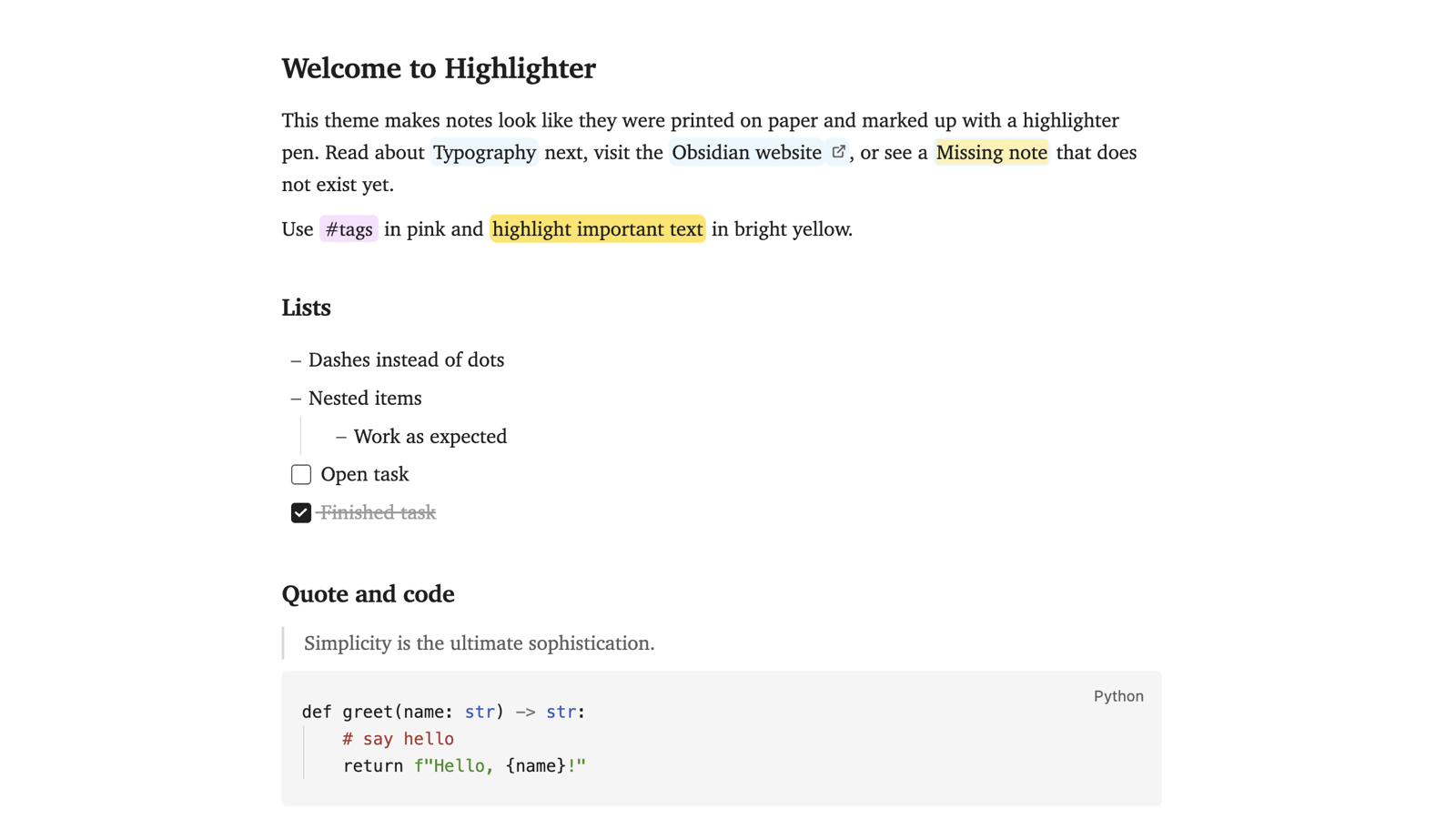
The intention is to make notes look like printed on paper, with text highlighted using a highlighter pen:
links in blue, unresolved links in yellow, tags in pink, and ==highlights== in bright yellow.
Typography borrows from LaTeX: notes are set in Charter (bundled with macOS), headings follow the article-class scale, and tables use the "booktabs" style. Code blocks use the colours of sublime-scheme-alabaster, which inspired the theme. Lists use dashes instead of dots. The interface keeps your system font.
Works with Obsidian 1.5 and later. Designed and tested in light mode; dark mode styles exist but are untested.
Originally based on the code from rcvd/obsidian_ia.
Screenshot
Installation
- In your vault, create the folder
.obsidian/themes/Highlighter/. - Copy (or symlink)
theme.cssandmanifest.jsoninto it. - In Obsidian, open Settings → Appearance → Themes and pick Highlighter.
Customising
With the Style Settings plugin installed you can change:
- the text font: serif (Charter), system sans, or the original Helvetica;
- justified paragraphs (hyphenation is always on);
- full-size properties instead of the compact block;
- round bullets instead of dashes;
- the colour of each highlighter pen (links, unresolved links, tags, highlights), separately for light and dark mode.