
README file from
GithubClaude Cream for Obsidian
English
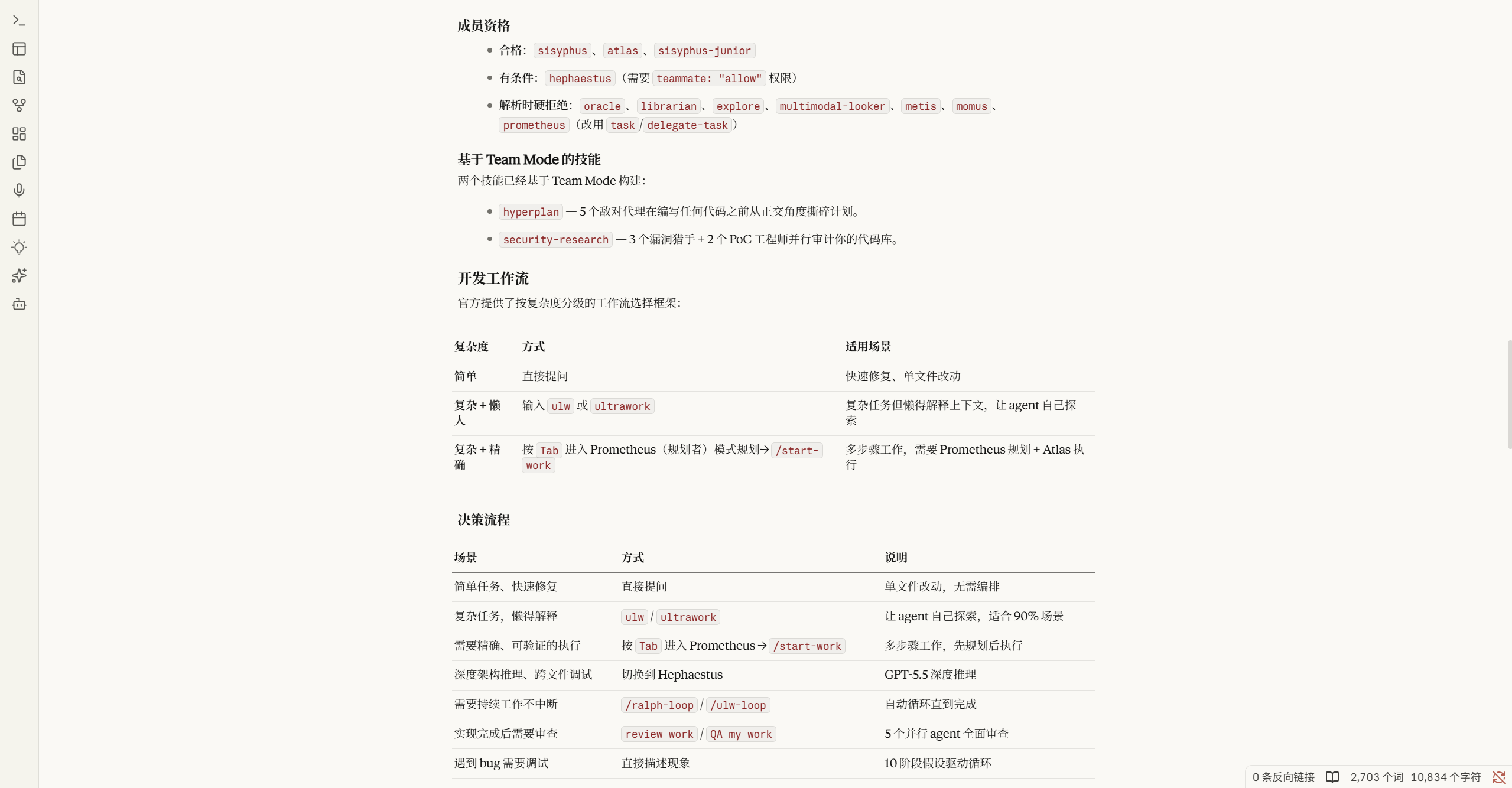
Claude Cream is a minimal, elegant, and highly polished theme for Obsidian (supporting both Light and Dark modes), meticulously designed to replicate the warm, scholarly, and cozy aesthetic of Claude.ai.
Features
- Full Light & Dark Mode Support: Authentically styled dark mode matching Claude.ai's dark theme palette (
#262624) alongside the signature scholarly light theme. - Embedded Typography: Includes full Base64-encoded web fonts (
Anthropic Serif,Anthropic Sans, andAnthropic Mono). No internet connection or system-wide font installations required. - Perfect View Alignment: The Editing View (Live Preview) and Reading View are 100% visually aligned, sharing exact layout widths, line heights (
1.65), spacing, margins, and typography sizes. - Accents & Highlights: Integrates Claude's signature clay-orange (
#D97757) for accent elements, hand-drawn checkbox styles, and clay-orange wavy underlines formarkhighlights. - Refined Interface: Elegant, minimal borders for cards, sidebars, tables, and callouts, resulting in a distraction-free writing environment.
Installation
Method 1: Community Themes (Recommended)
- In Obsidian, go to Settings > Appearance > Themes > Manage.
- Search for
Claude Cream. - Click Install and use.
Method 2: Manual Installation
- Download
theme.cssandmanifest.jsonfrom the latest release. - Place them in your vault's hidden folder under
.obsidian/themes/Claude Cream/. - Go to Settings > Appearance and select Claude Cream in the Themes dropdown.
中文说明
Claude Cream 是一款精美、极简且经过深度调优的 Obsidian 主题(完整支持浅色与深色模式)。它的设计灵感来源于 Claude.ai,旨在为您提供如同实体纸张般温暖、质朴、沉浸式的学术级阅读与写作体验。
核心特性
- 完整支持浅色与深色模式:深度还原 Claude.ai 官方深色调调色板(
#262624),并在浅色/深色切换时保持统一且优雅的细节标准。 - 完全内置专属字体:内嵌 Base64 格式的
Anthropic Serif(正文衬线)、Anthropic Sans(界面无衬线)及Anthropic Mono(代码等宽)字体,无需联网,离线即可 100% 渲染。 - 编辑与阅读模式完美对齐:实时预览(Live Preview)与阅读视图(Reading View)达到 100% 视觉对齐。统一最大宽度为
752px且自动居中,拥有完全相同的行高(1.65)、段落间距和列表对齐细节。 - 经典陶土橙设计:融合 Claude 经典的陶土橙(Clay-Orange,
#D97757)作为系统强调色,搭配手绘细边框复选框以及独特的陶土橙波浪下划线高亮。 - 极致卡片与排版:对表格、引用块(Callouts)、代码块以及侧边栏边框进行了极简设计,提供最干净的卡片质感。
安装方法
方法一:从社区主题商店安装(推荐)
- 打开 Obsidian 的 设置 > 外观 > 主题 > 管理。
- 搜索
Claude Cream。 - 点击 安装并启用。
方法二:手动安装
- 在 Release 页面下载最新的
theme.css和manifest.json。 - 将它们放进笔记仓库下的
.obsidian/themes/Claude Cream/文件夹中。 - 进入 设置 > 外观,在主题下拉菜单中选择 Claude Cream 启用。
License
This theme is licensed under the MIT License.