
README file from
GithubE Ink Reader
A practical monochrome Obsidian theme for actual e-ink devices.
Version 1.0.0. Modes supported: Light. Tested in Obsidian 1.15.1 on Windows.
The theme uses monochrome colours and removes theme transitions. Display ghosting and cursor behaviour have not been verified on physical e-ink hardware.
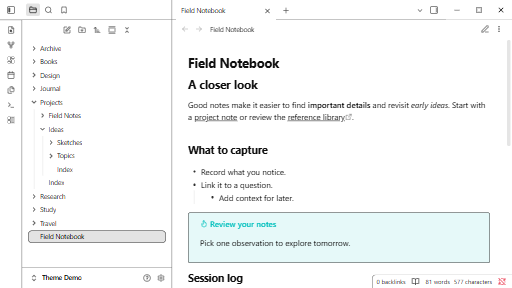
Preview
Install manually
- Download
manifest.jsonandtheme.cssfrom release 1.0.0. - Put both files in
.obsidian/themes/E Ink Reader/in your vault. - Open Settings > Appearance and select E Ink Reader. Choose a supported base colour scheme.
See the original design plan. MIT license.