
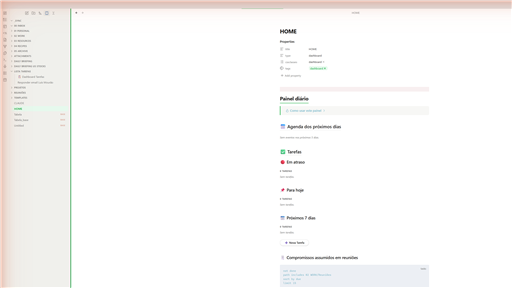
README file from
GithubEvernote-Like Theme for Obsidian
A clean, professional Obsidian theme inspired by Evernote's visual design language.
Features
- Clean, distraction-free interface with light and dark mode support
- Green accent color palette reminiscent of classic note-taking apps
- Custom styled sidebar, tabs, and navigation
- Optimized typography with system font stack
- Smooth transitions and hover effects
- Custom scrollbar styling
- Enhanced callout and blockquote styles
Screenshots
Light Mode

Dark Mode

Installation
From Obsidian Community Themes
- Open Settings > Appearance
- Click Manage under "Themes"
- Search for Evernote-Like
- Click Install and use
Manual Installation
- Download
theme.cssandmanifest.jsonfrom the latest release - Create a folder called
Evernote-Likeinside your vault's.obsidian/themes/directory - Place both files inside that folder
- Open Settings > Appearance and select Evernote-Like from the theme dropdown
Compatibility
- Obsidian v1.0.0+
- Desktop (Windows, macOS, Linux)
- Mobile (iOS, Android)
License
MIT License