
README file from
GithubDossier
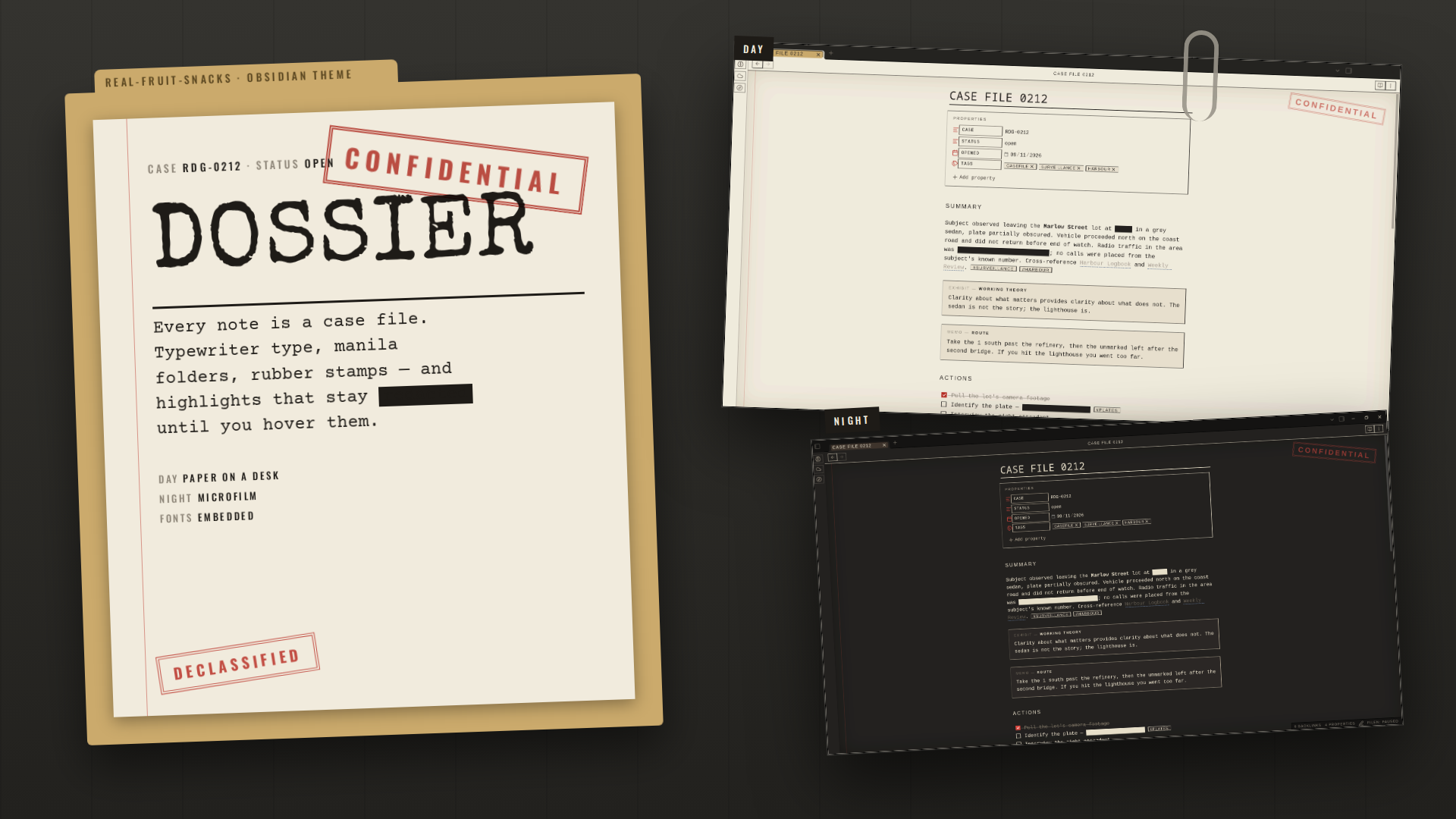
Every note is a case file. Manila folders, typewriter type, a red margin, rubber stamps — and one trick: your highlights are redacted until you hover them.
Mark a spoiler, an answer, a password, a punchline with ==double equals== and it stays a black bar until you point at it. It turns highlighting into a reading tool.
What it does
- Dark desk chrome with manila folder tabs; the file explorer is a folder with a DECLASSIFIED stamp
- Notes are paper with a red margin rule, an inset vignette and a CONFIDENTIAL stamp
- Special Elite titles, Courier Prime body, Oswald
§section heads — all embedded, nothing to install - Callouts labelled by type: EXHIBIT, MEMO, NOTICE (with an URGENT sticker), QUERY, STATEMENT, CLOSED
- Dashed "transcript" code blocks, stamped tags,
—bullets, red-filled checkboxes, dashed-rule menus - Highlights redacted until hovered; in the editor they reveal on the active line
- Day mode: paper on a desk. Night mode: microfilm — dark paper, cream ink, cream redaction bars
Install
From the community list — Settings → Appearance → Themes → Manage → search "Dossier".
Manually
- Download
theme.cssandmanifest.jsonfrom the latest release. - Put them in
<your vault>/.obsidian/themes/Dossier/. - Settings → Appearance → Themes → Dossier.
Readable line length on is recommended — the stamp and margin sit in the space around a centred page.
Palette
| Role | Day | Night |
|---|---|---|
| Paper | #F1EBDD |
#1E1C19 |
| Folder | #CBAA6C |
#3B3128 |
| Ink | #1E1B17 |
#E8DFCB |
| Red | #B7281F |
#D9433A |
| Blue | #1F3F73 |
#86A9DC |
| Reveal | #F6E27A |
#B89E3A |
Contributing
Issues and pull requests welcome. No build step: edit theme.css, reload Obsidian. For development the fonts can be split into a CSS snippet — see dev/.
License
MIT. Fonts are under the SIL Open Font License.