
README file from
Github🖤 Black Pink 🩷
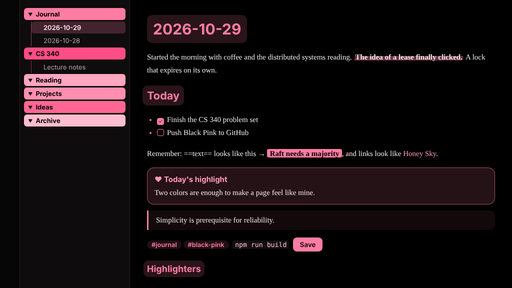
A dark-only rouge pink & ink black theme for Obsidian. Ink black for the words, rouge pink #FF7CA2 for what matters. A sister theme of Honey Sky.
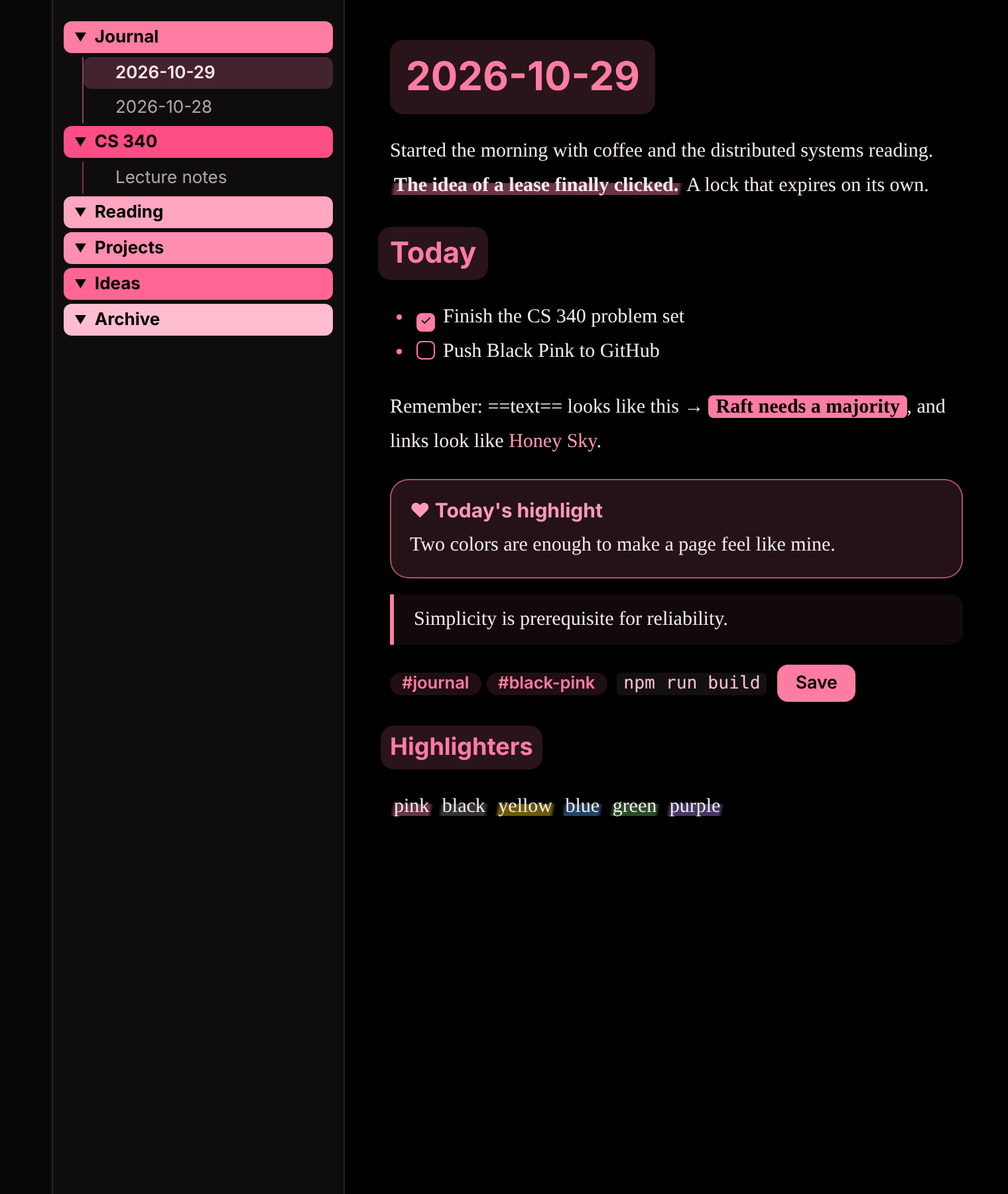
Images are rendered from the theme's own CSS on a mock workspace. Fonts on your Mac will look a little different.
At a glance
The palette
| Page | Pure ink black #000000 |
| Headings | Rouge pink #FF7CA2 on a soft pink glow |
| Links | Soft rouge #FF9AB8 |
| Accents | Rouge pink #FF7CA2: checkboxes, quotes, buttons, tags, list bullets |
Black Pink is dark only: it stays ink black even if Obsidian is set to light mode. Every text color is checked for contrast: body text is about 18:1, and headings, links and tags are all above the 4.5:1 guideline.
Highlighters, a stamp and two cards
| You want | Write |
|---|---|
| 🩷 A pink highlighter stroke | **the sentence that matters** |
| 🩷 A pink stamp (pink block with ink letters) | ==something to remember== |
| 🩷 A pink sticky note | > [!pink] Today's highlight |
| 🖤 An ink card with pink title | > [!ink] A thought |
| More marker colors | <mark class="pink|black|yellow|blue|green|orange|purple|mint">text</mark> |
Petal folders
Each top-level folder in the sidebar is a vivid pink block with ink-black text, in six shades that repeat in order: rouge, raspberry, sakura, peach, berry and blush. Black text on every shade is 6.7:1 or higher. With the Style Settings plugin you can Turn off folder color blocks for thin pink bars instead, or Turn off petal folders for a plain sidebar.
Works well with Journal Companion
Journal Companion letters are styled as rouge letter paper.
Fonts
Same as Honey Sky, all built into macOS: PingFang SC for headings, Baskerville + Songti SC for body text, Kaiti SC for letters (may need a one-click download in Font Book). Windows and Linux fall back to system fonts.
Install
- Download
theme.cssandmanifest.json. - Create the folder
.obsidian/themes/Black Pink/in your vault and put both files in it. On a Mac, press Cmd+Shift+. in Finder to see the hidden.obsidianfolder. - In Obsidian, open Settings → Appearance → Themes and choose Black Pink.
License
MIT
中文说明
Black Pink 是一套胭脂粉 + 墨黑的 Obsidian 主题,是 Honey Sky 的姐妹主题。 墨黑写字,胭脂粉标重点。
只有暗色:纯墨黑 #000000 背景,标题用胭脂粉 #FF7CA2。就算 Obsidian 设成浅色模式,也会保持墨黑。
| 效果 | 写法 |
|---|---|
| 🩷 粉色荧光笔 | **要强调的句子**(选中按 Cmd+B) |
| 🩷 胭脂印章(粉底黑字) | ==要记住的内容== |
| 🩷 粉色便签 | > [!pink] 今日重点 |
| 🖤 墨黑卡片 | > [!ink] 一个想法 |
左侧每个文件夹都是一块鲜明的粉色色块,黑色文字,按顺序用胭脂、玫红、樱花、桃粉、莓果、浅粉六种粉色。装了 Style Settings 插件可以换回细条,或者完全关掉。
安装
- 下载
theme.css和manifest.json。 - 在 vault 里新建文件夹
.obsidian/themes/Black Pink/,把两个文件放进去(访达里按 Cmd+Shift+. 显示隐藏文件夹)。 - 打开 Obsidian 的 设置 → 外观 → 主题,选择 Black Pink。