
README file from
GithubAnimal Island Cozy for Obsidian
A cozy home for your notes: warm paper, soft colors, ribbon titles, and gentle rounded shapes. Built based on Animal Island UI by guokaigdg, adapted for Obsidian.
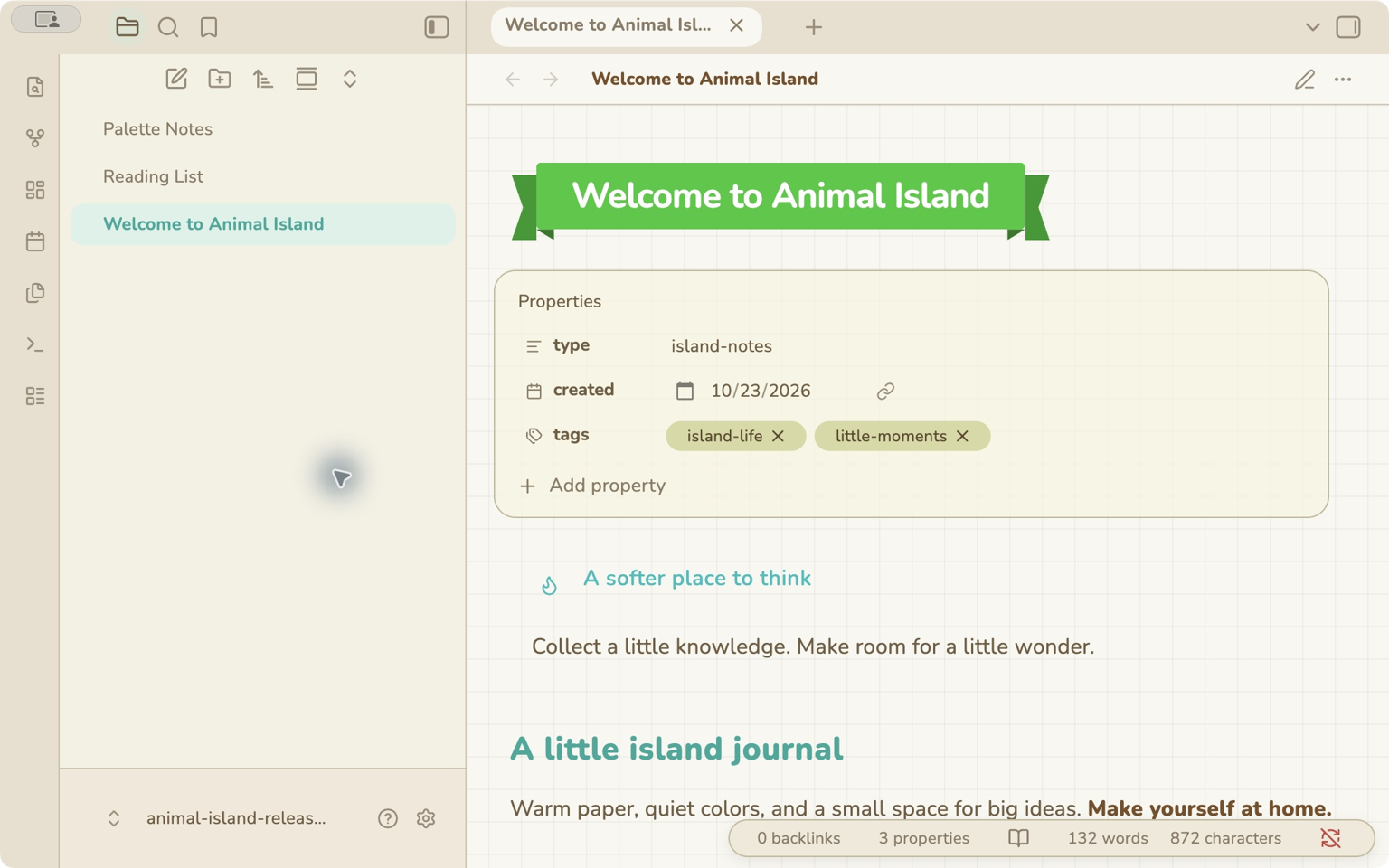
繁體中文 · All settings · 完整樣式指南 · Release notes
Customize the theme with Style Settings
Installing Animal Island Cozy applies its default appearance. To customize filename title shapes and colors, backgrounds, fonts, tabs, tables, dividers, and other styles, install the Style Settings community plugin:
- Open Settings → Community plugins → Browse.
- Search for Style Settings, then select Install and Enable.
- Open Settings → Style Settings → Animal Island Cozy.
- Expand a section and adjust its options. Changes apply immediately.
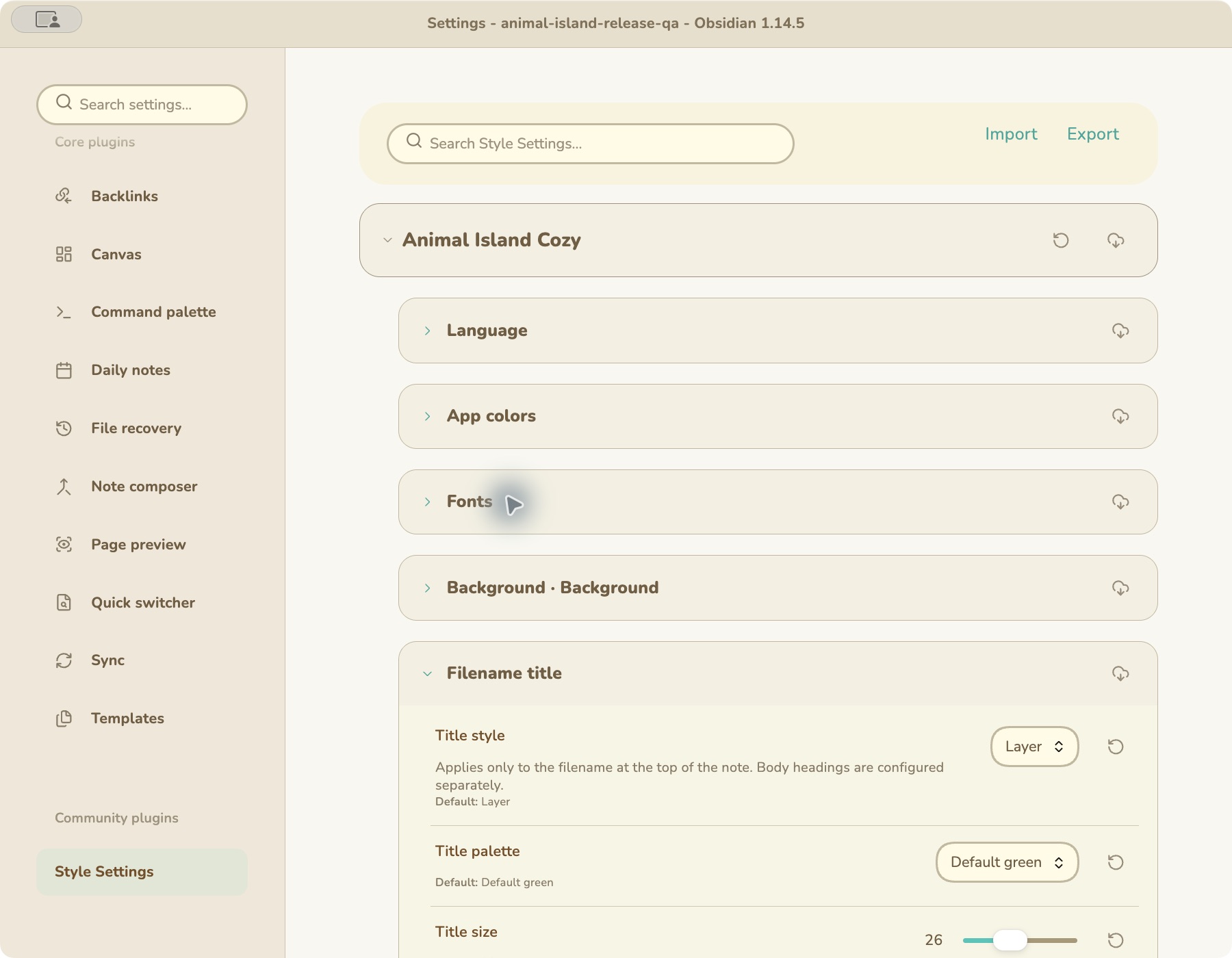
Actual Obsidian settings page in a clean demo vault. Expand Filename title to change its shape, color, and size.
Start with App colors, Fonts, Background, and Filename title. Filename title settings change the decorative title at the top of a note; Markdown H1–H6 headings have separate controls.
Style Settings provides the theme’s customization controls. The optional Animal Island Calendar plugin adds the matching date/time picker and independent language switching for this theme’s settings.
Companion plugin: Animal Island Calendar adds the matching Properties date/time picker and optional theme-settings language switching. Install it separately; the theme works without it.
Design credit — Animal Island UI
This Obsidian theme was built based on Animal Island UI, created by guokaigdg. The original UI library is the source of the visual direction: warm colors, ribbon titles, soft rounded components, paper backgrounds, and playful details. Full credit for that original UI design belongs to its creator.
Tiffany Iong adapted that design into an Obsidian CSS theme and optional calendar companion. This project is an independent adaptation and is not an official release by the original UI author. The upstream MIT copyright and license are preserved in third-party notices.
Features
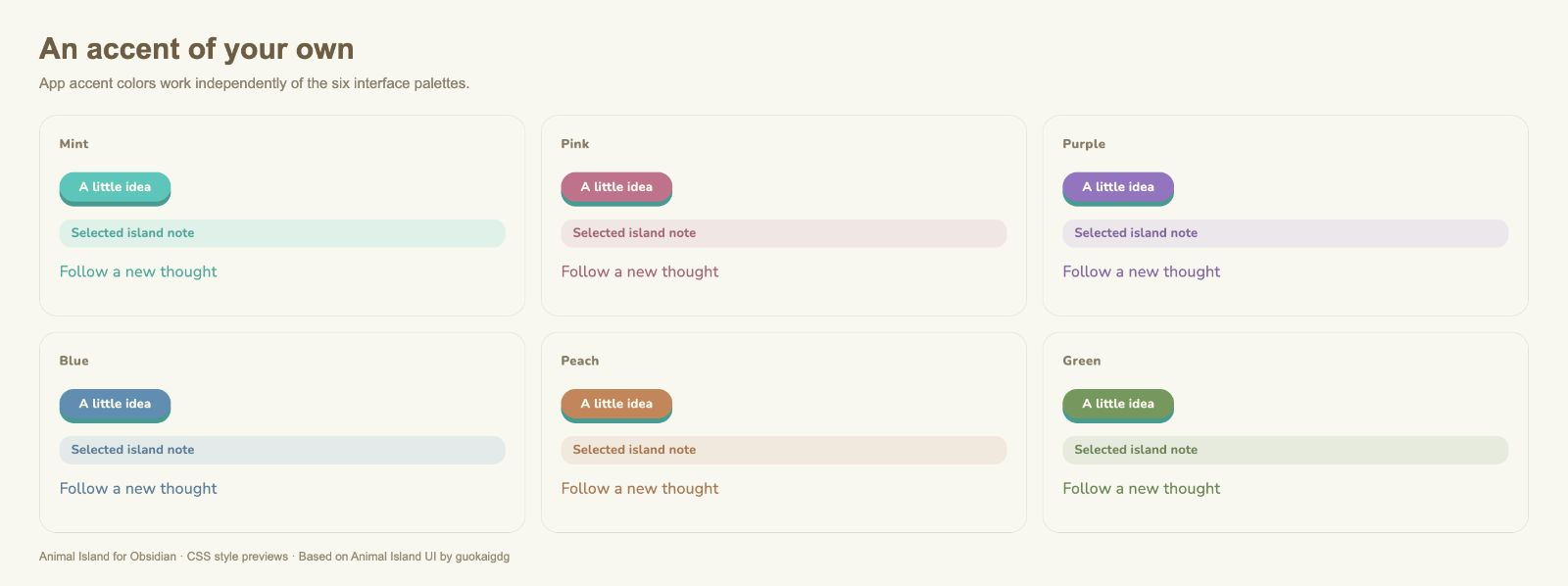
- Six interface palettes: Cream, Sage, Rose, Lavender, Mist blue, and Sand, plus custom colors. Accent colors and outer frame colors are independent.
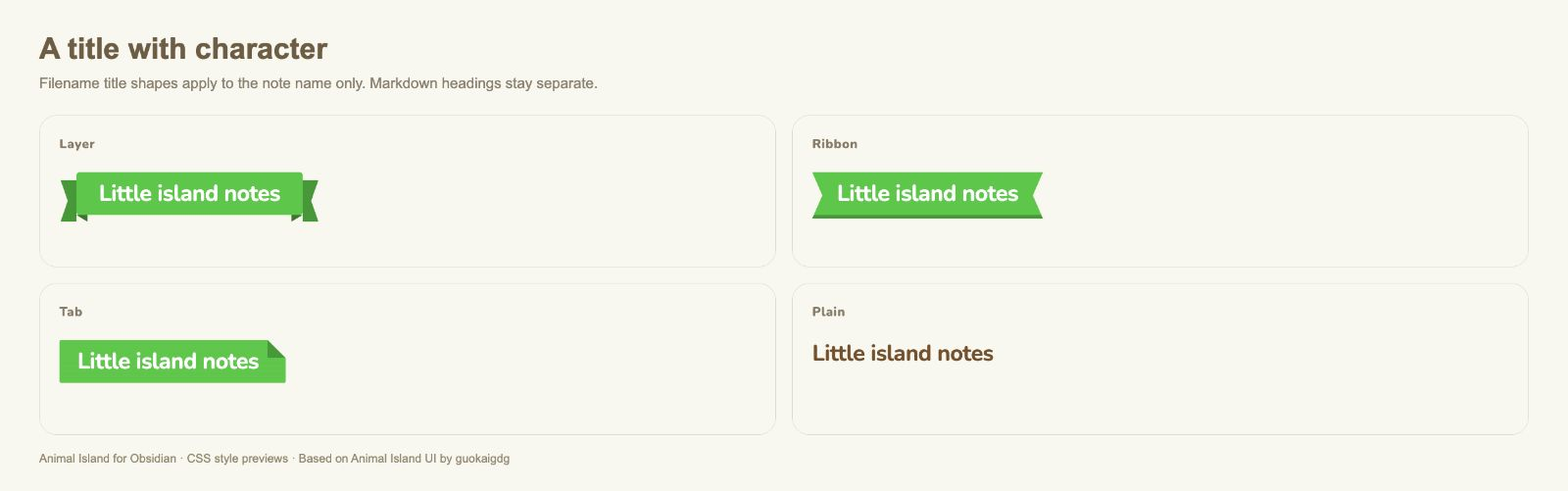
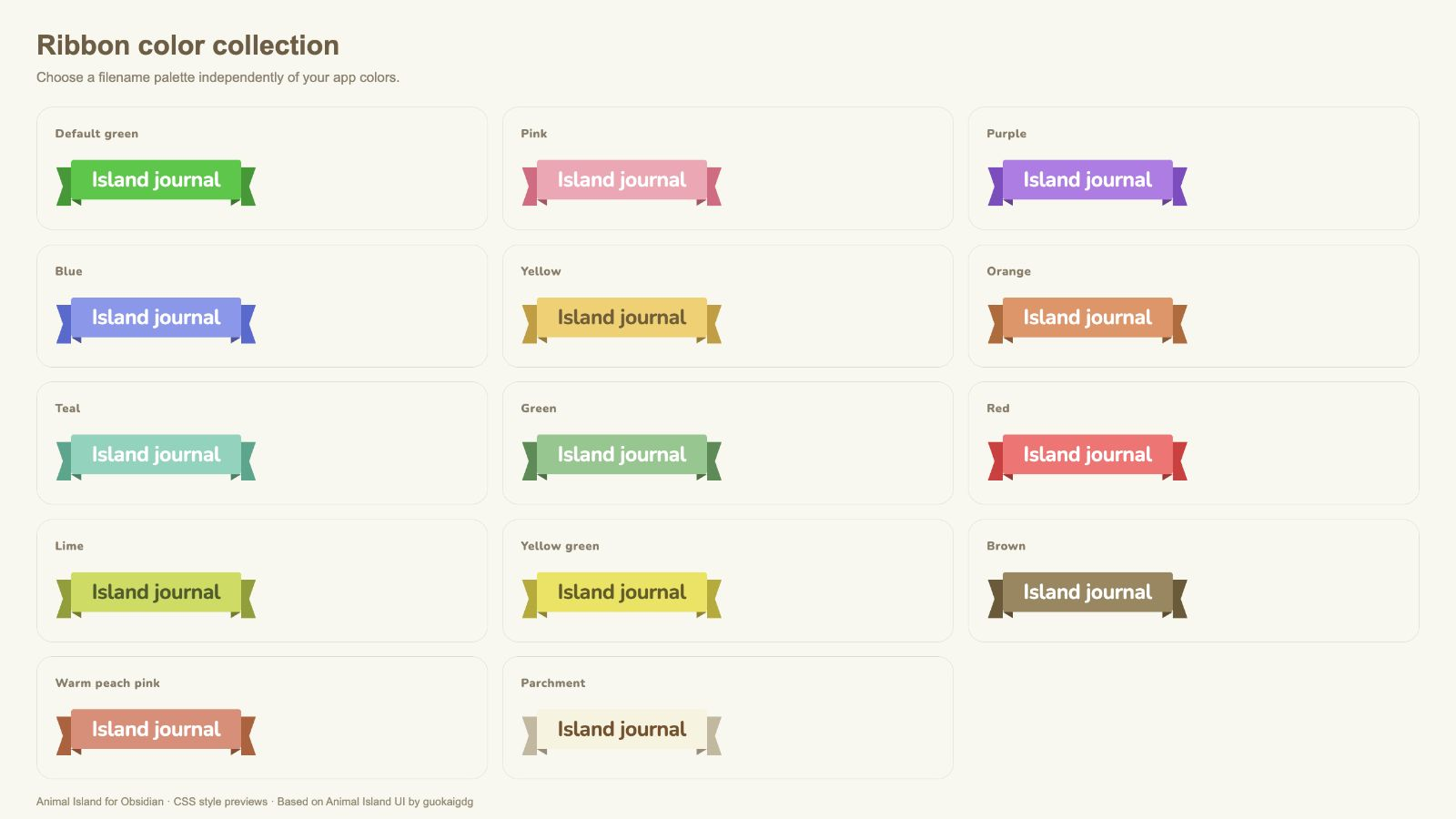
- Four filename title shapes, including layered ribbon tails, with 13 colorful palettes plus Parchment. Body headings have separate controls.
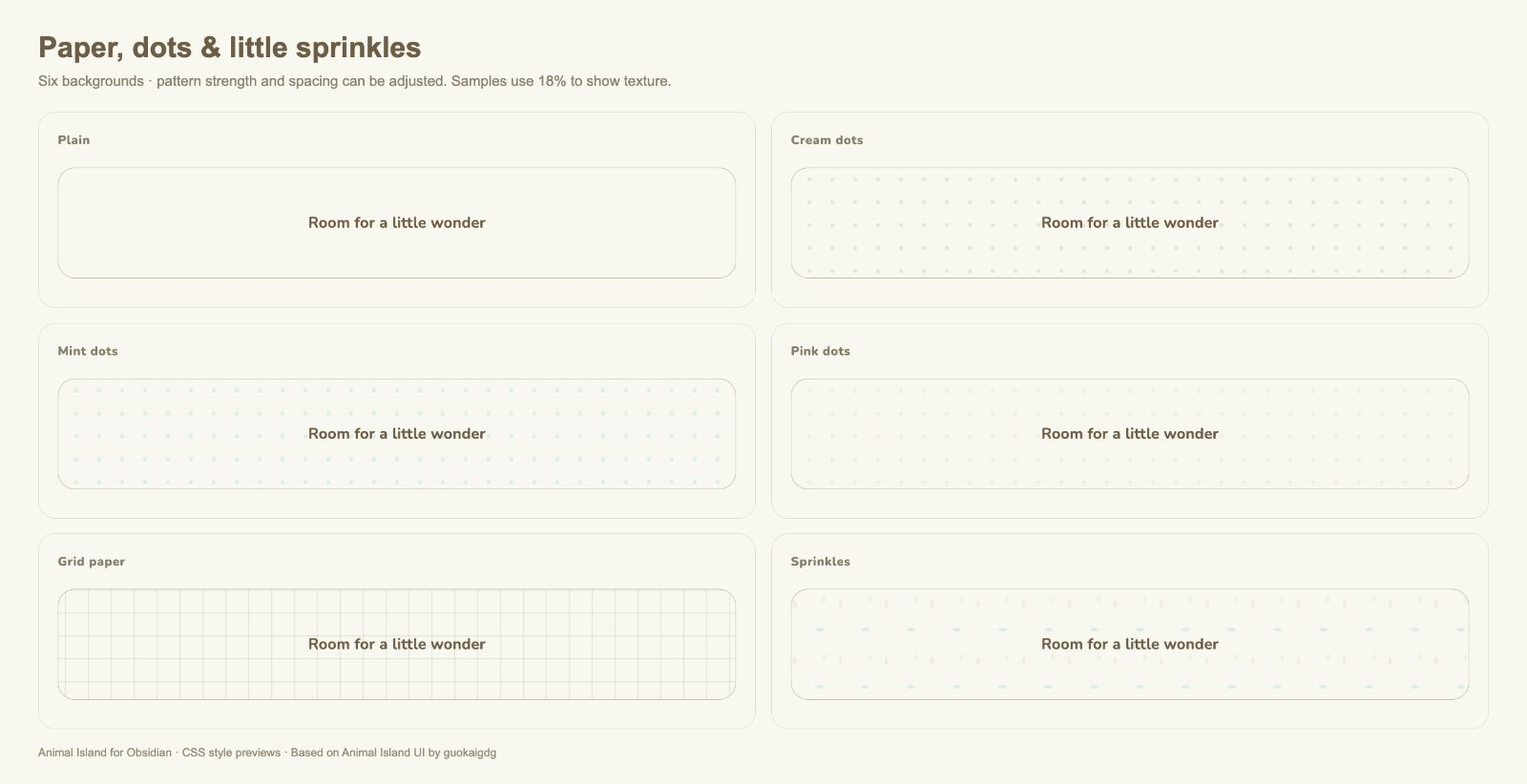
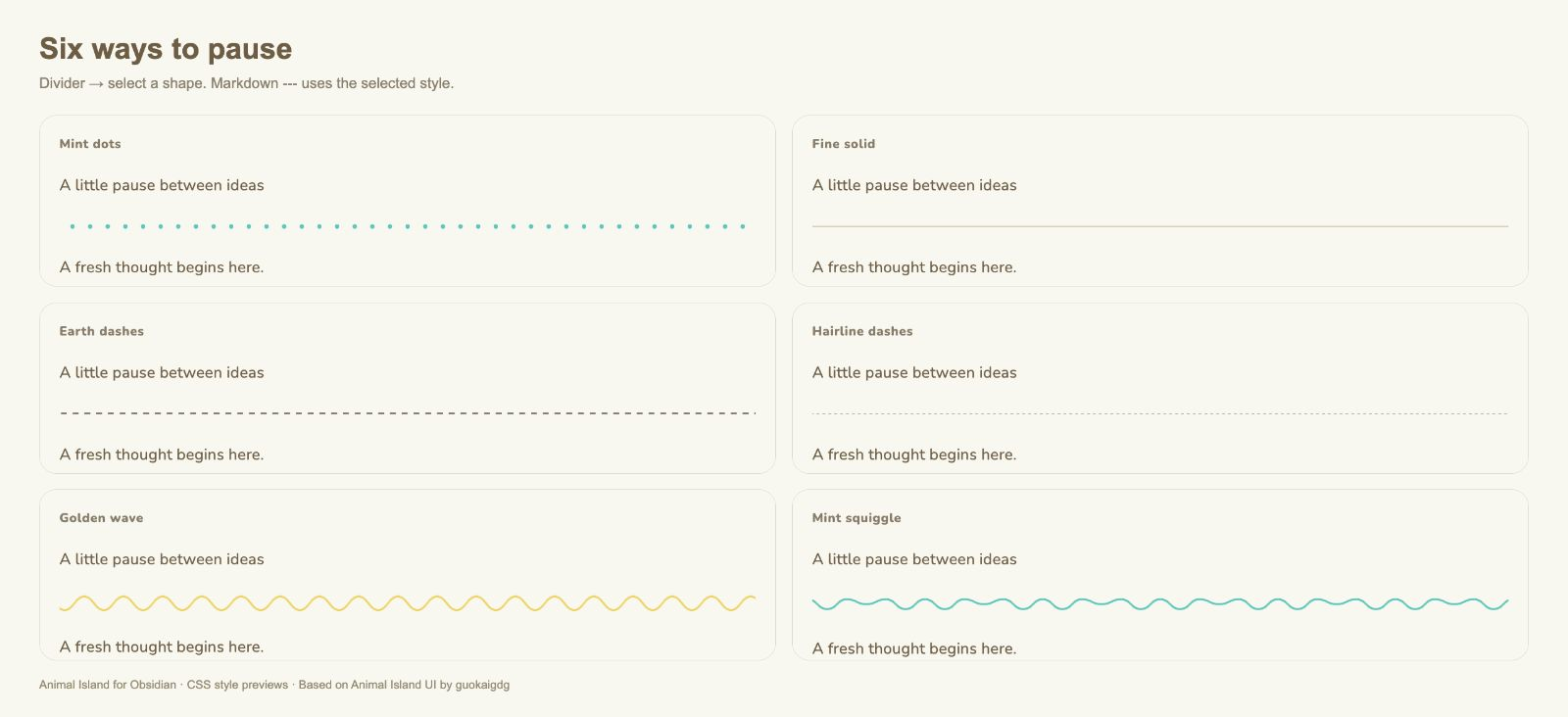
- Six backgrounds: plain, cream dots, mint dots, pink dots, grid paper, and sprinkles; six decorative Markdown dividers.
- Rounded tables with soft stripes, dashed row and column separators, and a full-row hover highlight.
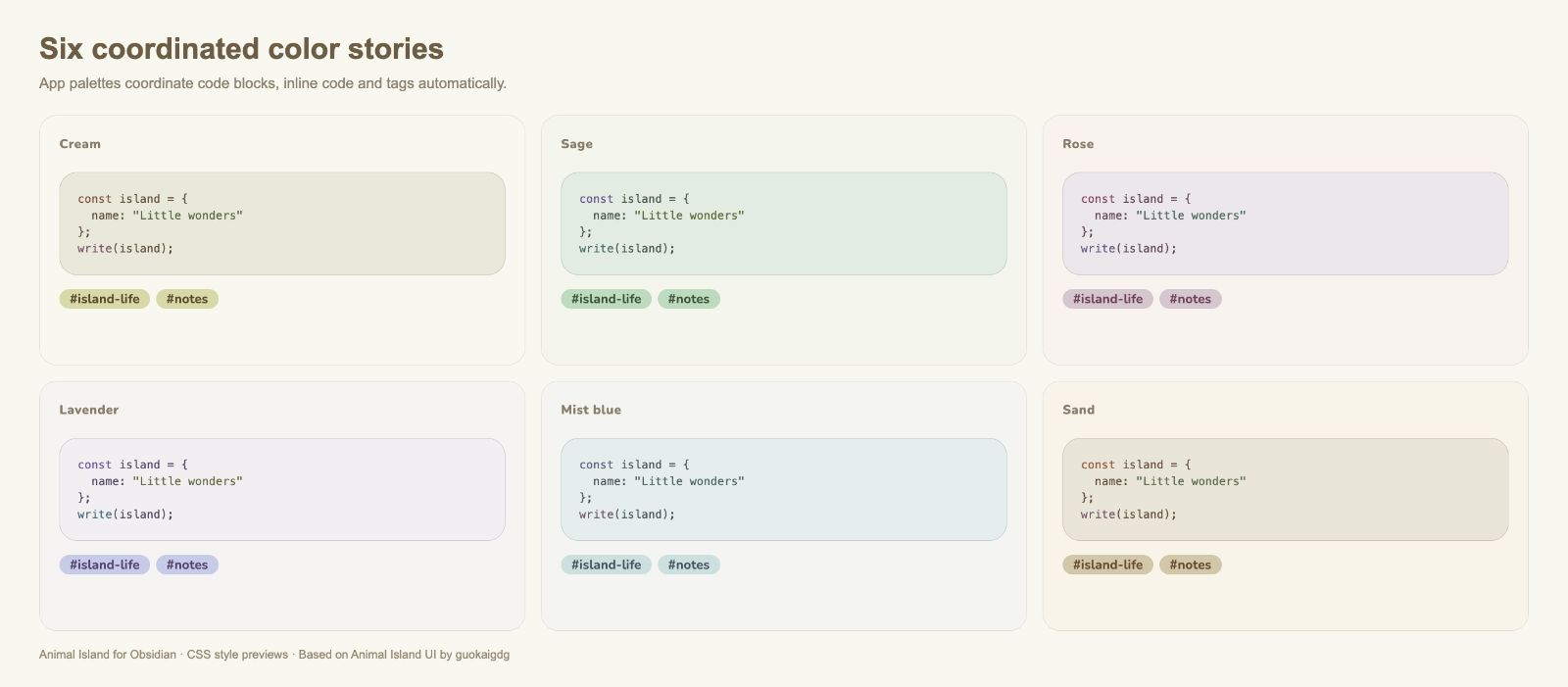
- Coordinated code blocks, inline code, and tags for every app palette, with light and dark modes.
- Paper, pill, or underline document tabs; customizable file tree, Properties, callouts, controls, tasks, media, and motion.
- Offline bundled Nunito, with separate interface, body, and code font settings.
- Optional paper-style date and datetime picker with English, Traditional Chinese, and Simplified Chinese labels.
Try the example notes
Download the English Markdown example or the 繁體中文 Markdown example. Use GitHub's Download raw file, put both notes in your vault, and switch to Reading view. Keep the filenames if you want their internal jump links to work.
To include the image-corner sample, keep docs/images/backgrounds.png beside the examples directory as in this repository, or change that image link to your own image. You can also download animal-island-examples.zip and copy its contents into your vault, preserving the folder structure.
The notes include H1–H6, formatted text, task lists, tables, Java/JSON code, tags, callouts, quotes, all six fixed divider examples, six background swatches, and date/datetime Properties. In a new vault, set island-date and island-empty-date to Date, and island-time to Date & time. The matching picker requires the optional companion.
Real Markdown notes in Obsidian
These are actual Reading-view screenshots of the downloadable .md files in a clean demo vault, using the default cream/grid palette. They complement the isolated CSS comparison sheets below.
| English example | 繁體中文 example |
|---|---|
Text, formatting and tasks 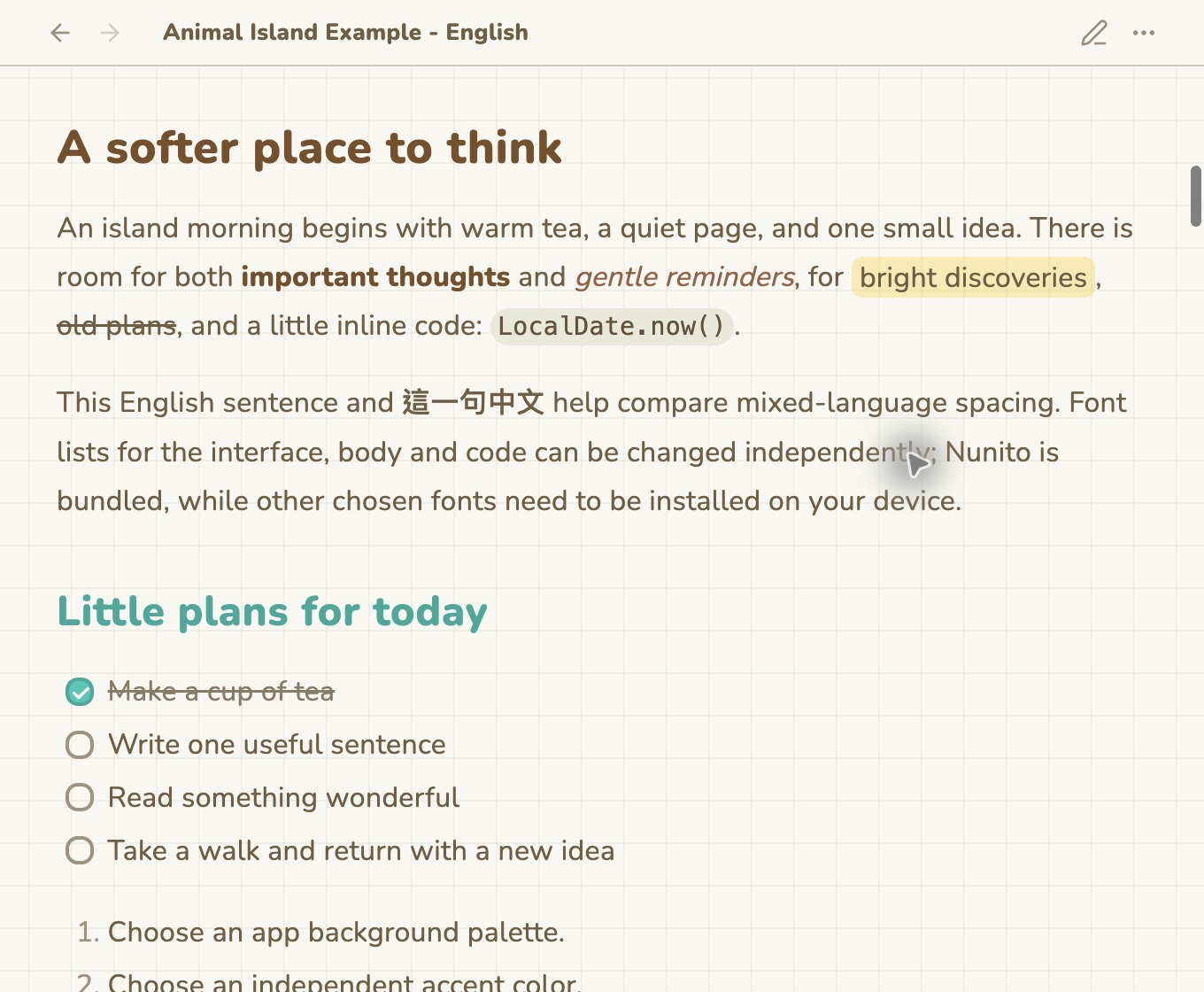 |
正文、文字效果與待辦 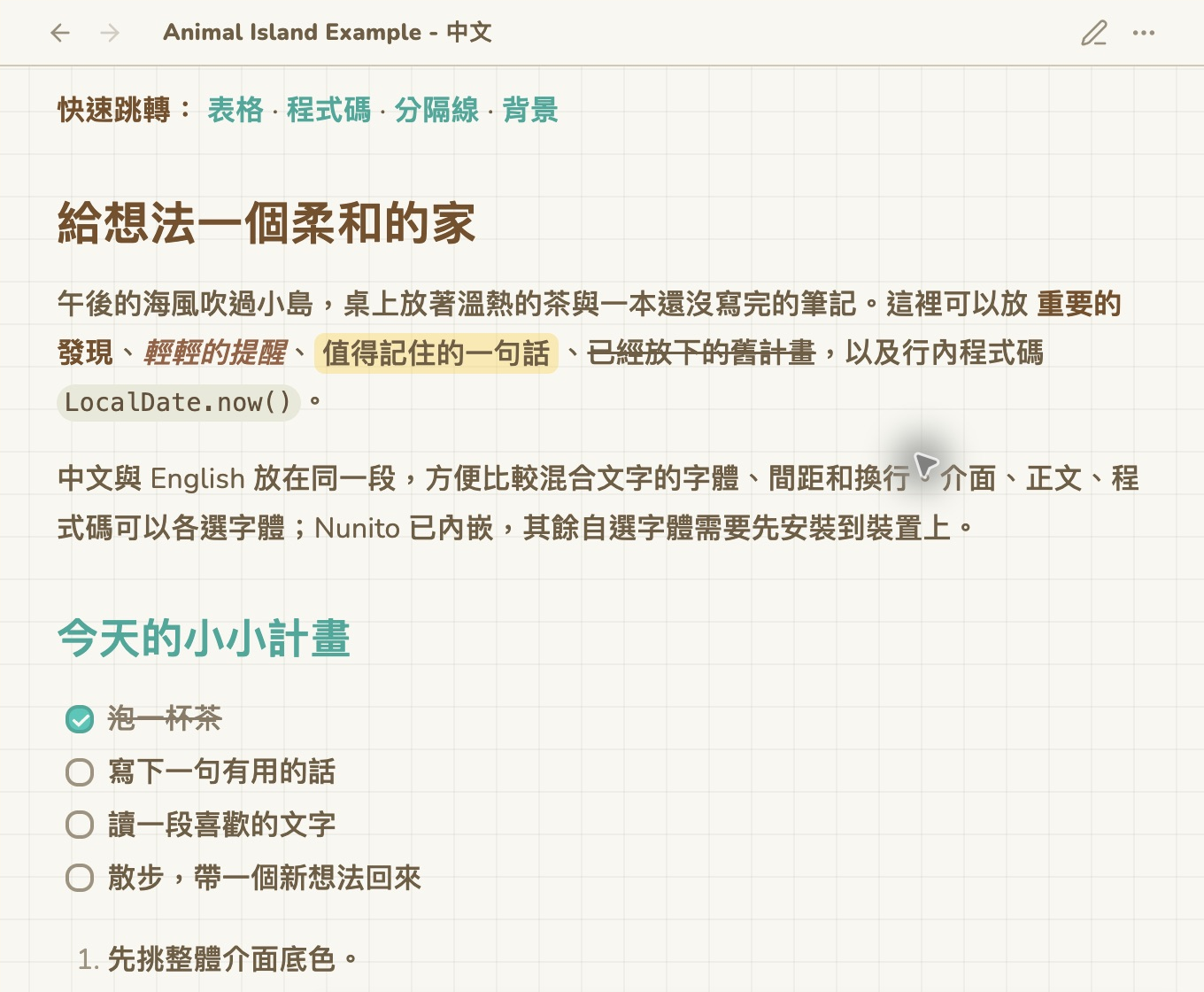 |
Tables 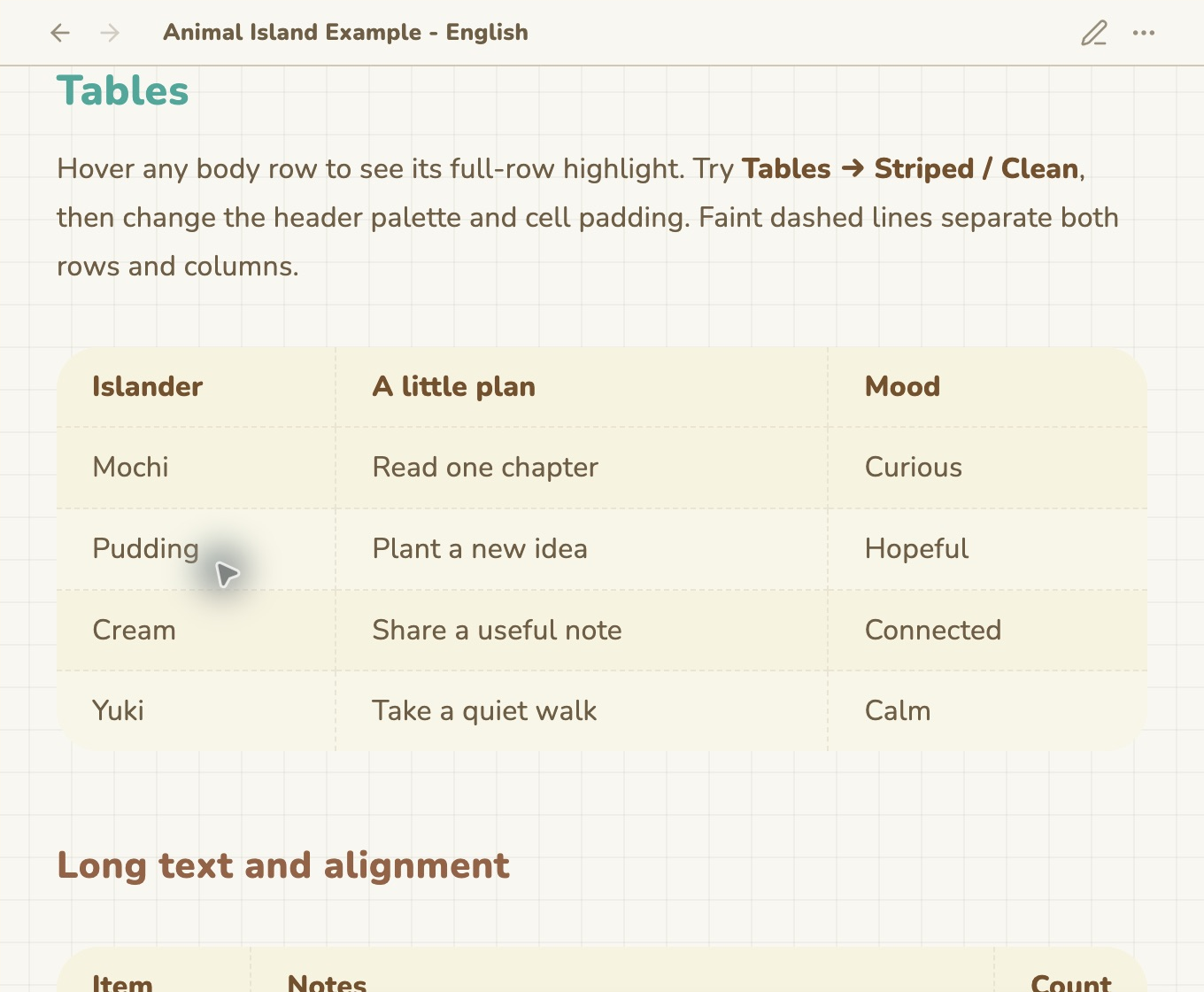 |
表格 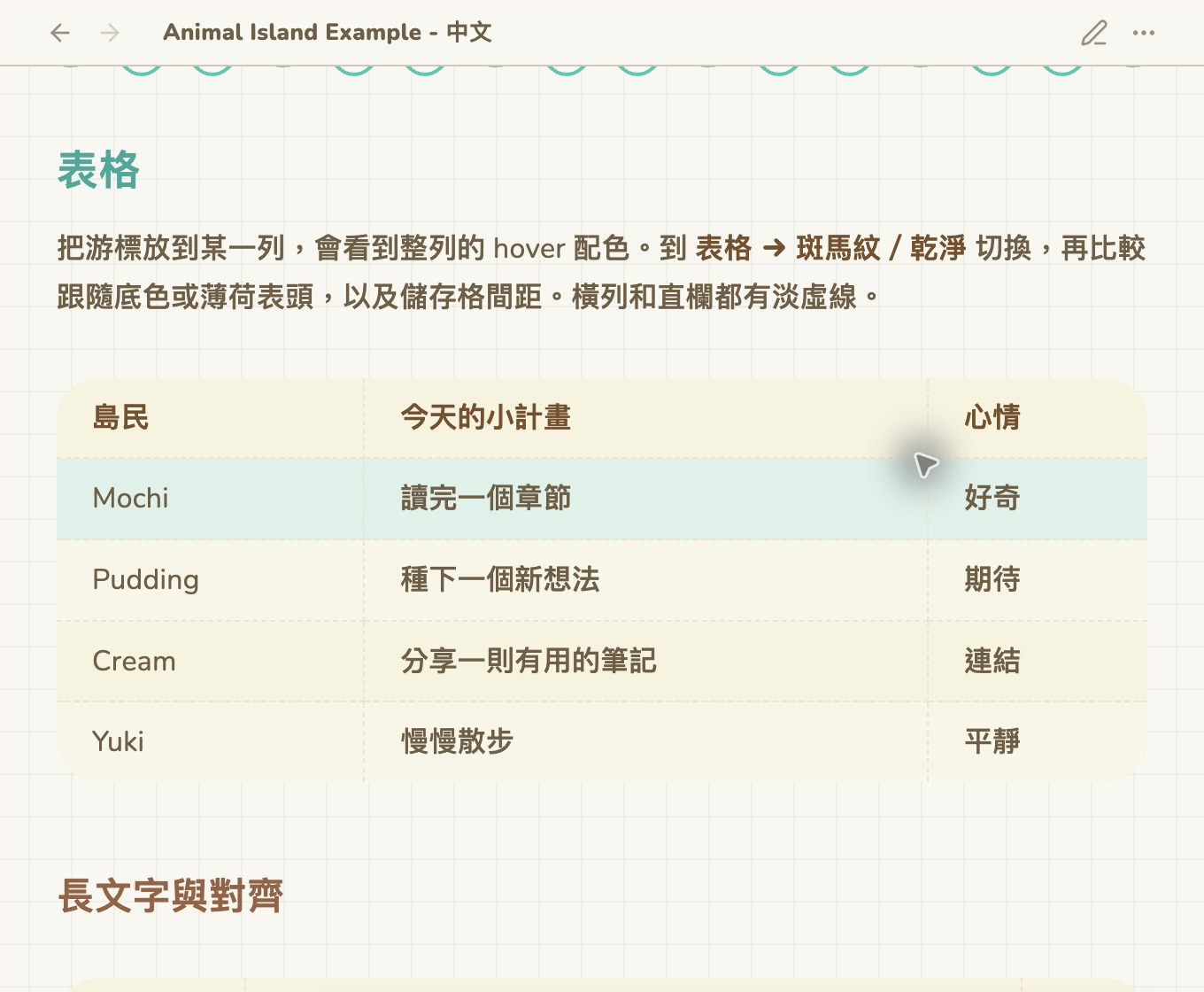 |
Java and JSON code 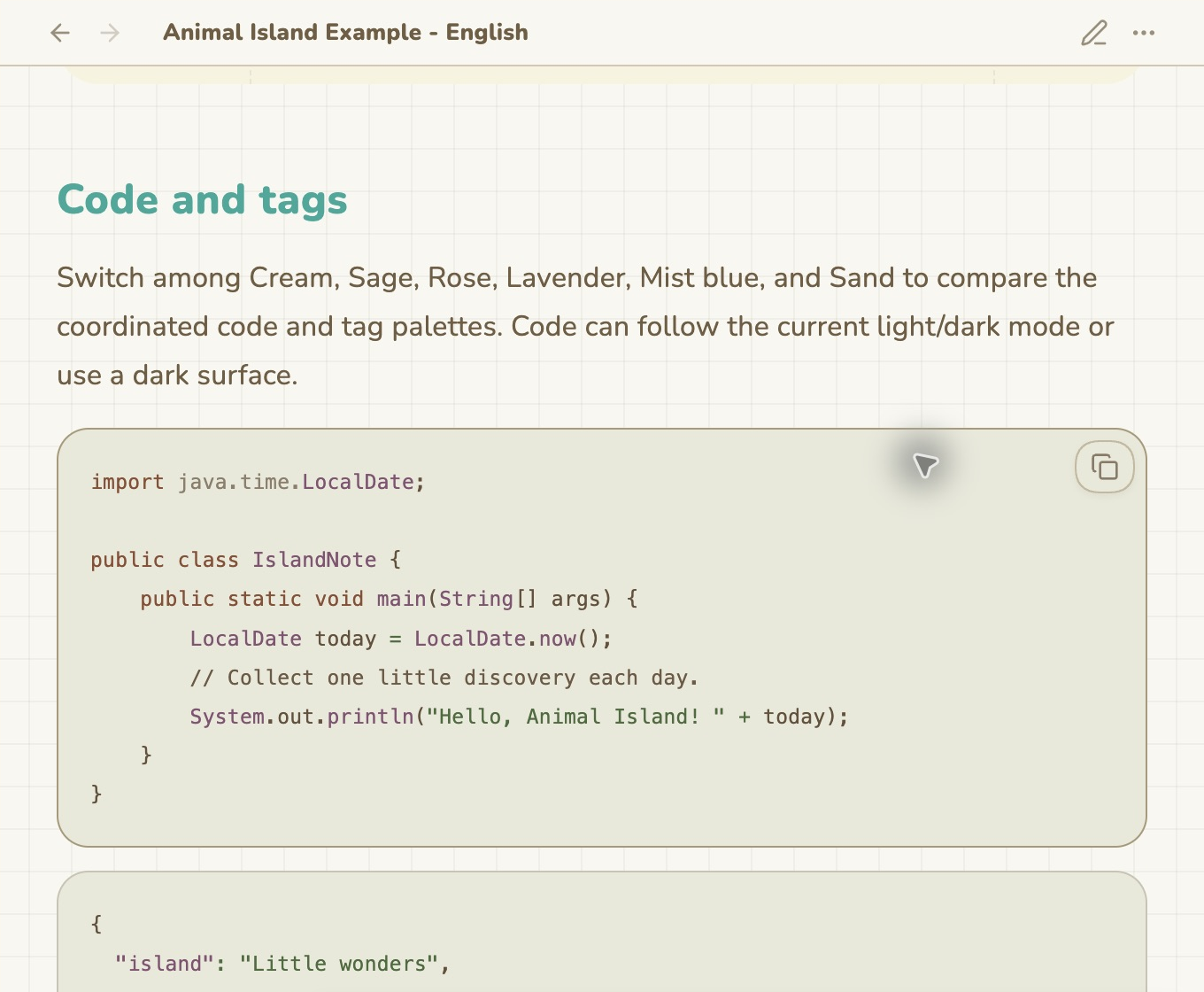 |
Java 與 JSON 程式碼 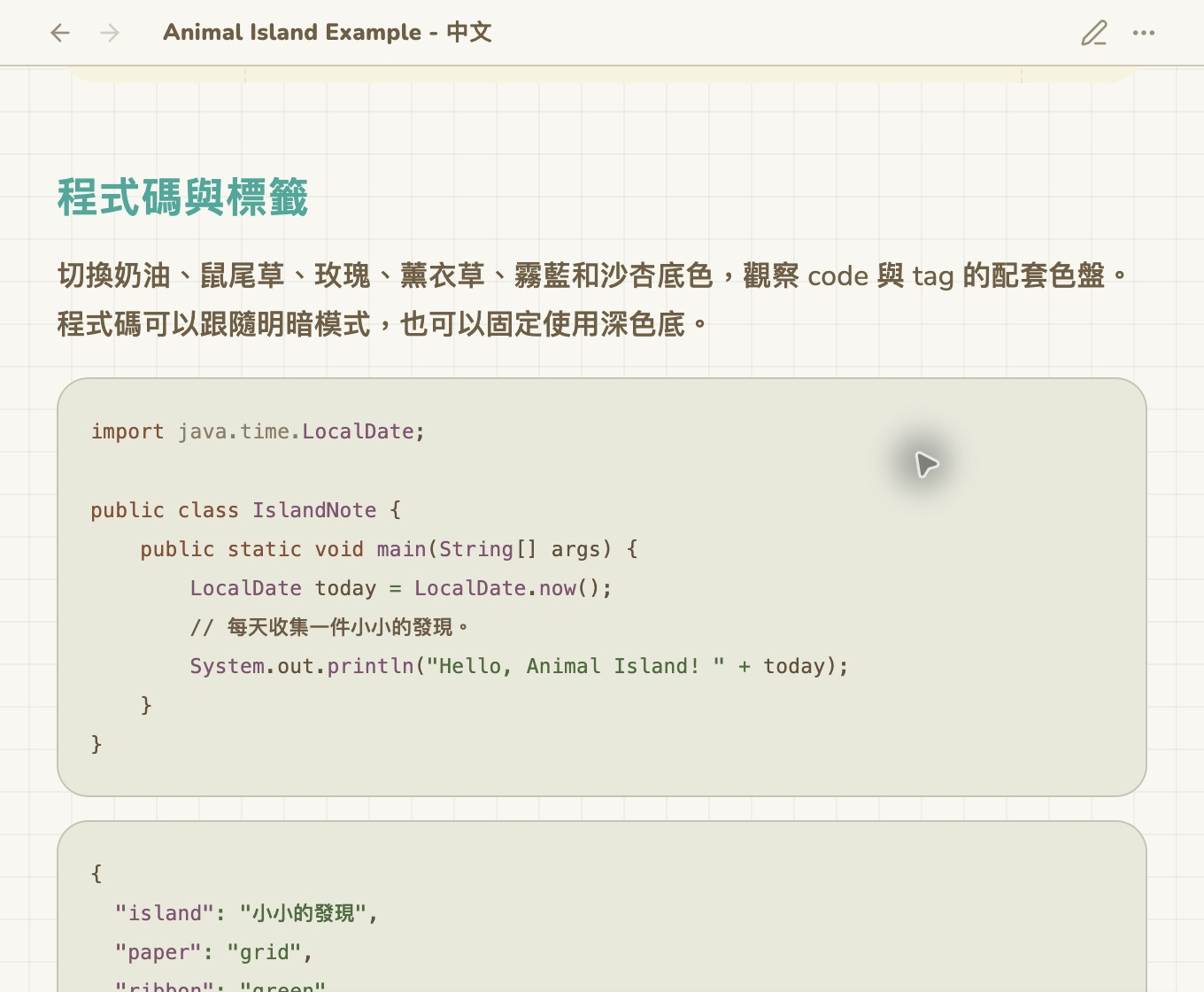 |
Fixed divider samples 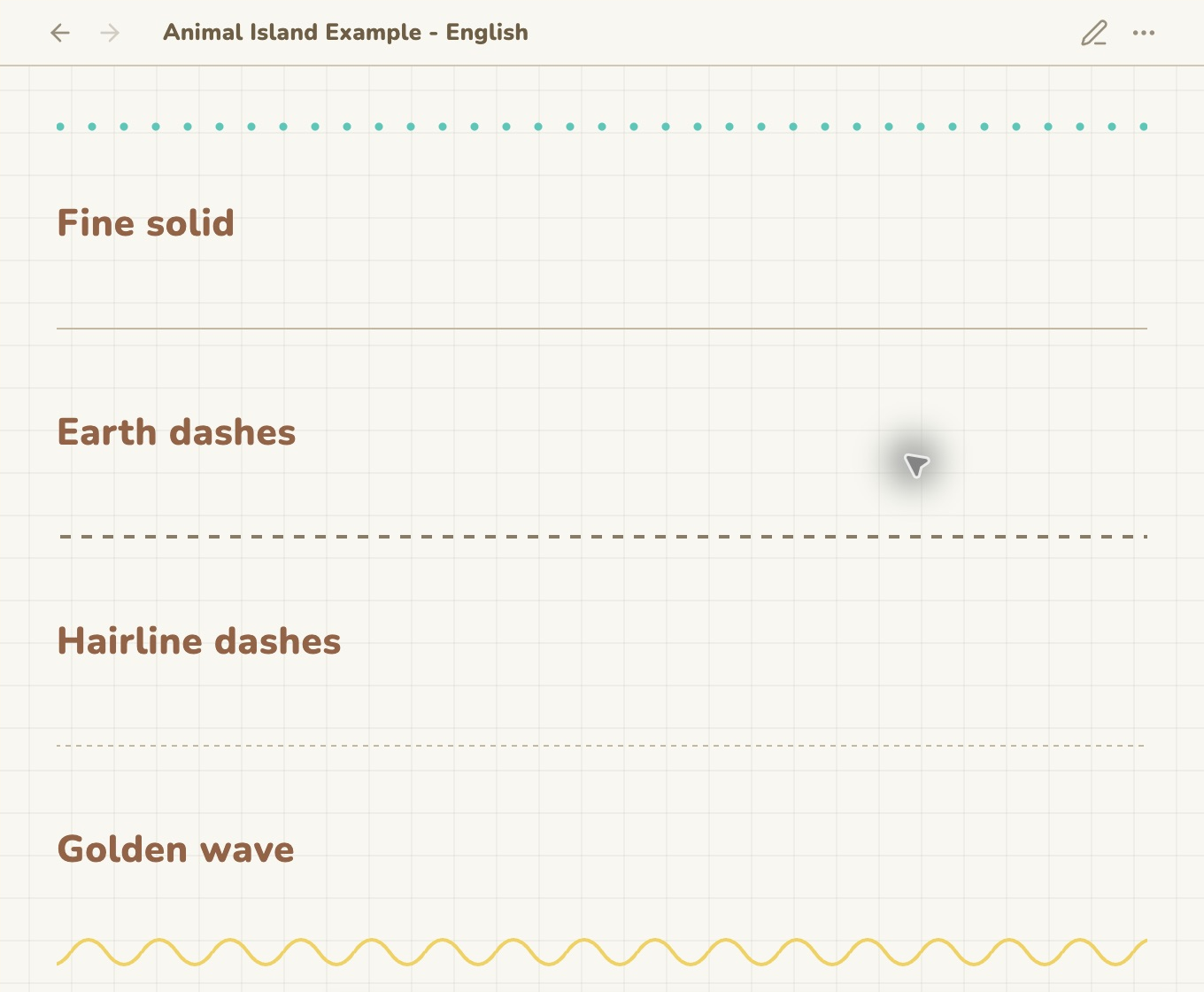 |
固定分隔線樣本 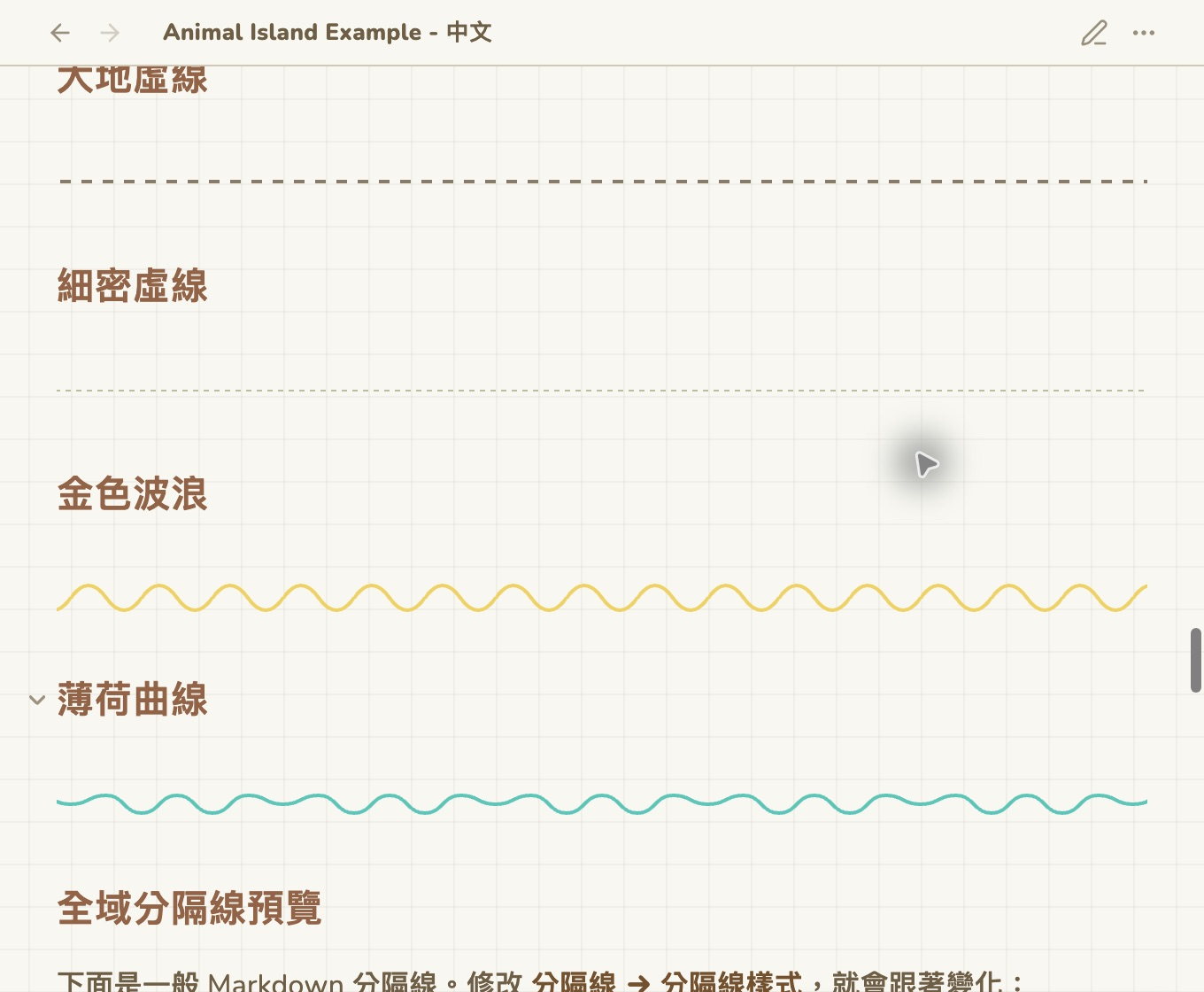 |
Visual style guide
Open Settings → Style Settings → Animal Island Cozy to try these styles. The comparison sheets below are rendered from this release's actual theme CSS in isolated samples, rather than screenshots of the original UI library. The overview and calendar images are real Obsidian captures using demo notes. Layout can vary with app version, screen size, and your settings.
App palettes, code & tags
App colors → Interface background palette: Cream, Sage, Rose, Lavender, Mist blue, or Sand. Code blocks and tags coordinate with the chosen surface.
Independent accent colors
App colors → App accent palette: Mint, Pink, Purple, Blue, Peach, or Green. Mix an accent with any interface palette, or use a custom color.
Filename title shapes
Filename title → Title style: Layer, Ribbon, Tab, or Plain. This decorates the note filename; body H1–H6 headings use separate settings.
All filename colors
Filename title → Title palette: 13 colorful palettes plus Parchment. Filename color is independent of your app palette.
Paper backgrounds
Background → Note background: Plain, Cream dots, Mint dots, Pink dots, Grid, or Sprinkles. Adjust pattern strength and spacing; the samples use 18% for visibility, while the default grid uses 9%.
Every Markdown divider
Divider → Divider style: Mint dots, Fine solid, Earth dashes, Hairline dashes, Golden wave, or Mint squiggle. Insert a normal Markdown --- between paragraphs to use it.
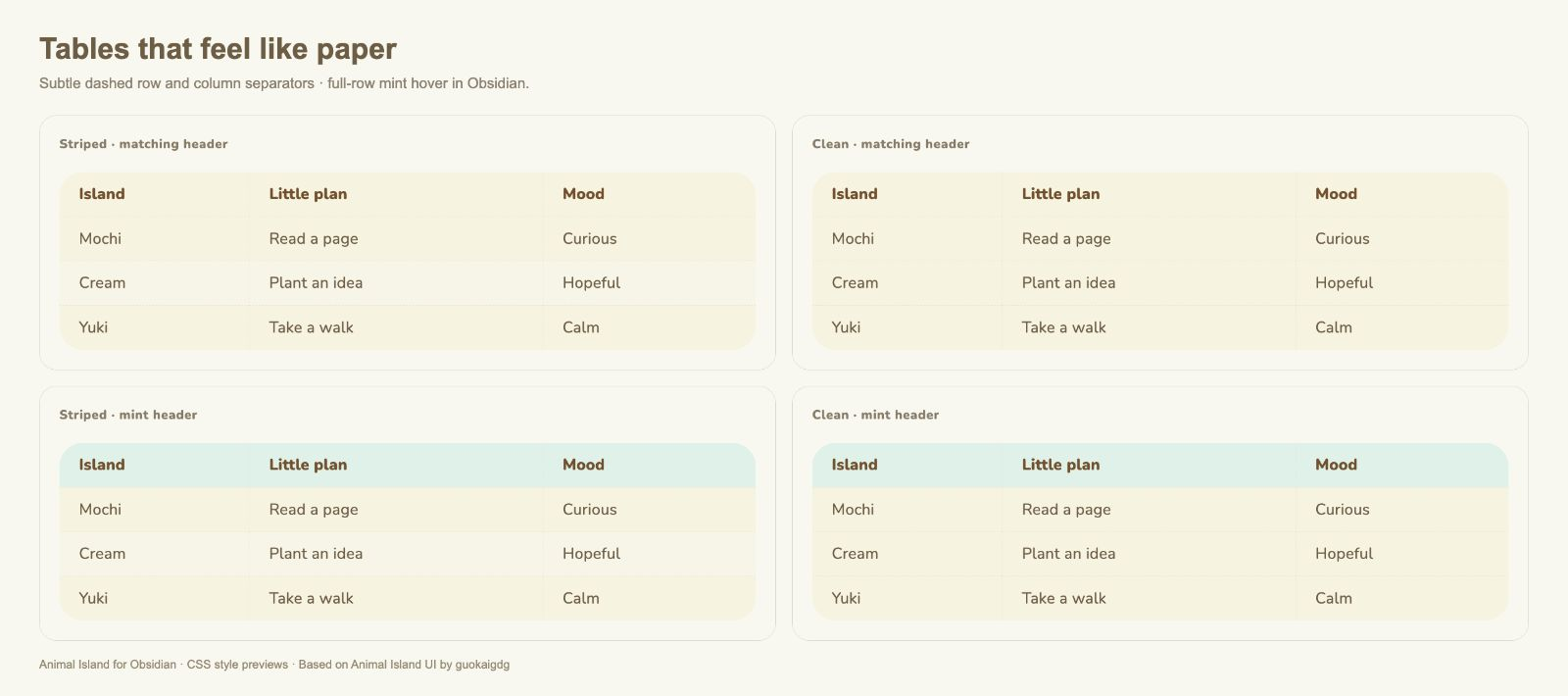
Tables
Tables: choose Striped or Clean, with a matching or mint header. Both include rounded corners and faint dashed row and column separators. Hover a body row to highlight the whole row.
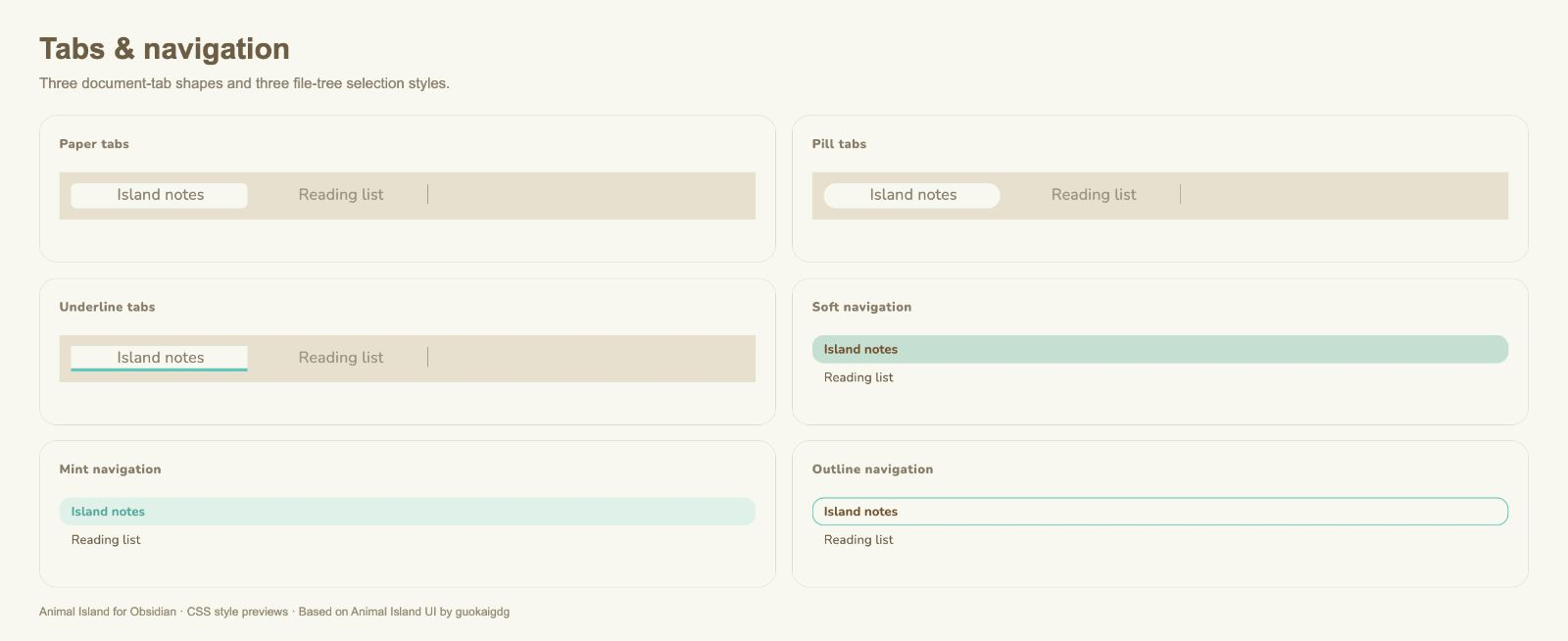
Document tabs & file navigation
Navigation and tabs: compare Paper, Pill, and Underline document tabs; Soft, Mint, and Outline file-tree selection. Sidebar icons are independent of document-tab styling.
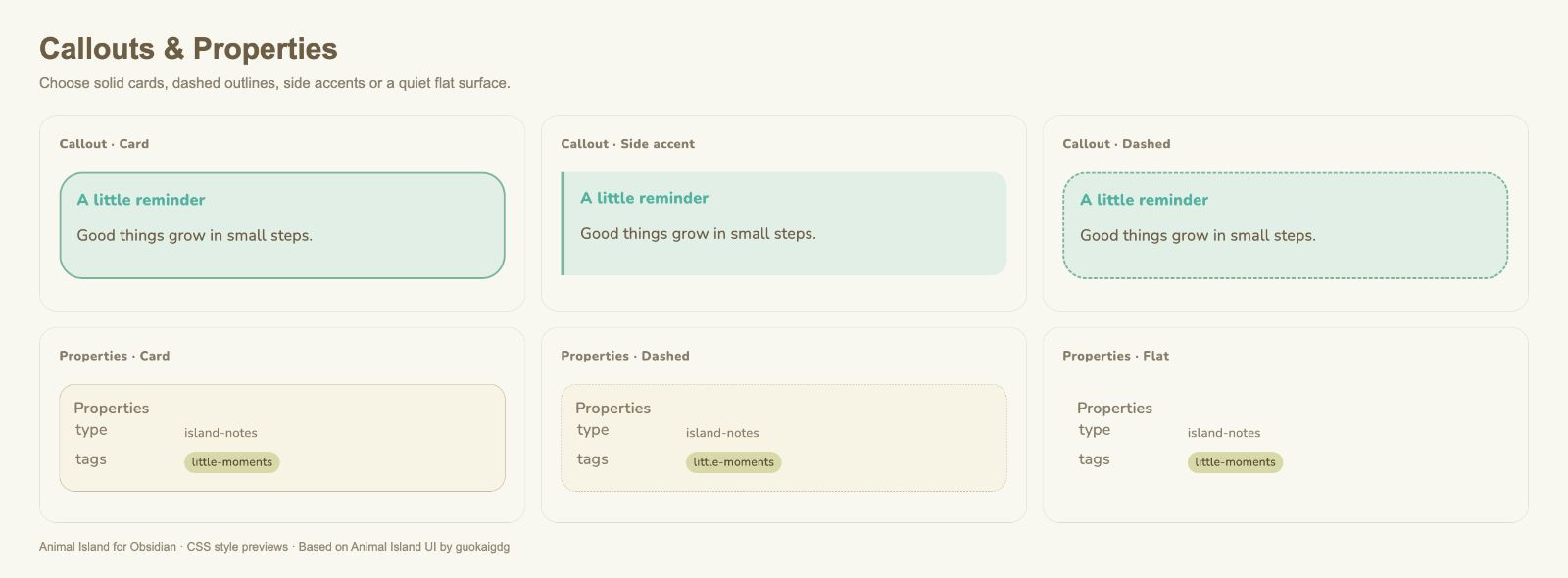
Properties & callouts
Properties offers Card, Dashed, or Flat. Callouts offers Card, Side accent, or Dashed. Properties width and row height are adjustable.
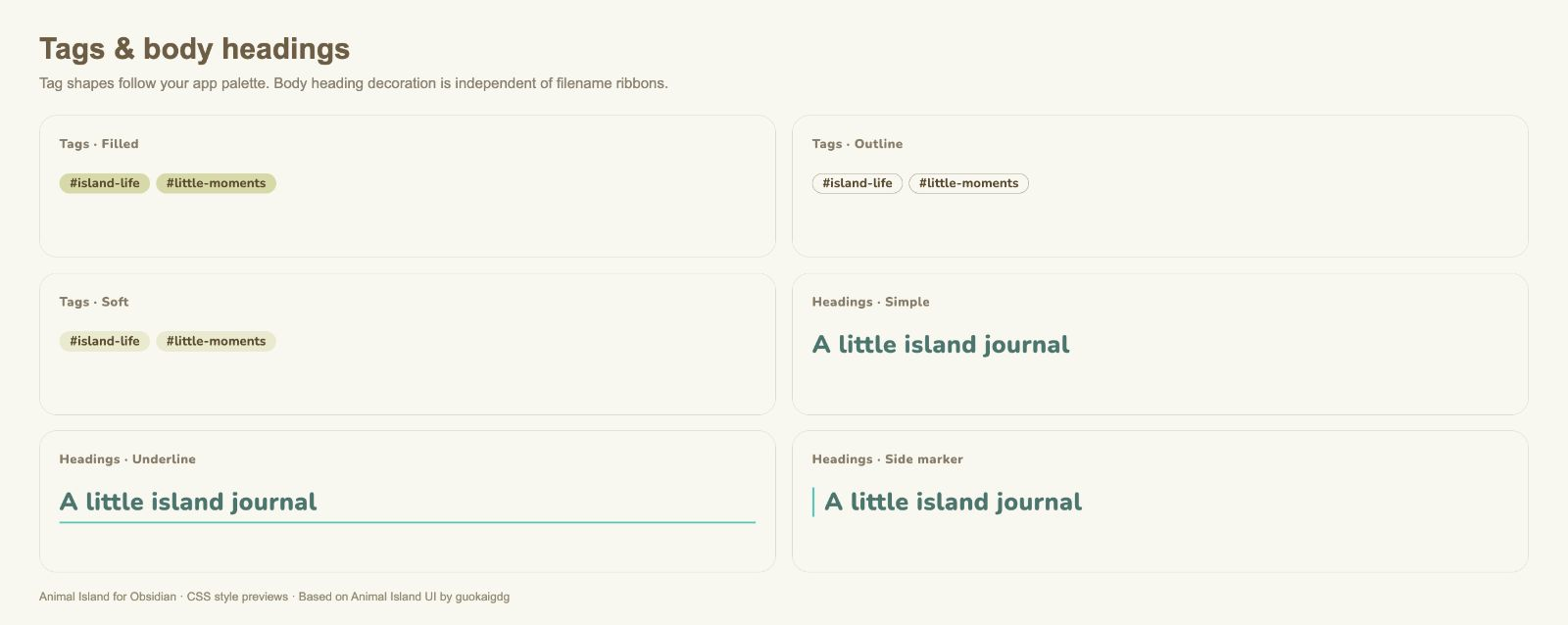
Tag shapes & body headings
Tags: Filled, Outline, or Soft. Body headings: Simple, Underline, or Side marker. Tag colors continue to follow your app palette.
Inputs, buttons & tasks
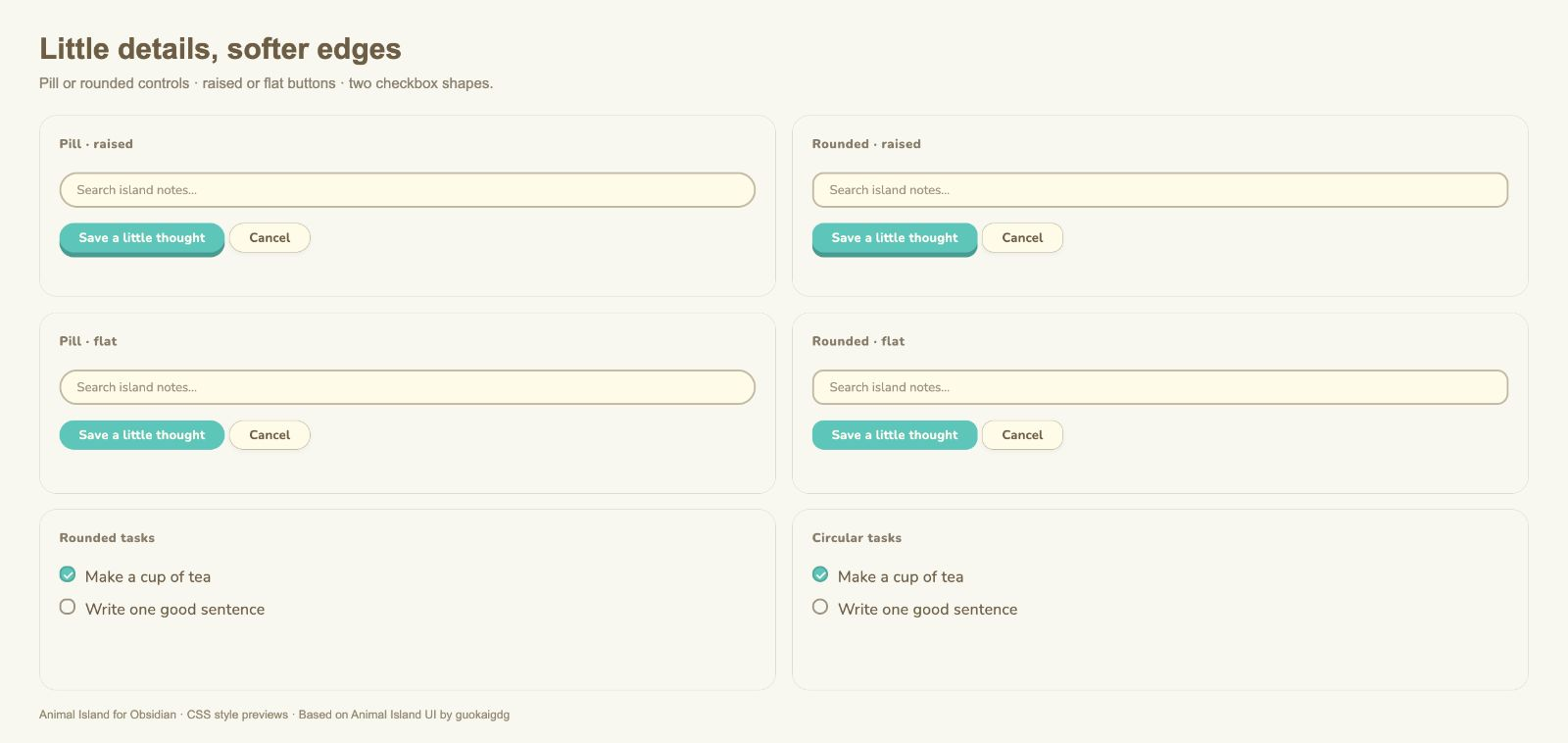
Controls: Pill or Rounded, with Raised or Flat primary buttons. Tasks: rounded or circular checkboxes. These are appearance options; normal Obsidian behavior stays the same.
Quotes, tooltips & typography
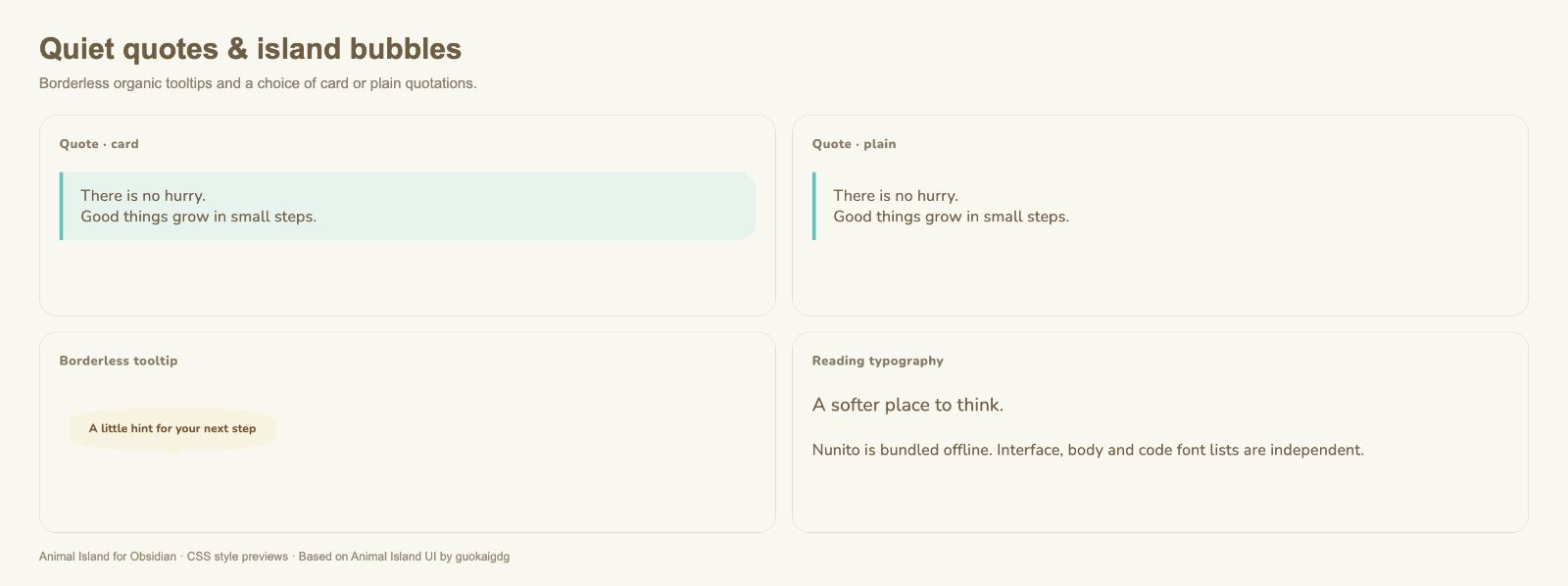
Quotes: Card or Plain. Hover hints use borderless organic bubbles with a round direction marker. Fonts lets you independently set interface, body, and code font lists; Nunito is bundled offline.
Dark mode
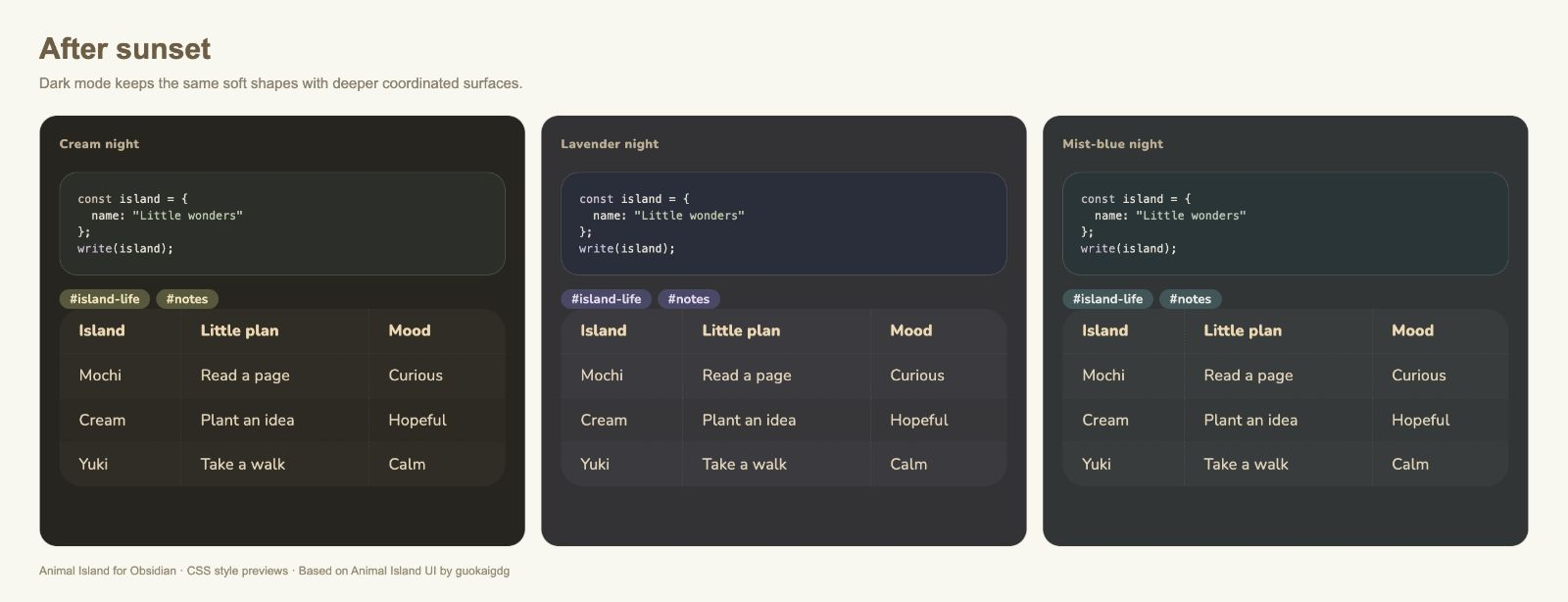
Select Settings → Appearance → Base color scheme → Dark. Dark surfaces, code, tags, and tables coordinate with the same palette choices. Three examples are shown below.
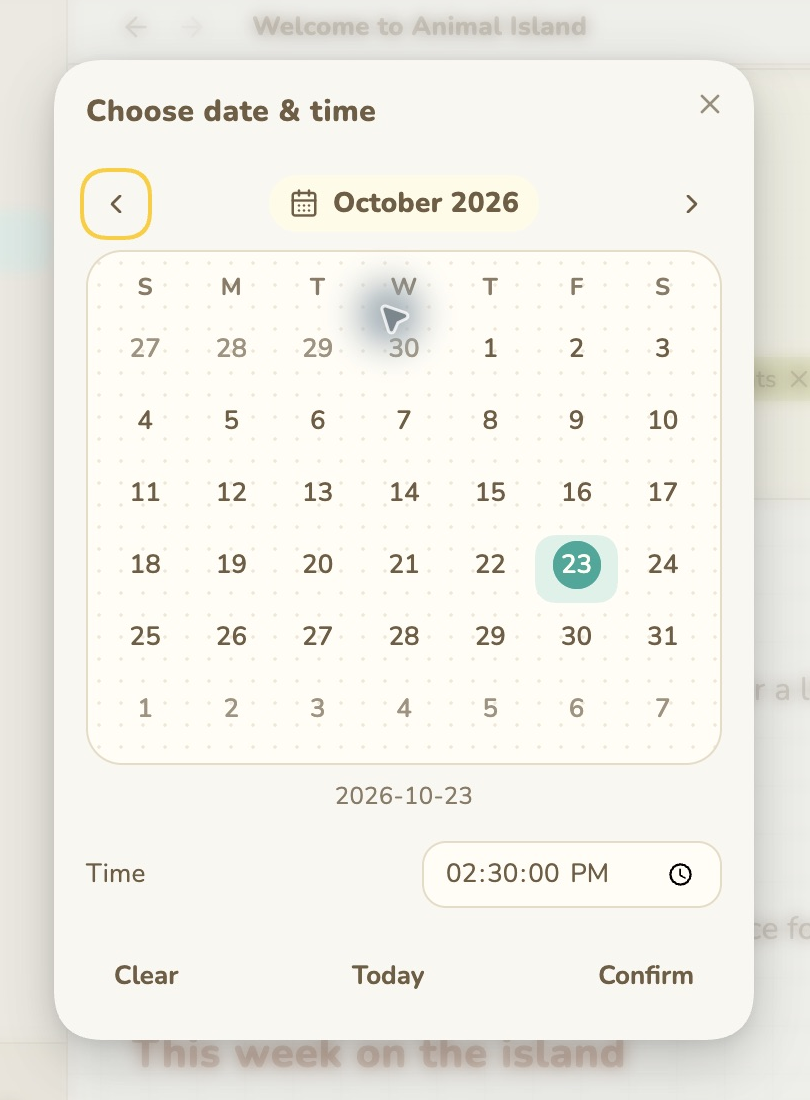
Calendar: date and date & time
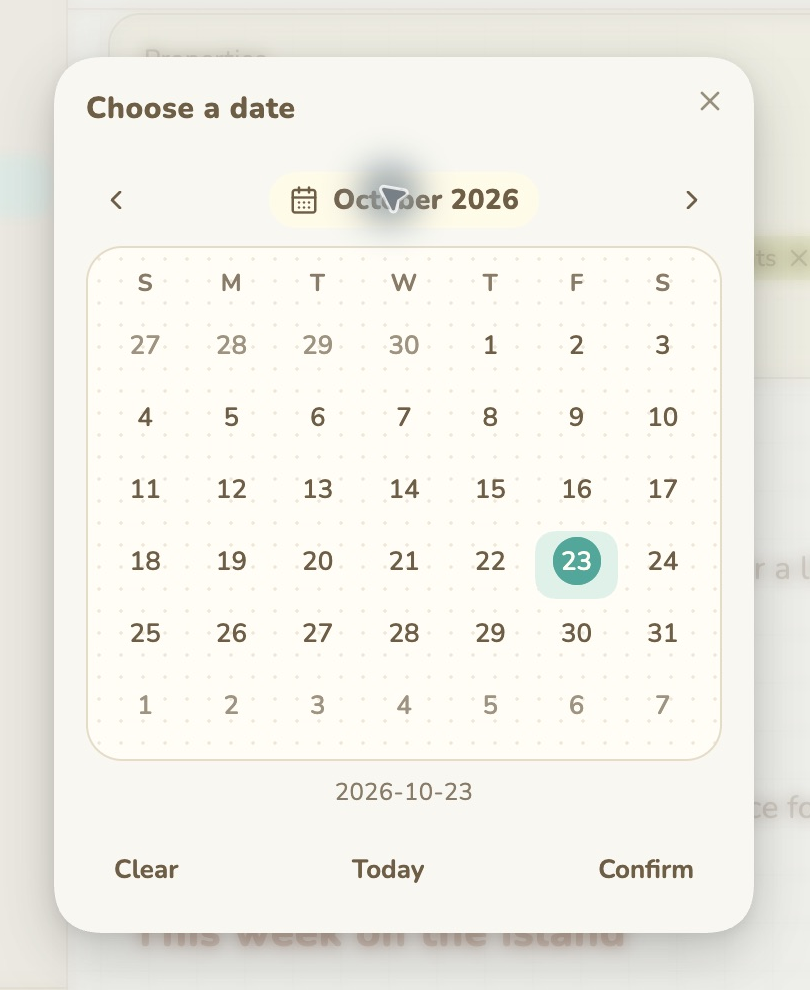
Install the optional companion to open this dotted-paper picker from Properties. Date properties show dates only; datetime properties also show the time control. Choose a value and press Confirm to save. Clear also requires confirmation; Escape or closing cancels. Changing the date preserves the existing time.
These two images are captured inside Obsidian, not the CSS sample gallery.
| Date property | Date & time property |
|---|---|
 |
 |
Language controls this companion and the Animal Island Cozy settings labels: Follow Obsidian, English, 繁體中文, or 简体中文. The optional companion is required for independent settings-language switching. Obsidian's own menus keep their own language.
The complete settings reference also covers numeric controls for font size, reading width, line height, navigation density, table padding, media and overlay radii, calendar corners, and motion. Static images show representative values, not every possible slider position. Motion can be enabled or disabled and respects reduced-motion preferences.
Installation
Until the theme appears in Obsidian's community directory, download theme.css and manifest.json from Releases, place them in <vault>/.obsidian/themes/Animal Island Cozy/, then select Settings → Appearance → Themes → Animal Island Cozy.
The default appearance works without plugins. Install and enable the community plugin Style Settings to customize it under Settings → Style Settings → Animal Island Cozy. Select light or dark mode in Obsidian's Appearance settings.
Your first island
The default is a cream-and-mint desk with a green layered ribbon title, subtle grid paper (9%, 24px), pill tabs, mint navigation selection, and a mint squiggle divider. Defaults are built into the CSS; importing a preset is unnecessary. Existing saved preferences remain yours.
Start with App colors, then Fonts, Background, and Filename title. Change the filename shape independently of Markdown H1–H6 headings. Tables, code blocks, and tags coordinate with the app palette automatically.
The individual reset buttons restore each setting. Export your preferences before using a group reset or importing default-preset.json, which contains only this theme's preferences. See the complete settings reference for all 46 controls across 17 groups.
Optional calendar and language companion
The theme does not install executable plugins. Animal Island Calendar is available from the Obsidian plugin directory and maintained in its own repository, with installation instructions, releases, and an Obsidian plugin listing. Install and enable it separately from Community plugins. For manual installation, use main.js, manifest.json, and styles.css from the calendar repository’s release in <vault>/.obsidian/plugins/animal-island-calendar/, restart Obsidian, and enable the plugin. The companion folder here is the copy bundled with this theme release; use the standalone repository for current calendar releases and issues.
Click a date property, choose a day, and press Confirm. Today selects today; Clear stages an empty value. Closing or pressing Escape cancels. Datetime properties also show a time control, and changing the date preserves the existing time. This is a Properties picker, not an event planner.
The companion also activates the theme's independent Language choice and translates its settings and option labels at runtime. It works with unmodified Style Settings 1.0.9; no third-party plugin files are patched. Without the companion, upstream Style Settings controls localization. Obsidian's own menus and generic Style Settings buttons are outside this theme's translation scope.
Compatibility and testing
Initial beta, version 0.1.4. Tested on macOS with Obsidian 1.14.5 and upstream Style Settings 1.0.9, including clean-vault loading and runtime language switching. Date arithmetic, staged saving, cancellation, conflict detection, time preservation, and mobile event interception have automated checks.
Mobile layout fixes have received user testing; the latest iOS native-picker suppression still needs confirmation on a physical device. Windows, Linux, popout windows, minimum supported Obsidian 1.5.0, and a complete accessibility audit remain unverified. Custom colors and third-party snippets can affect contrast and layout. The optional companion adapts to upstream DOM and Style Settings internals, which may change in future versions.
No analytics, external services, or remote font loading are included.
License and credits
MIT. Inspired by animal-island-ui (MIT); Nunito is bundled under SIL OFL 1.1. Please retain LICENSE, THIRD_PARTY_NOTICES.md, and Nunito-OFL.txt when redistributing.