
README file from
GithubHandbook Research
An Obsidian theme for engineering handbooks and technical notes. It is tuned for long-form reading, lookup-friendly tables, math, figures with captions, and bilingual (Latin and CJK) typography.
Version: 1.0.1 · Minimum Obsidian: 1.5.0 · Author: Han Chen · License: MIT
Overview
Handbook Research provides warm light (“paper”) and warm dark (“charcoal”) palettes. Body text uses serif fonts; headings and UI use sans-serif fonts. The default reading measure is about 1040 px (adjustable via Style Settings or cssclasses width presets).
This repository is prepared for the Obsidian Community Themes directory. Until it is published there, install manually from the latest GitHub Release.
Features
- Light and dark modes — full token sets in
body.theme-lightandbody.theme-dark - Heading hierarchy — accent underlines, left bars, and clear level styling
- Tables — sticky headers, zebra rows, hover highlight, horizontal scroll for wide data
- Math — block and inline formulas with minimal chrome and scroll for wide expressions
- Images and captions — framed images; caption bar styling for lines starting with a bold figure label; optional
hb-wide-imagesclass - Links, tags, highlights — dashed internal links, pill tags, gradient highlights
- Print / PDF — rules to reduce bad breaks around figures, tables, and headings
- Style Settings — optional sliders for line width and image max width/height (requires the Style Settings plugin)
Installation
- Download
theme.cssandmanifest.jsonfrom the latest release whose tag matchesmanifest.jsonversion(e.g.1.0.1). - Create
.obsidian/themes/Handbook Research/in your vault. - Copy both files into that folder.
- In Obsidian: Settings → Appearance → Themes → Handbook Research.
The theme folder name must match name in manifest.json (Handbook Research).
Screenshots
| File | Description |
|---|---|
screenshot.png (repository root) |
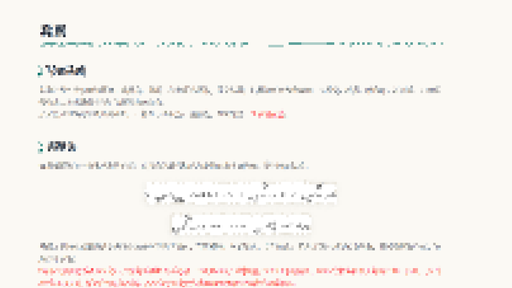
Real Obsidian capture (512×288). Sidebar/top areas were cropped; the body was privacy-redacted with pixelation. Colors and layout reflect the theme; redaction obscures typography detail. Use this path in the community directory form: screenshot.png. |
preview/* |
CSS/HTML approximations only — not substitutes for screenshot.png. |
Repository layout
manifest.json
theme.css
screenshot.png
LICENSE
README.md
preview/
Credits
Original theme by Han Chen. Design goals are documented in the header comment of theme.css. No third-party theme code is bundled.
中文说明
面向工程手册与技术笔记的 Obsidian 主题,强调长文阅读、表格查阅与双语排版。浅色「暖纸」/ 深色「暖炭」双模式;衬线正文 + 无衬线标题;粘性表头、图注栏、Style Settings 行宽与图片尺寸等。安装方式与上文 English Installation 相同;社区表单截图路径:screenshot.png。