
README file from
GithubFocal
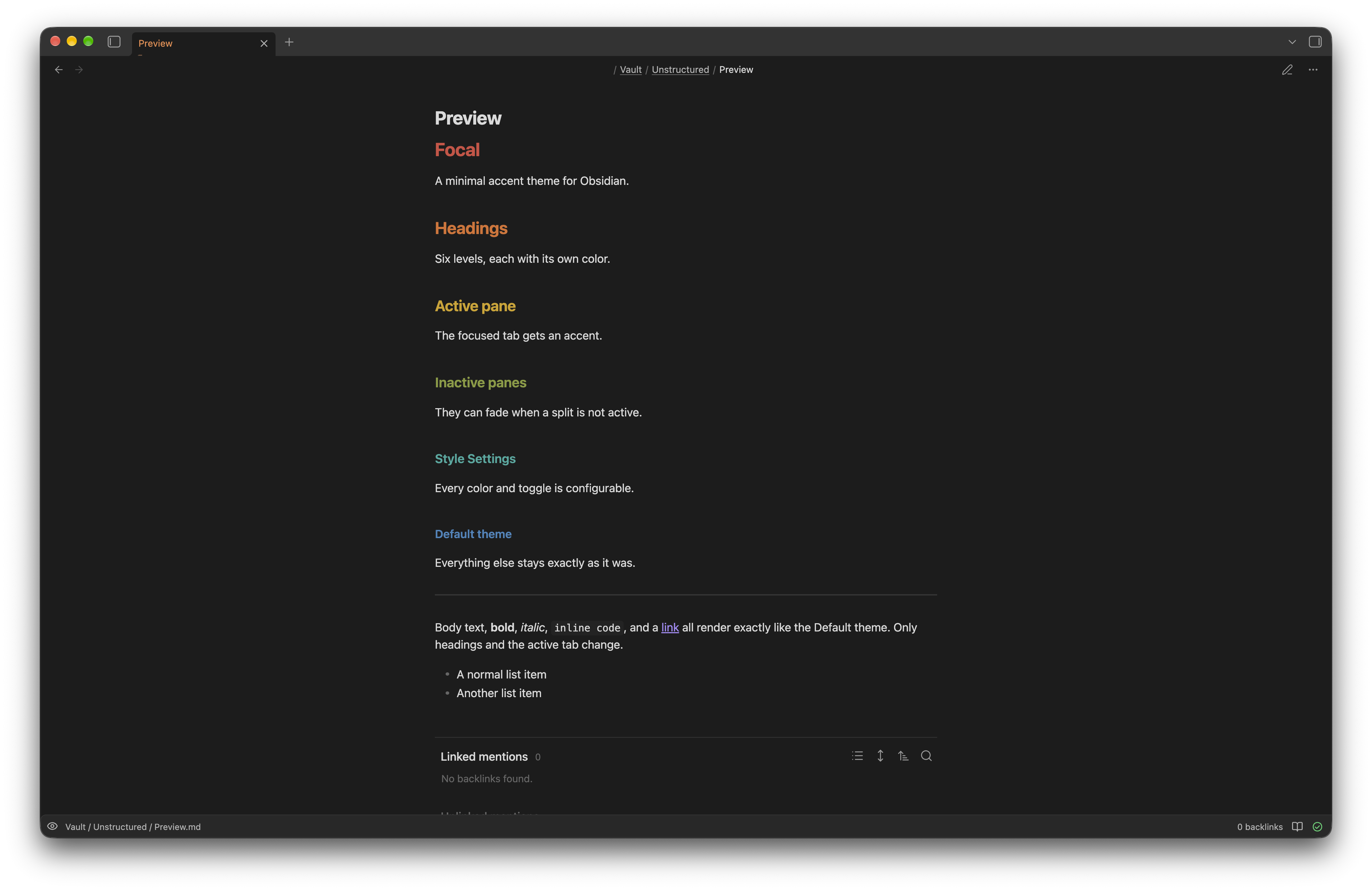
Focal is a minimal theme for Obsidian. Focal keeps the layout of the Default theme, and colors a small set of elements from one shared palette.
Use
Focal adds these effects:
- Headings. Focal colors headings H1 through H6. The colors work in light mode and in dark mode. By default, the note title stays a plain color, so the title reads as a file name, not as a heading.
- Callouts. Focal colors each callout type from the palette. Danger, failure, and bug read as red; warning as orange; question as yellow; success as green; abstract and tip as teal or cyan; note, info, and todo as blue; example as the accent color. Quote keeps Obsidian's own plain style.
- Tags. This effect is optional. It colors
#tagswith the accent color, in place of Obsidian's default neutral style. - Active pane. Focal adds an accent to the tab in your active pane. Choose a bar under the tab, a tinted fill, a solid fill, or text only. A faint background wash across the whole pane is optional, on top of any of these.
- Inactive pane fade. This effect is optional. It dims the content of panes that are not active.
- Palette. Choose Flexoki (the default), Penumbra, or Tailwind CSS. The palette sets every heading color, every callout color, and the accent color together. You can still hand-pick any single heading or accent color on top of it.
You can change these effects with the Style Settings plugin. Without Style Settings, Focal uses the Flexoki palette and its other default choices.
Install
Obsidian's Community Themes list does not yet include Focal. Until then, install Focal by hand:
- Go to the latest release.
- Download
manifest.jsonandtheme.css. - In your vault, create the folder
.obsidian/themes/Focal/. - Copy both files into that folder.
- Restart Obsidian.
- Open Settings → Appearance → Themes. Select Focal.
Limits
Focal needs Obsidian 1.4.0 or later. The tinted active-tab fill uses the CSS function color-mix(), which needs this version. Focal has been tested on macOS only; Windows and mobile are not yet tested. To change colors and toggles beyond the defaults, install the Style Settings plugin.
With the inactive pane fade on: if focus moves to a sidebar (file explorer, search) instead of another editor pane, every pane dims at once rather than staying untouched. This trade avoids a broad :has() selector, which carries a real performance cost.
Privacy
Focal does not send data over the network. Focal does not collect usage data. Focal does not read your notes. Focal does not write files in your vault. Focal changes only the visual style of Obsidian.
Develop
Focal is plain CSS with no build step. To change Focal, edit theme.css directly.
License
Focal uses the MIT license. See LICENSE.