
README file from
GithubBorozdov Flint
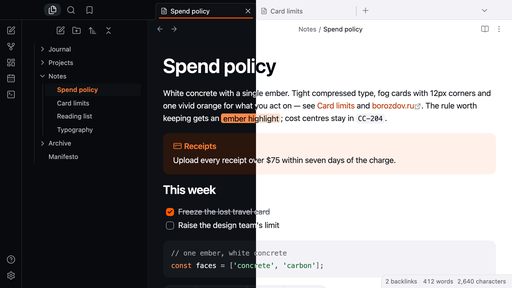
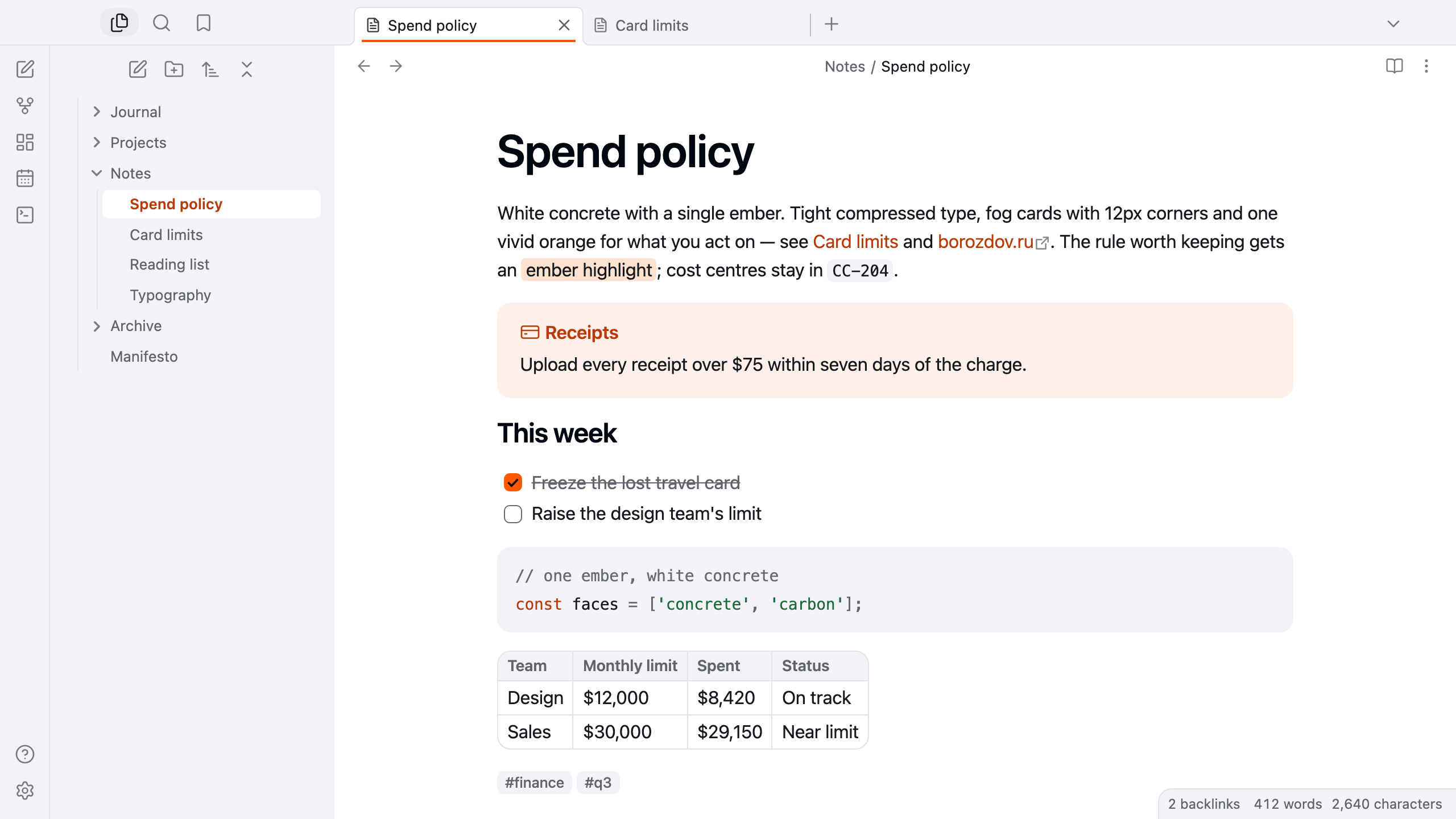
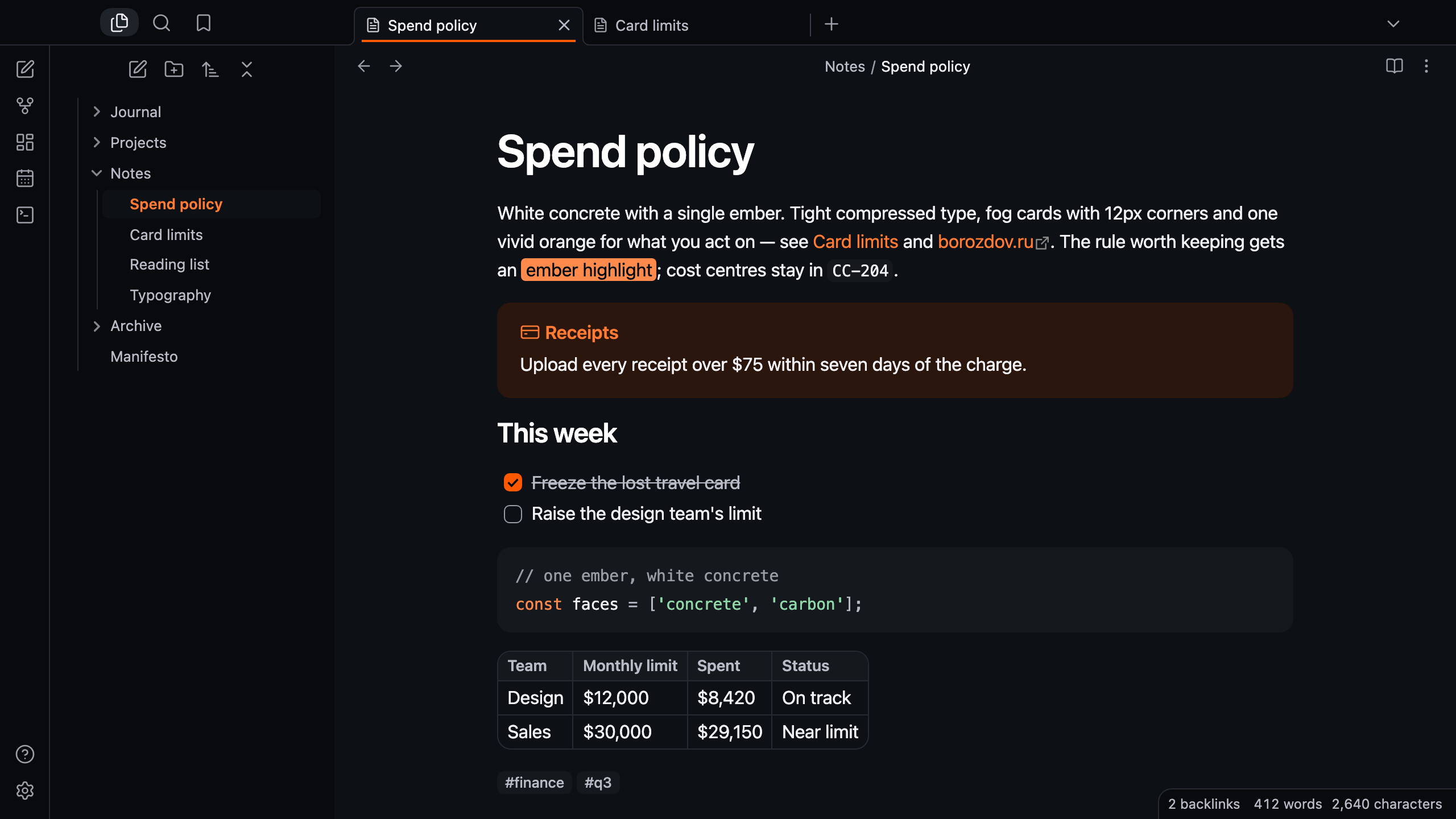
A theme from the Borozdov collection. Two faces — light Concrete, white concrete with a single ember, and dark Carbon, the same workbench after the lights go out. Tight compressed type, fog cards with 12px corners and one vivid orange for what you act on.
Principles
- One ember. Vivid orange fills the main button, a checked task and the toggle and underlines the active tab; a deeper ember carries links and the open file; nothing else is coloured.
- Compressed type. The platform's sans tracked in at every size, headings at 600 tracked harder as they grow.
- Concrete and fog. White paper and cool fog cards, separated by tone rather than shadow, with mist hairlines.
- Precise shapes. 12px corners on cards, buttons and fields, 6px on tags.
Features
- Light and dark modes, following Settings → Appearance → Base color scheme
- The active tab underlined in ember
- Callouts as fog cards with the title in the type's colour; the plain note on an ember wash
- An ember main button with blue-black type
- Quiet editing: no focus ring around the note, its title or form fields while you type; property names read as labels, not boxed fields
- Text colours meet WCAG contrast on both faces
- The phone layout keeps the same colours and shapes
- No embedded fonts, so the theme stays around 12 KB
- No
!important: every rule can be overridden with a CSS snippet
Installation
From the community directory: Settings → Appearance → Themes → Manage, search for Borozdov Flint, then Install and use.
By hand: download manifest.json and theme.css from the latest
release into
<vault>/.obsidian/themes/Borozdov Flint/, then choose Borozdov Flint under Settings →
Appearance → Themes.
License
MIT — see LICENSE.
По-русски. Тема из коллекции Borozdov. Два лика: светлый «Бетон» — белый бетон с единственной искрой, и тёмный «Углерод» — тот же верстак, когда гаснет свет. Плотный сжатый шрифт, туманные карточки со скруглением 12px и один яркий оранжевый для того, что вы делаете. Шрифты не встроены. Устанавливается из каталога: Настройки → Оформление → Темы → Настроить → Borozdov Flint → Установить и применить.