
README file from
GithubBorozdov Deck
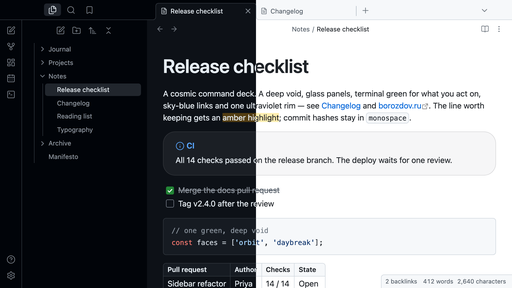
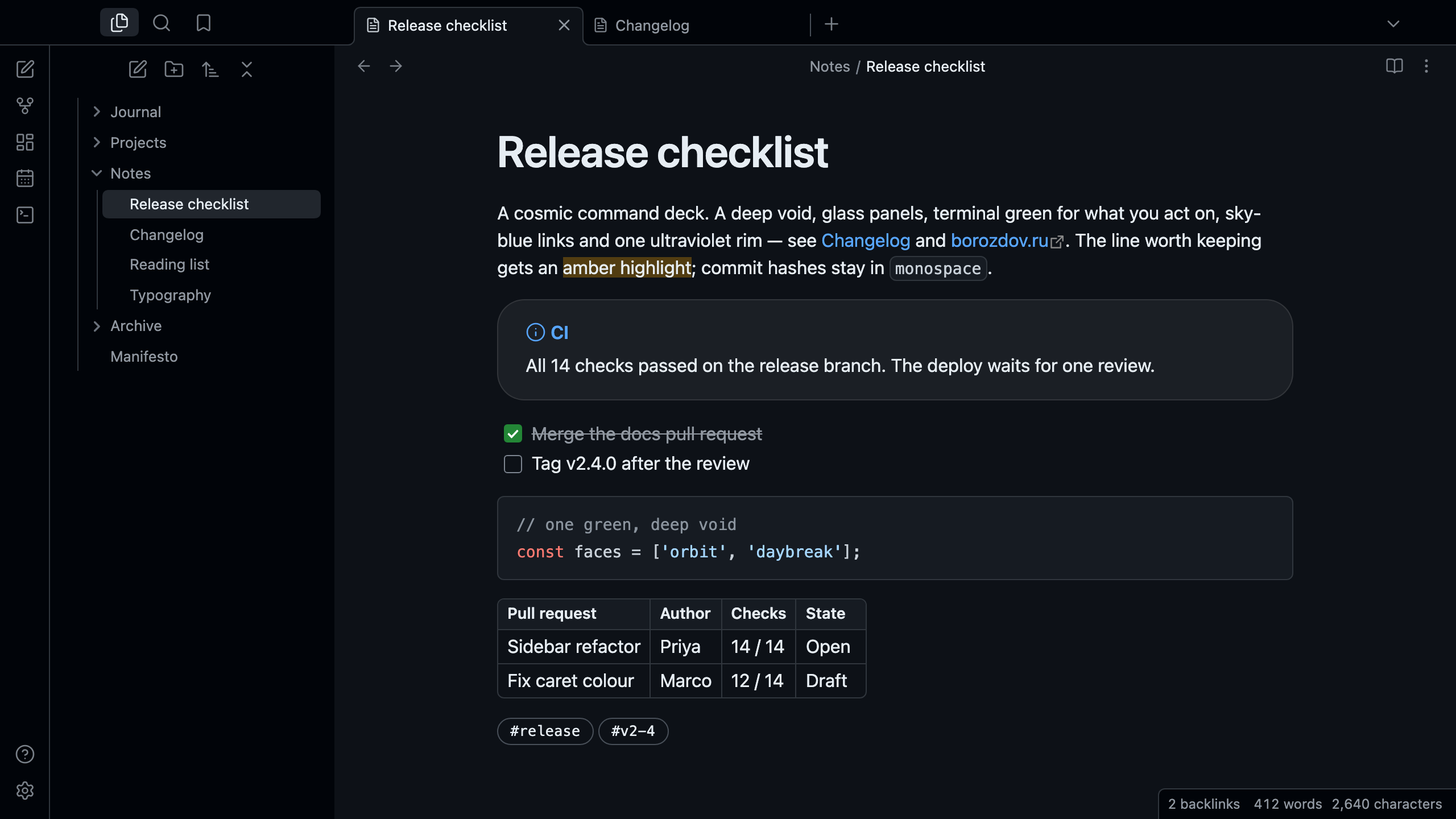
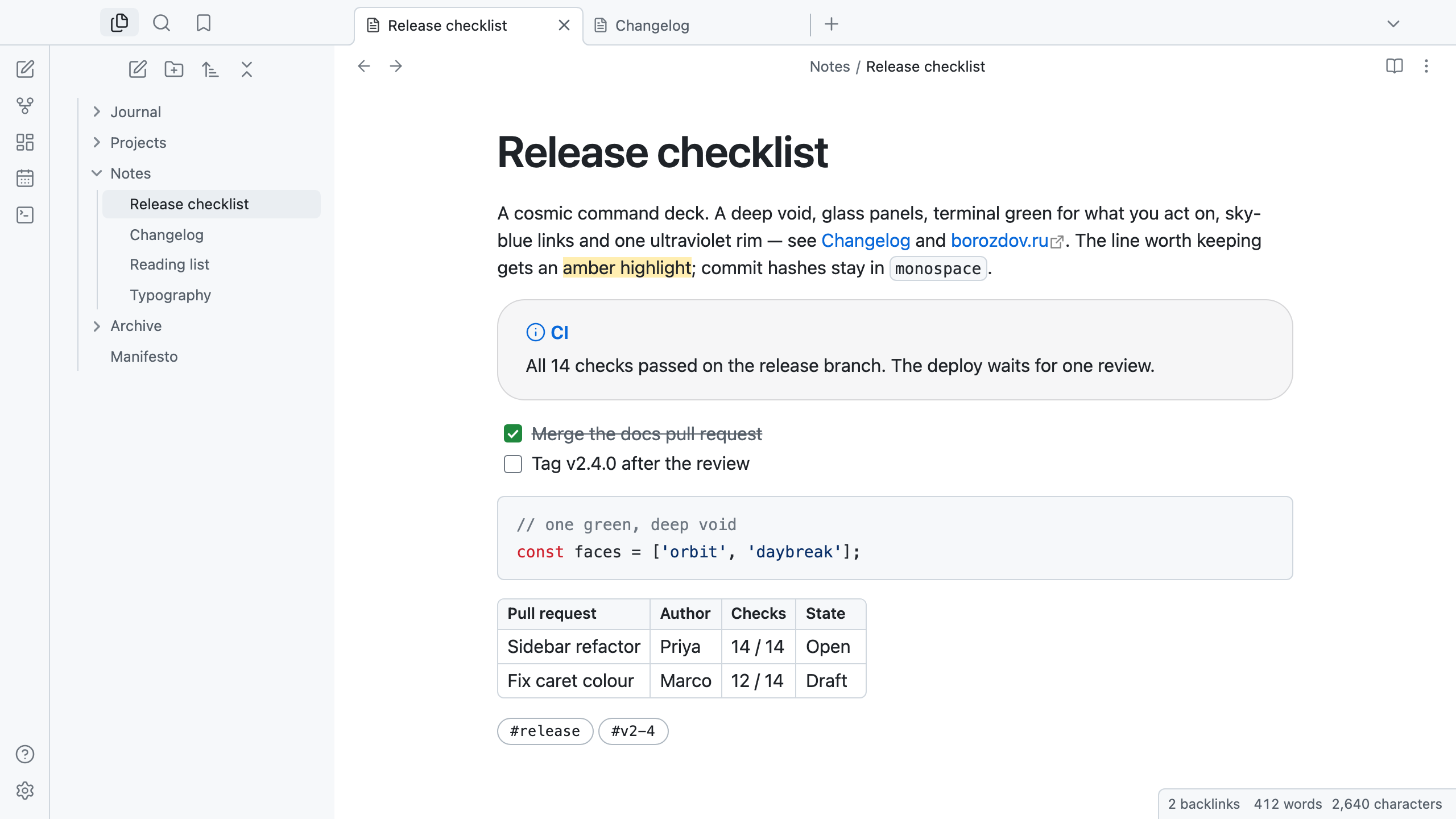
A theme from the Borozdov collection. Two faces — dark Orbit, a cosmic command deck, and light Daybreak, the same deck in daylight. A deep void, glass panels, terminal green for what you act on, sky-blue links and one ultraviolet rim.
Principles
- A deep void, glass on top. The canvas is near-black; callouts and embeds are translucent glass panels with a translucent edge and 24px corners. Nothing casts a shadow — the void does the separating.
- A terminal cursor for the action. One warm green fills the main button, a checked task and a toggle — a deliberate rejection of the cool-blue convention. Sky blue is kept for links, and ultraviolet for the one featured rim: pull quotes and a tag under the pointer.
- Two shape vocabularies, never mixed. 6px on buttons, fields and code; 24px on glass cards; 60px pills for tags.
- Monospace for what reads as code. Tags and property values are set in a monospace with a hairline rim; everything else is the platform's own sans, with headings that compress as they grow.
Features
- Dark and light modes, following Settings → Appearance → Base color scheme
- Callouts as glass panels with the title in the type's colour
- A syntax palette in the tradition of the great dark editors
- Tables with hairline rules and 6px corners
- Quiet editing: no focus ring around the note, its title or form fields while you type; property names read as labels, not boxed fields
- Text colours meet WCAG contrast on both faces
- The phone layout keeps the same colours and shapes
- No embedded fonts, so the theme stays around 12 KB; Mona Sans is used when installed
- No
!important: every rule can be overridden with a CSS snippet
Installation
From the community directory: Settings → Appearance → Themes → Manage, search for Borozdov Deck, then Install and use.
By hand: download manifest.json and theme.css from the
latest release into
<vault>/.obsidian/themes/Borozdov Deck/, then choose Borozdov Deck under
Settings → Appearance → Themes.
License
MIT — see LICENSE.
По-русски. Тема из коллекции Borozdov. Два лика: тёмный «Орбита» — космическая командная палуба, и светлый «Рассветный» — та же палуба при дневном свете. Глубокая тьма, стеклянные панели, терминальный зелёный для того, что вы делаете, небесно-голубые ссылки и одна ультрафиолетовая кромка. Шрифты не встроены. Устанавливается из каталога: Настройки → Оформление → Темы → Настроить → Borozdov Deck → Установить и применить.