
README file from
GithubBorozdov Crayon
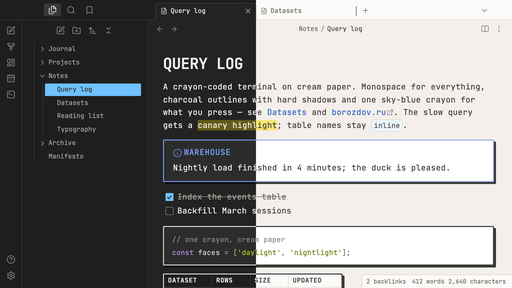
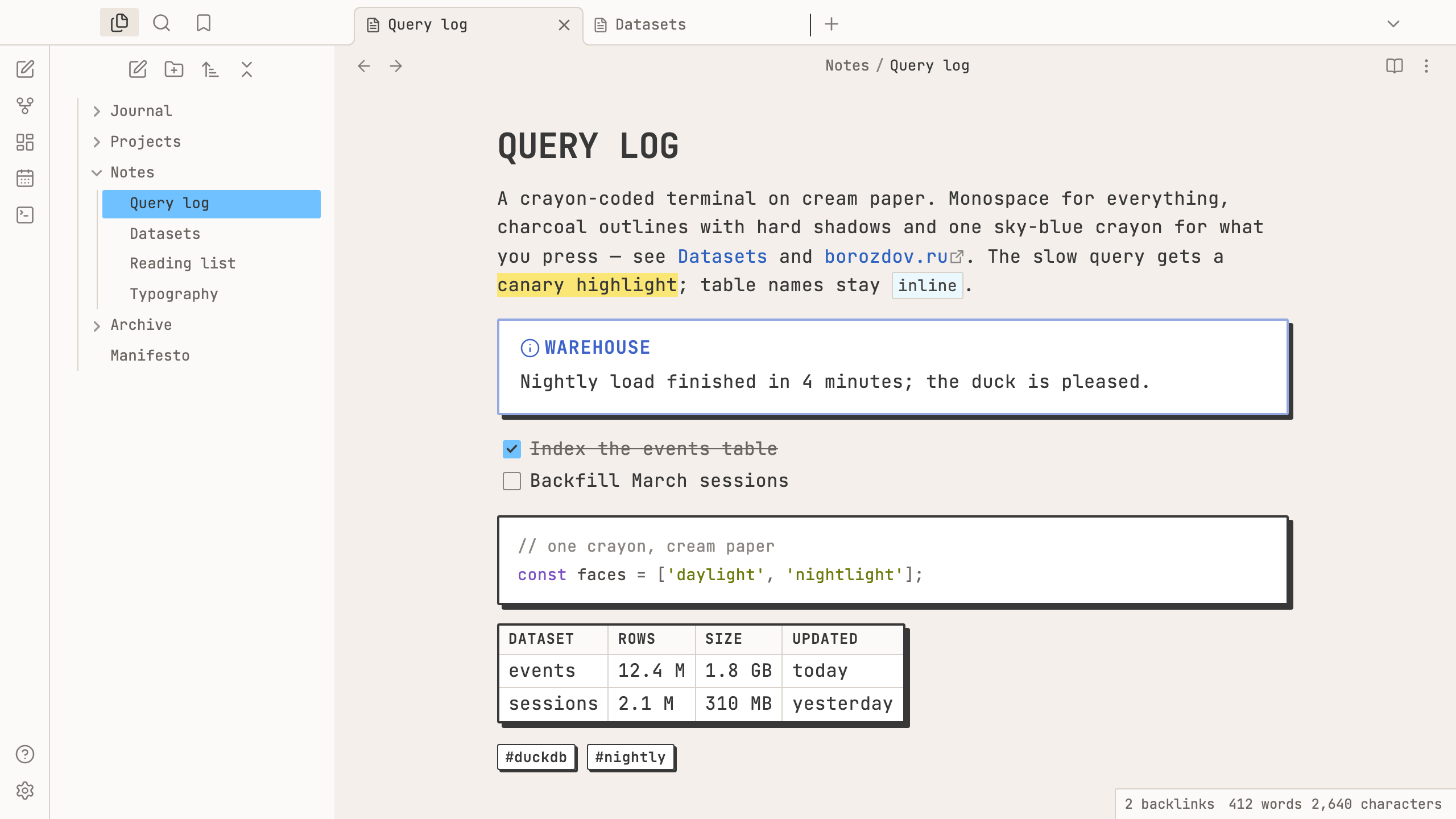
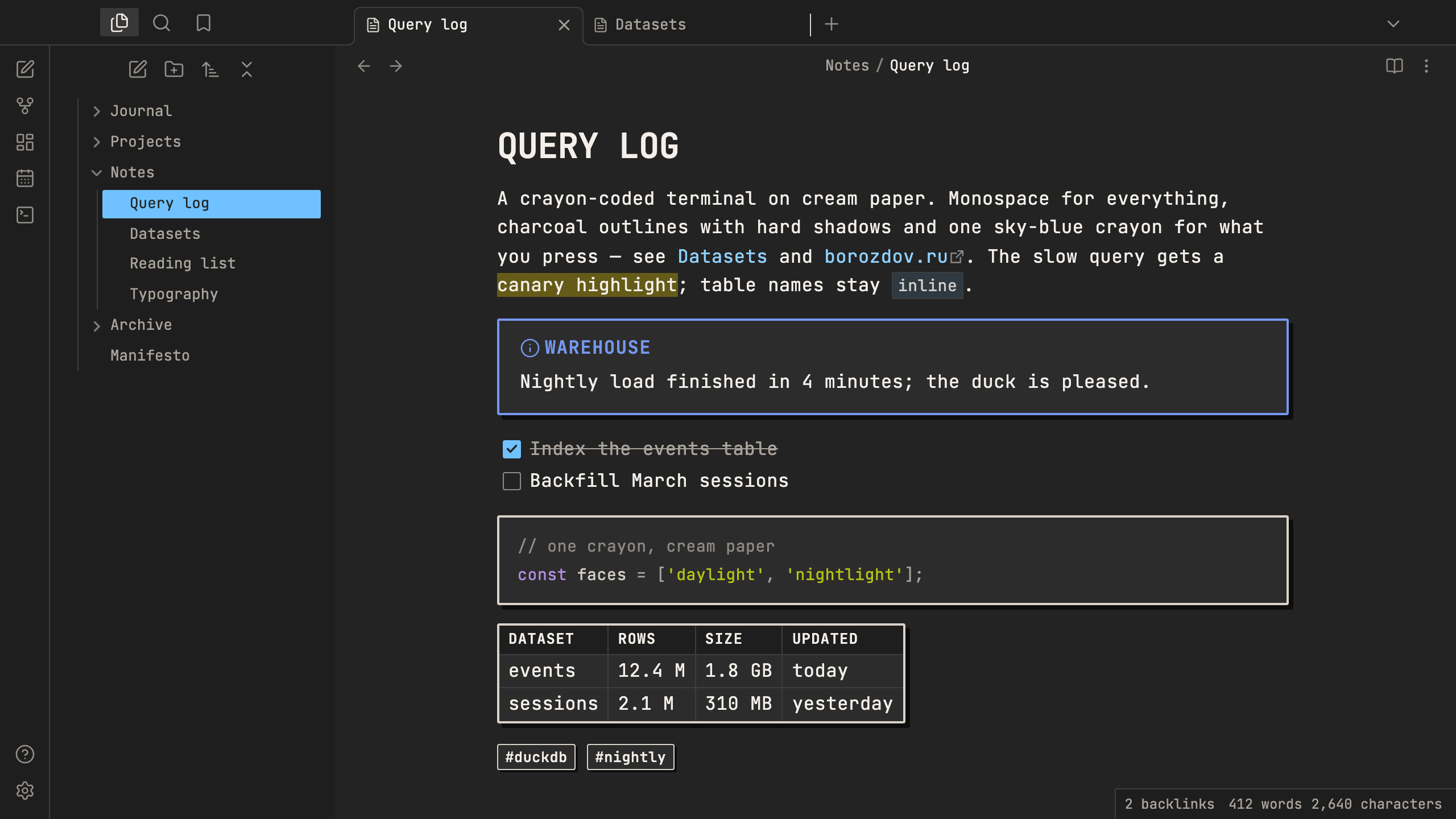
A theme from the Borozdov collection. Two faces — light Daylight, a notebook page on cream paper, and dark Nightlight, the same page under a desk lamp. Monospace for everything, charcoal outlines with hard shadows and one sky-blue crayon for what you press.
Principles
- A terminal that refuses to dress like one. JetBrains Mono for the page and the chrome, tracked slightly open; headlines in capitals.
- Drawn, not rendered. Every box — callouts, code, tables, tags, buttons, menus — has a 2px charcoal outline, 2px corners and a hard offset shadow with no blur.
- One crayon for action. Sky blue fills checked tasks, toggles, the main button and the open file; a canary marker highlights. The rest of the crayon box comes out only for callouts: coral, peach, marigold, lime, mint, periwinkle, lilac.
- Cream paper, white cards. Nothing is pure white except the cards themselves.
Features
- Light and dark modes, following Settings → Appearance → Base color scheme
- Callouts as crayon boxes: a 2px outline in the type's colour, a hard charcoal shadow
- Tags as little label boxes with their own small shadow
- Code and tables on white cards with a charcoal frame and a hard shadow
- Quiet editing: no focus ring around the note, its title or form fields while you type; property names read as labels, not boxed fields
- Text colours meet WCAG contrast on both faces
- The phone layout keeps the same colours and shapes
- No
!important: every rule can be overridden with a CSS snippet
Installation
From the community directory: Settings → Appearance → Themes → Manage, search for Borozdov Crayon, then Install and use.
By hand: download manifest.json and theme.css from the
latest release into
<vault>/.obsidian/themes/Borozdov Crayon/, then choose Borozdov Crayon under
Settings → Appearance → Themes.
Font
JetBrains Mono (© 2020 The JetBrains Mono Project Authors) is embedded in theme.css as
base64 WOFF2 under the SIL Open Font License 1.1 — see fonts/OFL.txt.
Weights 400–600, Latin and Cyrillic.
License
MIT — see LICENSE.
По-русски. Тема из коллекции Borozdov. Два лика: светлый «День» — страница блокнота на кремовой бумаге, и тёмный «Ночник» — та же страница под настольной лампой. Моноширинный JetBrains Mono для всего, угольные контуры с жёсткими тенями, карандашные цвета в колаутах и один небесно-голубой для того, что вы нажимаете. Устанавливается из каталога: Настройки → Оформление → Темы → Настроить → Borozdov Crayon → Установить и применить.