
README file from
GithubBorozdov Cork
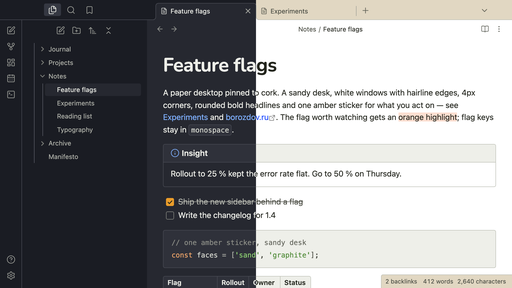
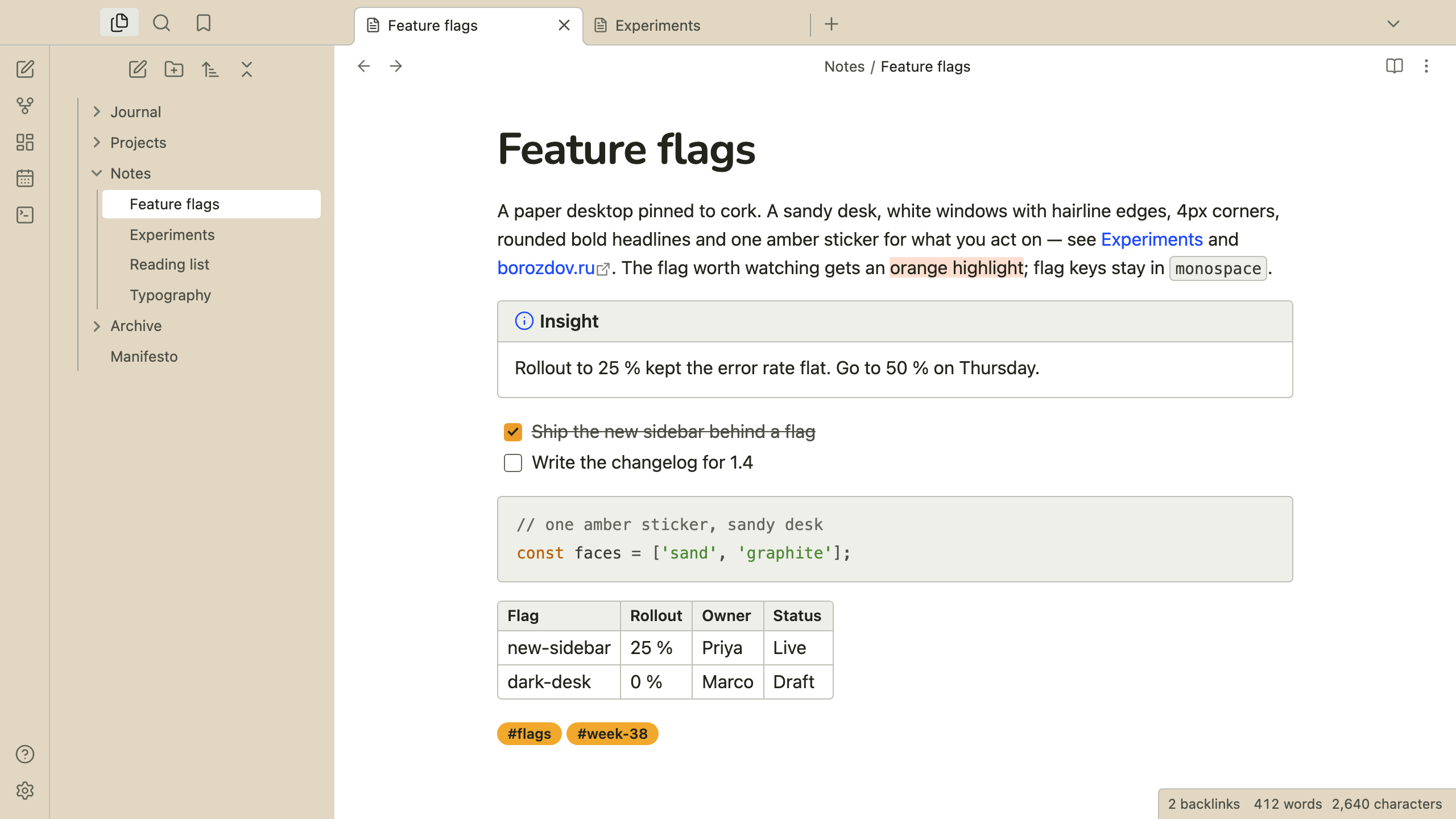
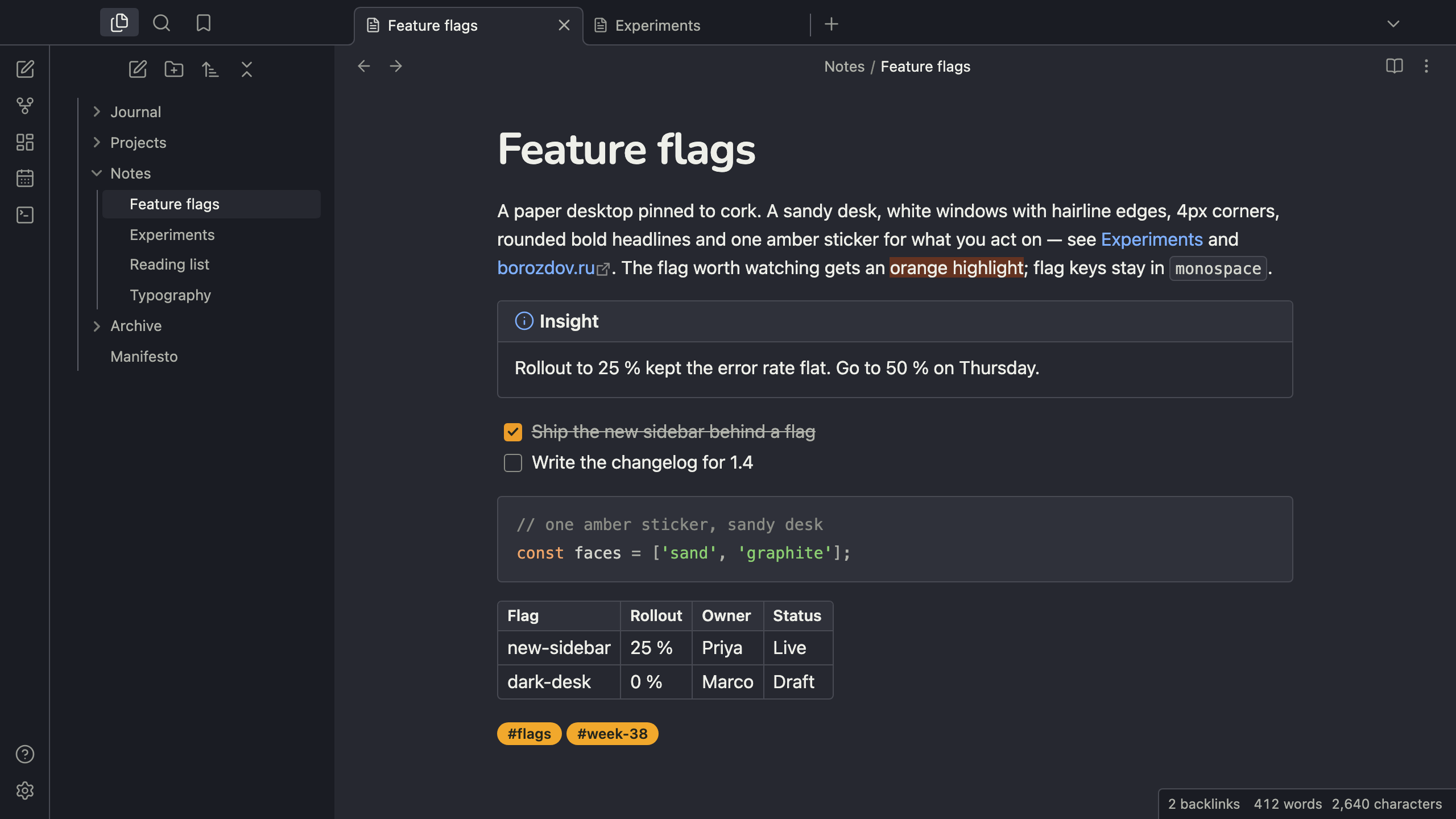
A theme from the Borozdov collection. Two faces — light Sand, a paper desktop pinned to cork, and dark Graphite, the same desk after hours. A sandy desk for the chrome, white windows with hairline edges for the note and every card, 4px corners, rounded bold headlines and one amber sticker for what you act on.
Principles
- Paper on a desk. The side panels, tab bars and status bar are the sandy desk; the note and every card are white windows with a 1px edge. Nothing casts a shadow except the modal.
- Small corners. 4px on cards, buttons and fields, 6px on windows, pills only for tags — the shape of printed artifacts, not floating panels.
- One sticker for actions. Amber fills a checked task, a toggle and the main button, always with dark text; links are blue, tags are marigold stickers, and the highlighter is an orange wash.
- Rounded headlines. Nunito Bold for the title and headings, tracked a touch tight; the platform's own sans for the text.
Features
- Light and dark modes, following Settings → Appearance → Base color scheme
- Callouts as small windows: a linen title bar with the icon in the type's colour
- Tables and code blocks as white windows with a linen header and a 1px edge
- The open file in the sidebar sits on a white sheet
- Quiet editing: no focus ring around the note, its title or form fields while you type; property names read as labels, not boxed fields
- Text colours meet WCAG contrast on both faces
- The phone layout keeps the same colours and shapes
- No
!important: every rule can be overridden with a CSS snippet
Installation
From the community directory: Settings → Appearance → Themes → Manage, search for Borozdov Cork, then Install and use.
By hand: download manifest.json and theme.css from the
latest release into
<vault>/.obsidian/themes/Borozdov Cork/, then choose Borozdov Cork under
Settings → Appearance → Themes.
Font
Nunito Bold (© 2014 The Nunito Project Authors) is embedded in theme.css as base64 WOFF2
under the SIL Open Font License 1.1 — see fonts/OFL.txt. One weight,
Latin and Cyrillic, headlines only.
License
MIT — see LICENSE.
По-русски. Тема из коллекции Borozdov. Два лика: светлый «Песок» — бумажный рабочий стол, приколотый к пробковой доске, и тёмный «Графит» — тот же стол после работы. Песочный стол для интерфейса, белые окна с тонкими краями для заметки и карточек, углы 4px, округлые жирные заголовки (Nunito) и одна янтарная наклейка для того, что вы делаете. Устанавливается из каталога: Настройки → Оформление → Темы → Настроить → Borozdov Cork → Установить и применить.