
README file from
GithubBorozdov Compositor
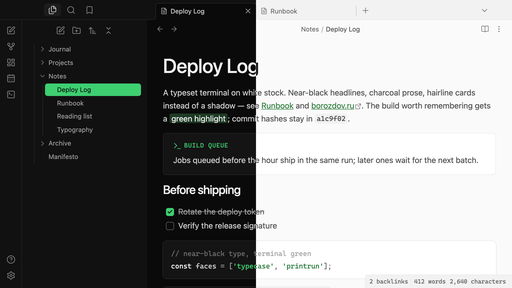
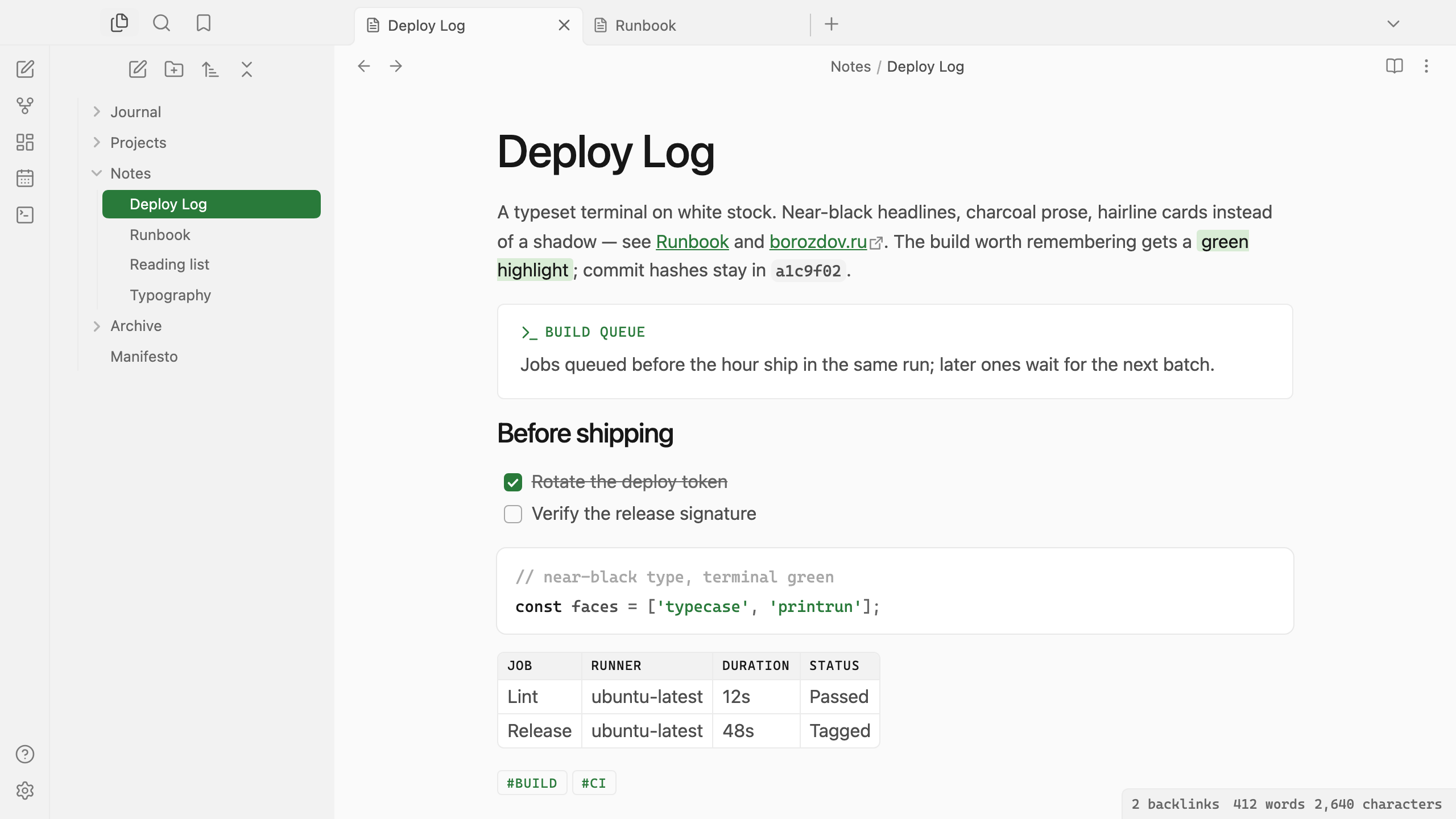
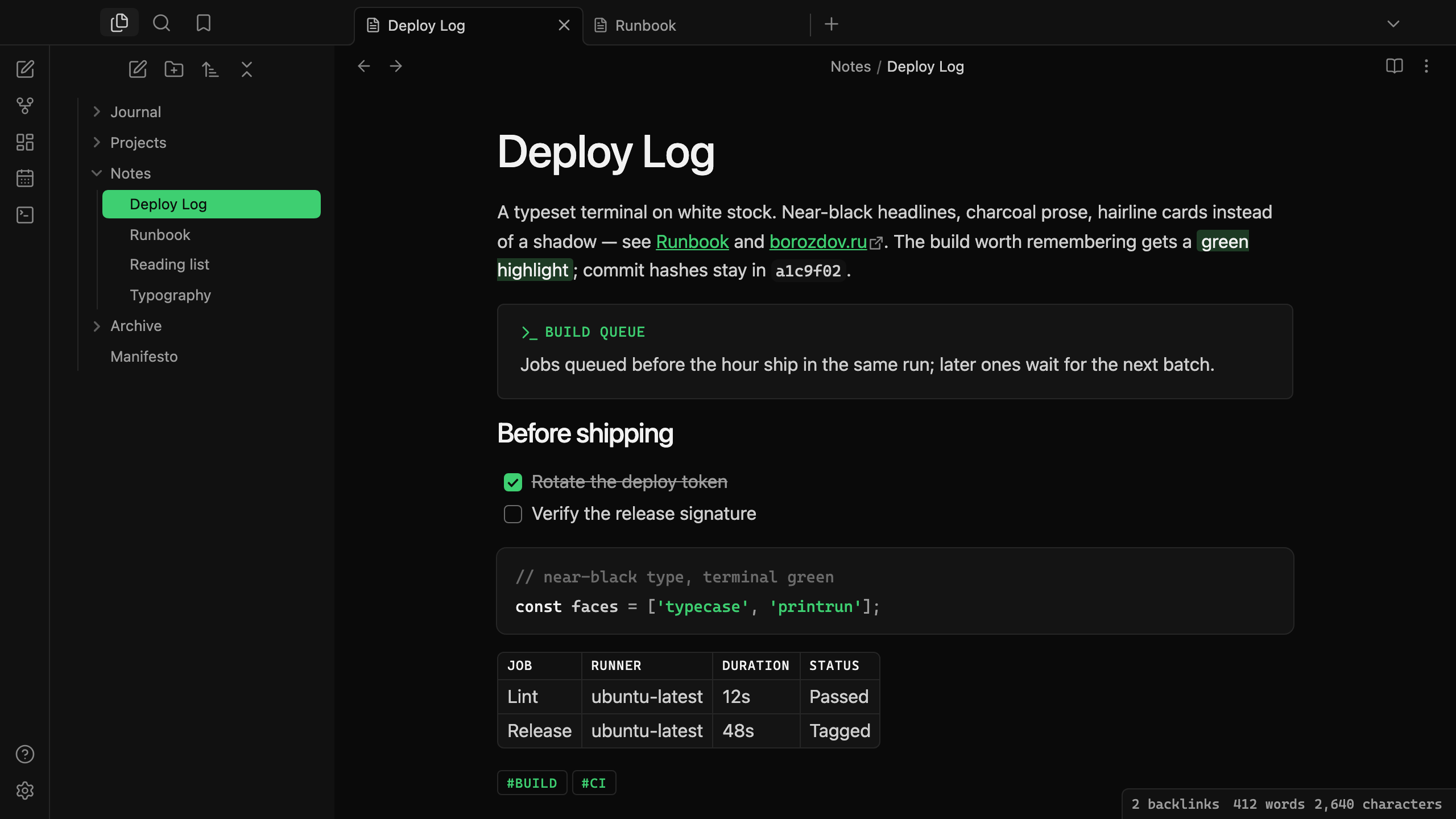
A theme from the Borozdov collection. Two faces — light Typecase, a typeset terminal on white stock, and dark Printrun, the same galley proof on black stock. Near-black headlines, charcoal prose, hairline cards instead of shadows and one terminal green for links, tags and what compiles.
Principles
- Near-black is the structure. Headlines, the title and the main button sit at the darkest end of the scale; body text reads in a cooler charcoal, never true black.
- Green means it compiled. Links, tags and the active file carry the one accent; everything else in the interface stays grayscale.
- Hairline, never shadow. Cards, code blocks and floating panels are held by a 1px line — the double-ring trick a real typeset terminal borrows for depth without a blur.
- Mono is the stamp, not the voice. Compositor Mono sets tags, table headers, callout titles and property names in small tracked capitals; headings and prose stay in the platform's own sans, read at a whisper weight, never bold.
Features
- Light and dark modes, following Settings → Appearance → Base color scheme
- Callouts as plain hairline cards; the type's colour lives only in the stamped title and icon, never in a tinted background
- Code blocks as hairline cards, inline code on the surface tone, string literals in terminal green
- Tables with a single frame and no doubled cell borders, headers in small mono capitals
- Tags and table headers stamped in monospace capitals; property names read as labels, not boxed fields
- Quiet editing: no focus ring around the note, its title or form fields while you type
- Text colours meet WCAG contrast on both faces
- The phone layout keeps the same colours and shapes
- No
!important: every rule can be overridden with a CSS snippet
Installation
From the community directory: Settings → Appearance → Themes → Manage, search for Borozdov Compositor, then Install and use.
By hand: download manifest.json and theme.css from the latest
release into
<vault>/.obsidian/themes/Borozdov Compositor/, then choose Borozdov Compositor under
Settings → Appearance → Themes.
Font
Compositor Mono is embedded in theme.css as base64 WOFF2 under the SIL Open Font License
1.1 — see fonts/OFL.txt. It is a Latin and Cyrillic subset of Cascadia
Code (© 2019 - Present Microsoft Corporation), renamed because a modified copy may not use
the original's Reserved Font Name; the subset also drops Cascadia Code's programming
ligatures to stay inside the collection's size budget, since the theme uses the font only
for short stamped labels, never for ligature-bearing code prose. One weight, for code,
inline code, tags, table headers, callout titles and property names.
License
MIT — see LICENSE.
По-русски. Тема из коллекции Borozdov. Два лика: светлый «Наборная» — типографский терминал на белой бумаге, и тёмный «Тираж» — тот же оттиск на чёрной. Почти чёрные заголовки, угольная проза, карточки на тонкой линии вместо тени и один терминальный зелёный для ссылок, тегов и того, что скомпилировалось. Моноширинный Compositor Mono (урезанный Cascadia Code) отвечает только за теги, заголовки таблиц, подписи колл-аутов и имена свойств. Устанавливается из каталога: Настройки → Оформление → Темы → Настроить → Borozdov Compositor → Установить и применить.