
README file from
Github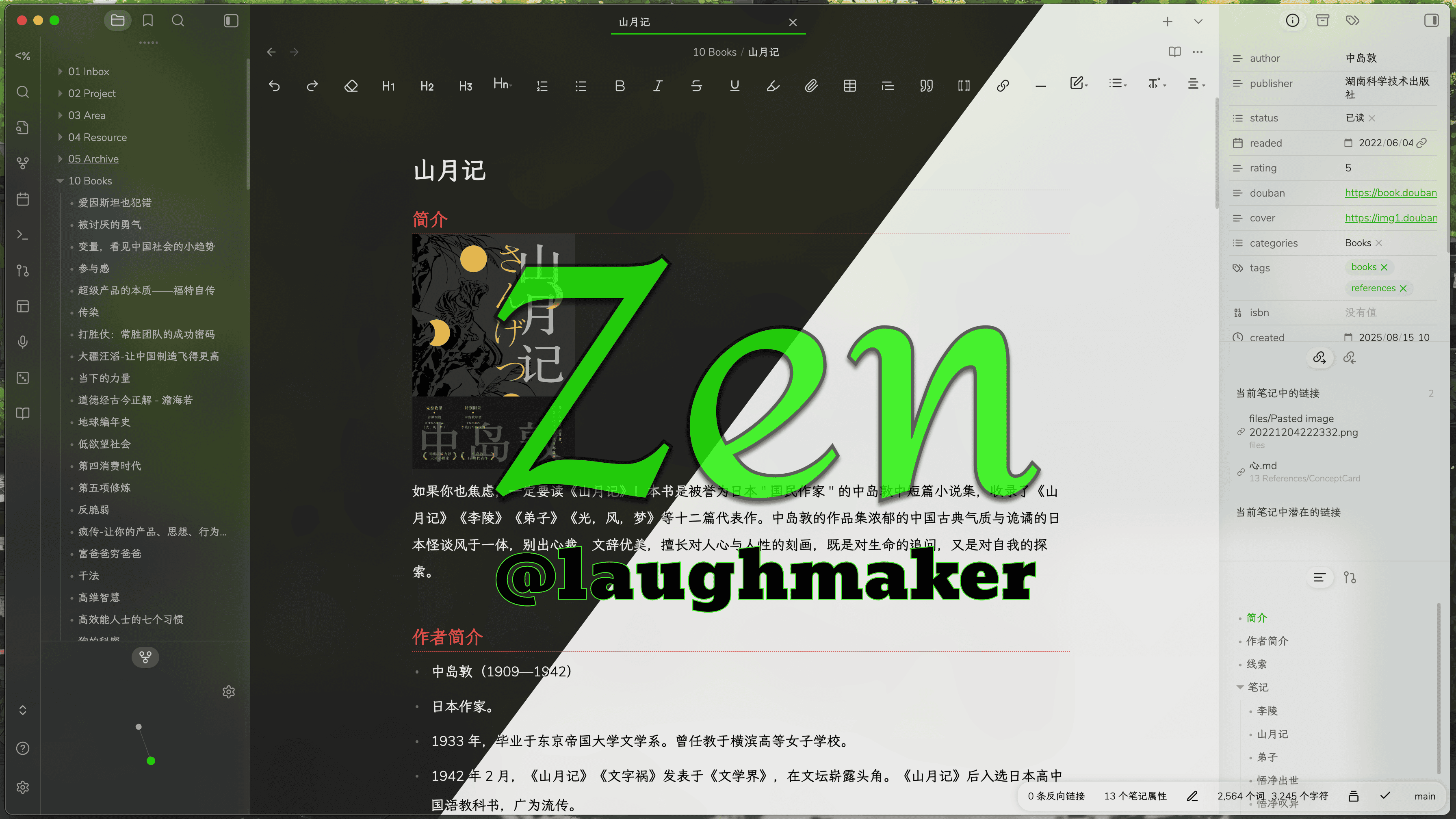
Zen
A modern, minimalist Obsidian theme designed for focused writing and comfortable reading.
Overview
Zen removes unnecessary visual clutter, uses whitespace to separate interface regions, and brings a soft translucent aesthetic to Obsidian. Typography, spacing, lists, and navigation have been refined for a consistent writing experience across reading and editing views, with dedicated optimizations for Chinese content.
Features
- Minimal interface with generous whitespace and fewer dividing lines
- Translucent, blurred window styling on macOS
- Custom background-image support on Windows and Linux
- Aligned folder trees, ordered lists, unordered lists, and indentation guides
- Colored tab indicators and heading levels
- Carefully tuned letter spacing and line height for writing and reading
- Consistent styling between Live Preview and Reading view
- Responsive experience for desktop and mobile
- Built-in options for the Style Settings plugin
Requirements
- Obsidian 1.9.0 or later
- The optional Style Settings plugin is recommended for visual customization
Installation
Community Themes
- Open Settings → Appearance in Obsidian.
- Select Manage under Themes.
- Search for Zen in Community Themes.
- Select Install and use.
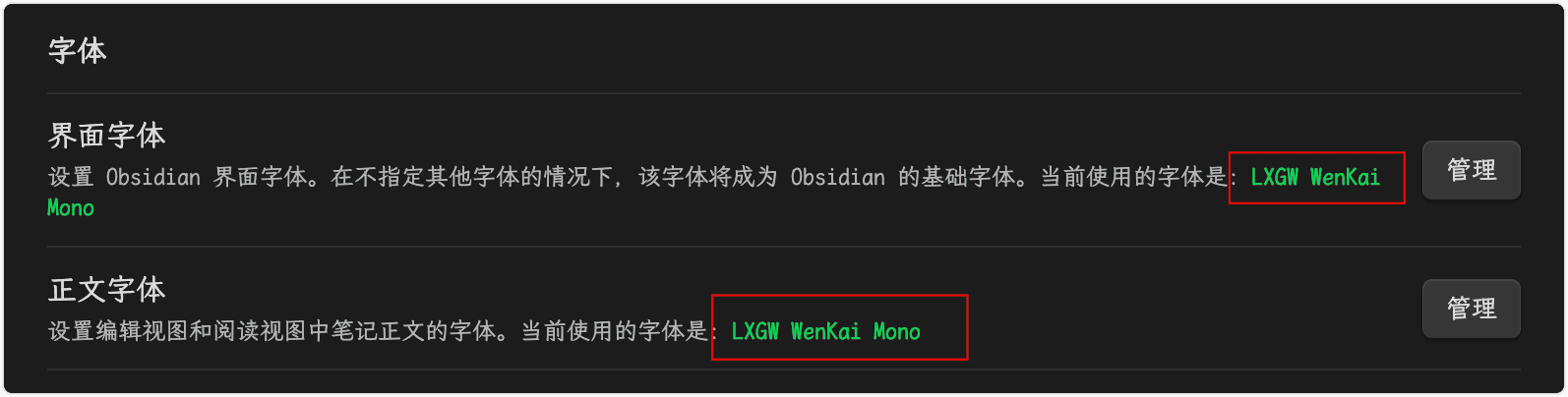
Recommended font
For better alignment between list markers and indentation guides—especially in Chinese notes—install LXGW WenKai Mono:
Platform notes
macOS
To enable the translucent background effect, turn on Settings → Appearance → Translucent window in Obsidian.
Windows and Linux
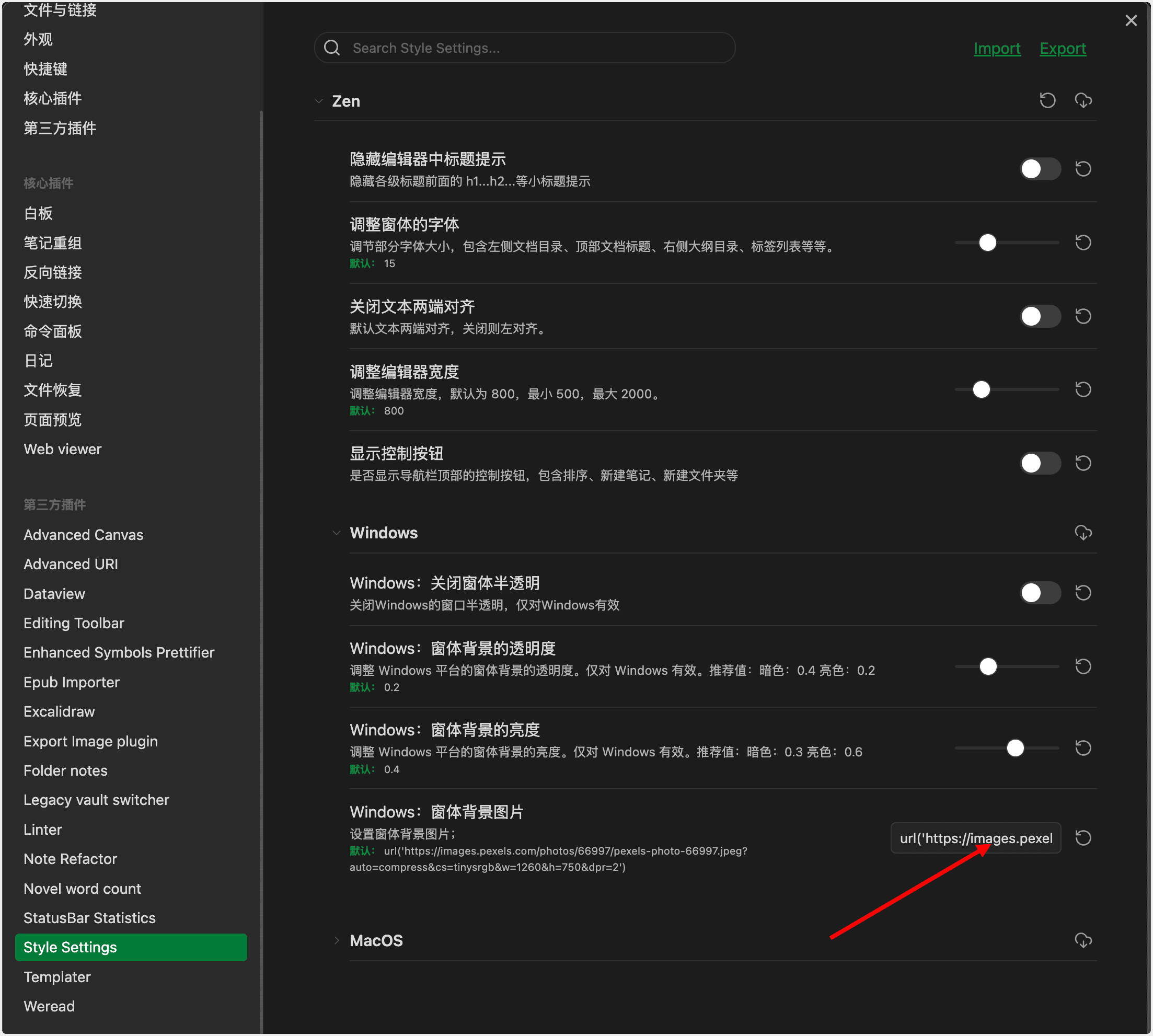
Zen uses a background image to create a similar atmosphere because desktop wallpaper translucency is not available on these platforms. To use a custom image:
- Install and enable the Style Settings plugin.
- Open Settings → Style Settings → Zen → Windows/Linux.
- Set The background picture of the window to an image URL.
Plugin compatibility
Zen includes visual optimizations for the following community plugins:
- Advanced Canvas
- Dataview
- Editing Toolbar
- Export Image
- Floating Search
- Folder Notes
- Iconic
- Mindmap NextGen
- Note Refactor
- Novel Word Count
- Quiet Outline
- Weread
Compatibility may change as Obsidian and community plugins evolve.
Support
If Zen improves your Obsidian experience, you can support its development:
Disclaimer
Zen is primarily designed around the author's personal Obsidian workflow on macOS and has not been tested across every operating system or setup. Because it customizes significant parts of the Obsidian interface, future Obsidian updates or custom CSS snippets may cause compatibility issues.
License
Zen is distributed under the MIT License. If you modify, redistribute, or extract parts of the theme as standalone snippets, retain the applicable copyright and license notices.