
README file from
GithubBorozdov Clinic
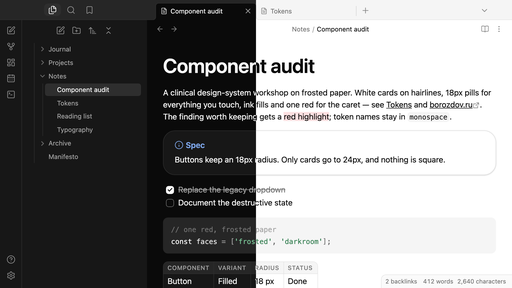
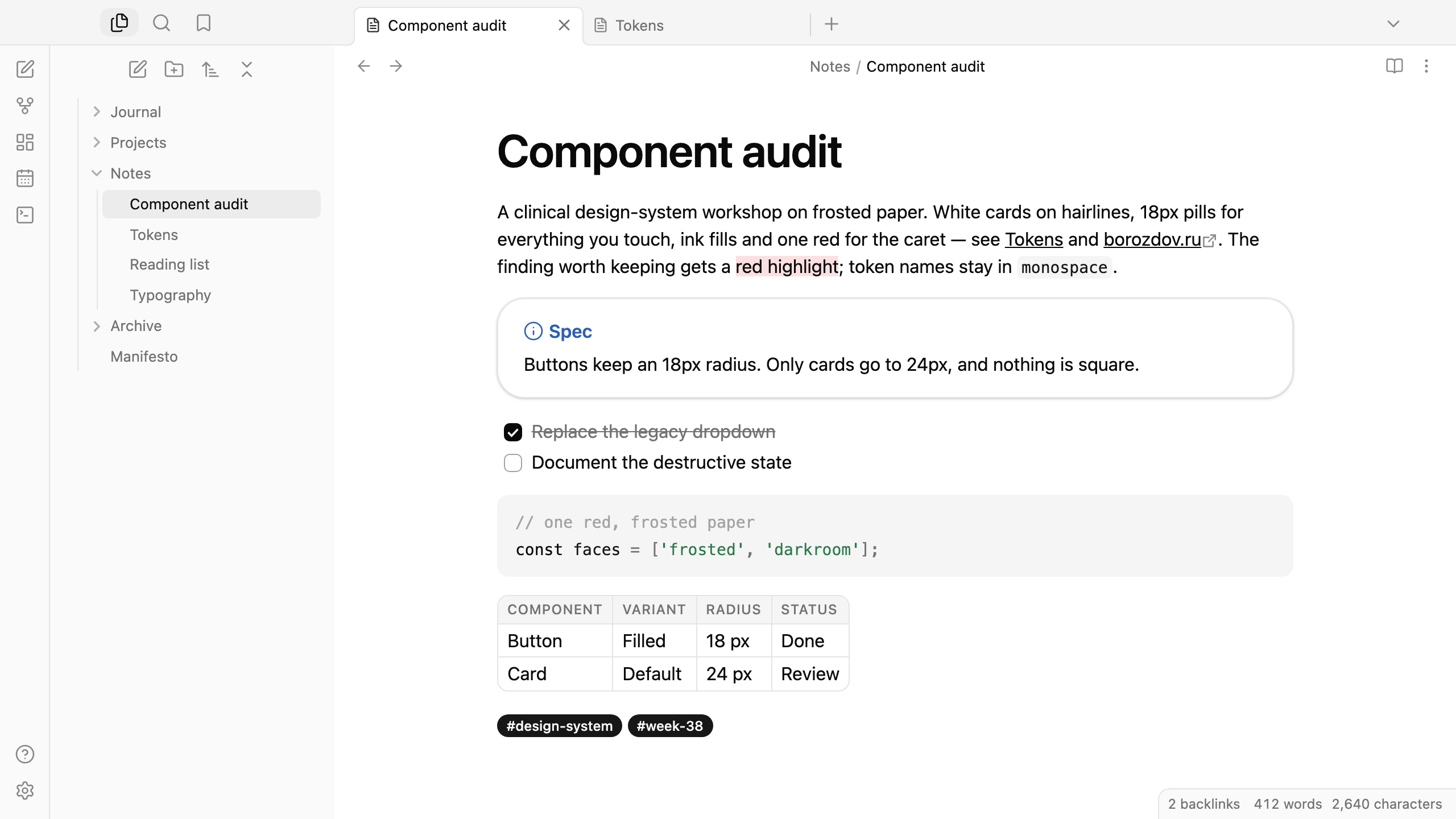
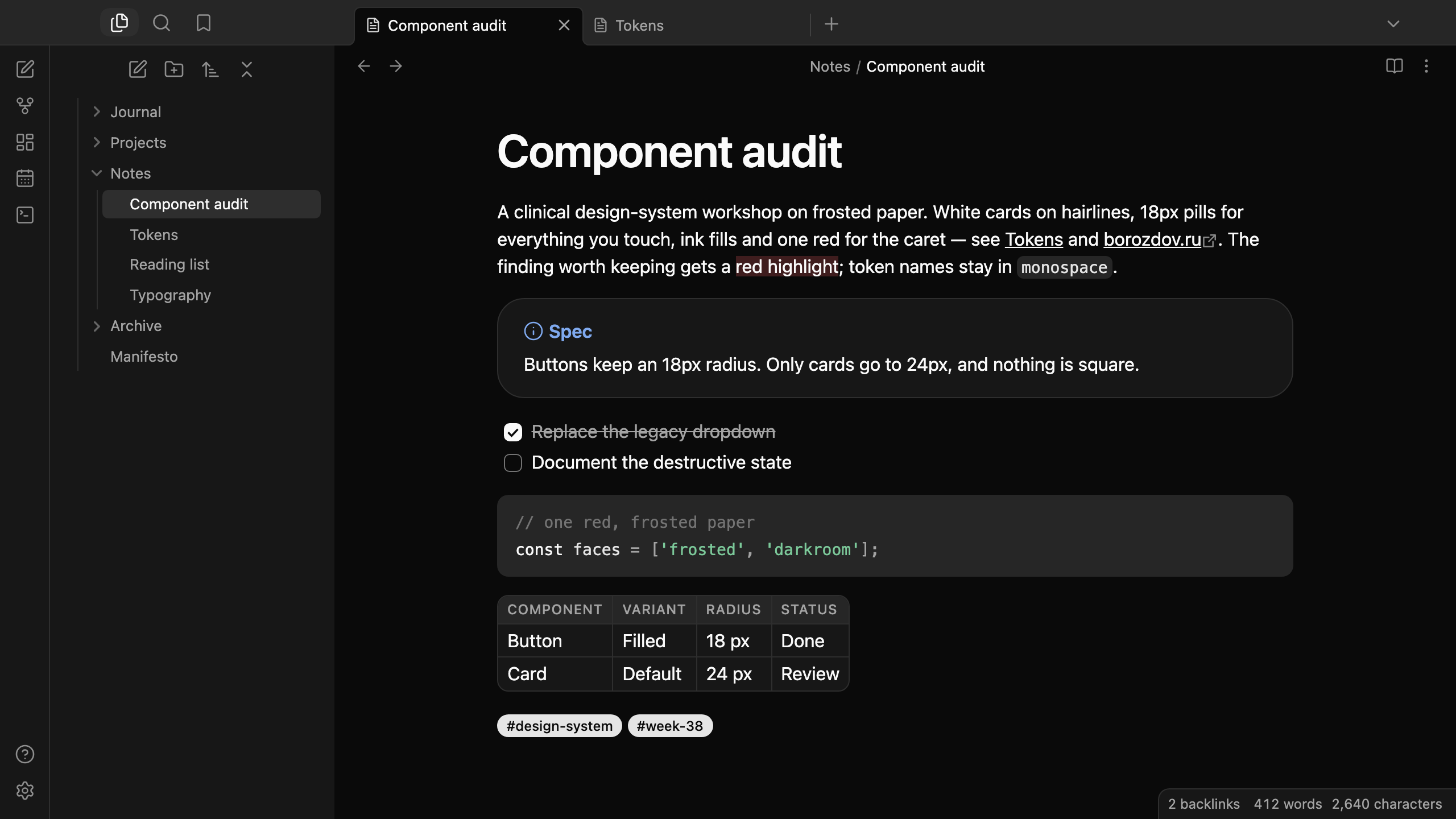
A theme from the Borozdov collection. Two faces — light Frosted, a clinical design-system workshop on frosted paper, and dark Darkroom, the same workshop with the lights off. White cards on hairlines, 18px pills for everything you touch, ink fills and one red for the caret.
Principles
- Almost achromatic. Ink, white and warm greys; the dark-on-light inversion is the only action treatment. Ink fills the main button, a checked task and a toggle, and one red is reserved for the caret, the highlighter and a link under the pointer.
- Two radii. 18px on everything interactive — buttons, fields, tags — for perfect capsules, and 24px on cards. Nothing is square.
- Hairlines and a faint lift. Cards keep a 1px edge stacked with a whisper of elevation; fields rest as a soft frost fill with no border at all.
- One sans, tracked tight. The platform's own sans: 400 for the text, 500 for labels, 600 for headings that tighten as they grow; captions in small tracked capitals.
Features
- Light and dark modes, following Settings → Appearance → Base color scheme
- Callouts as white cards with 24px corners and the title in the type's colour
- Tags and property values as solid ink capsules
- Links in ink with an underline; red on hover
- Quiet editing: no focus ring around the note, its title or form fields while you type; property names read as labels, not boxed fields
- Text colours meet WCAG contrast on both faces
- The phone layout keeps the same colours and shapes
- No embedded fonts, so the theme stays around 12 KB
- No
!important: every rule can be overridden with a CSS snippet
Installation
From the community directory: Settings → Appearance → Themes → Manage, search for Borozdov Clinic, then Install and use.
By hand: download manifest.json and theme.css from the
latest release into
<vault>/.obsidian/themes/Borozdov Clinic/, then choose Borozdov Clinic under
Settings → Appearance → Themes.
License
MIT — see LICENSE.
По-русски. Тема из коллекции Borozdov. Два лика: светлый «Матовый» — мастерская дизайн-системы на матовой бумаге, и тёмный «Тёмная комната» — та же мастерская с выключенным светом. Белые карточки на тонких линиях, капсулы 18px для всего, к чему вы прикасаетесь, чернильные заливки и один красный для каретки. Шрифты не встроены. Устанавливается из каталога: Настройки → Оформление → Темы → Настроить → Borozdov Clinic → Установить и применить.