
README file from
Github




Style Settings presets · Compatibility matrix · Changelog
Owen Graphite — Obsidian Theme
Owen Graphite v3.1.99 is a liquid-glass Obsidian theme for technical documentation, knowledge bases, and report-ready notes, giving Korean/English typography, long tables, code blocks, workspace chrome, Style Settings controls, and PDF export layouts one calm graphite surface across Live Preview, Reading View, and print.
Theme-first, optional companion: Owen Graphite keeps its Style Settings schema and English/Korean metadata inside the theme. Owen Graphite Companion 1.3.0 supplies the Style Settings locale fallback and structures Obsidian's title/metadata tooltips for wrapped bold titles. Persistent code-title editing, code copying, and canonical Frosted ScrollArea controls are available through Owen Editor 0.6.34.
Why Owen Graphite?
| Workflow | What you feel immediately |
|---|---|
| Long technical notes | CJK/Latin paragraphs, headings, code, and dense tables keep a stable rhythm without feeling cramped. |
| Live Preview writing | Editing, Reading View, and rendered widgets share the same quiet surfaces for tables, code blocks, callouts, and embeds. |
| Report and PDF handoff | Header/footer labels, page numbering, paper-size-preserving readability, and page-break guards support recurring report delivery. |
| Daily workspace navigation | Tabs, long-name folder ellipsis, unified metadata tooltips, search, settings, popovers, and type badges use a restrained graphite liquid-glass language. |
Design And Function Snapshot
| Surface | Design signal | Function signal |
|---|---|---|
| Workspace chrome | Frosted white/graphite panels, connected tooltip tails, shallow rims, and soft lift states | Active files, long folder names, parent folders, tabs, and vault controls stay scannable in large vaults. |
| Writing surface | Calm document panes with balanced body, code, table, and callout density | Long Korean/English technical pages remain readable through editing and review. |
| Settings and presets | Compact glass controls instead of loud colored panels | Style Settings exposes PDF, typography, spacing, chrome, and accessibility options without visual clutter. |
| PDF export | Report labels, selected-paper readability presets, and print-safe spacing | Notes can become screen-shared PDFs or formal report output without silently changing the selected paper size. |
Release Confidence
| Guard | Current status | Evidence |
|---|---|---|
| Bundle freshness | theme.css must match dist/theme-v3.css |
release plan |
| Zero-important cascade | declaration-level !important policy is enforced |
cascade research |
| Style Settings contract | option ids/defaults are audited against the contract | contract |
| Docs/assets links | local Markdown links and README images are audited | contributing |
| Live Preview/PDF parity | LP hit-routing, PDF header/footer, and visual fixture checks are scripted | release plan |
Visual Tour
| Surface | Preview |
|---|---|
| Light mode | 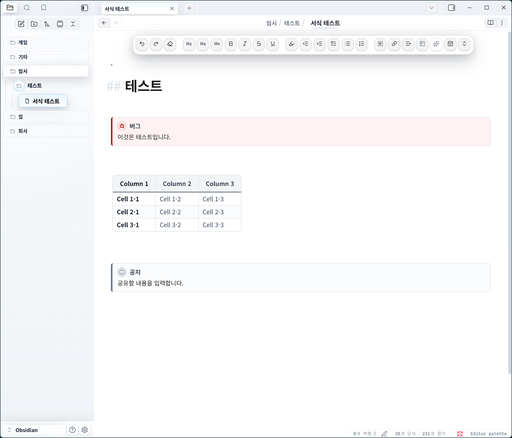 |
| Dark mode | 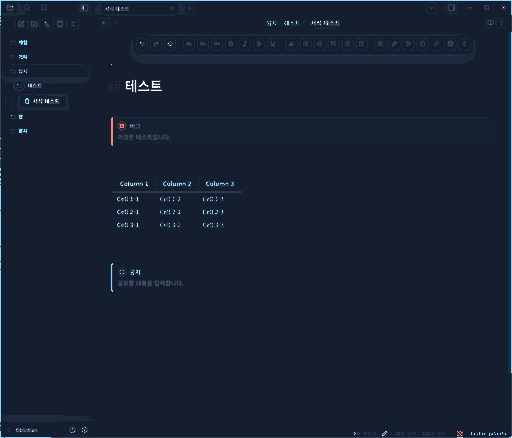 |
| Top tabs and floating toolbar |  |
| Writing surface and floating toolbar | 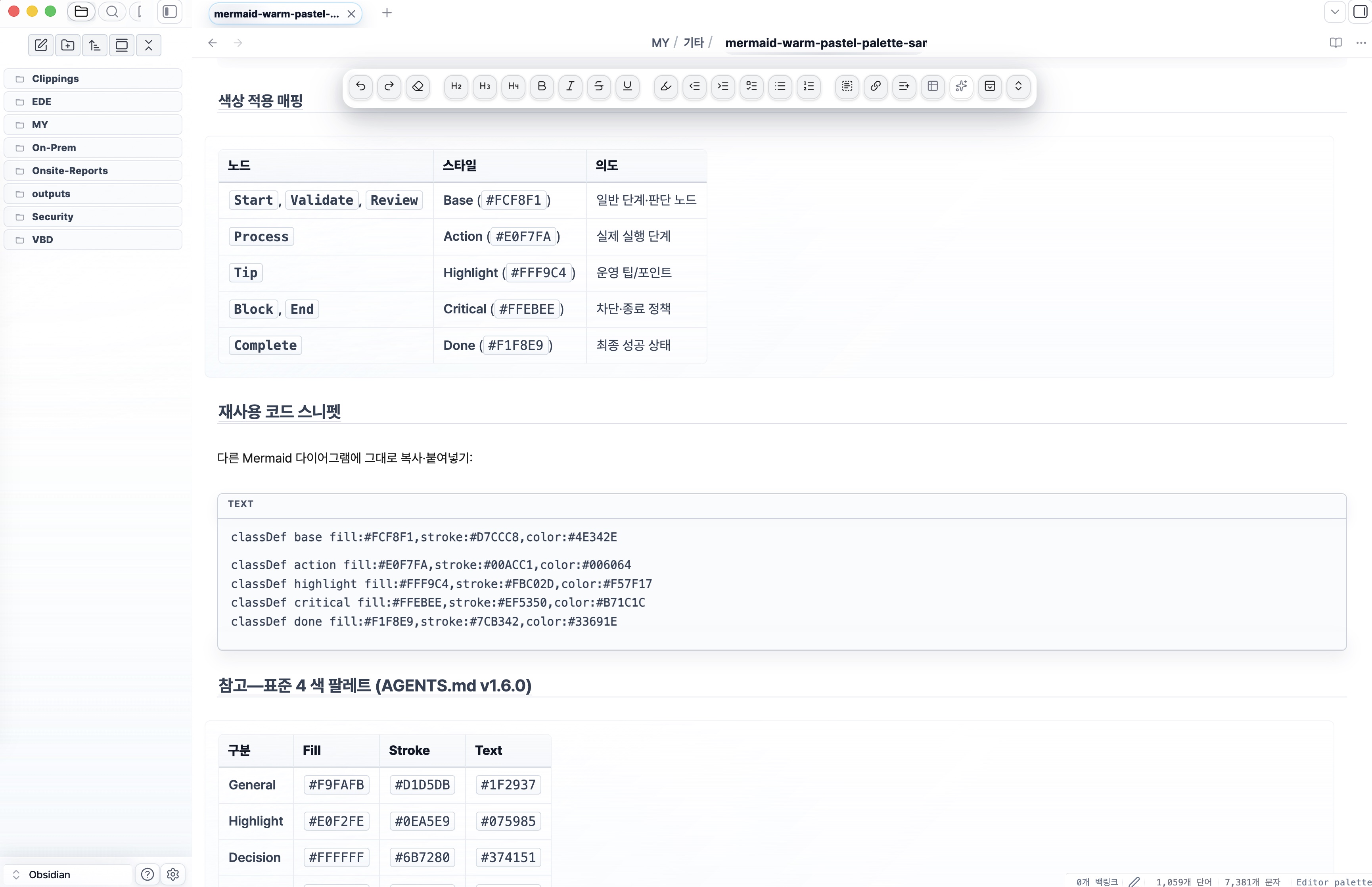 |
| Style Settings report controls | 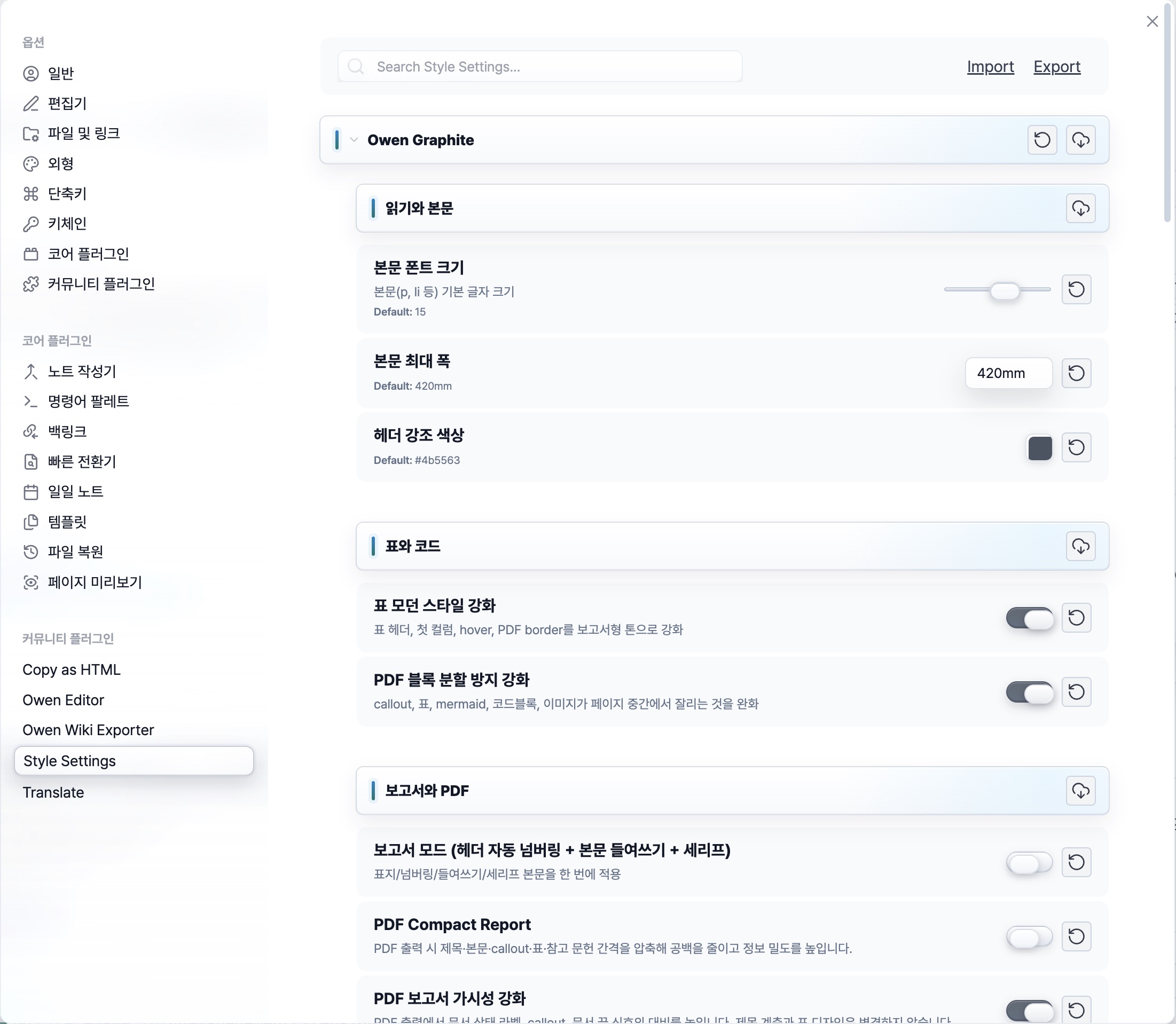 |
| Owen Editor toolbar controls | 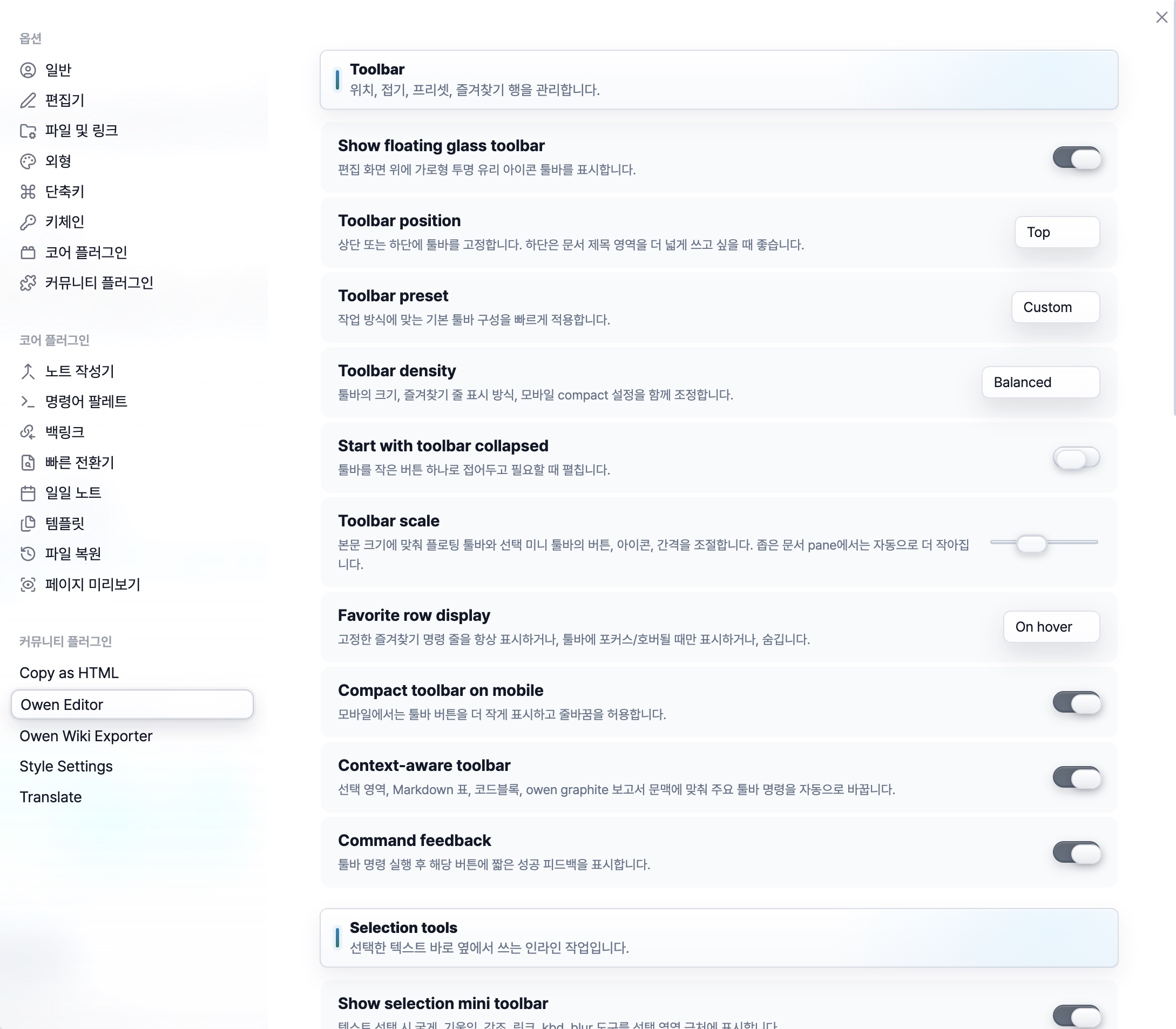 |
| File explorer type badges | 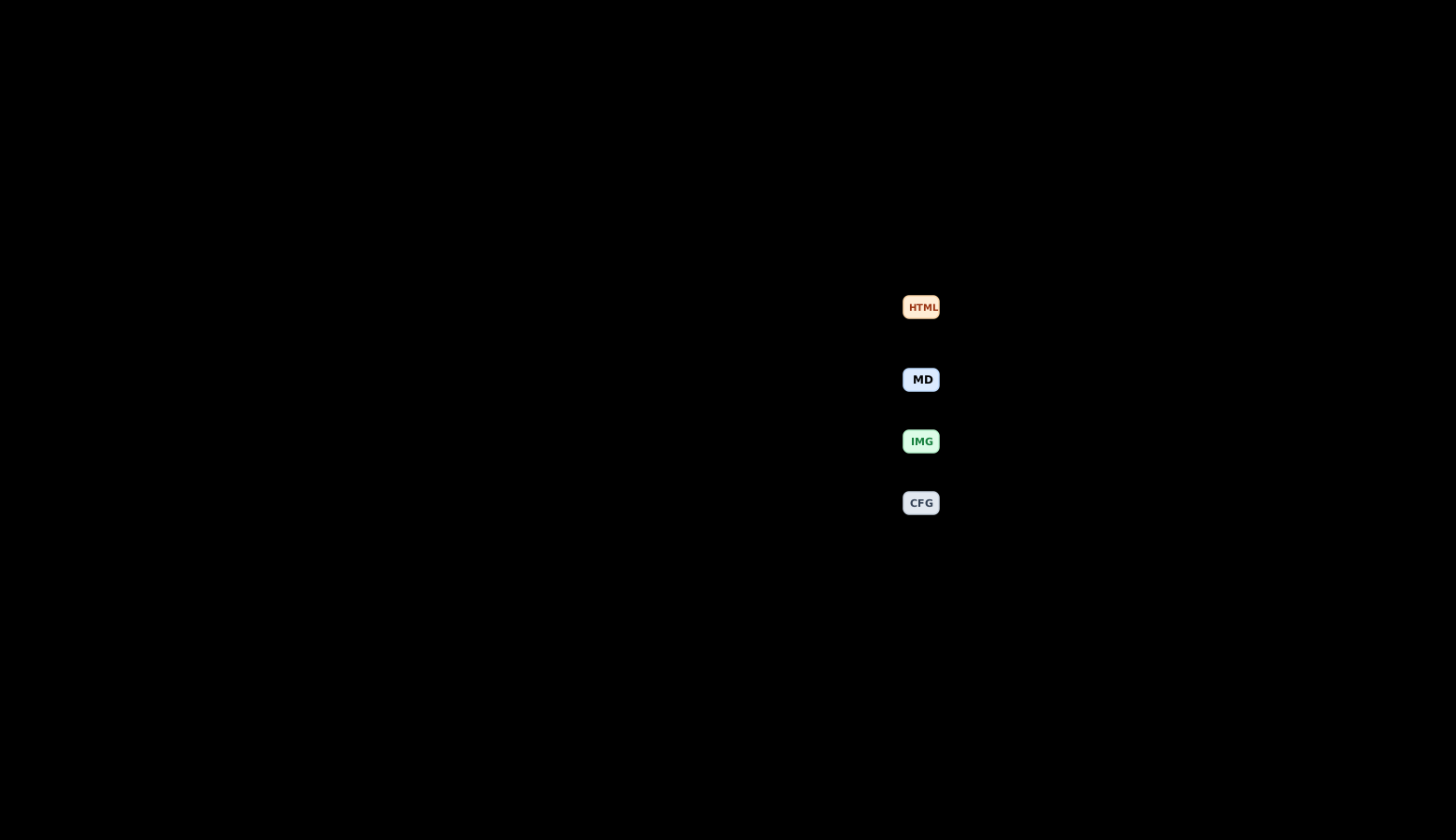 |
New comparison screenshots should follow the visual comparison guide so default Obsidian and Owen Graphite are captured with the same note, viewport, and state.
1. Theme Profile
| Item | Value |
|---|---|
| Version | 3.1.99 |
| Baseline / rollback target | v3.1.99 |
| Mode support | Light / Dark |
| Platform | Desktop & Mobile |
| Design policy | Liquid Glass core · token-first surfaces · zero-important cascade |
2. Latest Highlights
Install the Style Settings plugin to unlock the report, typography, spacing, PDF, and workspace polish controls referenced below.
v3.1.99 — macOS Chrome And Code Alignment
This release clarifies workspace interaction states and keeps macOS scroll and code controls on their intended channels.
| Area | What changed |
|---|---|
| Chrome states | Workspace, settings, tabs, search, floating UI, and shared liquid-glass surfaces use quieter resting, hover, active, and focus treatments backed by a dedicated fixture. |
| File explorer | macOS no longer shows the native overlay scrollbar beside Owen Editor's canonical Frosted ScrollArea control. |
| Code blocks | Live Preview copy controls sit 13px from the right code-block boundary while editable titles and copy behavior remain owned by Owen Editor 0.6.34. |
| Validation | Obsidian 1.12.7 runtime checks cover the macOS scrollbar channel, exact copy-button inset, title/copy controls, and clipboard output. |
v3.1.98 — Precise Scroll And Vault Alignment
This release restores the canonical Frosted ScrollArea material and places workspace scroll controls and vault actions on their intended channels.
| Area | What changed |
|---|---|
| Vault controls | Vault switcher, help, and settings controls now keep equal 8px gaps. |
| File explorer | The fixed glass grip returns to the original native scrollbar channel without changing its material or interaction. |
| Editor palette | The scrollbar aligns with the modal's right edge while preserving native wheel, touch, and keyboard scrolling. |
| Validation | Obsidian 1.12.7 runtime measurements confirm 8px/8px control gaps and a 6px palette edge inset with zero positional error. |
v3.1.97 — Canonical Scroll And Code Controls
This release connects Owen Editor's canonical Frosted ScrollArea to Obsidian vertical viewports, removes the theme's native scrollbar approximation, and tightens code-block and vault action controls.
| Area | What changed |
|---|---|
| Vertical scrolling | Owen Editor 0.6.31 preserves native wheel, touch, and keyboard scrolling while adding a fixed glass grip, rail click, and pointer drag. |
| Scroll surface | The interaction rail stays transparent, the workspace separator remains faint, and the grip keeps measured clearance from file-explorer rows. |
| Code blocks | Live Preview adds one-click copying, left-aligned editable titles, compact icons, and one static PDF title. |
| Vault controls | The help and settings buttons keep an explicit 8px gap. |
v3.1.96 — PDF And Explorer Clarity
This release removes fixed screen-delivery/report-mode branches, keeps PDF readability independent from paper size, and turns long file-explorer labels plus folder metadata into one coherent tooltip surface.
| Area | What changed |
|---|---|
| PDF readability | The readability preset adjusts typography and table/code spacing while preserving the selected A4/A3 portrait or landscape page. |
| Removed modes | Fixed 1920×1080, customer-delivery visibility, and bundled report mode options and implementation paths are removed. |
| File explorer | Long top-level and nested folder names stay within the explorer boundary with ellipsis; the native hover tooltip reveals the full title and folder statistics. |
| Tooltip companion | Companion 1.3.0 structures wrapped titles and metadata into one white tonal-gradient balloon with an 800-weight title, measured divider spacing, and a connected triangular tail. |
| Validation | Obsidian 1.12.7 runtime checks cover PDF paper preservation, LP/PDF parity, ellipsis geometry, tooltip content, two-line titles, spacing, and tail attachment. |
v3.1.95 — Reliable Style Settings Localization
This release restores Owen Graphite's language selector when Obsidian is Korean but Style Settings cannot resolve its legacy locale key, and fills the new Interface heading's semantic icon tile.
| Area | What changed |
|---|---|
| Language selector | Automatic (Obsidian), Korean, and English preserve the existing ogd-language-* values. |
| Compatibility bridge | The optional localization companion translates only Owen Graphite rows and Style Settings chrome without modifying Style Settings data. |
| Interface icon | The Interface heading uses the existing semantic icon owner with an 18px Languages glyph and graphite light/dark ink. |
| Validation | Obsidian 1.12.7 runtime checks cover automatic fallback, explicit English/Korean classes, translated labels, and the computed icon mask. |
v3.1.94 — Semantic Settings Cards
This release aligns Obsidian's core settings plus Owen Graphite, Owen Editor, and Owen Exporter with the same grouped-card language used by Owen Mermaid while keeping each function visually distinct.
| Area | What changed |
|---|---|
| Settings groups | Eight Obsidian core tabs plus Graphite, Editor, and Exporter use compact grouped cards with independent 32px icon tiles where native headings exist. |
| Semantic icons | Every section has a purpose-specific Lucide glyph and color instead of a repeated collapse chevron. |
| Ownership | Editor and Exporter expose stable semantic section hooks so the theme does not depend on child position. |
| Validation | Obsidian 1.12.7 runtime checks cover core card counts, icon uniqueness, clipping, overflow, row overlap, and section borders. |
Older feature notes are kept in dev/WIKI/DOCS/v3/feature-history.md.
3. Installation Details
Option A — Obsidian Community Theme Browser
- Open
Settings→Appearance→Manageunder Themes. - Search for
Owen Graphite. - Install and enable the theme.
Option B — Manual ZIP Install
Download Owen-Graphite-3.1.99.zip from the latest release, then extract it into your vault theme folder.
| Platform | Target path |
|---|---|
| Windows | <YourVault>\.obsidian\themes\Owen Graphite\ |
| macOS / Linux | <YourVault>/.obsidian/themes/Owen Graphite/ |
After extraction, open Obsidian and select Owen Graphite from Settings → Appearance → Themes.
Release assets also include GitHub's generated
Source code (zip). UseOwen-Graphite-3.1.99.zipfor the installable theme package.
Optional Owen Graphite Companion
Download Owen-Graphite-Companion-1.3.0.zip from the same release when Style Settings needs the Korean locale fallback or when you want wrapped title/metadata tooltips to use the full Owen Graphite hierarchy. Extract its owen-graphite-style-settings-l10n folder into:
<YourVault>/.obsidian/plugins/owen-graphite-style-settings-l10n/
Reload Obsidian, enable Owen Graphite Companion under Community plugins, then choose Settings → Style Settings → Owen Graphite → Interface → Language. The companion preserves tooltip text while separating a wrapped bold title from metadata, and it leaves Style Settings data.json unchanged.
Optional Code-Title Editing
The companion does not edit Markdown. To edit fenced code-block titles directly in Live Preview or Reading View, install Owen Editor 0.6.28 or later. Owen Editor stores the title in Markdown:
```bash title="Package update"
winget upgrade
```
Option C — Git Install Or Update
Clone into .obsidian/themes/Owen Graphite/. Running the same command again updates the theme.
Windows (PowerShell)
$ErrorActionPreference = "Stop"
$Vault = "D:\Path\To\YourVault"            # replace with your vault path
$Repo = "https://github.com/towishy/Owen-Graphite.git"
$ThemesDir = Join-Path $Vault ".obsidian\themes"
$ThemeDir = Join-Path $ThemesDir "Owen Graphite"

New-Item -ItemType Directory -Force -Path $ThemesDir | Out-Null

if (Test-Path -LiteralPath (Join-Path $ThemeDir ".git")) {
  git -C "$ThemeDir" fetch --quiet origin main
  git -C "$ThemeDir" reset --quiet --hard origin/main
  git -C "$ThemeDir" clean -qfd
  Write-Host "OK: Owen Graphite updated."
} elseif (Test-Path -LiteralPath $ThemeDir) {
  $Backup = "${ThemeDir}.backup-$(Get-Date -Format 'yyyyMMdd-HHmmss')"
  Move-Item -LiteralPath $ThemeDir -Destination $Backup
  git clone --quiet $Repo "$ThemeDir"
  Write-Host "OK: Owen Graphite reinstalled. Backup: $Backup"
} else {
  git clone --quiet $Repo "$ThemeDir"
  Write-Host "OK: Owen Graphite installed."
}
macOS / Linux (bash)
set -e
VAULT="/path/to/YourVault"                  # replace with your vault path
REPO="https://github.com/towishy/Owen-Graphite.git"
THEME_DIR="$VAULT/.obsidian/themes/Owen Graphite"
mkdir -p "$VAULT/.obsidian/themes"

if [ -d "$THEME_DIR/.git" ]; then
  git -C "$THEME_DIR" fetch --quiet origin main
  git -C "$THEME_DIR" reset --quiet --hard origin/main
  git -C "$THEME_DIR" clean -qfd
  echo "OK: Owen Graphite updated."
elif [ -e "$THEME_DIR" ]; then
  BACKUP="$THEME_DIR.backup-$(date +%Y%m%d-%H%M%S)"
  mv "$THEME_DIR" "$BACKUP"
  git clone --quiet "$REPO" "$THEME_DIR"
  echo "OK: Owen Graphite reinstalled. Backup: $BACKUP"
else
  git clone --quiet "$REPO" "$THEME_DIR"
  echo "OK: Owen Graphite installed."
fi
4. Developer Workflow
The v3 source lives in src/ and is split into tokens, base, surfaces, chrome, features, themes, and plugins. Build and audit work should use the v3 tools in dev/scripts/.
| Task | Command |
|---|---|
| Build bundle | python dev/scripts/bundle_v3.py → dist/theme-v3.css |
Refresh theme.css |
Copy-Item dist/theme-v3.css theme.css -Force on Windows, or the equivalent copy command on macOS/Linux |
| Live Preview hit-routing audit | python dev/scripts/audit_v3_hit_routing.py |
| Duplicate selector audit | python dev/scripts/v3_audit_duplicate_selectors.py |
| Unused CSS candidate report | python dev/scripts/build_unused_css_report.py |
| Computed-style fingerprint capture | python dev/scripts/capture_computed_fingerprint.py --build v3 --theme {light,dark} |
| fingerprint diff | python dev/scripts/fp_diff_summary.py [--theme dark] |
| Release ZIP | python dev/scripts/build_release.py |
| Obsidian vault sync | python dev/scripts/sync_obsidian_theme.py |
| Companion test and ZIP | python compat/owen-graphite-style-settings-l10n/test.py then python dev/scripts/build_companion_release.py |
See CONTRIBUTING.md for contribution details, CHANGELOG.md for release history, and dev/WIKI/DOCS/v3/design-spec.md for the design and validation contract.
5. Support
Owen Graphite is free and open source. If it helps your report, wiki, or documentation workflow, you can support maintenance through GitHub Sponsors.
6. License
MIT — LICENSE