
README file from
GithubSlate is the Obsidian version of the Slate design system: the same tokens (colours, type, spacing, shadows), applied to Obsidian's own variables so core UI, notes and most plugins follow them. It has a light and a dark variant and follows Obsidian's Appearance → Base color scheme setting.
Install
From Obsidian: Settings → Appearance → Themes → Manage, search for Slate, then Install and use. Updates arrive through the same dialog.
By hand (for example in a vault without internet access): download theme.css and manifest.json from the latest release into a folder named Slate inside <your vault>/.obsidian/themes/, then pick Slate under Settings → Appearance → Themes.
Nothing is loaded from the network: the font is embedded in theme.css as a Latin subset (scripts/subset-fonts.py).
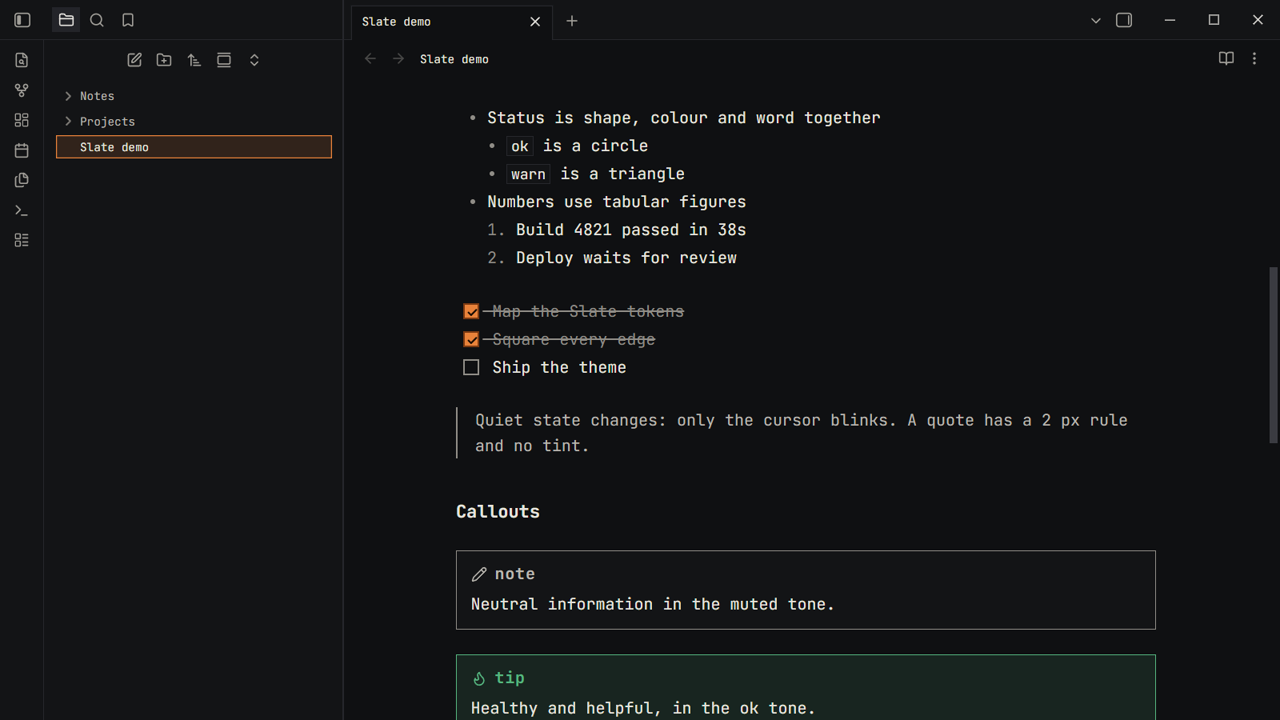
What it looks like
| Light | Dark | |
|---|---|---|
| Live Preview | ||
| Reading view |
The design
- Type. JetBrains Mono, ligatures off, tabular figures in tables and counters. Weight, case and tracking do the work: table headers are small caps, tags and callout titles are lower case.
- Colour. Warm greys, text at 4.5:1 or more in both variants. Ember (
#e8823a) is the one brand colour. It fills the call to action and the chosen row, and is never used as text: links use a darker ember (accent-text) that keeps its contrast. - Status is shape, colour and word. Callouts take the Slate status tones: ok (tip, success), warn (warning, question), crit (danger, failure, bug), agent (example, abstract) and neutral for the rest.
- Edges. Radius is 0 everywhere. Buttons and the command palette use hard offset shadows with no blur; the primary button sinks 2 px when pressed.
- Focus. A 2 px solid ring, offset by 1 px, for keyboard users.
- Motion. No added animation, and transitions are switched off under reduce motion.
The tokens live in src/01-tokens.css under the --sl- prefix, and src/02-variables.css maps them onto Obsidian's variables, so you can retune the theme from your own CSS snippet:
/* .obsidian/snippets/slate-tweaks.css */
body {
	--font-text-size: 15px;
}
.theme-dark {
	--sl-color-accent: #4aa3ff; /* a different accent, dark mode only */
}
Compatibility
Tested in a real Obsidian on 1.8.10 and the latest release (1.14), light and dark, desktop. manifest.json asks for 1.8.10 or newer. Plugins that draw their own UI usually pick the colours up through Obsidian's variables; if one does not, open an issue with a screenshot.
Development
npm install
npm run build        # builds theme.css from src/*.css and fonts/
npm run check        # theme.css is up to date; manifest and CSS rules
npm run screenshots  # drives a real Obsidian and writes test/screenshots/*.png
theme.css is generated: edit the files in src/, run npm run build and commit both. See CONTRIBUTING.md.
Support
Slate is free and open source. If you like it, you can buy me a coffee.
Credits and licence
- The Slate design system's tokens and look.
- JetBrains Mono, © The JetBrains Mono Project Authors, under the SIL Open Font License 1.1, embedded in
theme.cssas a Latin subset (scripts/subset-fonts.py). - Everything else: © Jay Leimer, under the PolyForm Noncommercial License 1.0.0. In short: free to use, copy and change for personal and other non-commercial purposes; commercial use, including selling the theme or bundling it in a paid product, needs the author's permission. This is source-available, not open source. JetBrains Mono keeps its own free licence (above).